

Are you curious about how to make your home smarter and more connected? A Zigbee Smart Home Hub might be exactly what you need.
This small device can bring all your smart gadgets together, making them work seamlessly as one system. Imagine controlling your lights, locks, and sensors with just a tap or a simple voice command. If you want to understand how a Zigbee Smart Home Hub works and why it could transform your daily life, keep reading.
This guide will clear up the mystery and show you how to take your home automation to the next level.
Zigbee Smart Home Hub Basics
A Zigbee smart home hub is the center of your smart home network. It connects and controls devices using Zigbee technology. This hub lets different smart devices communicate easily and work together smoothly. Understanding its basics helps you set up a smart home that is reliable and efficient.
What Is Zigbee Technology
Zigbee is a wireless communication method for smart devices. It uses low energy to connect many devices in a small area. It creates a mesh network where devices relay signals to each other. This system helps devices stay connected even if one device is far from the hub. Zigbee is common in smart lights, sensors, and locks.
Role Of A Smart Home Hub
The smart home hub acts as the brain of your smart system. It manages all connected devices and lets you control them from one place. The hub sends commands and receives information from devices. It can work with apps or voice assistants for easy control. Without a hub, devices may not work well together.
Key Features Of Zigbee Hubs
Zigbee hubs support many devices at once. They create a strong mesh network for better coverage. These hubs use low power, so they are energy efficient. They offer secure connections to protect your data. Most hubs are easy to set up and use. Some can connect with other smart home systems too.
Benefits Of Zigbee Smart Hubs
Zigbee smart hubs bring many benefits to your smart home setup. They help connect and control different devices easily. These hubs improve how devices communicate and work together. This makes your smart home more reliable and efficient. Let’s explore some key benefits of Zigbee smart hubs.
Reliable Device Connectivity
Zigbee smart hubs use a mesh network. This allows devices to connect through each other. If one device is far, signals pass through closer devices. This creates a strong and stable connection. Your lights, sensors, and switches work without interruptions. The hub can support many devices at once. This keeps your smart home running smoothly all day.
Energy Efficiency
Zigbee devices use very little power. The smart hub helps manage this efficiently. Devices stay connected without draining batteries fast. This is great for battery-powered sensors and switches. It also lowers electricity use for plugged-in devices. Using less energy saves money and helps the environment. Zigbee hubs keep your home smart and green.
Scalability And Flexibility
Zigbee smart hubs let you add new devices easily. You can start small and grow your system over time. The hub supports many types of devices from different brands. This gives you freedom to choose what fits your needs. Changing or moving devices is simple with the hub. It adapts to your home and lifestyle without trouble.
Popular Zigbee Hub Brands
Zigbee smart home hubs connect many devices to create a smart home system. Many brands offer Zigbee hubs with different features and prices. Choosing the right brand helps build a reliable and easy-to-use smart home.
Here is a look at popular Zigbee hub brands and what they offer for your home automation needs.
Top Models In The Market
Philips Hue Bridge is a popular Zigbee hub for lighting. It supports many smart bulbs and accessories. Samsung SmartThings Hub is known for its wide compatibility. It connects Zigbee, Z-Wave, and Wi-Fi devices. Amazon Echo Plus has a built-in Zigbee hub. It works well with Alexa voice control. Hubitat Elevation offers advanced automation options. It suits users who want more control over devices.
Compatibility With Devices
Philips Hue Bridge works best with Philips products but supports many Zigbee lights. Samsung SmartThings Hub supports many brands and device types. It links sensors, locks, cameras, and lights. Amazon Echo Plus connects well with Amazon devices and many Zigbee gadgets. Hubitat Elevation supports a large number of Zigbee devices and custom apps. Choosing a hub depends on the devices you want in your smart home.
Price And Performance Comparison
Philips Hue Bridge costs more but offers smooth lighting control. Samsung SmartThings Hub is mid-range and supports many devices. Amazon Echo Plus is affordable and combines a speaker with a hub. Hubitat Elevation is pricier but gives advanced automation and local control. Performance varies by user needs. Simple setups may prefer cheaper options. Complex systems may need more expensive hubs for better control.
Setting Up Your Zigbee Hub
Setting up a Zigbee smart home hub is simple and quick. It lets you control many smart devices from one place. This hub acts as the brain of your smart home system. It connects lights, sensors, and locks, all working together. Follow the steps below to get your Zigbee hub ready.
Installation Steps
First, plug in your Zigbee hub to a power source. Then connect it to your Wi-Fi router using an Ethernet cable or Wi-Fi. Download the hub’s app on your smartphone or tablet. Open the app and create an account if needed. Follow the app instructions to add the hub to your network. Wait for the hub’s light to show it is ready.
Connecting Devices
Open the app and select “Add Device” or a similar option. Put your Zigbee device into pairing mode by following its manual. The hub will search and find the device automatically. Confirm the device in the app to complete the connection. Repeat these steps for each device you want to add. Name your devices for easy control later.
Troubleshooting Tips
If a device does not connect, check its battery or power. Make sure the hub and device are close to each other. Restart the hub by unplugging it and plugging it back in. Reset the device and try pairing again. Update the hub’s firmware using the app for better performance. Contact support if problems continue after these steps.
Integrating Zigbee With Other Systems
Zigbee smart home hubs connect various smart devices to work together. They often need to link with other systems to create a smooth smart home experience. Integrating Zigbee with popular technologies helps you control everything easily. It also increases the number of devices you can use in your home. This section explains how Zigbee works with voice assistants, smartphone apps, and other wireless devices.
Voice Assistant Compatibility
Zigbee hubs often support voice assistants like Alexa, Google Assistant, or Siri. You can control Zigbee devices using simple voice commands. This allows you to turn lights on or off, adjust thermostats, or check sensors hands-free. Voice control adds convenience and makes your smart home easier to manage. Many Zigbee hubs come with built-in support or can connect to voice assistants via apps.
Smartphone App Controls
Most Zigbee hubs connect to smartphone apps for remote control. These apps let you monitor and manage devices from anywhere. You can create schedules, receive alerts, and customize settings on your phone. The apps provide a simple way to see all your connected devices in one place. Many apps support both Android and iOS devices, making them widely accessible.
Linking With Wi-fi And Bluetooth Devices
Zigbee hubs can work alongside Wi-Fi and Bluetooth gadgets. This expands your smart home network beyond Zigbee devices alone. Some hubs have built-in bridges to connect different wireless protocols. This means you can control Wi-Fi cameras, Bluetooth speakers, and Zigbee sensors together. Combining these technologies creates a more flexible and powerful smart home system.
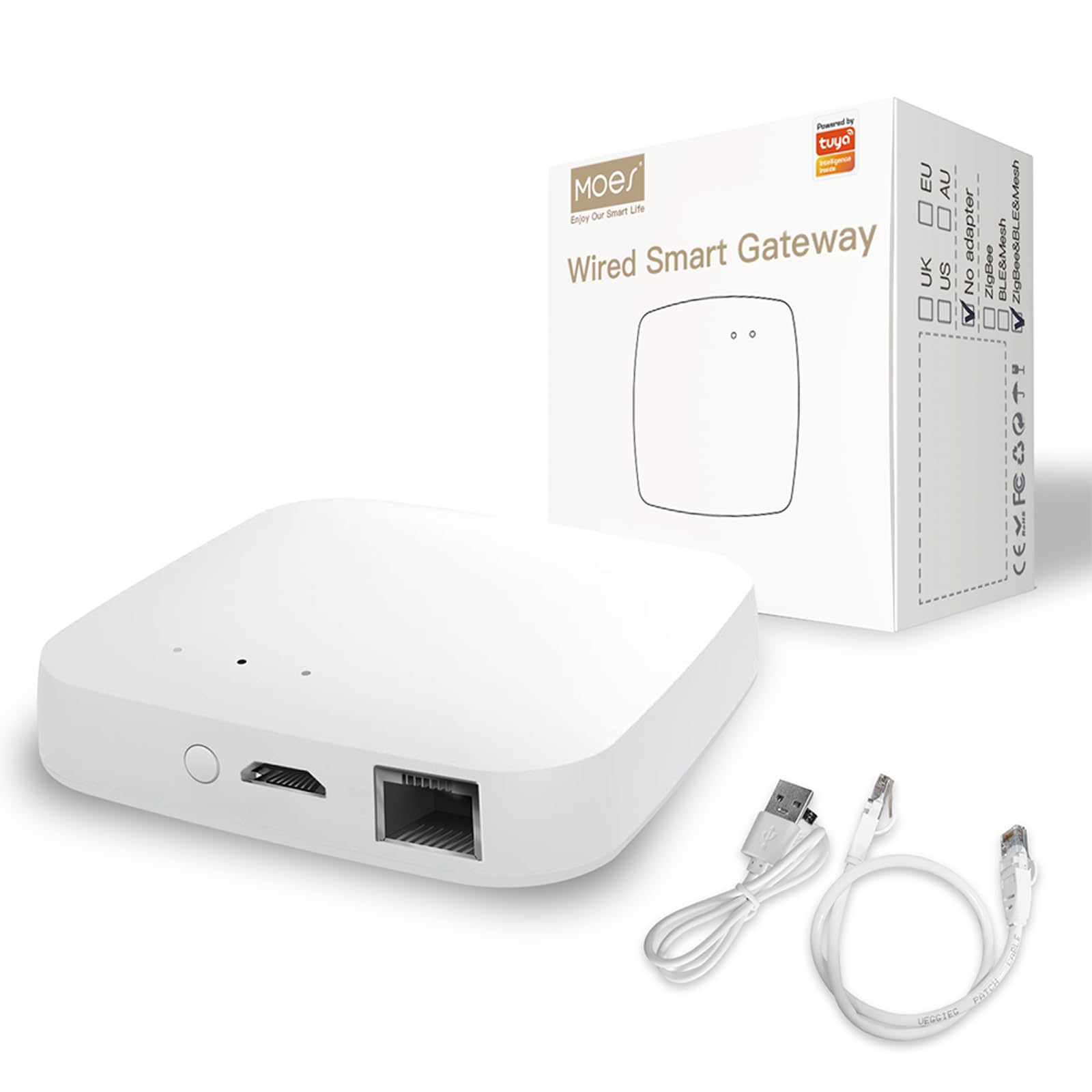
Credit: www.amazon.com
Security And Privacy Features
Security and privacy are key parts of a Zigbee smart home hub. These hubs control many devices in your home. Protecting your data and devices is very important. Zigbee hubs use several features to keep your smart home safe. These include strong data encryption, user access controls, and clear safety practices.
Data Encryption Methods
Zigbee hubs use data encryption to protect your information. Encryption changes your data into a code. This code is hard to read without a key. Zigbee uses AES-128 encryption, a strong and trusted method. This keeps your messages safe from hackers. It also protects your device commands. Encryption works both when data moves and when it rests.
User Access Controls
User access controls help limit who can use the hub. You can set different permission levels for users. Only trusted people can add or remove devices. Some hubs require a password or PIN to access settings. This stops strangers from controlling your smart home. Access controls also track who makes changes. This adds an extra layer of security.
Best Practices For Safety
Keep your smart home safe by following simple rules. Change default passwords right away. Use strong, unique passwords for your hub. Update your hub’s software regularly to fix security issues. Avoid sharing your hub login with many people. Turn off features you do not use. These steps help prevent unauthorized access and keep your devices secure.
Future Trends In Zigbee Technology
Zigbee technology continues to evolve, shaping the future of smart homes. It offers reliable and low-power wireless communication. This technology connects many smart devices seamlessly. It supports growing demands for smarter and safer homes. The future holds exciting changes that will enhance Zigbee’s role in home automation.
Advancements In Connectivity
Zigbee is improving its network speed and range. Devices will communicate faster and more reliably. Mesh networking will become stronger, covering larger areas. These improvements reduce delays and connection drops. It helps smart homes run smoothly and efficiently.
Expanding Smart Home Ecosystems
Zigbee hubs will support more types of devices. Lighting, security, and appliances will integrate easily. This creates a unified system controlled from one app. Compatibility with other smart protocols will increase. Users will enjoy more choices and simpler control.
Emerging Use Cases
Zigbee’s role will grow beyond typical smart homes. It will support smart cities and building automation. Healthcare devices will use Zigbee for remote monitoring. Energy management systems will optimize power use. These new applications show Zigbee’s wide potential.
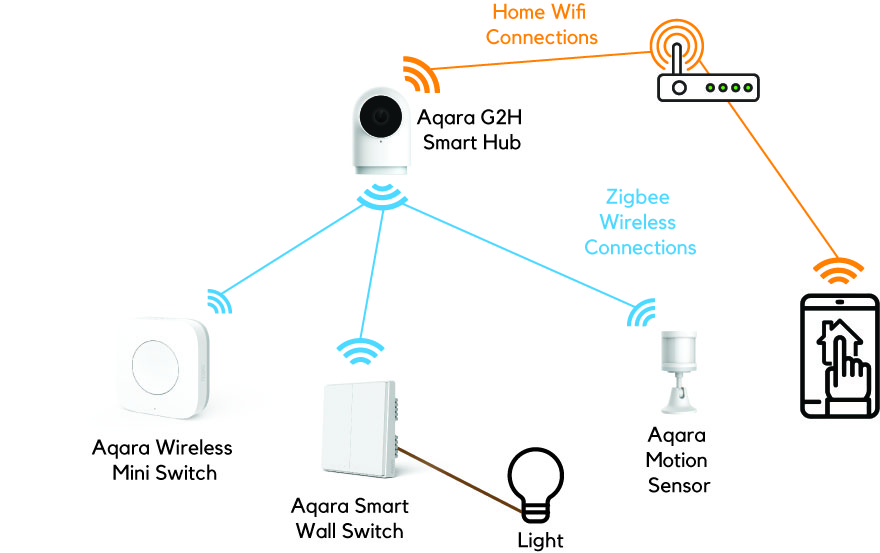
Credit: homesmart.sg
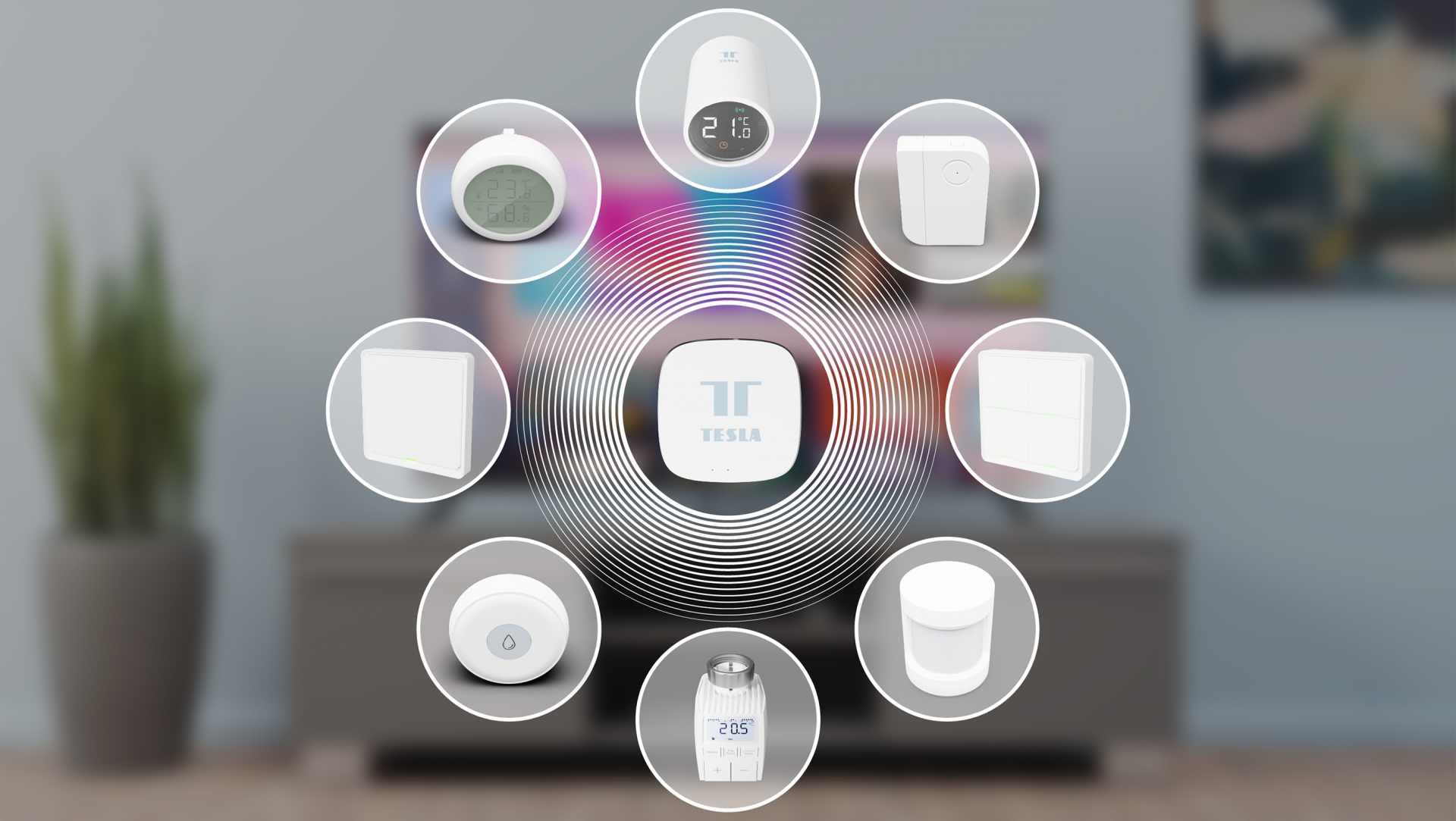
Credit: www.przewozcm.eu
Frequently Asked Questions
What Is A Zigbee Smart Home Hub?
A Zigbee Smart Home Hub connects and controls Zigbee-compatible smart devices. It acts as a central controller for your smart home network, enabling seamless communication and automation between devices like lights, sensors, and thermostats.
How Does A Zigbee Hub Improve Smart Home Automation?
A Zigbee Hub enhances automation by creating a reliable network for devices. It ensures fast, low-energy communication and allows you to control multiple devices remotely through one app or voice assistant.
Which Devices Work With Zigbee Smart Home Hubs?
Zigbee Hubs support devices like smart bulbs, door sensors, plugs, locks, and thermostats. These devices use Zigbee protocol for efficient communication, ensuring compatibility and easy integration within your smart home system.
Can Zigbee Hubs Work With Other Smart Home Platforms?
Yes, many Zigbee Hubs are compatible with platforms like Amazon Alexa, Google Assistant, and Apple HomeKit. This allows you to control Zigbee devices alongside other smart home technologies for a unified experience.
Conclusion
A Zigbee smart home hub connects many devices easily. It helps control lights, locks, and sensors from one place. This hub uses low energy and works well with many brands. Setting it up is simple and does not need much skill.
With this hub, your home becomes smarter and safer. It saves time and makes life easier. Consider adding a Zigbee hub for better home control. Small step, big convenience.
As an Amazon Associate, I earn from qualifying purchases.

