

Have you ever wondered if your Bluetooth headphones will work smoothly on a plane? You’re not alone.
Many travelers face the same question before takeoff. Imagine settling into your seat, ready to enjoy your favorite music or movie, only to find your headphones won’t connect. Frustrating, right? But what if you knew exactly what to expect and how to make your wireless earbuds or headphones work perfectly at 30,000 feet?
Keep reading, and you’ll discover simple tips and clear answers that will change the way you travel forever. Your next flight could be more relaxing—and wireless—than ever before.

Credit: www.soundcore.com
Bluetooth Headphones And Airplane Compatibility
Bluetooth headphones have become popular for travel. Many wonder if these devices work well on planes. Understanding their compatibility helps travelers use them without trouble. This section explains how Bluetooth functions on planes and what airline rules apply.
How Bluetooth Functions On Planes
Bluetooth uses low power radio waves to connect devices. On planes, these signals can work but with limits. Most modern airplanes allow Bluetooth use during flight. The signal range is short, so headphones connect easily to phones or tablets. Some interference may occur near sensitive aircraft systems. Still, Bluetooth devices usually function well without causing issues.
Airline Policies On Bluetooth Devices
Airlines set rules for Bluetooth use to keep flights safe. Many let passengers use Bluetooth headphones during the flight. Some require devices to stay in airplane mode. This mode stops cellular signals but allows Bluetooth. Rules differ by airline and country. Checking the airline’s policy before flying is best. Following these rules ensures smooth travel with Bluetooth headphones.
Credit: www.escape.com.au
Using Bluetooth Headphones During Different Flight Phases
Using Bluetooth headphones on a plane can be a bit tricky. Airlines have rules about when and how you can use them. These rules change during different parts of the flight. Knowing these rules helps you enjoy your music or movies without trouble. Let’s explore how to use Bluetooth headphones during each flight phase.
Takeoff And Landing Restrictions
During takeoff and landing, airlines often ask passengers to turn off electronic devices. Bluetooth headphones are included in this rule. The plane’s systems need to work without interference. This means you cannot use Bluetooth headphones at these times. Instead, use wired headphones if you want to listen to audio. Safety is the main reason for these restrictions.
In-flight Usage Guidelines
Once the plane reaches cruising altitude, you can usually use Bluetooth headphones. Many airlines allow Bluetooth devices after the seatbelt sign turns off. Connect your headphones to your phone or tablet to enjoy music or movies. Some planes offer Bluetooth audio systems for in-flight entertainment. Make sure your device is in airplane mode with Bluetooth turned on. Follow crew instructions to avoid any problems.
Maximizing Bluetooth Headphone Performance On Flights
Flying with Bluetooth headphones can improve your travel comfort. To get the best experience, follow some simple tips. These help keep your headphones working well during the flight. Make sure your battery lasts, avoid signal problems, and connect properly with the plane’s systems.
Battery Life Tips
Charge your headphones fully before boarding. Turn them off when not in use to save power. Carry a small power bank if allowed on the plane. Use low-power modes if your headphones have them. This helps you enjoy music or podcasts longer.
Reducing Interference
Keep your headphones close to your device to avoid signal loss. Turn off other Bluetooth devices to reduce signal clashes. Avoid metal objects between your headphones and device. Sit away from crowded areas with many electronic devices. These steps keep your connection stable.
Pairing With In-flight Entertainment Systems
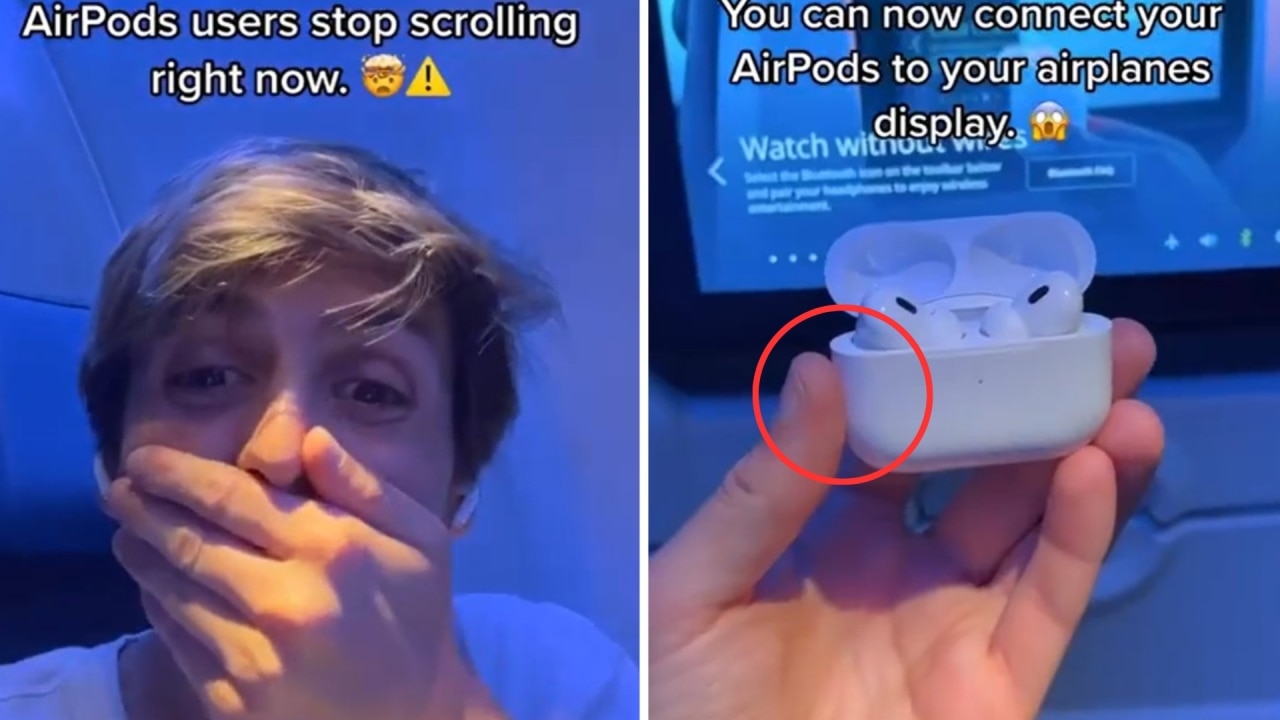
Some planes allow Bluetooth headphone pairing with the entertainment system. Check if the system supports Bluetooth before your flight. Follow the system’s pairing instructions carefully. Use airplane mode on your device to avoid network issues. This way, you can enjoy movies or music wirelessly.
Alternative Audio Options For Air Travel
Traveling by plane often means finding the best way to enjoy your audio. Bluetooth headphones may not always work well due to airline rules and device limits. Passengers need reliable options for clear sound during flights. Exploring other audio choices can improve your in-flight experience.
Wired Headphones Vs. Bluetooth
Wired headphones connect directly to the airplane’s audio jack. They work without any signal issues or pairing delays. Most planes still support wired connections for movies and music. These headphones do not need charging and rarely lose sound quality. Many travelers prefer wired headphones for their simplicity and dependability.
Using Bluetooth Transmitters
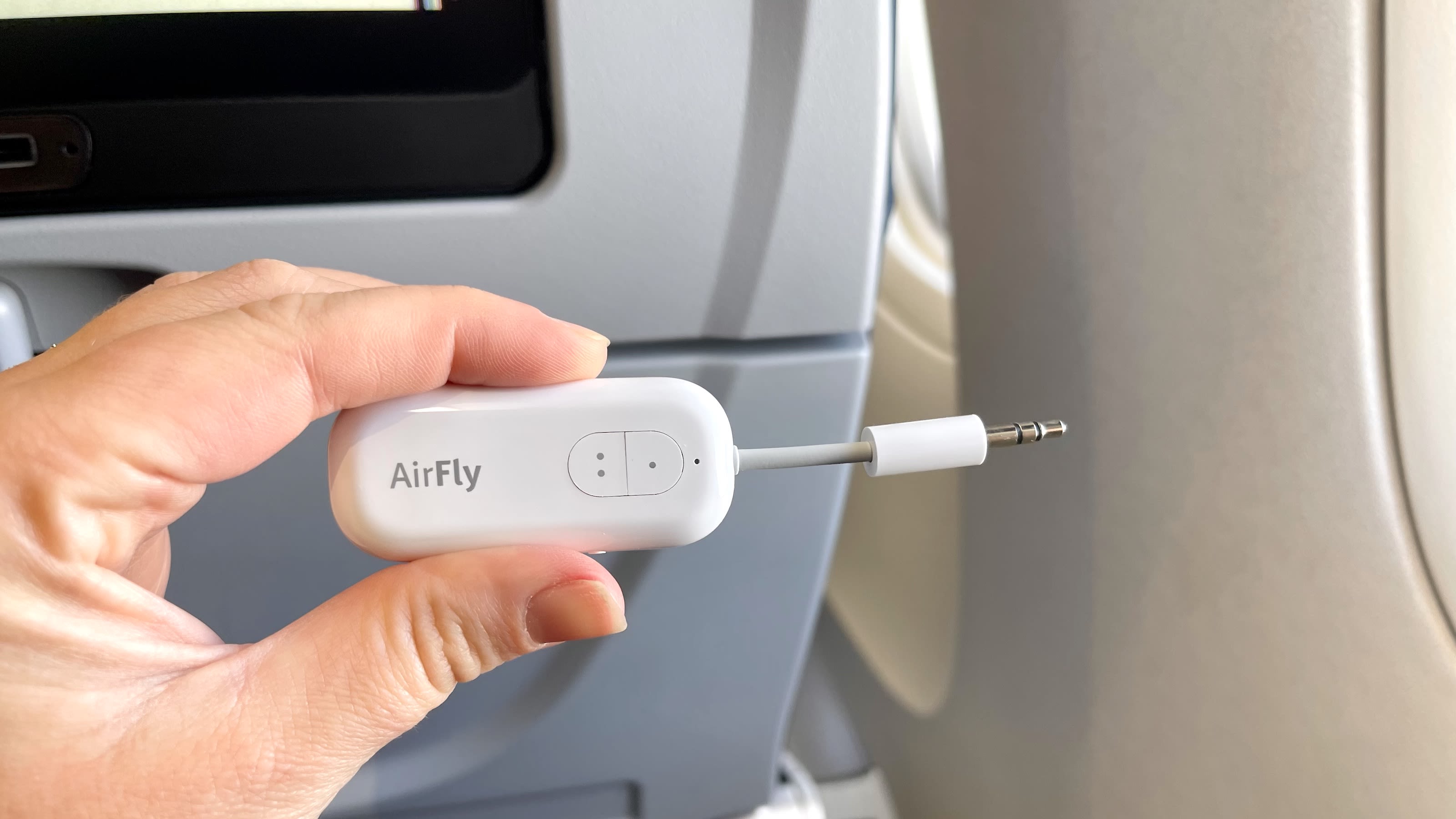
Bluetooth transmitters can send audio from the plane’s system to your wireless headphones. These small devices plug into the headphone jack and create a Bluetooth signal. They allow passengers to use Bluetooth headphones even if the plane does not support them. Transmitters need to be charged and paired with your headphones before use. This option offers flexibility but requires extra equipment and setup.
Troubleshooting Common Bluetooth Issues On Planes
Bluetooth headphones offer great convenience on planes. Yet, some common problems can interrupt your listening experience. Knowing how to troubleshoot these issues helps you enjoy your music or movies without hassle.
Below are some frequent Bluetooth problems on planes and ways to fix them quickly.
Connection Drops
Connection drops happen when the signal breaks between your device and headphones. This can occur due to interference from airplane electronics or distance from your device. Keep your device close and avoid moving around too much. Turning Bluetooth off and on again can reset the connection. Restarting your headphones also helps restore the link.
Audio Latency
Audio latency means a delay between video and sound. This issue is common with Bluetooth on planes. It happens because of signal processing delays or interference. Use headphones with low-latency support to reduce delays. Closing other apps that use Bluetooth can improve sync. Switching to airplane mode may lower interference and latency.
Compatibility Problems
Compatibility issues arise when your headphones don’t work well with the plane’s entertainment system. Most systems use wired connections that don’t support Bluetooth directly. Use a Bluetooth transmitter that plugs into the headphone jack to connect wirelessly. Check if your headphones and transmitter are compatible before flying. Testing devices before the flight avoids surprises.
Credit: www.cnn.com
Frequently Asked Questions
Do Bluetooth Headphones Work During Flights?
Yes, Bluetooth headphones work on planes. Most airlines allow Bluetooth devices in airplane mode. You can enjoy wireless audio without issues during your flight.
Can Bluetooth Interfere With Airplane Systems?
No, Bluetooth uses low power and short-range signals. It does not interfere with airplane navigation or communication systems. Airlines generally permit Bluetooth use safely.
How To Use Bluetooth Headphones On A Plane?
Switch your device to airplane mode, then enable Bluetooth. Pair your headphones with your device. This allows wireless listening without disrupting flight systems.
Are There Any Bluetooth Headphone Restrictions On Flights?
Some airlines may restrict Bluetooth use during takeoff and landing. Check airline policies before your flight. Generally, Bluetooth is allowed during cruising altitude.
Conclusion
Bluetooth headphones generally work well on planes. Many airlines allow their use during flights. You may need to switch to airplane mode first. Sound quality can vary depending on the device. Battery life is important for long trips. Remember to respect flight crew instructions always.
Wireless convenience makes travel more comfortable. Just keep your headphones charged before boarding. Overall, Bluetooth headphones offer a good in-flight audio experience. They help block noise and keep you entertained. Safe and simple, they fit well with modern travel.
As an Amazon Associate, I earn from qualifying purchases.

