

Are you noticing that your iPhone’s sound isn’t as clear as it used to be? Maybe your music sounds muffled, or calls seem quieter than before.
Your iPhone speakers might be dirty or blocked, and that’s a common issue many users face. But don’t worry—cleaning your iPhone speakers is easier than you think. You’ll discover simple, safe steps to restore your phone’s sound quality. Keep reading, and you’ll soon enjoy crystal-clear audio again.
Signs Of Dirty Iphone Speakers
Dirty iPhone speakers affect sound quality and phone use. Dust, lint, and dirt block sound from coming out clearly. This makes calls, music, and videos less enjoyable. Spotting signs early helps keep the speakers clean and working well.
Listen carefully and check your phone often. Notice changes in sound or look closely at the speaker area. These signs tell you when it is time to clean the speakers.
Distorted Or Muffled Sound
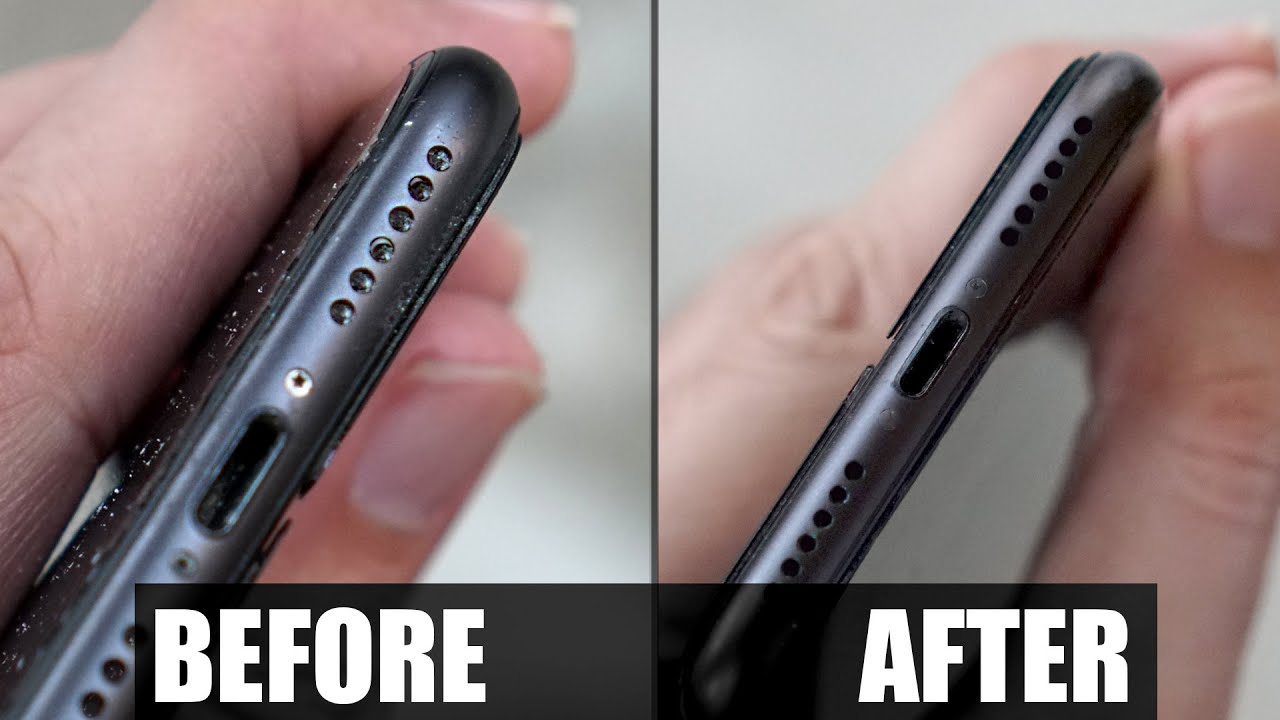
Sounds become unclear or weak. Voices may sound distant or fuzzy. Music loses its usual clarity and sharpness. This happens because dirt blocks the speaker grill.
Low Volume Even At Maximum
Volume stays low even when set high. The phone seems quieter than before. Dirt reduces the speaker’s ability to produce loud sound.
Buzzing Or Crackling Noises
Unusual noises come from the speaker. Buzzing or crackling during calls or music. These sounds often show dirt or debris inside the speaker.
Speaker Grill Appears Dirty
Look closely at the speaker grill. Dust, lint, or small particles cover the holes. This physical dirt stops sound from passing freely.
Tools Needed For Cleaning
Cleaning your iPhone speakers needs the right tools. Using proper tools protects your device. It helps remove dust and dirt safely. Avoid tools that can damage the delicate parts.
Gather these simple tools before you start. Each tool plays a key role. Together, they make the cleaning process easy and effective.
Soft Bristle Brush
A soft bristle brush removes dust gently. It reaches small speaker holes without harm. Use a clean, dry brush for best results.
Microfiber Cloth
Microfiber cloth wipes away dirt and smudges. It does not scratch the phone surface. Keep it dry or slightly damp for cleaning.
Compressed Air Can
Compressed air blows out dust from tight spaces. Use short bursts to avoid moisture build-up. Hold the can upright for safe use.
Toothpick Or Plastic Pick
A toothpick or plastic pick helps dislodge stubborn dirt. Be careful to avoid pushing dirt deeper. Use gentle motions around the speaker grill.
Isopropyl Alcohol (optional)
Isopropyl alcohol cleans stubborn grime safely. Use 70% or less concentration only. Apply on cloth, never directly on the phone.
Preparing Your Iphone For Cleaning
Preparing your iPhone before cleaning the speakers is important. It helps protect your device and ensures effective cleaning. Taking a few simple steps can prevent damage and improve results.
Start by turning off your iPhone. This prevents accidental touches and protects internal parts from moisture. Powering down makes the cleaning process safer and easier.
Turn Off Your Iphone
Press and hold the side button and either volume button. Slide to power off when prompted. Wait a few seconds before continuing. This step stops the phone from reacting during cleaning.
Remove Any Case Or Cover
Take off your phone case or cover. Dirt and dust can hide under cases. Removing the case gives you full access to the speakers. It also prevents moisture from getting trapped during cleaning.
Gather Cleaning Materials
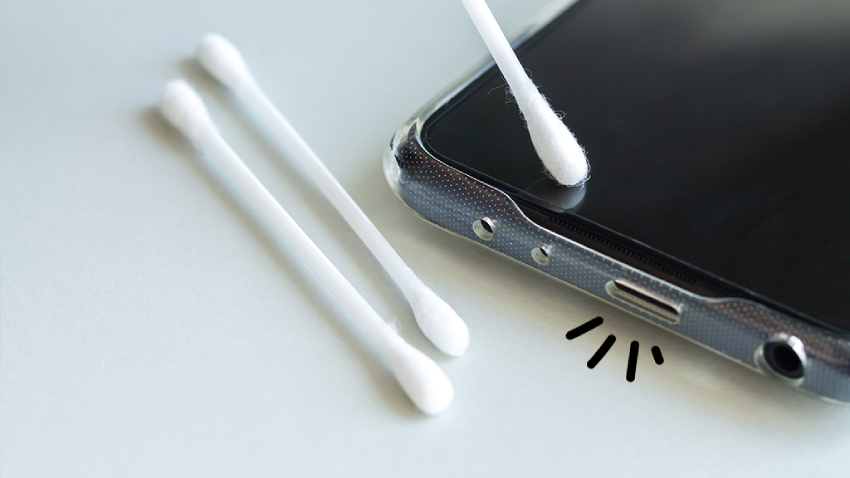
Use soft, lint-free cloths and a small brush. Avoid sharp or metal objects that can damage speaker mesh. Have a can of compressed air ready if possible. Gentle materials ensure safe and effective cleaning.
Credit: prohousekeepers.com
Step-by-step Cleaning Process
Cleaning your iPhone speakers regularly helps keep sound clear and strong. Dust and dirt can block the tiny holes and reduce audio quality. Follow these simple steps to clean your speakers safely and effectively.
Removing Dust With A Soft Brush
Start by using a soft brush, like a small paintbrush or a clean toothbrush. Gently brush the speaker grills to remove loose dust. Brush in one direction to avoid pushing dirt deeper. Do this over a clean surface to catch falling dust.
Using Compressed Air Safely
Use a can of compressed air to blow away dust stuck in the speaker holes. Hold the can upright and spray short bursts from a few inches away. Avoid holding the nozzle too close to prevent damage. Do not use a vacuum or strong air pressure.
Cleaning With A Soft Cloth
Take a soft, lint-free cloth to wipe the outside of the speakers. Lightly dampen the cloth with water if needed, but never soak it. Gently wipe in small circles to remove any remaining dirt. Keep the cloth clean and dry between wipes.
Avoiding Moisture Damage
Never apply liquid directly to your iPhone’s speakers. Avoid using strong cleaners or sprays. Always use a slightly damp cloth if necessary, then dry immediately. Keep your iPhone away from water during cleaning to protect its internal parts.
Alternative Cleaning Methods
Cleaning iPhone speakers can be tricky. Not everyone has special tools at hand. Alternative methods can help clear dust and dirt safely. These methods use common household items. They work well for light cleaning tasks. Always be gentle to avoid damage.
Using Adhesive Tape
Adhesive tape can pick up dust from speaker grills. Use a small piece of tape, like scotch tape. Press the sticky side gently against the speaker. Lift the tape slowly to pull out dirt. Repeat with fresh tape until clean. Avoid pressing hard to protect the speaker mesh.
Utilizing A Vacuum Cleaner
A vacuum cleaner can suck out dust from your iPhone speakers. Use a vacuum with a soft brush attachment. Hold it close but not touching the speaker. Turn on the vacuum and move it gently over the grill. This method removes loose particles without pushing them inside. Make sure the vacuum is on low power to avoid damage.
Credit: kdfoundation.org
Preventing Future Speaker Blockages
Keeping your iPhone speakers clean helps maintain clear sound quality. Dust and dirt can block sound and lower volume. Preventing blockages saves time and effort later. Small daily habits can protect your speakers well.
Regular Maintenance Tips
Check your iPhone speakers often for dust or debris. Use a soft brush or a dry, clean cloth to wipe the speaker grills gently. Avoid using water or liquids near the speakers. Blow air lightly to remove dirt inside the holes. Clean your phone regularly to stop buildup. Avoid putting your phone in dirty or dusty places. Carry your phone in a clean pocket or bag.
Protective Cases And Covers
Use cases designed to protect speaker areas without blocking sound. Choose cases with speaker cutouts that allow air and sound flow. Clean the case often to prevent dust from reaching the speakers. Avoid thick covers that trap dirt and moisture near the speaker. Consider cases with dust-proof features for extra protection. A good case reduces the chance of damage and blockage.
When To Seek Professional Help
Cleaning iPhone speakers can often be done at home with simple tools. Yet, some problems need expert care. Knowing when to seek professional help can save your device. It prevents damage and ensures the speakers work well again.
Signs Your Iphone Speakers Need Expert Attention
Sound remains muffled after cleaning attempts. Speaker volume does not increase despite adjustments. Strange noises or crackling sounds come from the speakers. Moisture or liquid damage affects speaker performance. These signs mean a professional check is necessary.
Risks Of Cleaning Iphone Speakers Yourself
Using sharp tools can damage the delicate speaker mesh. Excessive force may break internal parts. Liquids can seep deeper and cause more harm. Wrong cleaning products may corrode speaker components. Professionals avoid these risks with proper tools and knowledge.
How Professionals Fix Iphone Speaker Issues
Experts open the iPhone carefully to inspect internal parts. They use specialized tools to clean or replace damaged speakers. Professionals check for other hidden problems that affect sound. They ensure the device is sealed properly after repair. This restores the original sound quality safely.
Credit: www.youtube.com
Frequently Asked Questions
How Do I Safely Clean My Iphone Speakers?
Use a soft, dry toothbrush or a clean, dry brush to gently remove dirt. Avoid using liquids directly on the speaker. Compressed air can help but use it cautiously to prevent damage.
What Tools Are Best For Cleaning Iphone Speakers?
A soft-bristled brush, a microfiber cloth, and a toothpick work well. Avoid metal or sharp objects that can damage speaker grills. Use gentle, controlled motions for effective cleaning.
Can I Use Water To Clean Iphone Speakers?
No, avoid water as it can damage internal components. Instead, use a dry brush or compressed air to clear dirt. If moisture is present, let the phone dry completely before use.
How Often Should I Clean My Iphone Speakers?
Clean your iPhone speakers every few weeks or when sound quality drops. Regular maintenance prevents dirt buildup and keeps your speakers functioning well. This simple habit prolongs your phone’s lifespan.
Conclusion
Cleaning your iPhone speakers keeps sound clear and sharp. Regular care stops dirt and dust from blocking sound. Use soft tools and gentle methods to avoid damage. Small steps make a big difference in phone performance. Keep your phone clean to enjoy better calls and music.
Simple habits protect your device and save money. Try cleaning your speakers often for the best results. Your iPhone deserves a little care to work well every day.
As an Amazon Associate, I earn from qualifying purchases.

