

Have you ever lost your keys, wallet, or even your pet, and wished there was an easy way to find them? Tile trackers promise to solve that problem, but you might be wondering—how long do they actually last?
Understanding the lifespan of your Tile tracker is key to making sure you stay connected to the things that matter most. You’ll discover exactly what affects your Tile’s battery life, how to get the most out of it, and when it’s time to replace your tracker.
Keep reading to make sure your valuables never go missing for long.
Tile Tracker Lifespan Basics
Tile trackers help find lost items quickly. They use small devices attached to keys, bags, or other belongings. Knowing how long these trackers last helps users plan replacements and avoid surprises. Understanding the basics of their lifespan is essential.
Battery Life Expectations
Tile trackers use small batteries to work. Most models have batteries that last about one year. Some newer versions have replaceable batteries. Others need a full replacement after the battery dies. Battery life depends on how often the tracker is used. Frequent use drains the battery faster.
Factors Affecting Durability
Durability depends on the build quality of the Tile tracker. Exposure to water or extreme temperatures can reduce lifespan. Drops or impacts may damage the device internally. Proper care can extend the tracker’s life. Regular cleaning and safe storage help keep it working well.
Battery Replacement Options
Tile trackers use batteries to stay active and help you find your lost items. Knowing your battery options helps you keep your Tile working longer. Some Tiles have batteries you can replace. Others have batteries built-in that last many months.
Understanding how to replace or manage these batteries saves money and hassle. It also keeps your Tile ready whenever you need it. Let’s explore the types of batteries and how to change them.
Replaceable Vs Non-replaceable Batteries
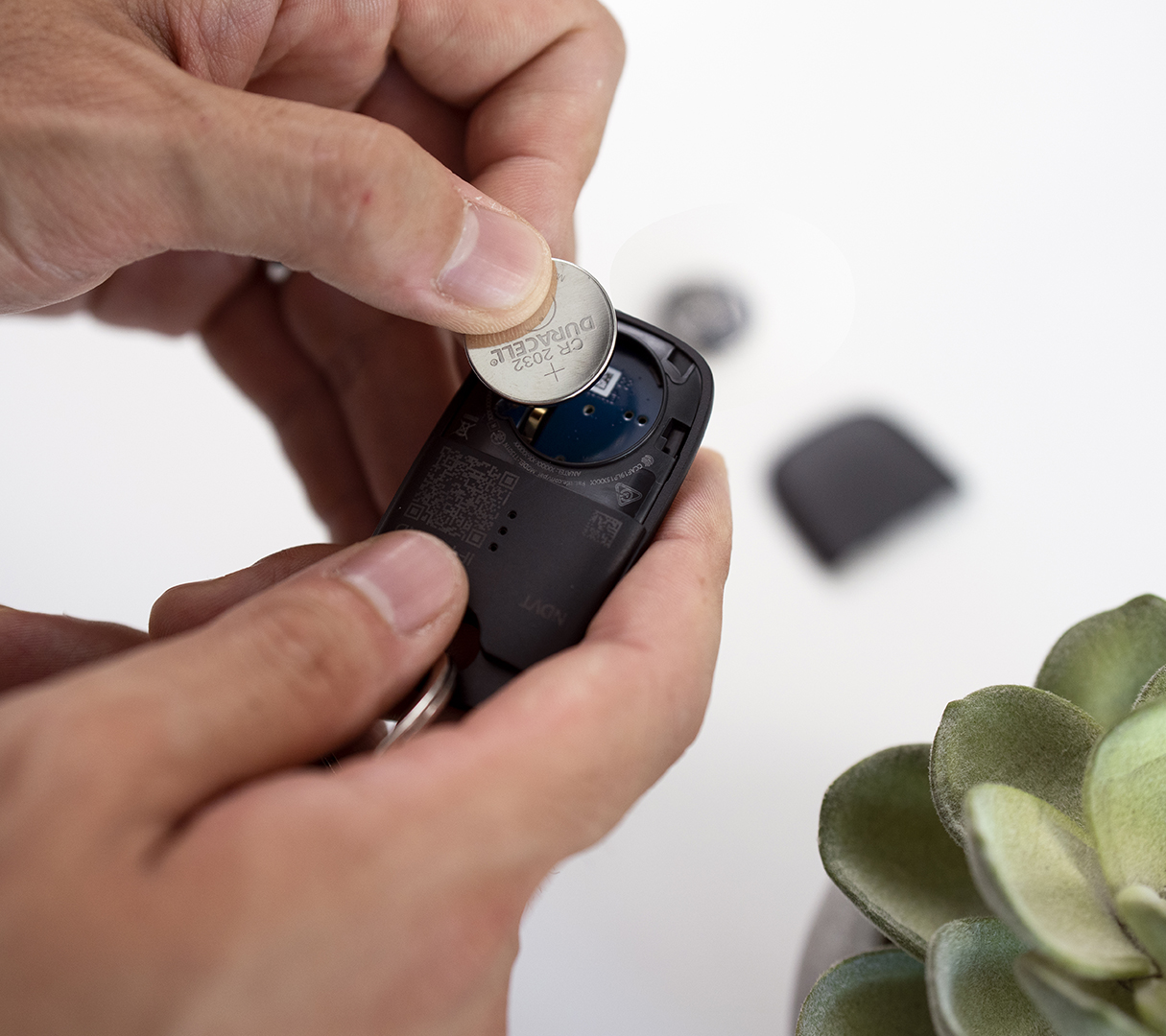
Some Tile models come with replaceable batteries. You can open the back and swap the old battery for a new one. These usually use common coin cell batteries. This option extends your Tile’s life without buying a new device.
Other Tiles have non-replaceable batteries. These batteries are sealed inside the device. Once the battery runs out, you must buy a new Tile. These models often last about one year before the battery dies.
Choosing a Tile depends on your preference for battery replacement. Replaceable batteries offer long-term savings. Non-replaceable models offer convenience without battery changes.
How To Change Tile Batteries
To change a replaceable battery, first find the small notch or button on the Tile’s back. Use a coin or your fingernail to open the back cover gently. Remove the old battery carefully. Insert a new battery with the correct side facing up.
Close the back cover securely. Test the Tile by pressing its button. The Tile should light up or make a sound. This means the battery change worked. Always use the battery type recommended by Tile for best results.
Usage Impact On Longevity
Tile trackers are small devices that help you find lost items. Their lifespan depends a lot on how you use them. Understanding usage impact helps you know how long they last. This section explains key factors affecting their longevity.
Frequency Of Use
Using tile trackers often can shorten their battery life. Each time you activate the device, it uses power. Frequent tracking means the battery drains faster. Less frequent use helps the battery last longer. Some models may last months with light use. Heavy use can reduce lifespan to just weeks.
Environmental Conditions
Environmental factors affect tile trackers’ durability and battery life. Extreme temperatures can harm the battery’s performance. Very cold or hot places reduce battery efficiency. Moisture or water exposure can damage the device. Dust and dirt may clog sensors or buttons. Keeping trackers in safe, dry places extends their life.
Credit: arstechnica.com
Maintenance Tips For Longer Life
Tile trackers can last for years with the right care. Simple maintenance helps keep them working well. These tips help you get the most from your device. Follow these easy steps to extend your tile tracker’s life.
Proper Storage
Store your tile tracker in a cool, dry place. Avoid areas with high heat or moisture. Keep it away from direct sunlight to protect the battery. Use a soft pouch or case to stop scratches. Proper storage stops damage and keeps the device safe.
Regular Updates And Care
Check for software updates often. Updates fix bugs and improve performance. Clean your tracker gently with a soft cloth. Avoid using water or harsh chemicals. Regular care keeps your tracker working smoothly. Replace the battery if needed to maintain battery life.
Comparing Tile Models
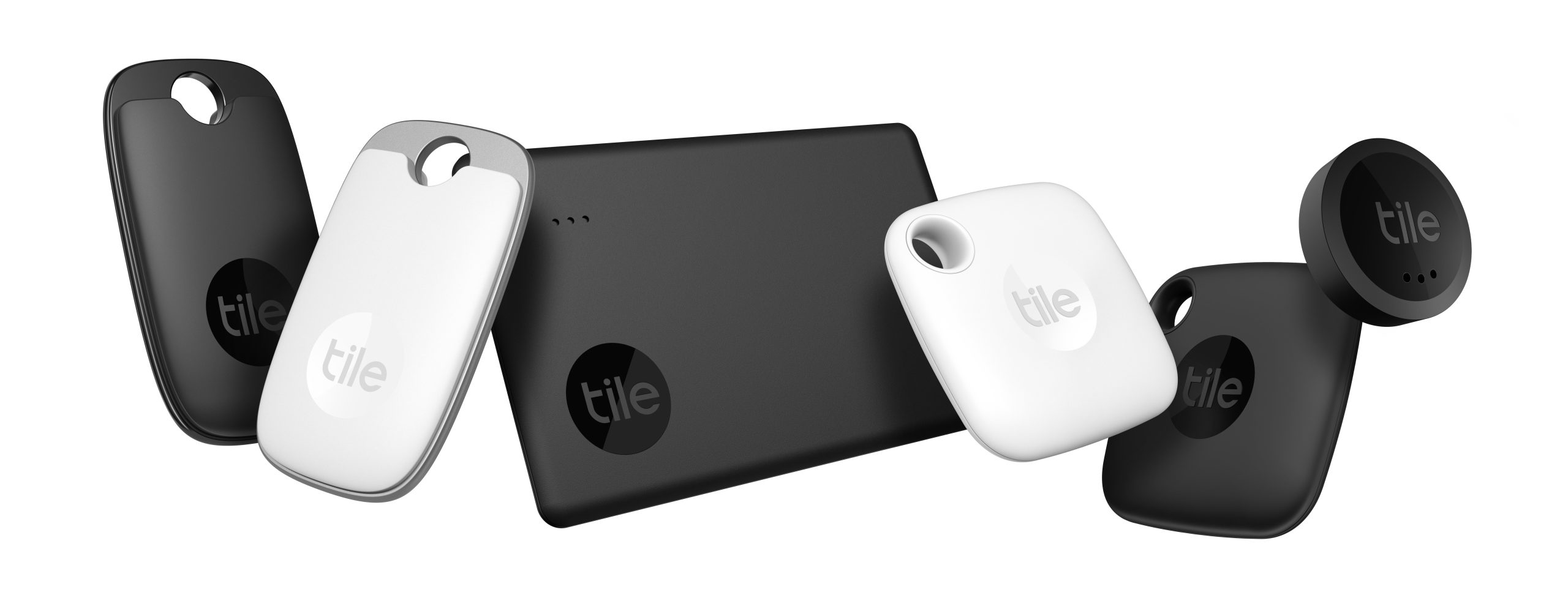
Tile trackers come in several models, each designed for different needs. Understanding these models helps choose the right one. The main difference lies in features, size, and battery life. This section compares standard and pro versions.
Standard Vs Pro Versions
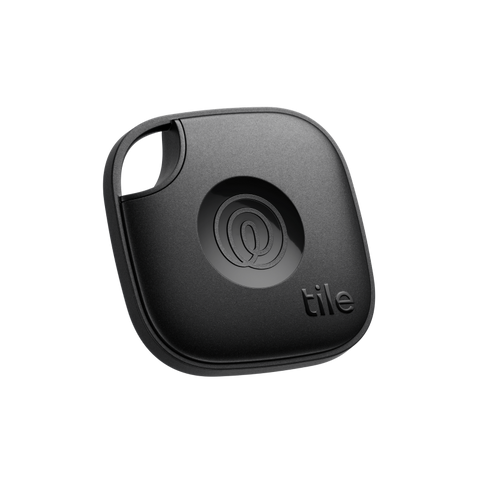
The standard Tile is small and light. It fits on keys or in a wallet easily. It has basic tracking features suitable for everyday use.
The Pro version is larger and stronger. It offers louder sounds to find lost items faster. It also has a longer Bluetooth range for better tracking.
Pro models often include extra features like smart alerts. These notify users when they leave something behind. Standard versions usually do not have these alerts.
Battery Life Differences
Standard Tiles typically use replaceable batteries. These batteries last about one year. After that, users must replace the battery themselves.
Pro versions often have non-replaceable batteries. Instead, they come with a longer battery life, around three years. After this time, the entire Tile needs replacement.
Choosing between replaceable and non-replaceable depends on user preference. Some prefer changing batteries, others prefer longer use without changes.
Signs Your Tile Tracker Needs Replacement
Tile trackers are useful for finding lost items. Over time, they may stop working well. Knowing the signs helps you decide when to replace your tile tracker. Watch for changes in how it works and any battery problems. These signs tell you it might be time for a new tracker.
Performance Decline
Your tile tracker might not ring as loud as before. It may take longer to connect to your phone. The signal range could shrink, making it harder to find items. These issues show the tracker is aging. A drop in performance means it may not help you anymore.
Battery Issues
The battery life may shorten over time. You might need to charge or replace the battery more often. Sometimes, the tracker stops turning on or does not respond. Battery problems are a clear sign to replace the device. A dead battery means your tracker cannot work at all.
Alternatives To Tile Trackers
Tile trackers are popular, but they are not the only option to keep track of your items. Different tools and devices offer similar tracking features. These alternatives can fit various needs and budgets. Choosing the right tracker depends on what you want to track and how you want to do it.
Other Bluetooth Trackers
Several brands make Bluetooth trackers like Tile. They work by connecting to your phone via Bluetooth. Some popular alternatives include Chipolo and Samsung SmartTag. These devices often have similar battery life and features. They can alert you if you leave an item behind. Some even support community find, where others help locate lost items.
Smartphone Tracking Apps
Many smartphones have built-in tracking apps. Apple’s Find My app and Google’s Find My Device are common examples. These apps can track your phone and other connected devices. They work without extra hardware, using GPS and internet. The apps also allow remote locking or erasing for security. Using these apps can be a simple way to keep track of valuables.
Credit: www.life360.com
Credit: www.life360.com
Frequently Asked Questions
How Long Do Tile Trackers Typically Last?
Tile trackers usually last between 1 to 3 years. Battery life varies by model and usage frequency. Replaceable batteries can extend the tracker’s lifespan significantly.
Can I Replace The Battery In A Tile Tracker?
Yes, some Tile models have replaceable batteries. Replaceable batteries allow longer use without buying a new tracker. Check your model’s specifications for battery replacement options.
What Factors Affect Tile Tracker Battery Life?
Battery life depends on usage, settings, and environmental conditions. Frequent tracking and loud alerts drain batteries faster. Proper care can help maximize battery longevity.
Do Tile Trackers Stop Working After Battery Dies?
Once the battery dies, the Tile tracker stops functioning. You must replace the battery or purchase a new tracker. Regular battery checks help avoid sudden tracker failure.
Conclusion
Tile trackers usually last about one year before needing a battery change. Some models offer replaceable batteries, extending their life. Others require full replacement after the battery dies. Usage and environmental factors can affect how long they work well. Regular checks help ensure your tracker stays active.
Choosing a tracker with a longer battery life saves hassle. Always keep your device updated for best performance. This way, your valuables stay easy to find. Simple steps keep your tracker working longer and better.
As an Amazon Associate, I earn from qualifying purchases.
