

Have you ever felt like someone is watching your online moves? Trackers follow your every click, gathering information about you without your clear permission.
This can make you feel exposed and vulnerable. But here’s the good news: you have the power to take control. You’ll discover simple, effective ways to delete trackers and protect your privacy. Keep reading to learn how to regain your digital freedom and browse with confidence.
Types Of Trackers
Trackers collect information about your online actions. They help websites learn what you like and where you go on the internet. Understanding different types of trackers is key to protecting your privacy. Each type works in a unique way and requires different methods to remove or block it.
Cookies And Their Role
Cookies are small files stored on your device by websites. They save your preferences and login details. Some cookies track your browsing habits across sites. These are called third-party cookies. They help advertisers show targeted ads. Clearing cookies regularly limits this tracking.
Browser Fingerprinting
Browser fingerprinting collects info about your device and browser settings. It notes details like screen size, fonts, and plugins. This creates a unique profile without storing files. Fingerprinting is hard to block because it uses many data points. Using privacy-focused browsers can reduce fingerprinting risks.
Tracking Pixels
Tracking pixels are tiny, invisible images on websites or emails. When loaded, they send data back to the tracker. They can reveal if you opened an email or visited a page. Blocking images or using ad blockers can stop tracking pixels from working.
Mobile App Trackers
Mobile apps often track user activity inside the app. They collect data like location, usage time, and contacts. Some apps share this data with advertisers. Checking app permissions and using privacy settings helps control app trackers.
Credit: kinsta.com
Risks Of Online Tracking
Online tracking collects your data without clear permission. This can lead to many risks that affect your safety and freedom. Understanding these risks helps you protect yourself better.
Data gathered from tracking tools can be used in ways you do not expect. It is important to know what dangers come with online tracking.
Privacy Invasion
Trackers follow your online actions closely. This means your browsing habits are not private. Personal details can be exposed to companies and strangers. Such exposure breaks your right to privacy.
Data Misuse
Collected data can be sold or shared without your consent. This can cause misuse of your information. Your data might be used for purposes you did not agree to. This misuse can harm your reputation or finances.
Targeted Advertising
Trackers help advertisers show ads based on your interests. This can feel intrusive and annoying. Ads may follow you around the internet. This constant attention can reduce your online comfort.
Identity Theft
Some trackers collect sensitive information like passwords or credit card details. If this data falls into wrong hands, identity theft can occur. Thieves can use your identity for fraud. This leads to serious financial and legal problems.
Deleting Trackers On Browsers
Deleting trackers on browsers helps protect your privacy online. Trackers collect data about your browsing habits. Removing them reduces targeted ads and improves security. Browsers offer several ways to clear trackers and limit their presence.
Clearing Cookies And Cache
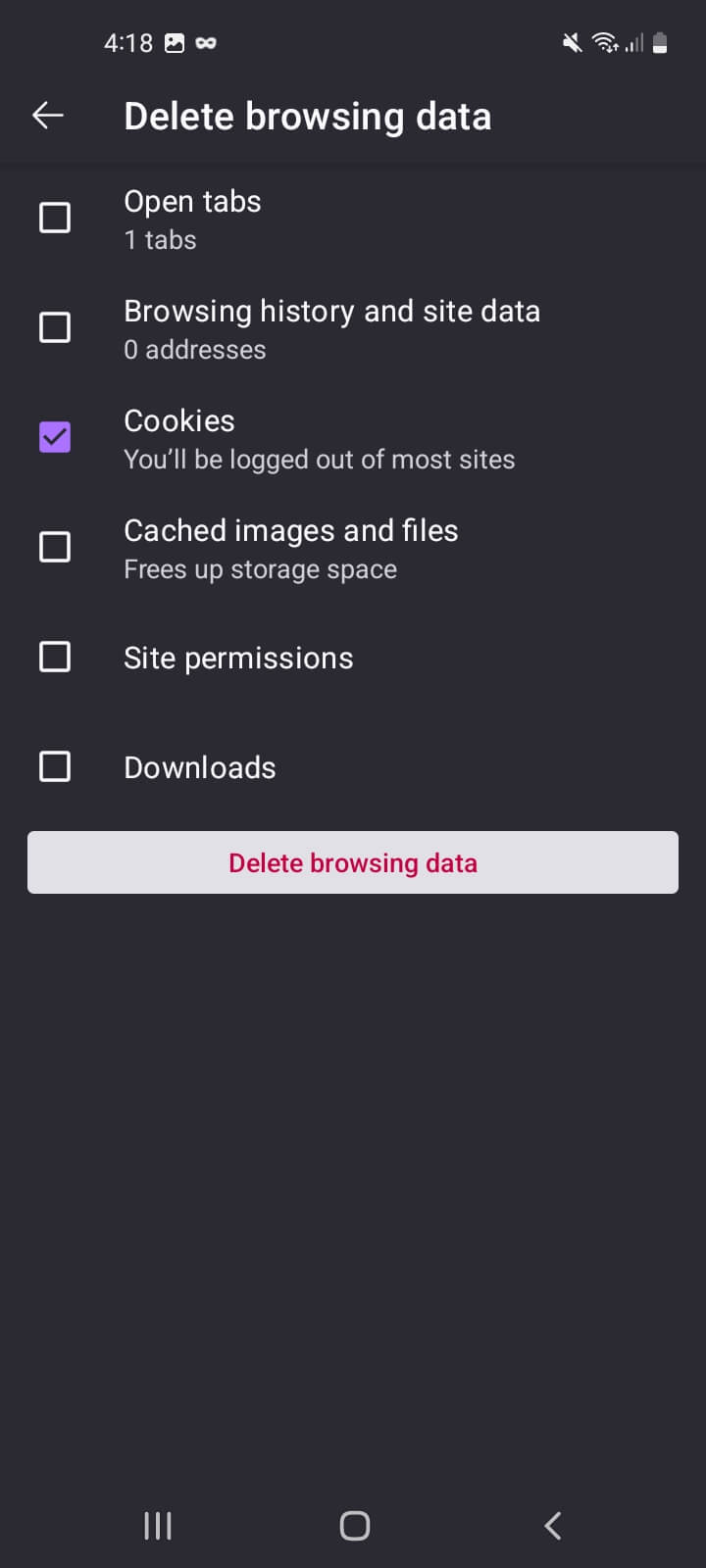
Cookies store information about your visits to websites. Cache saves parts of web pages for faster loading. Both can hold tracking data. Clearing cookies and cache removes this stored data. It stops websites from recognizing you repeatedly. Most browsers have a clear browsing data option. Choose to delete cookies and cached files regularly.
Managing Browser Settings
Browsers allow control over privacy settings. You can block third-party cookies that track across sites. Set your browser to send “Do Not Track” requests. Some browsers offer options to limit data sharing. Adjust these settings to reduce tracking. Check settings often to stay protected.
Using Private Browsing Modes
Private browsing prevents saving history, cookies, and cache. It keeps sessions isolated from regular browsing data. Trackers cannot save data between private sessions. Use private mode for sensitive browsing activities. It offers temporary protection against trackers.
Installing Tracker Blockers
Tracker blockers are browser extensions that stop trackers. They block scripts that collect your data. Many free tracker blockers are easy to install. These tools enhance privacy without changing browser settings. Choose trusted blockers with good reviews for best results.

Credit: www.reddit.com
Removing Trackers From Mobile Devices
Mobile devices collect a lot of personal data through apps and services. Trackers can follow your activity across apps and websites. Removing these trackers helps protect your privacy and keeps your data safe. Here are some simple steps to reduce trackers on your phone.
Adjusting App Permissions
Many apps ask for permissions they do not always need. Check app permissions in your phone’s settings. Turn off access to location, microphone, and camera for apps that don’t require them. Limit access to contacts and storage whenever possible. This reduces the data apps can collect about you.
Clearing App Data
Apps store information on your device, including trackers. Clear app data regularly to remove stored tracking info. Go to your phone’s settings, find the app, and select “Clear Data” or “Clear Cache.” This stops apps from using old data to track you. It also frees up space on your device.
Using Privacy-focused Apps
Some apps are designed to protect your privacy. Use browsers and messaging apps that block trackers by default. These apps prevent trackers from collecting your data. They keep your online actions private and secure. Choose apps with strong privacy policies and good reviews.
Tools To Enhance Privacy
Protecting your privacy online requires more than just deleting trackers. You need tools that stop trackers from collecting your data. These tools help keep your internet activity private and secure. Using the right tools makes a big difference in your online safety.
Vpn Services
VPNs hide your real IP address. They create a secure tunnel for your internet traffic. This stops trackers from seeing your location or identity. VPNs also protect your data on public Wi-Fi networks. Many VPNs offer strong encryption and do not keep logs. This means your browsing stays private and safe.
Privacy-focused Browsers
Some browsers are made to protect your privacy. They block trackers by default and limit data collection. These browsers often include features like ad blocking and anti-fingerprinting. Using a privacy-focused browser reduces the chances of being tracked. They also offer simple settings to control what data you share.
Anti-tracking Extensions
Browser extensions can block trackers on websites. They stop scripts that collect your information. Some popular extensions show you who is tracking you. You can choose which trackers to block or allow. These extensions are easy to install and use. They help make your browsing cleaner and safer.
Secure Search Engines
Secure search engines do not track your searches. They avoid saving your search history or personal data. Using these search engines keeps your queries private. They show unbiased results without personalized ads. Switching to a secure search engine can reduce online tracking greatly.
Best Practices For Ongoing Privacy
Protecting your privacy online requires consistent effort. Best practices for ongoing privacy help keep trackers at bay. These habits reduce the chance of your data being collected without your knowledge.
Simple steps done regularly can make a big difference. Staying aware and cautious helps you control your digital footprint.
Regularly Clearing Trackers
Delete cookies and browsing data often. This prevents websites from following your activity. Use your browser’s settings to clear history and trackers. Set reminders to do this weekly or monthly. Clearing trackers stops long-term data collection.
Updating Software
Keep your apps and devices updated. Updates fix security holes that trackers can exploit. Turn on automatic updates if possible. This reduces risks from outdated software. Fresh updates help protect your privacy better.
Being Cautious With Permissions
Check app permissions before granting access. Only allow what is necessary for the app to work. Avoid giving access to your location, microphone, or contacts without reason. Limit permissions to reduce tracking chances. Review permissions regularly and revoke unwanted access.
Educating Yourself On Privacy
Learn about online privacy and tracking methods. Understand what data companies collect and why. Use trusted sources to stay informed. Knowledge helps you make safer choices online. Keep updating your privacy skills as technology changes.

Credit: www.wikihow.com
Frequently Asked Questions
What Are Trackers And Why Delete Them?
Trackers collect your online data for ads and analytics. Deleting them protects privacy and improves browsing speed. Removing trackers reduces targeted ads and prevents data misuse. It’s essential for safer, cleaner internet use.
How Can I Find Trackers On My Device?
Use browser settings or privacy tools to detect trackers. Extensions like Ghostery or Privacy Badger show trackers on websites. Regular scans help identify hidden trackers. Awareness is key to effective removal.
What Is The Easiest Way To Delete Trackers?
Clear browser cookies and cache regularly to remove trackers. Use privacy-focused browsers with built-in tracker blockers. Install anti-tracking extensions for automatic deletion. These steps simplify tracker removal.
Can Deleting Trackers Improve Device Performance?
Yes, removing trackers reduces background data use and speeds up browsing. It frees device resources, improving overall performance. Less tracking also means fewer ads, enhancing user experience.
Conclusion
Deleting trackers helps protect your privacy online. You control what information others see. Use simple tools and settings to remove trackers. Check your devices regularly to keep them clean. Stay aware and update your methods often. Privacy matters, and small steps make a big difference.
Keep your online activities safe and secure. Take charge of your digital footprint today.
As an Amazon Associate, I earn from qualifying purchases.
