

Have you ever wondered how websites seem to know what you like or where you’ve been online? The answer lies in something called trackers.
These tiny tools follow your activity across the internet, collecting data about your behavior. But what exactly are trackers, and how do they affect your online experience? Understanding this can help you take control of your privacy and make smarter choices while browsing.
Keep reading to uncover the truth about trackers and what they mean for you.

Credit: www.expressvpn.com
Types Of Trackers
Trackers collect information about your online actions. They help websites remember your preferences and show relevant ads. Different types of trackers work in various ways. Each type has a unique role in tracking users.
Cookies And Their Role
Cookies are small files stored on your device by websites. They save login details and user preferences. Cookies also track browsing habits across sites. This helps businesses personalize your experience and ads.
Web Beacons Explained
Web beacons are tiny invisible images on web pages or emails. They send data back to servers when you open a page or email. Web beacons track if you read a message or visit a page. They work silently without affecting your browsing.
Fingerprinting Techniques
Fingerprinting collects details from your device and browser settings. It looks at screen size, fonts, and plugins. This creates a unique ID without storing files on your device. Fingerprinting can track users even if cookies are blocked.
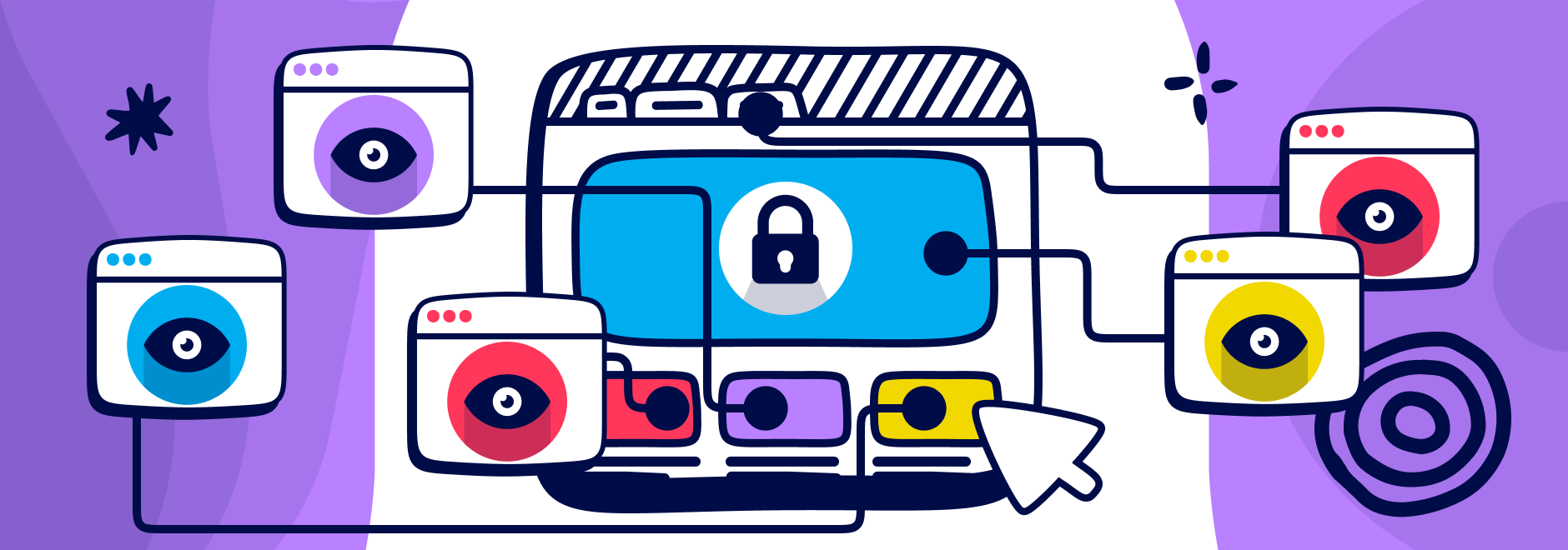
Credit: www.ghostery.com
How Trackers Collect Data
Trackers gather information in different ways. They watch what users do online and collect data silently. This data helps companies understand user habits and preferences. Understanding how trackers collect data helps protect your privacy better.
Browsing Behavior Monitoring
Trackers observe the websites you visit and the links you click. They record how long you stay on each page. This data shows your interests and online habits. It helps create a profile of your browsing behavior. Many websites use this method to tailor content and ads.
Cross-site Tracking Methods
Trackers use cookies and scripts across multiple websites. These tools follow your activity beyond a single site. They connect your visits on different pages to build a bigger profile. This method lets companies track you without direct permission. It is common in advertising networks and social media platforms.
Data Aggregation Practices
Companies combine data from various sources. They merge browsing data with purchases, location, and device info. This creates a detailed user profile over time. Aggregated data helps marketers target ads more precisely. It also raises concerns about privacy and data security.
Impact On Personal Privacy
Trackers affect personal privacy in many ways. They collect data about your activities online. This data can reveal a lot about your habits, interests, and identity. Understanding these impacts helps you stay aware of privacy risks.
Loss Of Anonymity
Trackers remove your online anonymity. They link your actions to your identity. This means your browsing habits are no longer private. Websites and companies can follow you across the internet. It feels like someone is always watching.
Targeted Advertising Effects
Trackers gather data to create detailed user profiles. Advertisers use this to show ads tailored to you. These ads may feel personal or intrusive. They can influence your choices without you noticing. Your preferences become public knowledge in disguise.
Potential Data Breaches
Collected data is stored in databases. These databases can be hacked or leaked. If your data is exposed, privacy is lost. Sensitive information like location or habits may be stolen. Data breaches can cause stress and harm in real life.
Tracker Detection Tools
Tracker detection tools help you see and stop trackers online. These tools identify scripts and cookies that follow your actions. They protect your privacy by blocking unwanted tracking. Many options exist, from easy browser add-ons to advanced software.
Browser Extensions
Browser extensions are small programs added to your browser. They find and block trackers on websites. Extensions like uBlock Origin or Ghostery show you what trackers are active. They work quietly in the background without slowing browsing. Easy to install and use for all users.
Privacy-focused Browsers
Some browsers focus on blocking trackers by default. Browsers like Brave or Firefox include built-in tracker protection. They stop tracking scripts before they load. These browsers also reduce ads and speed up page loading. A simple way to keep trackers away while browsing.
Network Monitoring Software
Network monitoring software watches all internet traffic on your device. It spots unusual connections that trackers use to collect data. Tools like Wireshark help tech-savvy users analyze network activity. They provide detailed reports about trackers and other threats. Useful for advanced users wanting deeper control over privacy.
Ways To Limit Tracker Access
Trackers collect data about your online actions. They follow your browsing habits and may share information. Limiting tracker access helps protect your privacy and control what is shared.
Several simple methods reduce tracker reach. These steps make your browsing safer and less tracked.
Adjusting Browser Settings
Most browsers have privacy settings to limit trackers. You can block third-party cookies that track you across sites. Turning on “Do Not Track” signals websites to stop tracking. Some browsers offer built-in tracker blockers to stop hidden scripts.
Using Vpns And Proxies
A VPN hides your real IP address by routing traffic through another server. This makes it harder for trackers to identify you. Proxies work similarly by masking your location. Both add layers between you and trackers, reducing access to your data.
Regular Data Clearing Habits
Clearing cookies and cache removes stored tracker data. This stops trackers from recognizing you on return visits. Regularly deleting browsing history limits the information trackers hold about you. Setting your browser to clear data automatically can help maintain privacy.
Credit: www.easyvest.be
Legal Frameworks And Regulations
Trackers collect user data across websites and apps. This raises privacy concerns worldwide. Laws and rules regulate how trackers can gather and use data. These legal frameworks protect user privacy and control data sharing. Different regions have their own rules to keep user information safe.
Gdpr And Its Influence
The General Data Protection Regulation (GDPR) is a key law in Europe. It requires websites to get clear consent before using trackers. Users can see what data is collected and how it is used. GDPR also gives people the right to delete their data. Many companies outside Europe follow GDPR to protect global users.
Ccpa Protections
The California Consumer Privacy Act (CCPA) protects residents of California. It lets users know what personal data trackers collect. People can ask companies to stop selling their data. CCPA also allows users to access and delete their information. This law sets a strong privacy standard in the United States.
Other Global Privacy Laws
Many countries have laws to control trackers and data use. Canada’s PIPEDA protects personal information online and offline. Brazil’s LGPD focuses on data protection and user consent. India and Australia are also creating stricter privacy rules. These laws shape how companies handle user data worldwide.
Frequently Asked Questions
What Are Trackers In Digital Marketing?
Trackers are tools that collect user data to analyze online behavior. They help marketers optimize campaigns and target audiences effectively.
How Do Trackers Affect Online Privacy?
Trackers monitor browsing habits, potentially exposing personal data. Users should manage tracker settings to enhance their online privacy.
Why Are Trackers Important For Website Analytics?
Trackers gather data on visitor interactions, helping website owners understand user preferences. This insight improves site performance and user experience.
Can Trackers Be Blocked Or Disabled?
Yes, users can block trackers using browser settings or extensions. Disabling trackers enhances privacy but may limit website functionality.
Conclusion
Trackers collect data to help improve websites and apps. They show how users interact and what interests them most. Knowing about trackers helps you protect your privacy online. You can choose tools to block unwanted tracking. Staying aware keeps your information safer every day.
Understanding trackers is a step toward smarter internet use. Simple actions make a big difference in online safety. Stay informed, stay secure, and browse with confidence.
As an Amazon Associate, I earn from qualifying purchases.
