

Thinking about packing your laptop in a checked bag for your next flight? You might be wondering if it’s safe or even allowed.
Your laptop holds important files, photos, and personal information, so protecting it during travel is crucial. You’ll discover the key reasons why putting a laptop in checked luggage could be risky, what airline rules you need to know, and smart tips to keep your device safe.
Keep reading to make sure your laptop travels with you, not lost or damaged on the way.
Risks Of Checking Laptops
Checking a laptop in your luggage can lead to several risks. These risks may affect your device’s safety and your personal information. Understanding these risks helps you decide the best way to carry your laptop during travel.
Damage During Transit
Luggage moves roughly on airport conveyor belts and inside planes. Laptops in checked bags can suffer from drops and heavy pressure. These impacts may crack screens or damage internal parts. Protective cases may not stop all harm.
Theft Concerns
Checked bags go through many hands. This increases the chance of theft or loss. Laptops are valuable and often targeted by thieves. Storing your laptop in checked luggage means less control over its safety.
Data Security Risks
Laptops often contain personal and work data. Theft or damage could expose sensitive information. Airport security checks may also access your laptop without your knowledge. This risks your privacy and data security during travel.
Airline Policies On Electronics
Airline policies on electronics vary widely. Each airline sets its own rules about carrying laptops and other gadgets. These rules focus on safety and convenience. Knowing them helps avoid problems at the airport. Airlines want to prevent damage and risks during flights.
Common Restrictions
Most airlines prefer laptops in carry-on bags. Checked bags expose laptops to rough handling. Batteries can overheat or catch fire in cargo. Many airlines ban laptops in checked luggage for this reason. Some require laptops to be turned off completely. Others ask that batteries be removable or protected. Airlines also limit laptop size or battery capacity in checked bags.
Exceptions And Special Cases
Some airlines allow laptops in checked bags under strict conditions. For example, damaged or faulty batteries may need special handling. Certain international flights may have different rules. Airlines might allow laptops in checked baggage if carry-on space is full. Always check airline policy before packing. Special medical devices with batteries can get exceptions too. Airlines sometimes offer protective packaging for checked electronics.
Packing Laptops Safely
Packing laptops safely is important for travel. Laptops are fragile and can break easily. Careful packing helps protect them from damage. It also helps avoid problems at the airport. Follow simple steps to keep your laptop safe during your trip.
Protective Cases And Padding
Use a strong case made for laptops. Soft cases protect from scratches but not drops. Hard cases or padded sleeves offer better protection. Wrap your laptop in bubble wrap for extra padding. Place it in the middle of your bag to avoid pressure.
Removing Batteries
Remove the battery if possible. Some airlines require this for safety reasons. Carry the battery in your carry-on bag. This reduces the risk of fire in the cargo hold. Check your laptop manual to see if battery removal is easy.
Securing Accessories
Keep chargers, cables, and mice in separate pouches. This prevents damage and tangling. Place accessories in a small bag inside your luggage. Avoid loose items that can scratch your laptop. Organize your gear to keep everything safe and easy to find.
Alternatives To Checked Luggage
Choosing the right way to carry your laptop can protect it during travel. Checking laptops in luggage can risk damage or loss. Here are safer alternatives to checked bags for your electronics.
Carrying Laptops Onboard
Keep your laptop with you in the airplane cabin. This protects it from rough handling in the cargo hold. You can use it during the flight too. Always follow airline rules for electronic devices.
Using Carry-on Bags
Use a small carry-on bag to hold your laptop. These bags fit under the seat in front of you. They keep your laptop safe and close at hand. Choose bags with padded compartments for extra protection.
Shipping Electronics Separately
Send your laptop using a courier service instead of airline baggage. This option offers tracking and insurance. Pack your device carefully in a sturdy box. It reduces the risk of damage or loss during travel.
Preparing For Security Checks
Preparing for security checks at the airport helps make your trip smooth. Knowing how to handle your laptop during these checks saves time. It also keeps your device safe from damage or loss. Follow simple steps to avoid stress and delays.
Laptop Removal At Security
Most airports ask travelers to remove laptops from bags. This allows security staff to scan the laptop clearly. Place your laptop in a separate bin on the conveyor belt. This step prevents your laptop from getting mixed with other items. It also helps the scanner get a clear view.
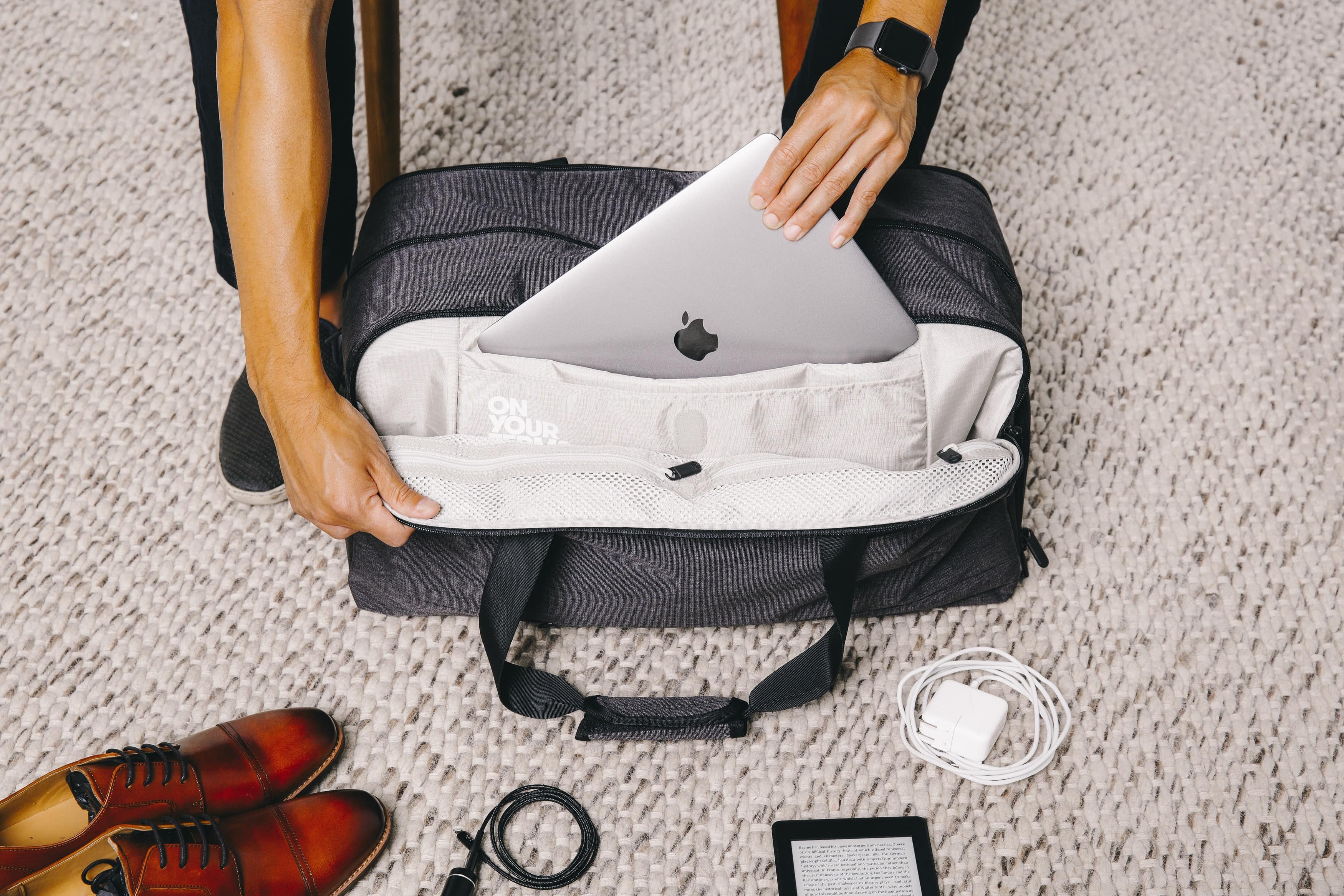
Keep your laptop easily accessible in your bag. Use a laptop sleeve or a special compartment. This makes removal fast and simple. Avoid packing it deep inside your bag.
Handling Tsa Inspections
TSA officers may want to inspect your laptop further. They might ask you to turn it on or open it. This check confirms the laptop is real and not a hidden threat. Stay calm and cooperate with the officers.
Never lock your laptop with a password before the check. Officers need to see the screen during inspection. If they find any issues, they will guide you on the next steps. Keeping your laptop ready for inspection speeds up the process.
Credit: blog.tortugabackpacks.com
Insurance And Backup Plans
Planning to put a laptop in a checked bag? Thinking about what happens if it gets lost or damaged is smart. Insurance and backup plans protect your device and data. They help reduce stress during travel. This section covers travel insurance options and data backup strategies.
Travel Insurance Options
Travel insurance can cover lost or damaged laptops. Check if your policy includes electronics protection. Some credit cards offer insurance for items bought with the card. Read the terms carefully to understand coverage limits. Consider buying extra insurance for high-value devices. Keep all receipts and documents handy during travel. Report any damage or loss quickly to claim insurance.
Data Backup Strategies
Backing up data is crucial before traveling. Save important files on cloud services like Google Drive or Dropbox. Use an external hard drive or USB stick for extra backup. Encrypt sensitive information to protect privacy. Regular backups reduce the risk of losing valuable data. Test backups before your trip to ensure they work. Keep backup devices separate from your laptop during travel.
Tips For Frequent Travelers
Traveling often means making smart choices about your laptop’s safety. Frequent travelers face risks like bumps, drops, and temperature changes. These tips help protect your laptop and keep it working well during trips.
Maintaining Laptop Health
Keep your laptop clean and dust-free. Use a soft cloth to wipe the screen and keyboard. Avoid eating or drinking near your laptop to prevent spills. Charge your laptop fully before traveling. Carry a portable charger for emergencies. Turn off your laptop during long flights or storage. Avoid extreme heat or cold to protect internal parts. Regularly back up important files to cloud storage or a USB drive. Check for software updates to improve security and performance.
Choosing The Right Travel Gear
Pick a sturdy laptop case with padding to absorb shocks. Use a waterproof bag to protect against rain or spills. Choose bags with compartments to separate your laptop from other items. Avoid heavy bags to reduce strain on your shoulders. Look for bags that fit airline size rules to avoid extra fees. Use a small, soft pouch inside your bag for extra laptop protection. Consider a hard-shell case for added security on checked luggage. Always keep your laptop in your carry-on when possible for safety.

Credit: uuhluggages.com

Credit: www.myticketstoindia.com
Frequently Asked Questions
Can I Put My Laptop In Checked Luggage?
Yes, you can put a laptop in checked luggage. However, it’s not recommended due to theft risk and possible damage.
Is It Safe To Check In A Laptop Bag?
Checking in a laptop bag isn’t safe. Laptops are fragile and can be lost or stolen during transit.
What Do Airlines Say About Laptops In Checked Bags?
Most airlines advise carrying laptops in carry-on bags. It protects the device from damage and theft.
Can Checked Laptops Be Damaged During Flights?
Yes, laptops in checked bags can get damaged. Rough handling and pressure in cargo can harm sensitive electronics.
Conclusion
Packing a laptop in a checked bag can be risky. Bags get tossed and moved roughly. Laptops may get damaged or lost. Airports may have rules about batteries. Carrying your laptop in a carry-on bag is safer. You keep it close and protect it better.
Always check airline policies before you travel. Think about your laptop’s safety first. Choose the best option for worry-free travel.
As an Amazon Associate, I earn from qualifying purchases.

