

Have you ever wondered how much a laptop weighs before buying one? Whether you carry your laptop to work, school, or travel often, its weight can make a big difference in your daily comfort.
You want a device that’s light enough to carry easily but still powerful enough for your needs. You’ll discover the typical weights of different laptops and how to choose the right one for your lifestyle. Keep reading to find out what really matters when it comes to laptop weight—and how it can affect you every day.
Credit: pip.com.au
Laptop Weight Basics
Laptop weight plays a key role in choosing the right device. It affects how easy the laptop is to carry and use daily. Understanding the basics of laptop weight helps in making a smart purchase. This section explains what affects laptop weight and typical weight ranges.
Factors Affecting Laptop Weight
Screen size is a major factor. Bigger screens usually mean heavier laptops.
The type of materials used also matters. Metal bodies tend to weigh more than plastic ones.
Battery size affects weight too. Larger batteries add more weight but last longer.
Internal parts like the processor and cooling system add to the weight. Powerful parts often need bigger cooling fans.
Some laptops include extra features like optical drives. These parts increase the weight further.
Common Weight Ranges
Lightweight laptops weigh between 2 to 3 pounds. These are easy to carry and good for travel.
Mid-range laptops usually weigh 3 to 5 pounds. They balance power and portability.
Heavy laptops can weigh more than 5 pounds. These often offer high performance but are less portable.
Gaming laptops tend to be on the heavier side. Their powerful parts and cooling systems add weight.
Weight By Laptop Type
Laptop weight varies widely by type. Different laptops serve different needs. This affects their size and weight. Understanding weight by laptop type helps you pick the right one. You get a clear idea of what to expect.
Ultrabooks And Thin Laptops
Ultrabooks focus on being light and slim. Most weigh between 2 to 3 pounds. They are easy to carry all day. Ideal for students and travelers. Thin laptops often have long battery life too.
Gaming Laptops
Gaming laptops are heavier and bigger. They weigh from 4 to 8 pounds. Powerful graphics cards and cooling systems add weight. These laptops are less portable. They suit gamers who need high performance.
Business Laptops
Business laptops balance weight and power. They usually weigh 3 to 5 pounds. Designed for work on the move. Durable and often have extra security features. They offer a professional look and feel.
2-in-1 And Convertible Laptops
2-in-1 laptops can switch between laptop and tablet modes. Weight ranges from 2.5 to 4 pounds. They offer versatility and portability. Great for creative work and casual use. Some models are lighter, while others have more features.
Materials And Design Impact
The materials and design of a laptop play a big role in how much it weighs. Different materials have different weights and strengths. The design decides how these materials come together. Both affect the laptop’s overall weight and feel.
Lightweight Materials Used
Many laptops use aluminum or magnesium alloys. These metals are strong but light. Plastic is another common material. It is lighter but less durable. Some high-end laptops use carbon fiber. It is very light and strong. Using these materials helps reduce the laptop’s weight without losing quality.
Design Choices Influencing Weight
Designers think about size and shape to cut weight. Thin bezels around screens reduce bulk. Compact keyboards and smaller batteries also help. Internal layout matters too. Efficient use of space lowers weight. Every part is planned to keep the laptop light and easy to carry.

Credit: computertechnicians.au
Portability Vs Performance
Choosing a laptop often means deciding between portability and performance. Lighter laptops are easy to carry but may lack power. Heavier laptops tend to offer better performance but can be hard to move around. Finding the right balance depends on how you use your laptop daily.
Balancing Weight And Power
Light laptops usually weigh between 2 to 3 pounds. They are great for travel and quick tasks. These laptops have less powerful processors and smaller batteries. On the other hand, heavier laptops can weigh over 5 pounds. They often include stronger processors and more storage. This makes them suitable for demanding work like video editing or gaming. Choosing a laptop means weighing your need for speed against how often you carry it.
Who Should Choose Heavier Laptops?
Heavier laptops suit users who need high performance. Designers, engineers, and gamers often pick these models. They need fast processors and advanced graphics cards. These laptops provide longer battery life for intense use. If you mostly work at a desk, weight matters less. Carrying a heavier laptop daily may cause discomfort. But for powerful tasks, the extra weight is worth it.
Tips To Choose A Lightweight Laptop
Choosing a lightweight laptop makes carrying it easier every day. It helps reduce strain on your back and shoulders. A light laptop fits well in bags and is easy to use on the go. Follow these tips to find a laptop that matches your needs and stays light.
Assessing Your Needs
Think about what you will do with the laptop. For simple tasks like browsing or writing, a lighter model is best. If you need to run heavy programs, a slightly heavier laptop may be okay. Focus on what matters most for your daily use.
Checking Laptop Specs
Look at the laptop’s size and materials. Smaller screens often weigh less. Metal bodies can be light and strong. Check the weight listed in the specs before buying. Compare different models to find the best balance.
Considering Battery Size
Bigger batteries last longer but add weight. Decide how long you need to use the laptop without charging. A medium battery may offer good balance between weight and power. Avoid very large batteries if weight is your top concern.
Measuring Laptop Weight Accurately
Knowing the exact weight of a laptop helps with travel and daily use. Weight affects how easy it is to carry and use the device. Accurate measurement means understanding what parts of the laptop count toward the total weight. There are two main ways to measure: using a scale and checking manufacturer specifications. Each method has its own pros and cons.
What’s Included In Weight
Laptop weight can include different parts. The base laptop is the main item. Some measure with the battery inside, others without it. Accessories like chargers and cables usually are not included. Some users add a case or cover, which changes the total weight. Knowing what is counted helps compare weights fairly.
Using Scales And Manufacturer Specs
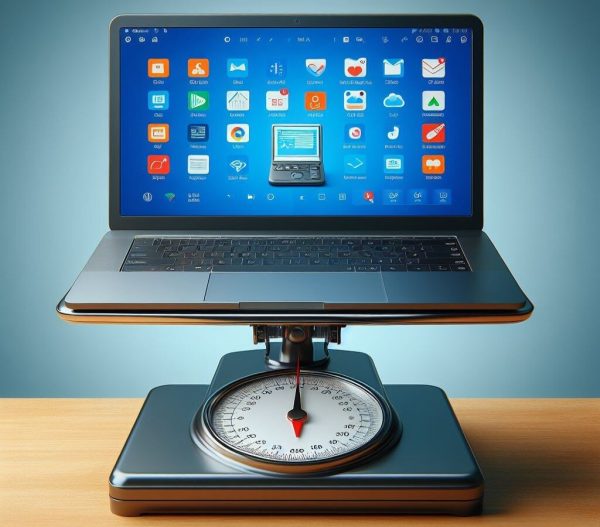
Using a scale is the simplest way to find laptop weight. Place the laptop on a kitchen or postal scale. Make sure the scale is set to zero before weighing. Manufacturer specs give weight details but may vary slightly. Specs often list the laptop with battery but without accessories. Combining both methods gives the best estimate of real weight.

Credit: us.amazon.com
Frequently Asked Questions
How Much Does An Average Laptop Weigh?
The average laptop weighs between 3 to 5 pounds (1. 4 to 2. 3 kilograms). Lightweight models can weigh less than 3 pounds, while gaming laptops tend to be heavier.
What Factors Affect A Laptop’s Weight?
Laptop weight depends on screen size, battery capacity, materials used, and internal components. Larger screens and powerful hardware increase weight, while slim designs reduce it.
Are Lightweight Laptops Less Durable?
Not necessarily. Many lightweight laptops use strong materials like aluminum or carbon fiber, ensuring durability without added weight.
How Does Laptop Weight Impact Portability?
Lighter laptops are easier to carry daily and ideal for travel. Heavier laptops may cause fatigue during extended use or commuting.
Conclusion
Laptop weights vary based on size and features. Smaller laptops weigh less and are easy to carry. Bigger models offer more power but weigh more. Consider your needs before choosing the right weight. A lighter laptop suits travel and daily use best.
Heavier laptops work well for gaming or heavy tasks. Balance weight with performance to find your match. Remember, knowing laptop weight helps in making smart choices. Choose wisely and enjoy your device every day.
As an Amazon Associate, I earn from qualifying purchases.

