

Are you planning to travel soon and wondering, “Can I bring my laptop on a plane?” You’re not alone.
Many travelers worry about carrying their laptops through airport security and onto the plane. You want to keep your device safe, avoid delays, and follow the rules without stress. You’ll discover exactly what you need to know about bringing your laptop on board.
Keep reading to ensure a smooth, hassle-free travel experience with your laptop in hand.
Credit: www.pugetsystems.com
Laptop Rules At Security
At airport security, laptops must be taken out of bags. This helps TSA officers check them clearly. Place your laptop in a separate bin on the conveyor belt. Make sure it is easy to remove and carry.
Turn off your laptop before screening. Remove any cases or covers. This ensures clear images on the scanner. Keep cords and accessories handy but separate.
| Step | Action |
|---|---|
| 1 | Turn off laptop completely |
| 2 | Remove laptop from bag |
| 3 | Place laptop in separate bin |
| 4 | Keep cords separate |
| 5 | Follow TSA officer instructions |
Carry-on Vs Checked Bags
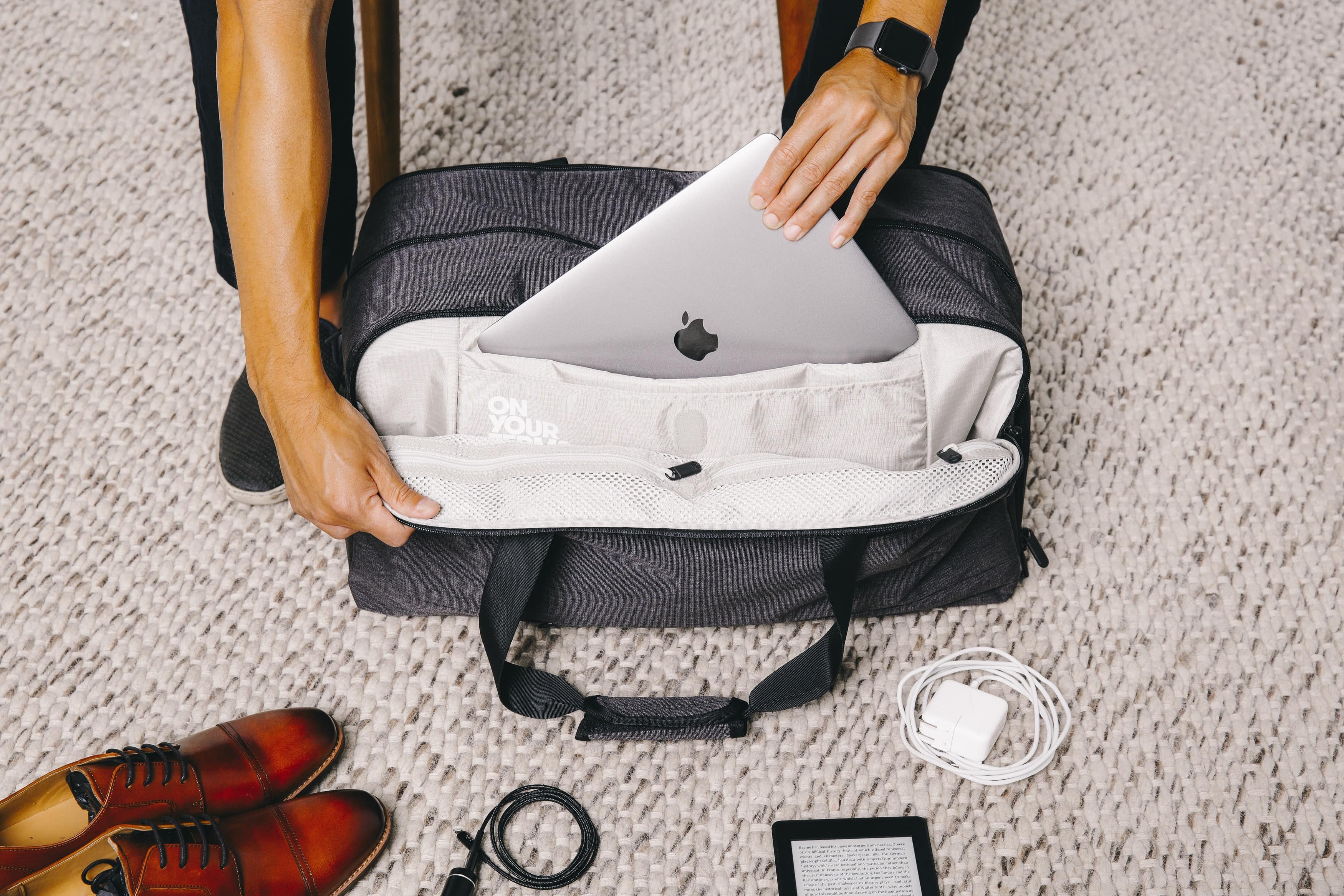
Carrying a laptop in a carry-on bag is usually the best choice. It stays with you during the flight, making it safer. Laptops are fragile and expensive. Checked bags can get tossed, bent, or lost, which can damage your device.
Airport security also asks you to take laptops out of carry-on bags. This makes the process faster and easier. If your laptop is in checked luggage, you can’t access it until you arrive. This can be a problem if you need it during travel.
Checked bags can be exposed to extreme temperatures and pressure changes. Batteries inside laptops might be at risk. Also, there is a higher chance of theft or loss with checked bags.
For these reasons, many travelers prefer to keep laptops in their carry-on bags. It offers better protection and convenience.
Battery And Power Restrictions
Planes have strict rules about lithium batteries. Batteries with more than 100 watt-hours (Wh) need airline approval. Most laptop batteries are under this limit.
Spare batteries must go in carry-on bags only. Checked luggage is not allowed for extra batteries. This keeps safety high during the flight.
Each passenger can bring a limited number of spare batteries. Usually, two extra batteries are allowed. Batteries must be protected from short circuits.
Credit: blog.tortugabackpacks.com
International Travel Considerations
Rules for bringing a laptop vary by country. Some countries ask travelers to declare electronics at customs. Always check the official government websites before traveling. Certain places may require you to show your laptop for inspection. Failing to declare can cause delays or fines.
Customs forms often ask about valuable items, including laptops. Keep your laptop easily accessible for security checks. Some countries have strict rules on data and software. Make sure your device is free of restricted content.
Protecting Your Laptop During Travel
Choose a laptop bag with padded compartments for extra protection. It helps absorb shocks from bumps during travel. Bags with water-resistant material keep your laptop safe from rain or spills.
A bag with lockable zippers reduces the risk of theft. Smaller pockets can hold chargers, mouse, and other accessories safely. Look for a bag that is lightweight and easy to carry.
Keep your laptop bag close to you while waiting or boarding. Avoid placing it on the floor or in crowded areas. Check your bag often to make sure it is secure.

Credit: sunny16.com
Using Your Laptop Onboard
Most airlines allow laptops onboard, but rules vary by airline. Some require laptops to be taken out during security checks. Always check your airline’s specific electronics policy before flying.
Many planes now offer in-flight Wi-Fi. This lets passengers browse the internet, send emails, or stream videos. Wi-Fi quality and cost can vary. Some airlines offer free Wi-Fi for certain seats or classes.
Power outlets or USB ports are common on many flights. They help keep your laptop charged during long trips. Not all planes have power, so bring a fully charged laptop. A portable charger can also be useful.
Frequently Asked Questions
Can I Carry A Laptop In My Carry-on Bag?
Yes, you can carry a laptop in your carry-on bag. Most airlines allow laptops onboard for security and convenience. Always remove it during security checks for screening.
Are There Any Restrictions On Laptop Batteries For Flights?
Laptop batteries must comply with airline and TSA rules. Batteries should be installed in the laptop or carried as spare in carry-on baggage only. Check airline policies for specific watt-hour limits.
Do I Need To Declare My Laptop At Airport Security?
You don’t need to declare your laptop, but you must remove it from your bag. Place it in a separate bin for X-ray screening at security checkpoints.
Can I Use My Laptop During The Flight?
You can use your laptop during the flight, except during takeoff and landing. Follow airline crew instructions and keep electronics in airplane mode as required.
Conclusion
Carrying a laptop on a plane is common and allowed. You must follow airport security rules for electronics. Keep your laptop easily accessible for screening. Pack it safely to avoid damage during travel. Know the airline’s specific rules before flying.
This helps you avoid delays and stress. Traveling with your laptop can be simple and smooth. Just prepare well and stay informed. Safe travels with your device!
As an Amazon Associate, I earn from qualifying purchases.

