

Have you ever tried to open your laptop, only to find a screw that just won’t budge? A stripped screw can turn a simple repair into a frustrating challenge.
But don’t worry—you’re not alone, and there are easy ways to get that stubborn screw out without damaging your laptop. In this guide, you’ll discover step-by-step methods to unscrew even the most stubborn stripped screws. By the end, you’ll have the confidence to fix your laptop quickly and safely.
Keep reading to learn how to tackle this common problem like a pro.
Identify A Stripped Screw
A stripped screw has a damaged head that makes it hard to turn. The screw’s slot or cross shape looks worn out or rounded. It may spin freely without moving the screw into or out of the laptop.
Common causes of stripped screws in laptops include using the wrong screwdriver size. Screws can strip if too much force is applied or if the screwdriver slips. Also, screws can wear down after many times being tightened or loosened. Dust and debris may cause extra resistance, leading to stripping.
Signs of a stripped screw:
- Screwdriver slips inside the head.
- The head looks smooth or rounded.
- Screw won’t tighten or loosen.
- Visible damage around the screw slot.

Credit: community.oneplus.com
Prepare Your Workspace
Gather all essential tools before starting. You will need a small screwdriver set, a
Make sure the workspace has good lighting. Bright light helps to see the screw head clearly. Use a stable surface like a table to prevent slipping. Keep your laptop steady to avoid damage.
Simple Methods To Remove Stripped Screws
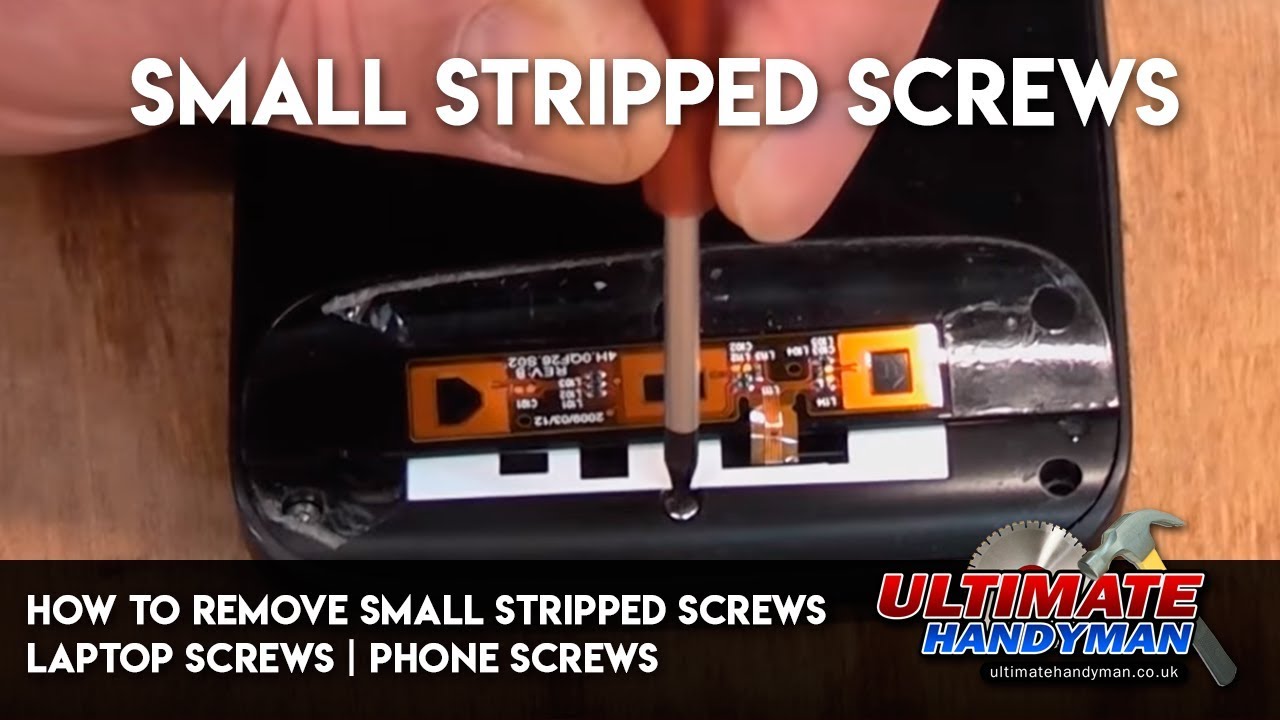
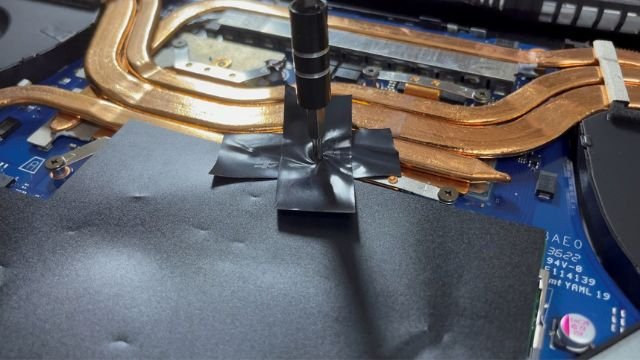
Place a rubber band over the stripped screw. Press the screwdriver firmly onto the band. The rubber fills gaps and adds extra grip. Turn slowly and carefully to avoid slipping.
Apply a small drop of superglue on the screwdriver tip. Press it against the screw head. Hold it for a few seconds until dry. The glue helps the screwdriver stick better. Be careful not to glue the screw permanently.
Tap the screwdriver handle gently with a hammer. This can loosen the screw inside. Then try turning the screwdriver slowly. The small taps help break the screw free. Use light force to avoid damage.
Credit: www.youtube.com
Advanced Techniques For Tough Screws
Using a screw extractor is a good way to remove a stripped screw. First, drill a small hole in the center of the screw. Then, insert the extractor and turn it counterclockwise. The extractor grips the screw and helps to pull it out easily.
Drilling out the screw works if the extractor fails. Use a drill bit slightly smaller than the screw’s head. Drill carefully until the head comes off. After that, the remaining part of the screw can be removed with pliers.
Cutting a new slot can also help. Use a small saw or rotary tool to cut a fresh groove across the screw head. This new slot allows you to use a flathead screwdriver to unscrew it. Be gentle to avoid damaging the laptop surface.
Preventing Future Stripped Screws
Choosing the right screwdriver is key to avoid stripped screws. Use a screwdriver that fits the screw head perfectly. A loose fit can damage the screw and make it hard to remove later.
Applying proper torque means turning the screwdriver with steady, gentle pressure. Too much force can strip the screw head. Too little force may not move the screw at all.
Regular maintenance helps keep screws in good shape. Check screws often and tighten any that feel loose. Clean screws and screwdriver tips to prevent slipping.
When To Seek Professional Help
Stop trying if the screw spins without moving out. Avoid forcing tools that can damage the laptop. Notice if the screw head is too damaged to hold any tool. If the laptop’s plastic or metal around the screw cracks, it’s time to pause. Professional help can prevent further harm.
Find a technician who has experience with laptops. Check reviews or ask friends for trusted recommendations. A good technician uses proper tools and knows how to handle delicate parts. Prices and service times vary, so ask before agreeing. Trust experts to keep your laptop safe.
Credit: koolingmonster.com
Frequently Asked Questions
How Can I Remove A Stripped Laptop Screw Safely?
Use a rubber band for extra grip between the screwdriver and screw. Apply firm, steady pressure while turning slowly to avoid further damage.
What Tools Work Best For Stripped Laptop Screws?
A precision screwdriver set, rubber band, needle-nose pliers, or a screw extractor are ideal tools. Choose the right size for better grip and control.
Can I Fix Stripped Screws Without Special Tools?
Yes, household items like rubber bands or superglue can help. These provide extra grip or bond the screwdriver to the screw head.
How Do I Prevent Screws From Stripping In Laptops?
Use the correct screwdriver size and type. Turn screws gently and avoid overtightening to maintain screw integrity and avoid stripping.
Conclusion
Stripped screws can cause big problems with laptops. Try using simple tools like rubber bands or pliers first. Take your time and be patient while unscrewing. Avoid forcing the screw to prevent damage. Small steps often bring the best results.
Fixing a stripped screw helps keep your laptop working well. Remember, careful handling saves money and stress. Keep these tips in mind for future repairs. You can solve this problem with a little effort and care.
As an Amazon Associate, I earn from qualifying purchases.

