

Have you ever wondered if your iPad could do everything your laptop does? Maybe you want something lighter, easier to carry, or just simpler to use.
But can an iPad really replace a laptop without slowing you down? You’ll discover the surprising truths about using an iPad as your main device. By the end, you’ll know if it’s the right choice for your work, play, and everything in between.
Keep reading—you might find the perfect fit for your digital life.

Credit: www.youtube.com
Comparing Ipad And Laptop Features
iPads use iPadOS, which is simple and touch-friendly. Laptops run Windows or macOS, offering more complex features. iPads have apps mainly from the App Store, focusing on mobile use. Laptops support many software types, including professional programs.
Performance varies. Laptops often have more powerful processors for heavy tasks. iPads work well for browsing, watching videos, and light work. Speed depends on the model and task.
Portability is a big plus for iPads. They are lighter and easier to carry. Laptops are bulkier but have bigger screens and keyboards. Design matters based on use and comfort.
Productivity Tools And Accessories
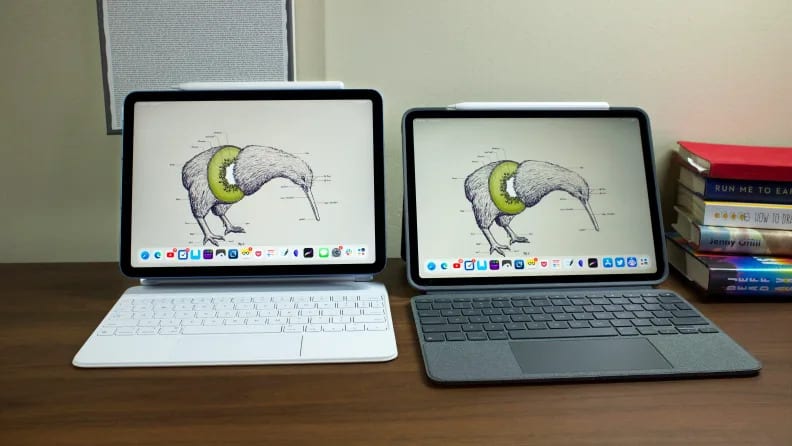
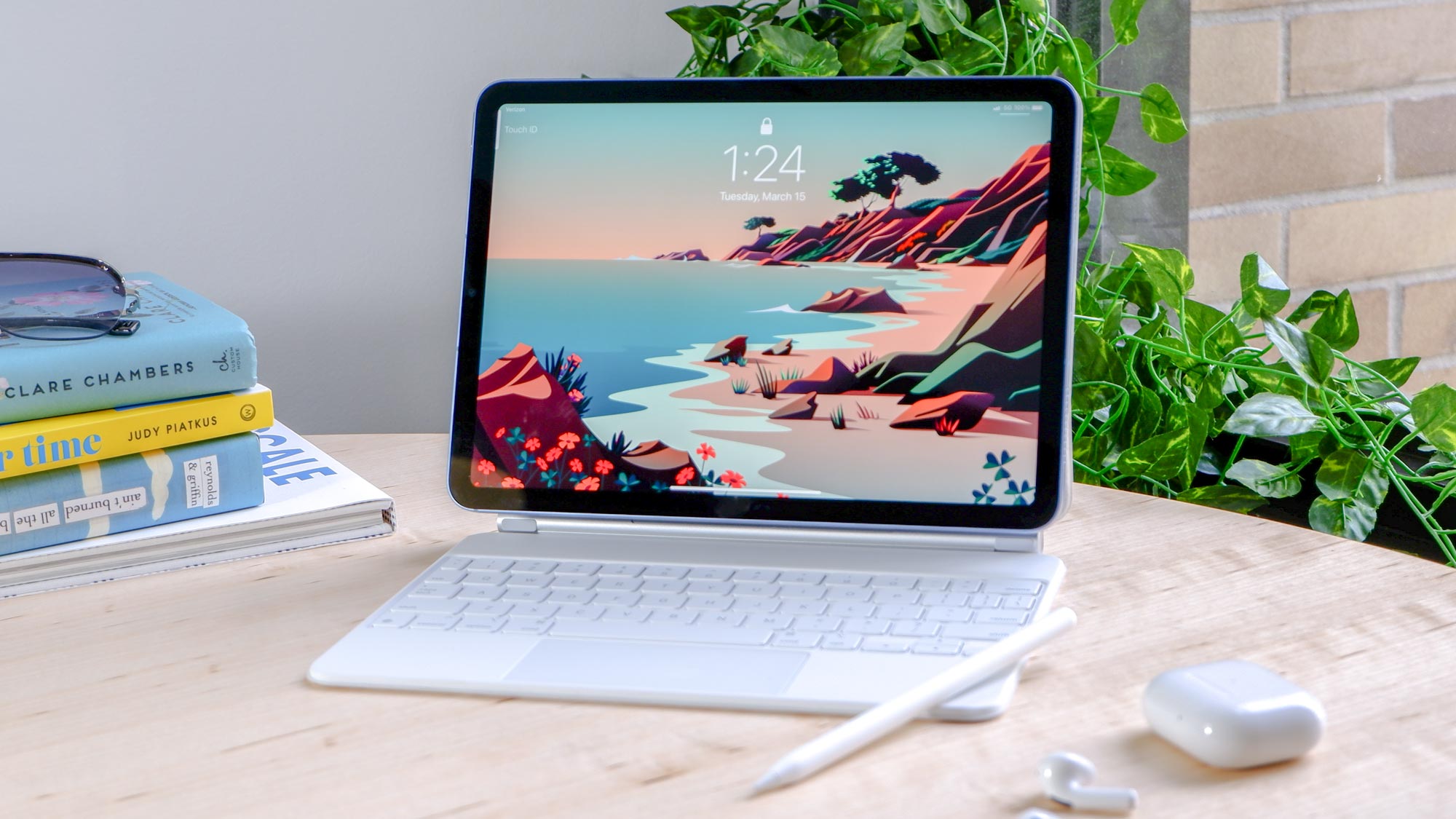
Keyboards and styluses help turn an iPad into a work device. Many keyboards connect easily and give a laptop feel. Styluses let you draw or write quickly. They are good for notes and art.
Using external displays can make your workspace bigger. You can see more apps at once. Extra storage helps keep files safe and ready. Portable drives or cloud storage work well with iPads.
Multitasking on an iPad lets you open two apps side by side. You can drag and drop files between apps. Split view and slide over features help work faster. But it is not as smooth as on laptops.
Work And Creative Tasks
The iPad works well with many office and productivity apps. You can write documents, make spreadsheets, and create presentations easily. Apps like Microsoft Word and Google Docs run smoothly. Using a keyboard case can make typing faster and more comfortable.
For photo and video editing, the iPad offers powerful apps such as Adobe Lightroom and iMovie. These apps let you edit photos and videos with simple touch controls. The Retina display shows colors clearly, making it easier to see details.
Coding and development on an iPad is possible but limited. Some apps let you write and test code, but not all programming languages are supported. For small projects or learning code, an iPad works okay, but complex tasks may need a laptop.
Credit: www.reviewed.com
Entertainment And Media Consumption
The iPad offers a great way to stream videos from popular services. Its high-resolution screen makes movies and shows look clear and bright. Playing games is smooth, especially for casual titles. Some games may need more power than the iPad offers, but most work well.
Reading books and taking notes on the iPad feels natural. The touchscreen allows easy scrolling and highlighting. Using a stylus can help write or draw quickly. This makes it handy for students or anyone who likes to jot down ideas fast.
Making audio and video calls is simple with the iPad. It has a built-in camera and microphone. Apps like FaceTime or Zoom work without problems. The size and light weight make it easy to carry during calls.
Battery Life And Charging
The iPad’s battery life usually lasts around 10 hours of use. This is great for long days without charging. Most laptops offer a similar battery life, but it depends on the model and usage.
Charging speed is another factor. The iPad charges faster with its USB-C or Lightning cable. Many laptops take longer to charge fully. This can be useful when you need power quickly.
Portability matters too. The iPad is lighter and easier to carry. You can use it anywhere without worrying much about battery drain.
Still, laptops often have bigger batteries for heavy tasks. If you run many apps or programs, a laptop might last longer.
Cost And Value Comparison
The initial cost of an iPad is often lower than many laptops. But, buying a laptop might give you a bigger screen and more power for that price. iPads need extra accessories like a keyboard or Apple Pencil, which add to the cost. Laptops usually come with all parts you need included.
Software costs differ too. Many iPads use apps, some free, some paid. Laptops often run full software programs that can be more expensive but have more features. This can affect your total spending.
| Aspect | iPad | Laptop |
|---|---|---|
| Initial Price | Lower base price | Higher base price |
| Accessories | Extra cost for keyboard, stylus | Usually included |
| Software | Mostly apps, some paid | Full programs, often pricier |
| Long-Term Value | Light, easy to carry | More powerful, versatile |
For long-term value, laptops often last longer and handle more tasks. iPads offer portability but may need updates or new accessories faster. Your choice depends on how you use the device and what fits your budget best.
Limitations And Challenges
The iPad has some software restrictions. Many apps are made for touch, not full desktop use. Some programs used on laptops cannot run on iPads. This limits tasks like advanced editing or coding.
File management is another challenge. The iPad’s file system is simpler and less flexible. Moving files between apps or external drives can be tricky. Laptops offer more control over folders and files.
Peripheral compatibility also matters. iPads support some accessories, but not all. Devices like printers, external hard drives, or specialized tools may not work well. Laptops usually connect to a wider range of peripherals easily.
Best Ipad Models For Laptop Replacement
The iPad Pro is the most powerful model. It has a big screen and fast processor. It works well for heavy tasks like video editing or drawing. You can add a keyboard for easier typing. Great for work and play.
The iPad Air is lighter and cheaper. It runs almost as fast as the Pro. Good for school, office work, and browsing. The screen is smaller but still clear. A good balance of power and price.
The iPad Mini is small and easy to carry. Best for reading, note-taking, and light tasks. It is less powerful but very handy. Fits in small bags or even pockets. Perfect for those who need portability.
Tips For Making The Switch
Setting up your iPad means starting with basic apps you need. Connect to Wi-Fi and sign in with your Apple ID. Download apps like a word processor, email, and browser. Use the Settings app to adjust screen brightness and notifications.
Optimizing workflow requires arranging apps in a way that feels natural. Use split view to work with two apps side by side. Try keyboard shortcuts if you have a Bluetooth keyboard. Save files in cloud storage for easy access anywhere.
Troubleshooting common issues is easier with a few quick steps. Restart the iPad if an app freezes. Check for software updates regularly. Reset network settings if Wi-Fi won’t connect. Use Apple’s support site for detailed help.
Credit: www.tomsguide.com
Frequently Asked Questions
Can An Ipad Fully Replace A Laptop For Work?
An iPad can handle many work tasks like emails and document editing. However, complex software and multitasking may require a laptop’s power and flexibility.
Is The Ipad Good For Professional Software Use?
IPads support many professional apps but lack some desktop-grade software. For heavy design or coding, laptops usually offer better performance and compatibility.
How Does Ipad Portability Compare To Laptops?
IPads are lighter and more portable than most laptops. They offer longer battery life and easier use on the go, making them ideal for travel.
Can Ipads Connect To External Devices Like Laptops?
Yes, iPads support keyboards, mice, and external displays. However, connection options are more limited compared to laptops, which have more ports and expandability.
Conclusion
Choosing between an iPad and a laptop depends on your needs. IPads offer great portability and ease for simple tasks. Laptops still lead in power and software variety. For browsing, streaming, and light work, an iPad works well. For heavy work or multitasking, a laptop fits better.
Think about how you use your device daily. Each has strengths that suit different users. The best choice matches your lifestyle and tasks.
As an Amazon Associate, I earn from qualifying purchases.

