

Are you wondering if you can check in your laptop on a flight? You might have questions about safety, airport rules, or how to keep your device secure during travel.
This article will clear up the confusion and give you simple, clear answers. By the end, you’ll know exactly what to do with your laptop when you fly, helping you travel smarter and worry less. Keep reading to find out everything you need to know!
Credit: www.avast.com
Laptop Check-in Rules
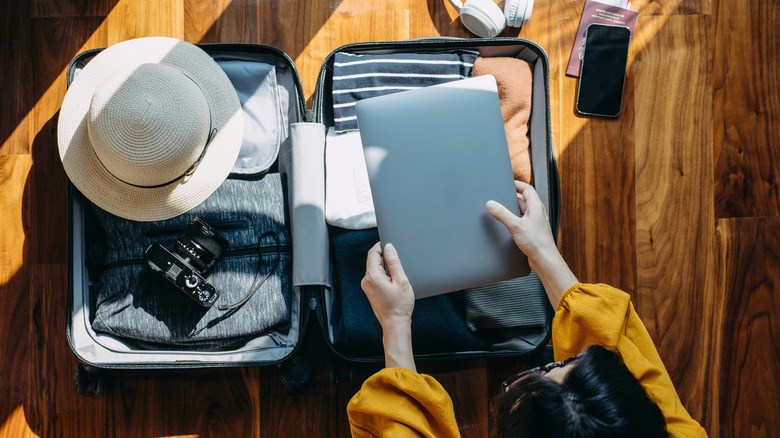
Most airlines prefer laptops to be carried in the cabin. This helps avoid damage or theft during baggage handling. Some airlines allow laptops in checked baggage but warn about risks. Batteries in laptops can cause safety issues if damaged.
Security rules require laptops to be taken out at checkpoints. This allows clear screening by airport security. Laptops must be easily accessible for inspection. Packing laptops safely in carry-on bags is recommended.
| Airline Policy | Check-in Laptop Allowed? | Notes |
|---|---|---|
| Major US Airlines | No | Carry in cabin only, remove for screening |
| International Flights | Sometimes | Check with airline; battery restrictions apply |
| Low-cost Carriers | Rarely | Usually cabin only, strict security checks |
Credit: www.slashgear.com
Risks Of Checking Laptops
Checking a laptop in your luggage can cause damage during transit. Rough handling or stacking heavy bags may harm the laptop screen or internal parts. Bumps and drops happen often in cargo areas.
Theft and loss concerns are real. Laptops are valuable and easy targets for thieves. Once lost, recovering the device is hard and data may be at risk.
Battery safety issues also matter. Laptop batteries can be dangerous if damaged. Airlines may have rules against checking laptops because of fire risks linked to lithium-ion batteries.
Packing Laptops For Checked Bags
Choosing a sturdy case is key for packing laptops in checked bags. A hard shell or shock-absorbing case offers extra protection against bumps and drops. Soft cases can work if you add enough padding.
Wrap the laptop in bubble wrap or clothes to cushion it inside the bag. This prevents damage from sudden hits during travel. Keep the laptop away from heavy items to avoid pressure.
Using a waterproof cover or bag inside the luggage helps protect against spills and rain. Plastic zip-lock bags can also stop moisture from reaching your device.
Alternatives To Checking Your Laptop
Carrying laptops as hand luggage keeps them safe and easy to access. Airport security usually requires laptops to be taken out of bags for screening. Using a padded laptop sleeve adds extra protection against bumps and scratches. Sleeves are slim and fit easily inside backpacks or carry-on bags.
Backpacks designed for laptops have special compartments with extra padding. These compartments stop the laptop from moving around during travel. Choose backpacks with water-resistant material to protect against rain or spills. Lightweight backpacks make carrying easier, especially on long trips.
Tips For Airport Security Screening
Most airports ask travelers to remove laptops from bags during security checks. This helps the scanners see the laptop clearly. Place your laptop in a separate bin for faster screening.
Keep your laptop charged. Sometimes, TSA may ask to turn it on to prove it works. A dead laptop can cause delays or extra checks.
Protect your laptop with a simple case. Avoid bulky bags that slow down the process. A slim bag helps you pass quickly.
Remember, checking laptops in your luggage is often not allowed. Carry your laptop in your carry-on bag to keep it safe.

Credit: www.studiodentisticoazzolinagozzi.it
Insurance And Backup Plans
Laptop insurance helps protect your device from theft, loss, or damage. Many companies offer travel-specific plans that cover laptops during flights or trips. These plans vary in cost and coverage, so check details carefully before buying. Some credit cards also provide travel insurance that includes laptops.
Backing up data before travel is very important. Use external hard drives or cloud storage to save important files. This way, if your laptop is lost or damaged, your data stays safe. Always double-check backups before your trip.
Frequently Asked Questions
Can I Check In My Laptop On A Flight?
Yes, you can check in your laptop, but it’s safer to carry it in your hand luggage. Checked laptops risk damage or theft.
Are Laptops Allowed In Checked Baggage?
Airlines generally allow laptops in checked bags, but it’s discouraged due to security and damage risks. Carry-on is recommended.
Is It Safe To Check In Laptops At Airports?
Checking in laptops is not very safe. Carrying them onboard reduces theft, damage, and loss risks during travel.
What Are Airline Policies For Checking Laptops?
Airline policies vary. Some prohibit laptops in checked bags due to battery fire risks. Always check with your airline before flying.
Conclusion
Checking in your laptop depends on airline rules and laptop safety. Always check the airline’s website before your flight. Carry fragile laptops in your hand luggage for safety. Packing your laptop well can prevent damage during travel. Knowing the size and weight limits helps avoid extra fees.
Remember, keeping your laptop with you reduces the risk of loss or theft. Travel smart and protect your device for a smooth journey. Simple steps make a big difference. Stay informed and travel safely with your laptop.
As an Amazon Associate, I earn from qualifying purchases.

