

Struggling to mount your monitor but found out it doesn’t have the usual mounting holes? You’re not alone, and it can be frustrating when your perfect setup feels out of reach.
But don’t worry—there are smart, safe ways to get your monitor up and save space without those holes. In this guide, you’ll discover simple, practical solutions that anyone can use. Keep reading, and you’ll have your screen mounted just the way you want it in no time.
Assess Your Monitor
Assessing your monitor is the first step in mounting it without holes. You need to understand its structure and size well. This helps you choose the right mounting method. Careful assessment prevents damage and ensures safety.
Check Monitor Design
Look closely at your monitor’s back and sides. Notice any flat areas or grooves. These can help hold mounting brackets or straps. Some monitors have stands that can detach easily. Knowing the design helps find secure mounting spots.
Identify Weight And Size
Weigh your monitor or find its weight in the manual. Measure the screen size diagonally in inches. These details matter for choosing strong mounts. Heavy or large monitors need sturdy supports. Light and small monitors allow simpler mounting options.
Credit: www.youtube.com
Explore Alternative Mounting Options
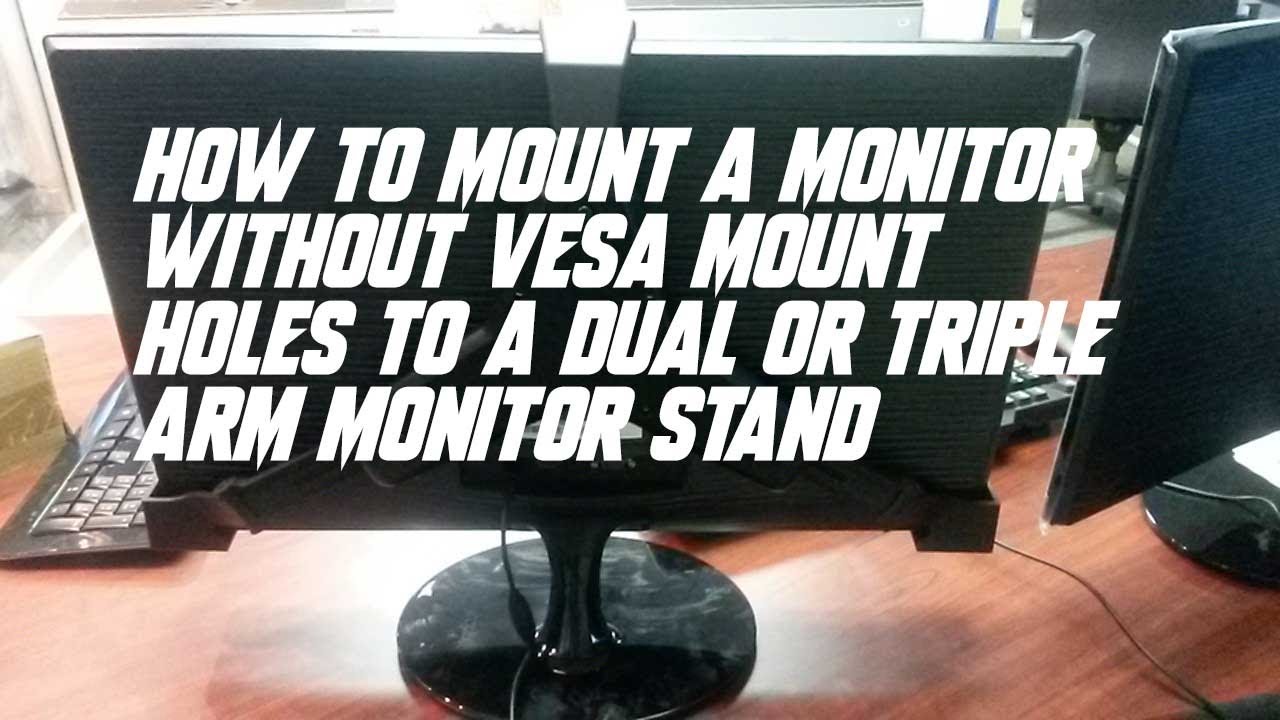
Mounting a monitor without holes can seem tricky. Many monitors lack standard mounting points. Thankfully, several alternative options exist. These methods keep your monitor secure and save desk space. Choose one that fits your setup and needs.
Use Adhesive Mounts
Adhesive mounts stick firmly to flat surfaces. They do not require drilling or screws. Clean the area well before applying the adhesive. This ensures a strong bond and prevents slipping. Adhesive mounts are good for lightweight monitors. Avoid using them on heavy or large screens.
Try Clamp Mounts
Clamp mounts attach to the edge of a desk or table. They hold the monitor without any holes or damage. Clamp mounts allow easy height and angle adjustments. Check the clamp size to fit your desk thickness. They provide a sturdy and flexible mounting solution.
Consider Shelf Supports
Using a shelf is another simple way to mount a monitor. Place a small, strong shelf on your desk or wall. Set the monitor on the shelf to save space. Secure the shelf properly to avoid accidents. Shelf supports work well for monitors without mounting holes.
Diy Mounting Hacks
Mounting a monitor without holes can be tricky. Many monitors lack the standard holes for mounting arms or brackets. DIY mounting hacks help solve this problem. These methods use simple tools and materials. They save money and avoid damage to your monitor or wall.
Try different ideas to find what fits your space and monitor size. Each hack offers a unique way to secure your screen safely and neatly.
Attach With Velcro Strips
Velcro strips provide a quick and easy mounting solution. Use heavy-duty Velcro to hold the monitor’s weight. Stick one side on the back of your monitor. Attach the matching side to your desk or wall. Press both sides firmly to secure the monitor. This method works best for small to medium screens. It allows easy removal and repositioning.
Use Magnetic Solutions
Magnets can hold monitors without holes if the back has metal parts. Attach strong magnets to a flat surface on your monitor. Fix metal plates to the wall or desk where you want the monitor. The magnets will hold the monitor in place. This setup is clean and adjustable. Ensure magnets are strong enough to support the monitor’s weight safely.
Create Custom Brackets
Custom brackets fit your monitor perfectly. Use materials like wood, plastic, or metal strips. Measure your monitor carefully before building brackets. Attach the brackets to your wall or desk. Place the monitor on the brackets for stable support. This option needs some crafting skills but offers a sturdy mount. Paint or finish brackets to match your room style.

Credit: www.amazon.com
Safety And Stability Tips
Safety and stability are very important when mounting a monitor without holes. A monitor that is not secure can fall and break. It can also cause injury or damage to your desk. Follow these tips to keep your monitor safe and stable.
Ensure Secure Attachment
Choose a mounting method that fits your monitor well. Use strong clamps or adhesive brackets made for electronics. Tighten all screws and fasteners firmly. Check the attachment points often to prevent loosening. A secure mount keeps your monitor steady and safe.
Avoid Damage To Monitor
Protect your monitor’s surface from scratches and marks. Use soft pads or rubber strips between the mount and the monitor. Avoid using strong adhesives that might peel off paint or plastic. Handle the monitor gently while installing. Careful mounting extends your monitor’s life.
Test Weight Support
Know your monitor’s weight before mounting. Check the mount’s weight limit on the package or manual. Test the mount by applying gentle pressure after installation. Watch for any movement or slipping. A mount that supports weight well prevents accidents and damage.
Tools And Materials Needed
Mounting a monitor without mounting holes requires some special tools and materials. These help secure your monitor safely and neatly. Having the right items makes the process easier and more stable.
Preparing all tools and materials before starting will save time. It also helps avoid mistakes that could damage your monitor or wall.
Essential Tools List
- Screwdriver set for adjusting screws
- Measuring tape to mark placement accurately
- Level tool to keep the monitor straight
- Drill for making holes in the wall if needed
- Stud finder to locate wall studs for support
- Marker or pencil to mark drill spots
Recommended Materials
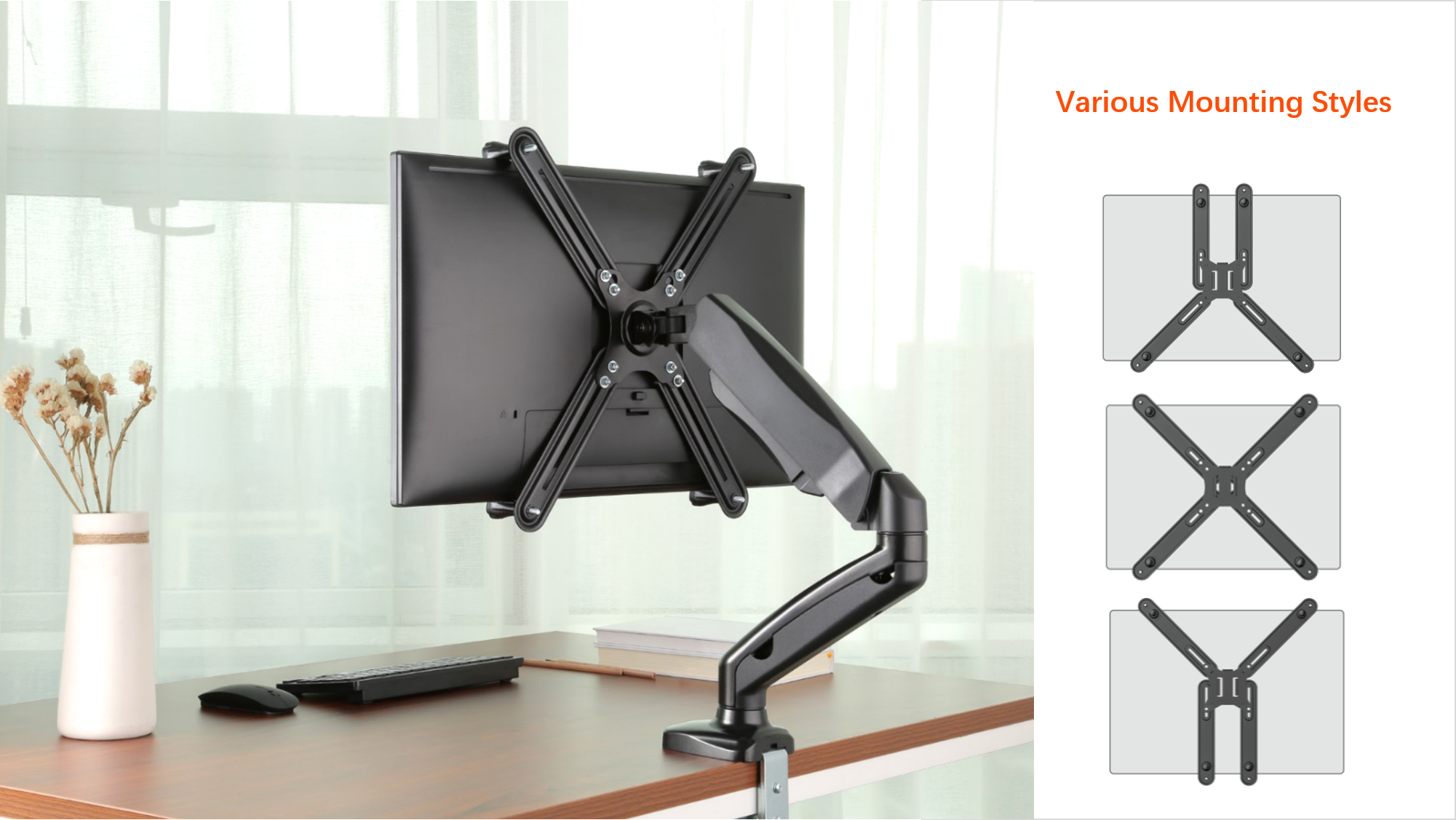
- Universal monitor mounting bracket suitable for various sizes
- Double-sided mounting tape with strong adhesive
- Heavy-duty Velcro strips for easy attachment and removal
- Adhesive hooks or strips designed for electronics
- Zip ties for cable management
- Protective padding to avoid scratches on the monitor
Credit: www.brateck.com
Step-by-step Mounting Guide
Mounting a monitor without holes can seem tricky. This step-by-step guide makes the process simple. Follow these clear instructions to secure your monitor safely. The right tools and careful steps ensure a strong hold.
Prepare The Surface
Clean the area where you will mount the monitor. Use a cloth and mild cleaner. Dry the surface completely. This helps the mounting solution stick better. Make sure the surface is flat and smooth.
Apply Mounting Solution
Choose a strong adhesive or mounting tape made for electronics. Cut the tape to fit the monitor’s back. Press the tape firmly on the monitor. Avoid air bubbles for a better grip. Let the adhesive set for a few minutes.
Attach Monitor Securely
Press the monitor against the prepared surface. Hold it steady for at least 30 seconds. Check if it feels stable. Avoid moving the monitor for a few hours. This lets the adhesive cure fully and hold tight.
Frequently Asked Questions
How Can I Mount A Monitor Without Vesa Holes?
You can use adhesive monitor mounts, clamp stands, or universal mounting kits. These solutions provide stable support without drilling holes. Always check the monitor’s weight and size limits before installation to ensure safety.
Are Adhesive Mounts Safe For Heavy Monitors?
Adhesive mounts are generally for lightweight monitors under 10 pounds. For heavier monitors, clamp or desk mounts offer better stability. Always verify the adhesive strength and manufacturer guidelines to avoid accidents or damage.
Can I Use A Clamp Mount For Non-vesa Monitors?
Yes, clamp mounts work well for monitors without VESA holes. They attach securely to your desk edge and hold the monitor using adjustable arms or brackets. This method is stable and doesn’t damage the monitor.
What Tools Do I Need To Mount A Monitor Without Holes?
You generally need no special tools for adhesive or clamp mounts. For universal brackets, a screwdriver and measuring tape might be required. Always follow the mounting kit instructions carefully for best results.
Conclusion
Mounting a monitor without holes is doable with the right tools. Use strong clamps or adhesive mounts for secure placement. Always check the weight limits to avoid accidents. Keep your workspace clean and organized for better comfort. Try these easy methods to save desk space today.
Your monitor setup can look neat and work well. Simple steps make a big difference in your workspace. Give these ideas a try and enjoy a clutter-free desk.
As an Amazon Associate, I earn from qualifying purchases.

