

Wearing a heart monitor doesn’t have to stop you from enjoying a refreshing shower. But you might be wondering—how can you keep your device safe and working properly while staying clean?
If you’ve ever felt unsure about the best way to shower with a heart monitor, you’re not alone. This guide will walk you through simple steps and smart tips to protect your heart monitor without missing out on your daily routine.
Keep reading to discover how to shower confidently and care for your device at the same time.

Credit: www.amazon.com
Choosing The Right Heart Monitor
Choosing the right heart monitor is key for daily use, especially in the shower. The device must handle moisture and stay accurate. Comfort matters a lot too. This section helps you pick the best heart monitor for shower time.
Water-resistant Vs Waterproof Devices
Water-resistant devices can handle small splashes of water. They are not made for full water exposure. Waterproof devices allow full contact with water, like during a shower. Choose a waterproof monitor for peace of mind in wet places. Check the device rating before buying. Ratings like IP67 or IP68 show good waterproof levels.
Battery Life Considerations
Long battery life means fewer charges and less hassle. Some monitors last days on one charge. Others need charging daily. A device with longer battery life is better for shower use. Water and charging don’t mix well. Charge your monitor away from water to keep it safe.
Comfort And Fit
Comfort affects how often you wear your heart monitor. Choose a lightweight model with soft straps. A snug fit keeps the monitor from slipping in the shower. Adjustable straps help fit different wrist sizes. Try the device on before buying to ensure comfort during use.
Preparing For Shower Time
Preparing for shower time with a heart monitor is important. It keeps you safe and protects your device. Taking a few simple steps makes the process easy. You stay comfortable while keeping your monitor dry and working well.
Securing The Monitor Properly
Start by fastening the monitor tightly to your body. Use straps or clips that come with the device. Make sure it does not move around during your shower. A secure fit prevents water from reaching sensitive parts. Check the position so it feels comfortable and stable.
Checking Device Settings
Look at your heart monitor’s settings before you shower. Some devices have a water-resistant mode. Turn this mode on if your monitor has it. Check battery life to avoid interruptions. Confirm the device is recording correctly. This step ensures your monitor works safely while wet.
Gathering Necessary Accessories
Collect all items you need before stepping into the shower. This includes waterproof covers or bags for the monitor. Have towels ready to dry the device afterwards. Keep your phone or emergency contact nearby. Being prepared helps you feel confident and relaxed.
Safe Shower Practices
Showering with a heart monitor requires careful steps to keep the device safe. Water and electronics do not mix well. Taking safe shower practices helps protect your heart monitor and keeps you comfortable. Follow these simple tips to shower safely without worry.
Avoiding Direct Water Pressure
Do not point the showerhead directly at your heart monitor. Strong water pressure can damage the device or loosen its attachment. Use a gentle spray or angle the water away from the monitor. This reduces the chance of water entering the device.
Temperature Control Tips
Set your water to a warm, not hot, temperature. Hot water can cause sweating, which might affect the monitor’s sensors. Warm water keeps your skin comfortable and helps the device stay secure. Test the water before stepping in.
Limiting Shower Duration
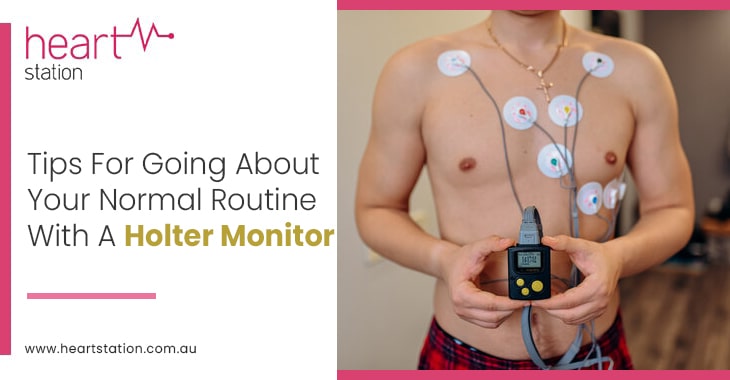
Keep your showers short, ideally under 10 minutes. Long showers increase moisture around the monitor. Moisture can cause irritation or damage the device. A quick shower helps maintain both your skin health and device function.
Credit: www.heartstation.com.au
Cleaning And Maintenance
Cleaning and maintenance keep your heart monitor working well. Water and soap can leave residue on the device. Dirt or sweat may build up over time. Proper care protects the monitor and extends its life.
Cleaning The Monitor After Showering
Gently wipe the monitor with a soft, dry cloth. Avoid using water directly on the device. Use a damp cloth only if the manufacturer allows it. Do not use harsh chemicals or sprays. Make sure the monitor is completely dry before storing or wearing it again.
Inspecting For Damage
Check the monitor for cracks or loose parts after each shower. Look closely at the strap and buttons. Replace or repair the device if any damage appears. Small issues can cause bigger problems later. Regular checks help keep the monitor safe and reliable.
Storing The Device Safely
Store the monitor in a cool, dry place. Keep it away from direct sunlight and heat. Use the original case or a soft pouch to protect it. Avoid placing heavy objects on the device. Proper storage prevents damage and keeps the monitor ready for use.
Troubleshooting Common Issues
Using a heart monitor while showering can sometimes cause small problems. These issues can stop the device from working correctly. Knowing how to fix these problems helps keep the monitor reliable. This way, you stay safe and confident during your shower.
Signal Loss Problems
Signal loss happens when the monitor cannot send data. Water and steam can block the signal. Keep the monitor dry and avoid direct water contact. Move closer to the receiver if the signal drops. Check that the device is worn correctly and tight on your body. These steps often restore the connection quickly.
Battery Drain Solutions
Battery drains faster in wet environments. Turn off the monitor when not in use. Charge the device fully before showering. Use energy-saving settings if available. Carry a spare battery for long showers or trips. Proper care helps the battery last longer during daily use.
When To Contact Support
Contact support if the monitor stops working after troubleshooting. Persistent signal loss or battery issues need expert help. The device may require repair or replacement. Keep your warranty and purchase information ready. Support teams guide you to fix or replace your heart monitor safely.
Credit: www.svhhearthealth.com.au
Frequently Asked Questions
Can I Shower Safely With A Heart Monitor On?
Yes, many heart monitors are water-resistant or waterproof. Check your device’s specifications before showering. Avoid hot water to prevent skin irritation around sensors.
How Do I Protect My Heart Monitor From Water Damage?
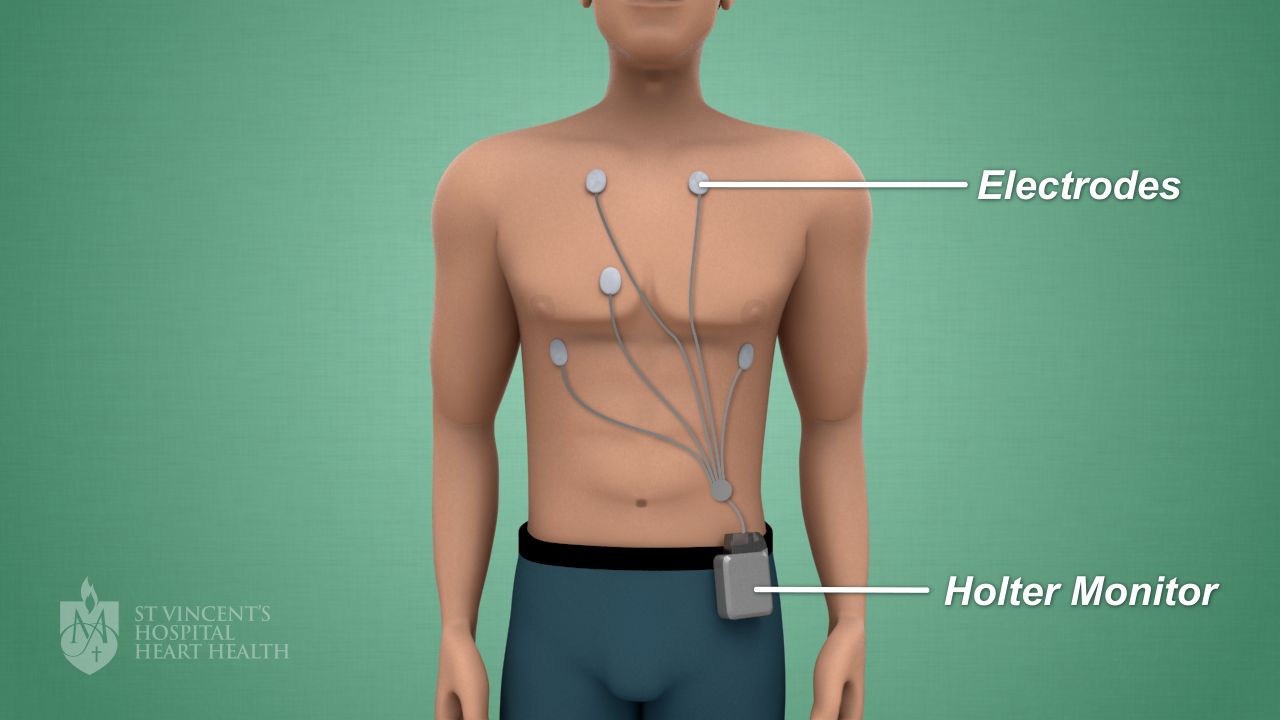
Use a waterproof cover or plastic wrap secured with tape. Ensure no water seeps into the device or electrodes. Always dry the monitor and skin thoroughly after showering.
Should I Remove My Heart Monitor Before Showering?
It depends on your device type. Some monitors must be removed to avoid damage. Consult your doctor or device manual for specific showering guidelines.
Can Showering Affect Heart Monitor Readings?
Water and soap can sometimes interfere with sensor accuracy. Avoid scrubbing electrode areas during showering. Always check your monitor’s readings after showering for consistency.
Conclusion
Showering with a heart monitor can feel easy and safe. Follow simple steps to protect your device from water damage. Keep the monitor dry and avoid direct water contact. Use a waterproof cover or remove the monitor if needed. Always check the manufacturer’s instructions for care tips.
Staying careful helps you track your heart without worry. This small effort keeps your health device working well. Enjoy your shower time while staying mindful of your monitor. Safety and comfort go hand in hand.
As an Amazon Associate, I earn from qualifying purchases.

