

Do you want to enjoy the warm, rich sound of your turntable through your computer speakers but aren’t sure how to connect them? You’re not alone.
Many vinyl lovers struggle to get their records playing through modern audio setups. The good news is, it’s easier than you think—and once you know the steps, you’ll unlock a whole new way to experience your favorite music. Keep reading, and you’ll learn exactly how to connect your turntable to your computer speakers quickly and clearly, so your vinyl collection sounds better than ever.
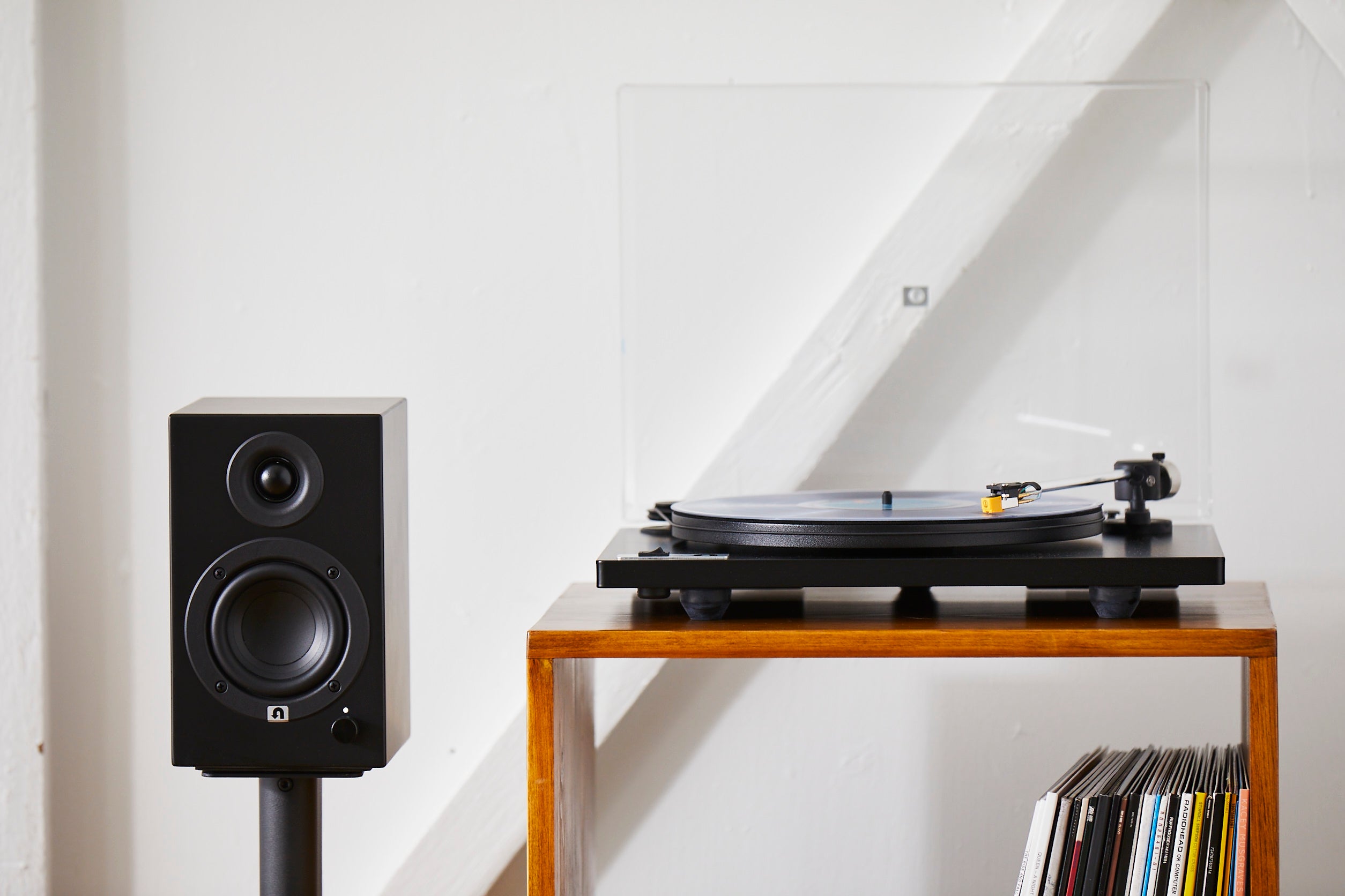
Credit: uturnaudio.com
Required Equipment
Playing turntable music through computer speakers needs some basic equipment. Knowing what you need helps set up your system quickly and easily. This guide explains the main gear required.
Turntable Types
There are two common turntable types. The first is a turntable with a built-in preamp. It can connect directly to your computer or speakers. The second type lacks a preamp. It needs an external preamp to boost the sound signal.
Choose the turntable type that fits your setup and budget. The built-in preamp models are simpler to connect. Models without preamps offer more control over sound quality.
Computer Audio Inputs
Most computers have a line-in or microphone input. Use these to connect your turntable. Some computers only have a headphone jack. This jack cannot be used for input.
USB audio interfaces are another option. They provide better sound quality and easy connectivity. USB devices work well with laptops and desktops lacking line-in ports.
Cables And Adapters
Cables carry the audio signal from your turntable to your computer. Common cables include RCA to 3.5mm or RCA to RCA. The cable type depends on your turntable and computer inputs.
Adapters may be needed to match connectors. For example, RCA to 3.5mm adapters connect old turntables to modern computers. Use quality cables to avoid sound loss and noise.

Credit: www.amazon.com
Connecting Your Turntable
Connecting your turntable to your computer speakers is simple. It lets you enjoy vinyl music through your digital setup. There are a few ways to connect your turntable. The best method depends on the type of turntable and your computer’s ports.
Direct Usb Connection
Many modern turntables have a built-in USB port. This allows direct connection to your computer. Use a USB cable to connect the turntable to your PC or laptop. Your computer will recognize the device as an audio source. This method is easy and quick. No extra equipment is needed.
Using A Phono Preamp
Older turntables often need a phono preamp. This device boosts the audio signal to a line level. Connect the turntable’s output to the phono preamp input. Then connect the preamp output to your computer or speakers. A preamp improves sound quality and volume. It prevents low or distorted audio.
Connecting To Computer Line-in
Some computers have a line-in jack for audio input. Use RCA to 3.5mm cables to connect your turntable. Plug the RCA ends into the turntable or preamp output. Connect the 3.5mm jack into your computer’s line-in port. This lets the computer receive sound from the turntable. Adjust computer settings to choose the line-in as the input.
Setting Up Computer Audio
Setting up your computer audio is key to enjoying music from your turntable. Proper setup ensures clear sound and smooth playback. This guide helps you adjust your computer for the best audio experience.
Configuring Sound Settings
Start by opening your computer’s sound settings. On Windows, go to the Control Panel or Settings app. On Mac, use System Preferences. Check the volume levels and make sure they are not muted. Adjust the balance if your speakers are uneven.
Set the sound format to a high quality option, like 16-bit, 44100 Hz. This matches the audio from most turntables. Disable any sound effects or enhancements. They can change the original music sound.
Choosing Playback Devices
Select the correct playback device to hear your turntable. Your computer might have several options like built-in speakers, headphones, or external devices. Choose the speakers connected to your computer. If using USB or Bluetooth speakers, ensure they are paired and active.
Test the sound by playing a music file. Change the playback device if the sound does not come from the right speakers. Confirm your turntable’s audio interface is set as the input device in sound settings.

Credit: www.amazon.com
Playing And Controlling Music
Playing and controlling music from your turntable through computer speakers is simple. You can enjoy your favorite vinyl records with clear sound. Understanding how to use media players and adjust settings helps improve your listening experience.
Using Media Players
Media players let you play music files from your turntable. Programs like VLC, Windows Media Player, or iTunes work well. Connect your turntable to the computer using an audio interface or USB. Open the media player and select the input source. Press play to hear your vinyl sounds through the speakers.
Adjusting Volume And Quality
Control volume directly from your media player or computer settings. Keep the volume at a comfortable level to avoid distortion. Adjust sound quality by using equalizer settings in the media player. Increase bass or treble to suit your taste. Clear and balanced sound gives a better music experience.
Troubleshooting Common Issues
Troubleshooting common issues can help you enjoy your turntable music without interruption. Problems with sound or quality often stop the fun. Simple fixes can get your music playing clearly through your computer speakers. Let’s explore how to solve these frequent problems quickly.
No Sound Problems
Check all cables are firmly connected. Loose wires often cause no sound. Make sure the turntable is powered on. Verify the volume on your computer and speakers is not muted or too low. Select the correct audio input on your computer. Restart your computer and turntable to reset connections.
Distorted Audio Fixes
Clean the turntable needle to remove dust. A dirty needle causes poor sound quality. Adjust the tracking force to the recommended level. Incorrect force can distort audio. Lower the volume on your computer to avoid speaker overload. Use good quality cables to reduce interference and static noise.
Latency And Delay Solutions
Latency causes a delay between sound and action. Close unused programs to free up computer resources. Update your audio drivers for better performance. Use a direct USB connection if possible. Lower the buffer size in your audio software settings. This reduces delay and improves sound timing.
Tips For Better Sound Quality
Getting clear and rich sound from your turntable through computer speakers needs some care. Small changes can make a big difference. Follow these tips to enjoy better sound quality with your setup.
Optimizing Speaker Placement
Place your speakers at ear level for the best sound. Keep them at least a few inches away from walls. Avoid putting speakers on the floor or inside cabinets. Position speakers so they face you directly. This setup reduces echoes and improves clarity. Try to create a triangle between your ears and the two speakers. This shape helps balance the sound evenly.
Using External Dacs
An external DAC, or digital-to-analog converter, improves sound quality. It processes the audio signal better than most built-in computer sound cards. Connect your turntable to the DAC, then to your computer. This reduces noise and distortion. Choose a DAC that matches your budget and needs. You will hear clearer highs and deeper lows.
Maintaining Turntable Components
Clean your turntable regularly to keep sound clear. Dust on the needle or vinyl can cause crackles. Use a soft brush to clean the stylus after each use. Check the belt and motor for wear and replace them if needed. Make sure the tonearm is balanced correctly. Proper maintenance keeps your music sounding fresh and crisp.
Frequently Asked Questions
How Do I Connect A Turntable To Computer Speakers?
Use an RCA to 3. 5mm cable or a USB turntable. Connect the turntable’s output to your computer’s line-in or USB port. Set the computer audio input to play sound through speakers.
Can I Use Bluetooth Speakers With A Turntable?
Yes, if your turntable has Bluetooth or connect a Bluetooth transmitter to its audio output. Pair it with Bluetooth speakers for wireless playback.
Do I Need A Preamp To Play Turntable Music?
Most turntables require a preamp to boost signal levels. Some have built-in preamps. Connect the preamp output to your computer or speakers for clear sound.
How To Improve Sound Quality From Turntable To Speakers?
Use quality cables, a preamp, and proper speaker placement. Keep your turntable clean and balanced for the best audio performance.
Conclusion
Playing turntable music through computer speakers is simple and fun. Connect the cables carefully and select the right input on your computer. Adjust the volume to enjoy clear sound without noise. This setup brings your vinyl collection to life with modern speakers.
Try different cables or settings for the best audio quality. Keep your turntable clean and maintain connections for long-lasting use. Now, you can enjoy classic records with today’s technology easily. Give it a try and hear the difference yourself.
As an Amazon Associate, I earn from qualifying purchases.

