How To Reset Ford F150 Check Engine Light
When the check engine light appears on your Ford F150’s dashboard, it can make any driver nervous. This warning doesn’t always mean something serious, but it does signal that your truck’s computer has detected a problem. Learning how to reset the check engine light is a useful skill—especially if you’ve fixed the issue or just want to clear a false warning.
This guide will walk you through every step, explain common mistakes, and help you understand what really matters. Whether you’re new to working on trucks or have some experience, you’ll find clear, easy-to-follow instructions here.
What Does The Check Engine Light Mean?
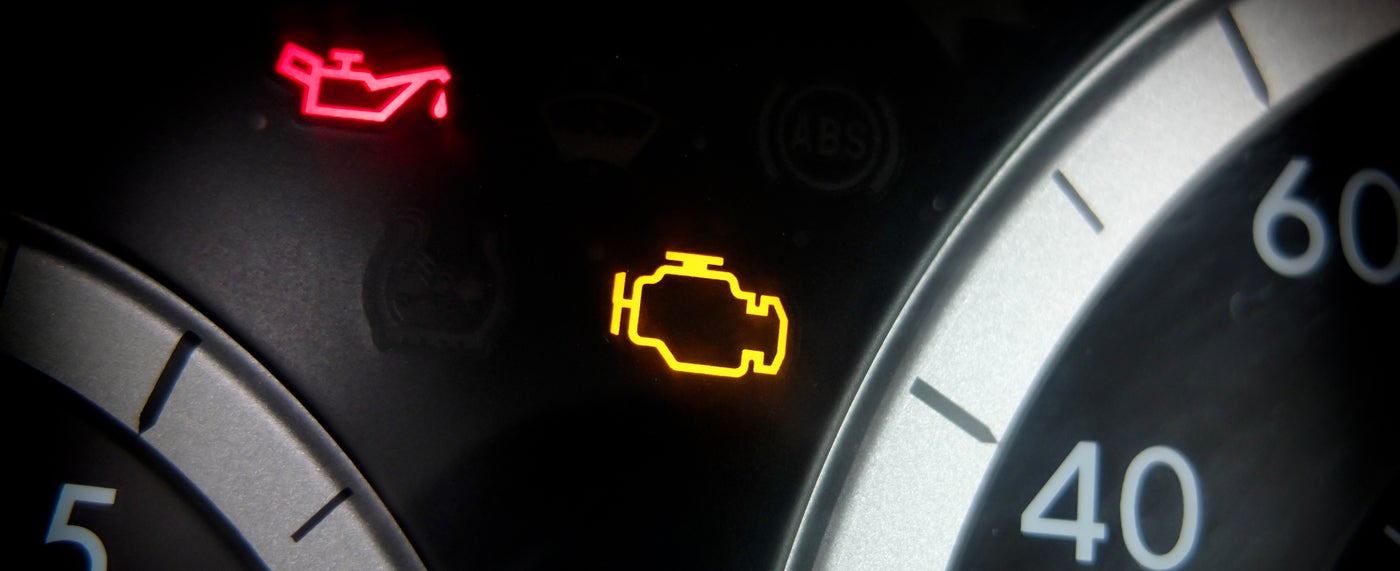
The check engine light is part of your F150’s On-Board Diagnostics (OBD) system. When the computer detects a problem—big or small—it turns on this light. Sometimes it’s a loose gas cap, sometimes it’s a failing sensor.
A steady check engine light usually means a minor issue. A flashing light means stop driving immediately—this could damage your engine.
Before You Reset: Diagnose The Problem
Many owners rush to reset the light. But it’s best to find out what’s wrong first. Ignoring the real cause may lead to bigger, more expensive problems.
- Scan for Codes: Use an OBD-II scanner to read the error codes. These codes tell you what the computer found.
- Fix the Issue: For example, if the code is P0457, you might just need to tighten the gas cap. If it’s a sensor or engine misfire, you may need a mechanic.
Pro tip: Some codes can only be cleared after fixing the root cause. If you don’t, the light will come back.
How To Reset Ford F150 Check Engine Light
There are three main ways to reset your F150’s check engine light. Choose the method that fits your situation.
1. Using An Obd-ii Scanner
This is the safest and most reliable method. Most auto parts stores will let you use their scanner for free.
- Plug the scanner into your truck’s OBD-II port (usually under the dashboard near the driver’s seat).
- Turn the ignition key to “On” without starting the engine.
- Follow the scanner instructions. Usually, select “Erase Codes” or “Clear Codes.”
- Wait for the scanner to confirm the codes are cleared.
- Start the engine to check if the light is off.
Why use this method?
It confirms codes are gone and won’t erase important data your mechanic may need.
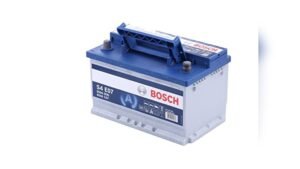
2. Disconnecting The Battery
This method is quick, but not always effective for newer F150s.
- Turn off the engine.
- Open the hood and use a wrench to disconnect the negative battery cable (black).
- Wait 15 minutes. This drains stored power and resets the computer.
- Reconnect the cable. Tighten it securely.
- Start the engine and check the dashboard.
Drawback:
This resets everything—including your radio presets and clock. Sometimes, the light returns if the issue isn’t fixed.
3. Letting The Light Turn Off Automatically
If you’ve fixed the cause (like tightening the gas cap), just drive as usual.
- The truck’s computer checks systems during each drive cycle.
- If it finds no errors after several trips, the light turns off by itself.
Note:
This process can take up to 3 days or about 50-100 miles of driving.
Common Mistakes To Avoid
Many drivers make small errors when trying to reset the check engine light.
- Ignoring the real problem: Resetting the light without fixing the issue can lead to engine damage.
- Not scanning for codes: Always read codes first. Even a simple scanner gives valuable clues.
- Disconnecting the battery on newer trucks: Many 2015+ F150s store codes even without power.
- Not waiting long enough: After disconnecting the battery, wait at least 15 minutes.
Credit: www.jimhudsonfordlexington.com
When To See A Mechanic
If the check engine light returns right away, or if the truck runs rough, don’t ignore it. Some issues, like a misfire or catalytic converter failure, can cause costly damage if not repaired quickly.
Unusual sounds, poor fuel economy, or loss of power are all signs you need a professional.
Example: What Causes The Check Engine Light?
Here are some common reasons the light turns on in a Ford F150:
- Loose or damaged gas cap
- Faulty oxygen sensor
- Bad spark plugs or ignition coils
- Failing catalytic converter
- Dirty mass airflow sensor
Each cause has a unique error code. For example, code P0442 often means a small leak in the evaporative emissions system.

Credit: www.youtube.com
Understanding Drive Cycles
A drive cycle is a series of driving conditions your truck needs to test its systems. If you reset the light, you may need to complete a drive cycle for the truck to pass an emissions test.
A typical drive cycle includes:
- Cold start
- Idling for a few minutes
- Highway driving at steady speed
- City driving with stops
If you’re preparing for a smog test, make sure all tests in the drive cycle are complete.
Comparison: Obd-ii Scanner Vs. Battery Disconnect
Here’s how the two main reset methods compare:
| Method | Reliability | Data Loss | Best For |
|---|---|---|---|
| OBD-II Scanner | High | None | Most drivers |
| Battery Disconnect | Medium | Yes | Older F150s |

Credit: www.youtube.com
Reset Time Estimates
How long does it take to reset the check engine light?
| Method | Time Needed |
|---|---|
| OBD-II Scanner | 5 minutes |
| Battery Disconnect | 15-20 minutes |
| Drive Cycle | 1-3 days |
Advanced Tip: Mode $06 Data
Some OBD-II scanners let you check “Mode $06” data. This shows tests the computer runs but has not yet triggered a check engine light. It’s a powerful tool for advanced DIYers to catch problems early.
Two Non-obvious Insights
- Some codes need two drive cycles to clear. If you reset a sensor code but the light returns after the second drive, the sensor may still be bad.
- Battery disconnect can cause “not ready” monitors. If you reset by disconnecting the battery, your truck may fail an emissions test until all monitors are ready again.
Useful Resources
For detailed code definitions and troubleshooting, the official OBD-Codes Ford database is a trusted source.
Frequently Asked Questions
How Can I Tell Why My F150 Check Engine Light Is On?
Use an OBD-II scanner to read the error codes. These codes tell you exactly what the problem is—like a loose gas cap or a bad sensor.
Is It Safe To Drive With The Check Engine Light On?
If the light is steady and the truck runs normally, it’s usually safe for a short time. If the light is flashing, stop driving and get help immediately.
Will The Check Engine Light Reset Itself?
Yes, if you fix the problem, the light can turn off after several drive cycles. But if the issue remains, the light will stay on.
Do I Need To Disconnect Both Battery Cables?
No. Just disconnect the negative (black) cable to reset the computer. Wait at least 15 minutes before reconnecting.
Can I Reset The Check Engine Light Without A Scanner?
Yes. You can disconnect the battery or wait for the light to turn off after fixing the problem. However, using a scanner is the fastest and most reliable way.
Resetting the Ford F150 check engine light is simple if you follow the right steps. Always find and fix the root problem before clearing the warning. With the tips above, you can keep your truck running smoothly and avoid costly mistakes.
As an Amazon Associate, I earn from qualifying purchases.