Resetting the Powertrain Control Module (PCM) on a Ford F150 might sound technical, but it’s something many truck owners need to do at some point. The PCM is like the truck’s brain, controlling how the engine and transmission work together. Sometimes, after repairs or when problems appear—like engine misfires, check engine lights, or odd shifting—resetting the PCM can help. In this guide, you’ll learn simple steps to reset your F150’s PCM, why it matters, and how to avoid common mistakes. You don’t need to be a mechanic, but paying attention to details is important.
What Is The Pcm And Why Reset It?
The PCM (Powertrain Control Module) is an electronic unit that manages engine and transmission performance. It uses sensors to adjust fuel, air, and timing for best results. Over time, the PCM “learns” your driving style and adapts, but this can sometimes lead to issues.
Resetting the PCM can help when:
- You’ve replaced sensors, fuel injectors, or the battery.
- The truck shows warning lights after a repair.
- Idle or shifting feels rough after work on the engine.
A reset wipes old “learned” data, letting the PCM re-learn with fresh settings. This can fix small problems and improve performance.
Steps To Reset The Pcm On Ford F150
Resetting the PCM is not complicated, but doing it wrong means the problem might stay or new errors could appear. Follow these steps carefully:
1. Prepare Your Tools
You don’t need special tools, but have these ready:
- Basic wrench or socket set (for battery terminals)
- Safety gloves and glasses
2. Ensure Safety
Before touching anything, turn off the engine and remove the key. Make sure the truck is parked on a level surface and the parking brake is on.
3. Disconnect The Battery
The PCM gets power from the battery, so disconnecting it resets the module.
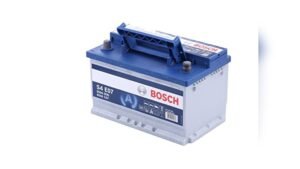
- Open the hood and locate the battery.
- Use your wrench to loosen the negative (-) cable clamp.
- Remove the negative battery cable first. This is important for safety.
- Next, remove the positive (+) battery cable.
4. Wait For The Power To Drain
This is the most important part, but many skip it. After disconnecting both cables, wait for 20 to 30 minutes. This allows all power to leave the PCM and clears stored memory.
Pro tip: Press and hold the brake pedal for 30 seconds. This helps drain any leftover electrical energy faster.
5. Reconnect The Battery
- Reattach the positive (+) cable and tighten the clamp.
- Connect the negative (-) cable and secure it.
Make sure the connections are tight to avoid future issues.
6. Let The Pcm Relearn
Start the engine and let it idle for about 10 minutes. Don’t use the radio or air conditioning yet. The PCM will re-learn basic settings. Then, take a short drive (10–15 minutes) with gentle acceleration and braking. This helps the PCM adjust to your driving.
Common Mistakes To Avoid
Many people make simple errors when resetting the PCM. Here are mistakes to watch for:
- Not waiting long enough after disconnecting the battery
- Disconnecting only the negative terminal
- Forgetting to let the truck idle after reconnection
- Using accessories (radio, AC) during the relearn period
Missing these steps can cause warning lights to come back or the PCM to relearn bad habits.
Signs Your Pcm Needs A Reset
Not every problem means you need a reset, but watch for these signs:
- Check engine light stays on after repairs
- Sudden changes in fuel economy
- Transmission shifting becomes rough or delayed
- Idle speed feels higher or lower than normal
If these problems started after a battery change or repair, a PCM reset can help.

Credit: blog.autelshop.de
When To Avoid Resetting The Pcm
In some cases, resetting the PCM is not a good idea. If your F150 has a serious mechanical issue or a failing sensor, a reset won’t fix it—and can even hide the real problem. Always check for trouble codes with a diagnostic scanner before resetting. If codes come back after a reset, further inspection is needed.
Pcm Reset Vs. Clearing Codes
People often confuse resetting the PCM with simply clearing trouble codes. Here’s a quick comparison:
| Action | What It Does | When To Use |
|---|---|---|
| Reset PCM | Removes all learned data and adapts | After major repairs or persistent issues |
| Clear Codes | Removes error codes only | After fixing a specific sensor or small part |
A full reset is more complete, but clearing codes is faster if you know the repair is done.

Credit: blog.autelshop.de
How Long Does A Pcm Reset Take?
The whole process usually takes 30 to 45 minutes:
- 5 minutes to disconnect battery
- 20–30 minutes for power drain
- 10 minutes for idle relearn
Driving afterward helps the PCM adjust. If warning lights come back after this, further diagnosis is needed.
Can You Use A Scan Tool For Pcm Reset?
Some advanced OBD-II scan tools can reset or reprogram the PCM. However, most basic tools only clear codes. For a true reset, the battery method is more reliable. Ford dealers and some mechanics have special tools for PCM programming, but they are not usually needed for a standard reset.
Practical Insights Most Owners Miss
- Radio and clock settings will be lost. After a battery disconnect, you’ll need to reset your clock and radio presets. Some alarm systems may also need to be re-armed.
- Drive cycle is important. To fully reset the PCM, do a “drive cycle.” This means driving in varied conditions: City, highway, stop-and-go. The PCM uses these to fine-tune settings. Skipping this step may cause emissions tests to fail.
Comparison: Battery Disconnect Vs. Scan Tool
Both methods can reset the PCM, but which is better? Here’s a side-by-side look:
| Method | Pros | Cons |
|---|---|---|
| Battery Disconnect | Simple, no tools needed, works on any F150 | Erases all settings, radio and clock reset |
| Scan Tool | Can target specific modules, saves settings | Needs expensive tool, not always complete |
Most owners find the battery disconnect method easiest, unless they already own a professional scan tool.
After The Reset: What To Expect
After a PCM reset, you may notice:
- Idle speed changes for the first few minutes
- Transmission shifting feels smoother or more responsive
- Check engine light stays off (if problem is fixed)
If problems return, don’t repeat the reset. Instead, check for new error codes or consult a mechanic.
Further Resources
For more details about the PCM and engine management, visit the official Wikipedia PCM page.

Credit: www.youtube.com
Frequently Asked Questions
How Often Should I Reset My Ford F150’s Pcm?
Only reset the PCM after repairs or when you notice ongoing issues that a reset might help. Doing it too often can cause the PCM to relearn constantly, which isn’t good.
Will Resetting The Pcm Fix All Engine Problems?
No, a reset fixes only “learned” errors or adaptation issues. Mechanical problems, faulty sensors, or wiring issues need real repairs.
Can I Reset The Pcm Without Disconnecting The Battery?
Some scan tools can reset the PCM without battery disconnect. For most owners, removing the battery cables is the simplest method.
Do I Need To Reprogram My Key Fob After A Pcm Reset?
Usually, a PCM reset doesn’t affect the key fob. But if your F150’s alarm or security system acts up, you may need to re-sync the remote.
Is Pcm Reset Safe For New Ford F150 Models?
Yes, but always check your owner’s manual. Some newer models have extra modules or features, so follow Ford’s guidelines if available.
Resetting your Ford F150’s PCM is a handy skill that can solve many common electronic issues. With the right steps, you can improve your truck’s performance and avoid unnecessary repair costs. Remember, always double-check your work, and if in doubt, ask a professional for help.
As an Amazon Associate, I earn from qualifying purchases.