Are you unsure about how high to mount your TV for the best viewing experience? The right height can make a huge difference in comfort and picture quality.
Mount it too high or too low, and you might strain your neck or miss out on the full impact of your favorite shows and movies. You’ll discover simple tips to find the perfect height that suits your space and viewing habits.
Keep reading to make sure your TV setup feels just right every time you sit down to watch.
Ideal Eye Level For Tv Mounting
Finding the ideal eye level for TV mounting ensures a comfortable viewing experience. The TV should be at a height where your eyes naturally rest when watching. This reduces neck strain and makes watching more enjoyable. The right height depends on how you sit or stand while watching TV.
Measuring Eye Height
Measure the distance from the floor to your eyes when seated. This is usually between 40 to 45 inches for most people. Use a tape measure or ruler for accuracy. Note this number as it helps decide the TV’s center height. The middle of the TV screen should align close to this eye height.
Sitting Vs Standing Viewing Positions
Most TV watching happens while sitting. Mount the TV so the center is at eye level when seated. For rooms where people stand often, adjust the height higher. Standing viewers need the TV higher to avoid neck bending. Consider who watches TV most to choose the best height.
Factors Influencing Tv Height
Choosing the right height for mounting your TV depends on several key factors. These factors help create a comfortable and enjoyable viewing experience. Understanding each one allows you to place your TV in the best spot for your room and lifestyle.
Room Size And Layout
The size of your room affects how high the TV should be mounted. In a small room, the TV might be closer to eye level. Larger rooms allow for higher placement because viewers often sit farther back. The shape and design of the room also guide TV placement. Avoid blocking windows or doorways. Find a spot where the screen is clearly visible from most areas.
Seating Arrangement
Where people sit influences the TV height. The TV should be mounted at eye level from the main seating position. If seats vary in height, find a middle ground. For example, mount slightly lower if people sit close on sofas. Raise it a bit if viewers use bar stools or recliners. Comfort is key. Viewers should not have to tilt their heads up or down.
Tv Size And Screen Type
Larger TVs need more space and careful height placement. A big screen mounted too high can cause neck strain. Smaller screens can be mounted slightly higher without discomfort. The screen type matters too. Flat screens are easier to mount at eye level. Curved screens work best when mounted at a height that matches the viewer’s natural line of sight. Always consider the TV’s weight and mounting hardware for safety.
Calculating The Perfect Mounting Height
Finding the right height for your TV mount improves your viewing comfort. It reduces neck strain and makes watching more enjoyable. The key is to balance the screen height with your seating position. Two main factors help decide this: viewing distance and viewing angles.
These factors ensure your TV feels natural to watch. Follow simple steps to get the best height for your room and setup.
Using Viewing Distance
Measure the distance from your seating area to the wall where the TV will hang. A common rule is the screen’s center should be at eye level. Eye level means the height of your eyes when seated comfortably.
For most people, this is about 40 to 42 inches from the floor. If your seating is far from the TV, you might mount it a little higher. The TV size also matters. Bigger screens can sit higher without causing discomfort.
Recommended Angles For Comfort
TV screens are best viewed when your eyes look straight ahead or slightly downward. The ideal angle is about 10 to 15 degrees below eye level. This angle reduces eye strain and neck pain.
Avoid mounting the TV too high. Looking up for long periods causes discomfort. Tilt mounts can help adjust the screen to the right angle. This allows flexibility for different seating positions.

Credit: www.reliant.co.uk
Mounting Tips For Different Room Types
Mounting a TV at the right height changes how you enjoy your space. Different rooms need different mounting heights. The purpose of the room and seating style affect where the TV should go. Choose the best height to avoid neck strain and get the best picture.
Living Room Setups
In living rooms, people usually sit on sofas or chairs. Mount the TV so the center is at eye level when sitting. Eye level is about 42 inches from the floor on average. Keep the TV slightly tilted downward if it is mounted higher. This helps reduce glare and gives a clear view.
Bedroom Tv Mounting
Bedrooms have different needs. People often watch TV lying down or sitting up in bed. Mount the TV a little higher than in living rooms. Around 50 to 60 inches from the floor works well. Tilt the TV downward to avoid neck strain while lying down. Make sure the TV is easy to see from the bed.
Home Theater Considerations
Home theaters focus on comfort and picture quality. Mount the TV so viewers look straight ahead when seated. The ideal height depends on the seating distance and type. Keep the screen center at eye level of the main seats. Avoid mounting too high or too low. This keeps the viewing experience immersive and comfortable.
Common Mounting Mistakes To Avoid
Mounting a TV sounds simple but many make basic mistakes. These errors affect viewing comfort and safety. Avoid these common mounting mistakes to get the best TV setup.
Mounting Too High Or Low
Placing the TV too high strains your neck and eyes. Watching becomes tiring quickly. Mounting too low forces you to look down uncomfortably. The center of the screen should align with your eye level when seated. This ensures a natural, relaxed viewing angle.
Ignoring Glare And Lighting
Bright lights and windows cause glare on the screen. Glare makes it hard to see pictures clearly. Avoid placing the TV opposite windows or bright lamps. Use curtains or blinds to control natural light. Proper lighting reduces eye strain and improves picture quality.
Overlooking Wall Strength
Not all walls can hold a TV mount safely. Drywall alone often cannot support heavy TVs. Check the wall type and find studs for secure mounting. Using the wrong hardware risks the TV falling and causing damage. Always confirm the wall can hold your TV’s weight.
Tools And Equipment For Mounting
Mounting a TV at the right height needs the right tools and equipment. Using proper tools makes the process safer and easier. It also helps keep the TV steady on the wall. Knowing what tools and mounts to use is important before starting.
Types Of Wall Mounts
There are several types of TV wall mounts. Fixed mounts hold the TV flat against the wall. They save space and are simple to install. Tilt mounts allow you to angle the TV up or down. This helps reduce glare from lights or windows. Full-motion mounts let you move the TV side to side and in or out. They offer more flexibility but need stronger support.
Essential Installation Tools
Basic tools are needed for mounting a TV. A stud finder helps locate the wall studs. Studs provide strong support for the TV mount. A drill with drill bits makes holes for screws. A screwdriver is needed to tighten screws. A level ensures the TV mount is straight. A tape measure helps find the right height. Safety goggles protect your eyes during drilling. Having these tools ready speeds up the installation process.
Adjusting Height After Installation
Adjusting the height of your TV after installation helps improve your viewing experience. Sometimes the initial placement feels too high or low. Small changes can make a big difference in comfort and picture clarity. Proper adjustment also reduces neck and eye strain during long watching sessions.
Using Tilting And Swiveling Mounts
Tilting and swiveling mounts allow easy movement of your TV after it is mounted. You can tilt the screen up or down to reduce glare from windows or lights. Swiveling lets you turn the TV left or right for better viewing from different seating areas. These mounts help fine-tune the height without removing the TV from the wall.
Fine-tuning For Optimal Comfort
After adjusting the tilt and swivel, check your eye level while sitting. The center of the TV screen should be at or just below eye level. Adjust the mount in small steps. Watch your posture and comfort during different times of the day. Proper height avoids neck pain and keeps your viewing experience relaxed and enjoyable.
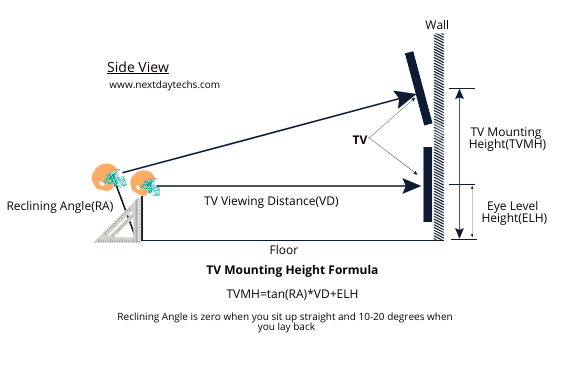
Credit: nextdaytechs.com
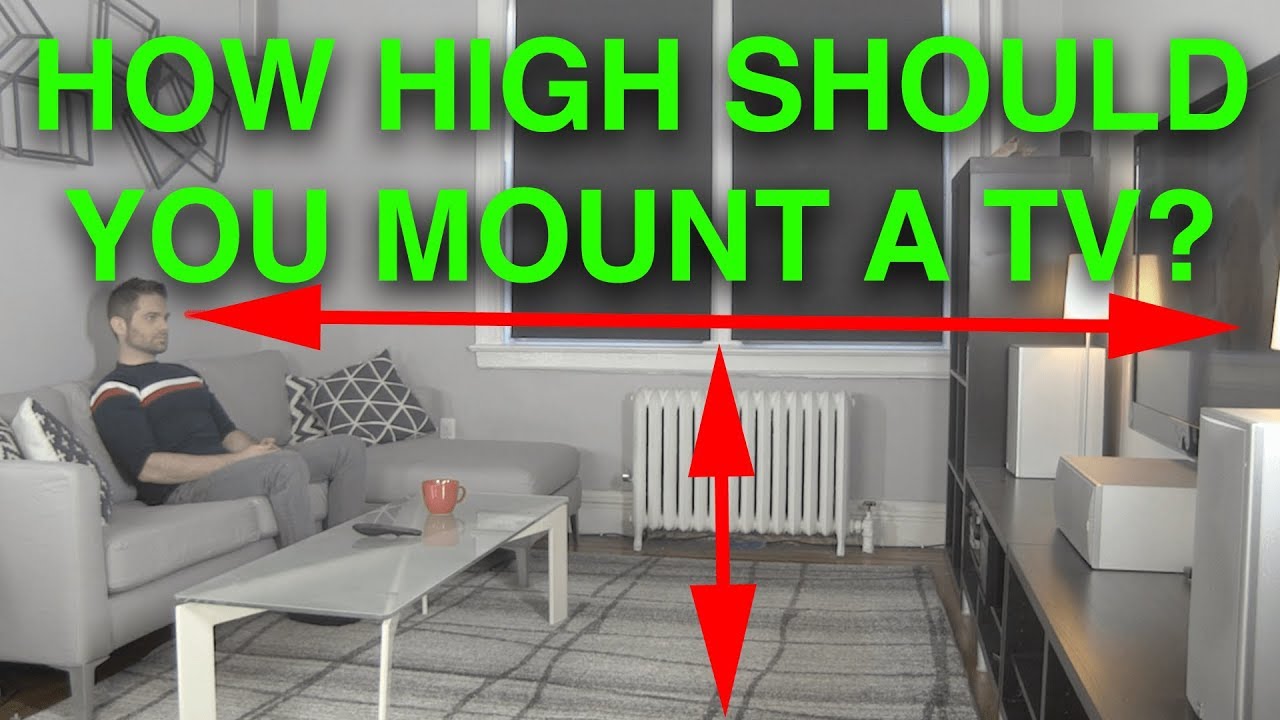
Credit: www.youtube.com
Frequently Asked Questions
How High Should A Tv Be Mounted For Comfortable Viewing?
Mount your TV so the center aligns with eye level when seated. This reduces neck strain and offers the best viewing angle. Typically, this means placing the center 42 to 48 inches from the floor, depending on your seating height and room setup.
What Factors Affect The Ideal Tv Mounting Height?
Consider seating height, viewing distance, and screen size. Room lighting and wall space also influence placement. Adjust height to minimize glare and ensure a natural viewing angle for comfort and clarity.
Can Mounting A Tv Too High Cause Discomfort?
Yes, mounting a TV too high can cause neck and eye strain. It forces viewers to look up for extended periods, leading to discomfort and poor posture. Aim for eye-level placement to avoid these issues.
Does Tv Size Influence Mounting Height Recommendations?
Yes, larger TVs may require a slightly higher mount to maintain a proper viewing angle. Smaller screens are best at eye level. Adjust height based on screen size to optimize comfort and visibility.
Conclusion
Choosing the right height for your TV makes a big difference. It helps you watch comfortably without straining your neck or eyes. Keep the center of the screen at eye level when seated. This simple step improves your viewing experience a lot.
Remember, each room is different, so measure and adjust carefully. A well-mounted TV can make your space look neat and organized too. Take your time, and enjoy watching your favorite shows the right way.
As an Amazon Associate, I earn from qualifying purchases.