

Have you ever wondered if your laser printer can handle color printing? Maybe you need vibrant photos or eye-catching documents but aren’t sure if a laser printer is up to the task.
The truth might surprise you. Understanding how laser printers work and their color capabilities can save you time and money. Keep reading, and you’ll discover exactly what your laser printer can do when it comes to printing in color—and whether it’s the right choice for your needs.
Laser Printer Basics
Laser printers are common in offices and homes. They print text and images fast and clearly. Many people wonder if these printers can print in color. Understanding how laser printers work helps answer this question.
Laser printers use a different method than inkjet printers. They rely on a laser beam and toner powder. This method creates sharp and precise prints. Color laser printers use the same process but with multiple toners.
How Laser Printing Works
A laser printer uses a laser beam to draw an image on a drum. The drum is coated with a special material that holds an electric charge. The laser changes the charge on the drum in the shape of the image.
Toner, a fine powder, sticks to the charged areas on the drum. The drum then rolls over paper, transferring the toner. Heat and pressure fuse the toner to the paper, creating the final print.
Types Of Laser Printers
There are two main types: monochrome and color laser printers. Monochrome printers use black toner only. They are ideal for printing documents and text.
Color laser printers use four toner colors: cyan, magenta, yellow, and black. These colors mix to produce a wide range of colors. Color laser printers are good for graphics and images.
Credit: www.pfu-us.ricoh.com
Color Laser Printing
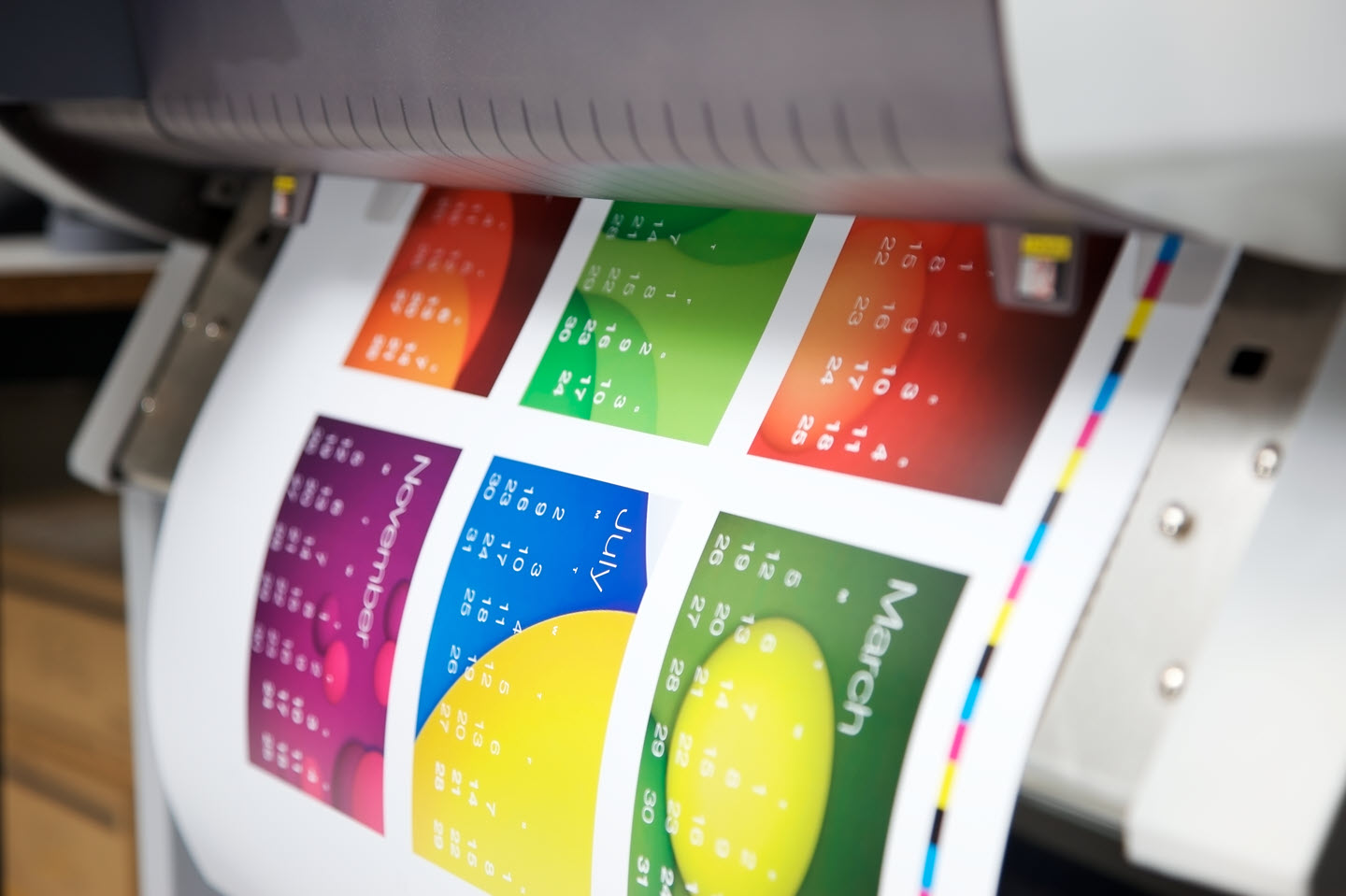
Color laser printing brings vibrant images and text to your documents. It uses laser technology to apply toner in different colors. This method produces sharp and bright prints fast. Businesses and home users benefit from clear, colorful output.
Color laser printers handle complex graphics with ease. They work well for presentations, reports, and marketing materials. The colors remain consistent over many pages. This makes color laser printing a reliable choice for many tasks.
Color Toner Technology
Color laser printers use four toner cartridges. These include cyan, magenta, yellow, and black. The printer mixes these colors to create a wide range of shades. Toner is a fine powder that melts onto paper with heat.
The toner cartridges last long and print many pages. The quality of color depends on the toner and printer settings. Good toner technology means bright and clear colors. It also means less smudging and faster drying time.
Color Vs Monochrome Printers
Monochrome printers print only black and white. They are usually cheaper and faster for text documents. Color printers cost more but offer more options. You get vibrant images and colorful text in one print.
Choose monochrome if you print mostly text. Choose color if you need pictures or charts. Color printers use more toner and energy. Monochrome printers are simpler and use less power.
Both types have their strengths. Your choice depends on what you print most often.
Print Quality Factors
Print quality plays a big role in color laser printing. It affects how clear and vibrant your printed images look. Many factors influence print quality. Understanding these can help you get better results from your printer.
Two key factors are resolution and color accuracy. These determine sharpness and true color reproduction on your prints.
Resolution And Dpi
Resolution shows how many dots a printer places per inch. DPI stands for dots per inch. Higher DPI means finer detail and sharper images.
Color laser printers often offer resolutions from 600 to 2400 DPI. Higher resolution helps text and images look clear. It reduces blurriness and pixelation. Choose a printer with good DPI for detailed color prints.
Color Accuracy And Calibration
Color accuracy means how true colors appear on prints. It depends on the printer’s ability to mix toner correctly. Proper calibration ensures colors match what you see on the screen.
Without calibration, colors may look dull or off. Some printers have built-in tools for calibration. Calibration keeps colors consistent across print jobs. This matters for photos and graphics that need exact color.
Choosing The Right Printer
Choosing the right printer is important for good printing results. You need to think about what you want to print and how often. This helps you pick a printer that fits your needs. Color laser printers offer speed and quality, but the right choice depends on a few key points.
Budget Considerations
Printers have different price points. Color laser printers cost more than black and white models. Also, toner cartridges for color printers can be expensive. Think about how much you can spend on the printer and supplies. Choose a printer that fits your budget and won’t cost too much to keep running.
Print Volume Needs
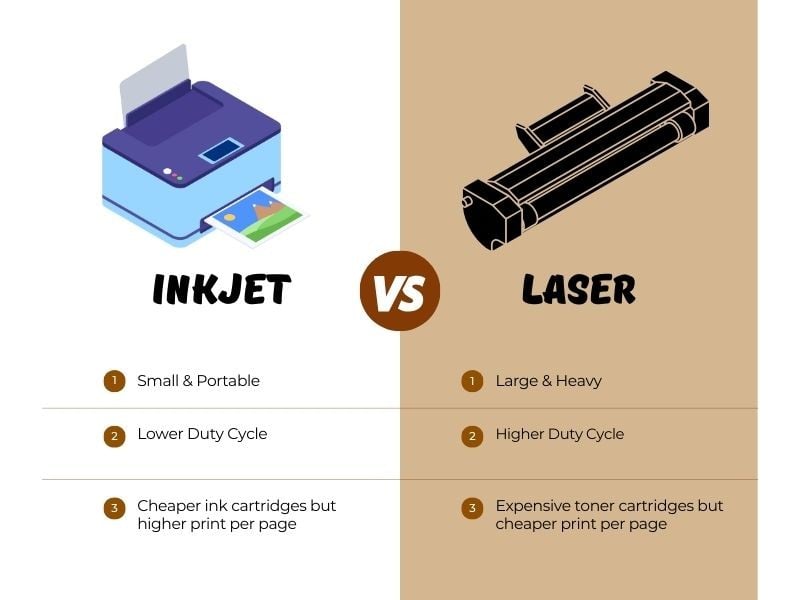
How much you print affects the type of printer you need. Laser printers work well for high-volume printing. If you print a lot of color pages, a color laser printer is a good choice. For low print volume, an inkjet printer might be cheaper. Match the printer to your daily or monthly print volume.
Connectivity Options
Check the printer’s connection types. Many printers offer USB, Wi-Fi, and Ethernet. Wireless printers are easy to share with multiple devices. USB printers connect directly to one computer. Pick a printer with connectivity that fits your workspace and devices. This makes printing simple and fast.
Maintenance Tips
Proper maintenance helps your color laser printer work well for years. It keeps print quality sharp and colors bright. Regular care also prevents breakdowns and costly repairs. Follow these simple tips to maintain your printer’s performance.
Replacing Toner Cartridges
Use the right toner cartridges for your printer model. Avoid refilling cartridges, as it may cause poor print quality. Replace cartridges when colors fade or prints look streaky. Handle cartridges carefully to avoid spills. Store new cartridges in a cool, dry place before use.
Cleaning And Care
Turn off the printer before cleaning. Use a soft, dry cloth to wipe the outside. Clean inside parts gently to remove dust and toner residue. Avoid using water or harsh chemicals. Regular cleaning prevents paper jams and keeps colors vibrant. Check the printer manual for specific cleaning tips.
Credit: smartink.pro
Common Printing Issues
Laser printers can produce vibrant color prints, but some common issues may affect print quality. Understanding these problems helps maintain your printer and get the best results. Regular care and quick fixes keep your printer running smoothly.
Color Fading And Smudging
Color fading happens when toner does not fully stick to the paper. This can make prints look dull or washed out. Using low-quality paper can cause toner to spread and smudge.
High humidity or touching prints before they dry also causes smudging. To fix this, use good paper made for laser printers. Let prints dry for a few seconds before handling them.
Cleaning the printer’s drum and rollers regularly prevents toner buildup. This keeps colors sharp and clear on every page.
Paper Jams And Fixes
Paper jams are a common frustration with laser printers. They happen when paper gets stuck inside the printer. Wrinkled or damp paper often causes jams.
Check for torn pieces of paper inside the printer if a jam occurs. Remove them gently to avoid damage. Align the paper stack properly before loading it into the tray.
Use clean, dry paper and avoid overfilling the tray. Regularly cleaning the paper path helps reduce jams and keeps printing smooth.
Alternatives To Laser Printing
Laser printers are popular for fast, sharp prints. But their color printing can be limited or costly. Many people seek other options for vibrant, affordable color prints. Several alternatives offer great results without the downsides of laser printing.
These options suit different needs and budgets. They provide better color accuracy and vivid images. Exploring these alternatives helps find the right fit for color printing tasks.
Inkjet Printers For Color
Inkjet printers excel at producing bright and detailed color prints. They spray tiny droplets of ink directly onto paper. This method creates smooth color gradients and sharp images. Inkjet printers work well for photos and art projects.
They are usually less expensive upfront than color laser printers. Ink cartridges can be replaced individually, saving money on colors you use most. Inkjet printers handle various paper types, including glossy photo paper. Their slower speed suits personal or small office use.
Professional Printing Services
Professional printing services offer high-quality color prints with many options. They use advanced machines that produce sharp, vibrant results. Services include posters, flyers, brochures, and photo prints.
Using these services eliminates the need to buy or maintain a printer. They handle large or complex print jobs easily. This option is ideal for occasional printing or large quantities. It ensures consistent color quality without extra hassle.
Credit: www.paperpapers.com
Frequently Asked Questions
Can Laser Printers Print In Color?
Yes, many laser printers can print in color. They use toner cartridges in cyan, magenta, yellow, and black. Color laser printers are ideal for sharp, vibrant prints with fast output.
How Does Color Printing Work On Laser Printers?
Color laser printers use four toner colors. They apply tiny dots of cyan, magenta, yellow, and black to create full-color images. The process involves precise layering and fusing of toner onto paper.
Are Color Laser Printers More Expensive Than Black And White?
Yes, color laser printers generally cost more than black-and-white models. The additional toner cartridges and complex technology increase the price. However, they offer versatile color printing with fast speeds.
Is Color Printing Quality Good On Laser Printers?
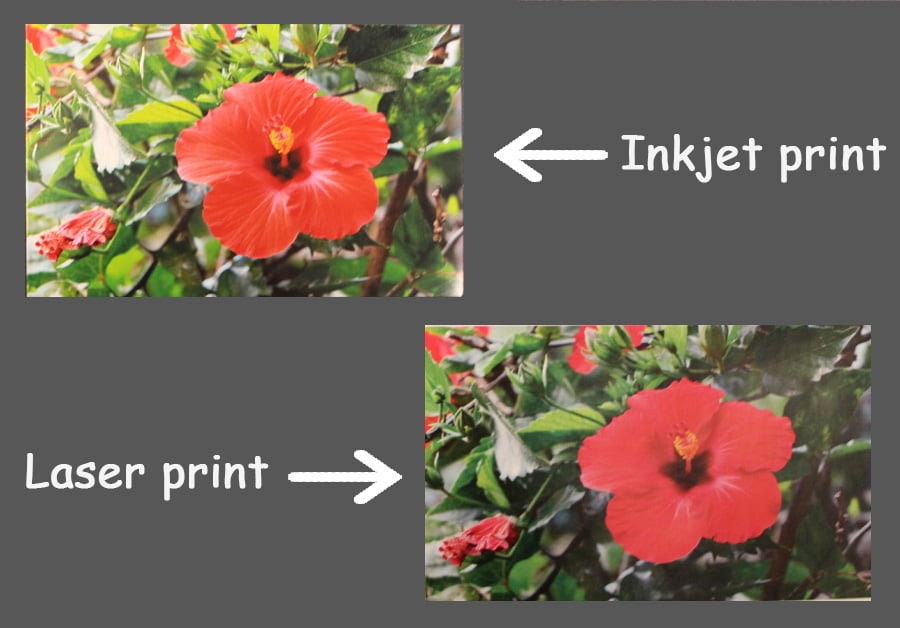
Color laser printers produce sharp and vibrant prints. They excel at text and graphics but may lack photo quality compared to inkjets. Laser prints are durable and smudge-resistant.
Conclusion
Laser printers can print color, but quality varies by model. Color laser prints are sharp and fast. They suit offices needing clear, quick color prints. Inkjet printers often offer richer colors for photos. Consider what you print most before choosing.
Color laser printers handle documents well, not detailed photos. They use toner, lasting longer than ink. This makes them cost-effective for heavy use. Overall, color laser printers meet many everyday printing needs. Choose wisely based on your printing habits.
As an Amazon Associate, I earn from qualifying purchases.
