
Are you thinking about using your gaming laptop for work but aren’t sure if it’s a good idea? You might wonder if it can handle everyday tasks or if it’s just built for playing games.
What if your gaming machine could actually boost your productivity instead of holding you back? Keep reading to discover the surprising ways a gaming laptop could transform your work life—and whether it’s the right choice for you.
Credit: www.newegg.com
Gaming Laptops Vs Work Laptops
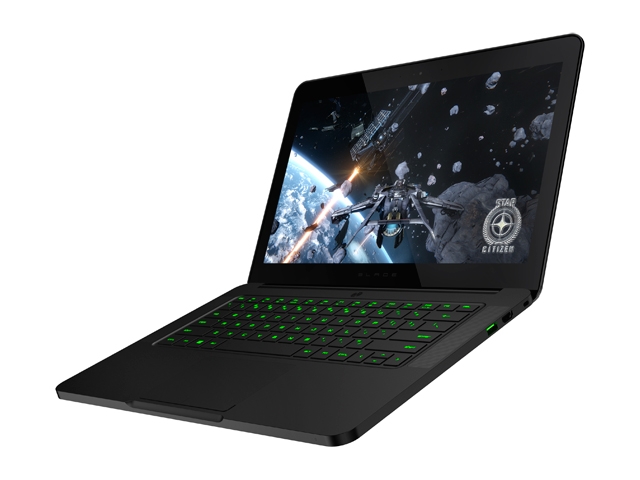
Gaming laptops often have strong processors and powerful graphics cards. This makes them fast and good at handling many tasks. Work laptops focus more on steady performance for daily office tasks. They usually have less powerful graphics but use energy better.
Gaming laptops are built with bold designs and bright lights. Work laptops look simple and professional. Gaming laptops can be heavier and bigger. Work laptops are lighter and easier to carry around all day.
Battery life on gaming laptops is usually shorter. They need more power for games and graphics. Work laptops last longer on a single charge. This helps when working far from power outlets.
Key Features For Productivity
Processor and RAM are very important for work tasks. A fast processor helps run programs smoothly. At least 8GB of RAM is good for multitasking. More RAM means you can open many apps without slowdowns.
Display Quality and Size affect how clear and comfortable the screen is. A laptop with a 15-inch or bigger screen is easier to see. Full HD (1920×1080) resolution shows sharp images and text. A bright screen reduces eye strain during long work hours.
Keyboard and Input Devices matter for typing and control. A comfortable keyboard with good key travel helps type faster. Backlit keyboards let you work in dim light. A precise touchpad or an external mouse improves navigation and productivity.
Software Compatibility
Most gaming laptops run on Windows, which supports many work applications. This means you can use Microsoft Office, email clients, and web browsers easily. Some gaming laptops also support Linux or dual boot systems for more options.
Common work tools like Zoom, Slack, and Adobe Reader work well on gaming laptops. The powerful hardware helps run multiple apps without slowing down. This is useful for video calls or data analysis.
Gaming software usually does not affect work apps. You can install or remove games anytime without harm. The laptop’s graphics card can even help with tasks like video editing or 3D modeling.
Benefits Of Using A Gaming Laptop For Work
Gaming laptops have high processing power. This means they run tasks fast. Complex software works smoothly without lag. This helps with work like video editing or programming.
Their graphics cards are better than normal laptops. They show clear and sharp images. This is useful for design work or watching detailed videos. Colors look bright and true.
Multitasking is easy with gaming laptops. They have more memory and fast processors. You can open many apps at once without slowing down. This saves time and helps focus.
Potential Drawbacks
Gaming laptops tend to be heavier and bulkier than regular work laptops. This can make carrying them all day tiring and uncomfortable. Their size is often designed to hold powerful parts, not to be slim or light.
Battery life is usually shorter on gaming laptops. They need more power for the graphics and processor. This means you may need to stay near a power outlet during work hours.
Heat and noise are common issues. The fans run loud to cool the machine. This can be distracting in quiet work environments. The laptop may also get hot after long use, which feels uncomfortable.
Optimizing A Gaming Laptop For Work
Adjusting power settings helps balance performance and battery life. Choose “Balanced” or “Power Saver” modes to avoid fast battery drain. Lower screen brightness and close unused apps for better power use.
Upgrading storage and memory makes work smoother. Add more RAM to run many programs at once. Switch to an SSD for faster file access and quicker startup.
| External Accessory | Benefit |
|---|---|
| External Monitor | Bigger screen space for multitasking |
| Keyboard and Mouse | More comfortable typing and control |
| Docking Station | Connect multiple devices easily |
Use Cases And Industry Examples
Creative professionals benefit from gaming laptops because of their powerful graphics and fast processors. These laptops can handle software like video editors, graphic design tools, and 3D modeling programs smoothly. The high-resolution screens also help show more details.
Software developers enjoy gaming laptops due to their multi-core CPUs and large RAM. These features allow running several programs and code editors at once. The keyboards are often comfortable for long typing sessions.
Remote work scenarios get easier with gaming laptops. Their strong hardware supports video calls, file sharing, and multitasking. Many gaming laptops have good battery life and quality webcams, making work from home more effective.
Credit: www.reddit.com
Cost Considerations
Initial investment for a gaming laptop is usually higher than regular work laptops. Gaming laptops have powerful processors and better graphics cards, which cost more. This extra cost might be worth it if you want to use the laptop for both gaming and work.
Long-term value depends on how you use the laptop. Gaming laptops often last longer because they have strong parts. They can handle heavy work software and games without slowing down. This can save money on upgrades over time.
| Feature | Gaming Laptop | Traditional Work Laptop |
|---|---|---|
| Price | Higher initial cost | Lower initial cost |
| Performance | High, good for games and work | Good for basic work tasks |
| Durability | Built for heavy use | May need upgrades sooner |
| Weight | Heavier and bulkier | Lighter and more portable |
Credit: jarrods.tech
Frequently Asked Questions
Can Gaming Laptops Handle Professional Software?
Yes, gaming laptops can run professional software efficiently due to powerful CPUs and ample RAM. They support demanding applications like video editing and 3D modeling smoothly.
Are Gaming Laptops Suitable For Office Work?
Gaming laptops are suitable for office work with fast performance and high-quality displays. However, they may be bulkier and have shorter battery life than regular laptops.
Do Gaming Laptops Offer Good Battery Life For Work?
Gaming laptops generally have shorter battery life than business laptops. Heavy graphics use drains battery faster, but light tasks may still last a few hours unplugged.
Is A Gaming Laptop Better Than A Regular Laptop For Work?
Gaming laptops offer superior graphics and speed but may be heavier and costlier. Regular laptops are more portable and energy-efficient for basic work tasks.
Conclusion
A gaming laptop can work well for many jobs. It handles heavy software and multitasks easily. The high-quality screen helps with detailed work. Battery life might be shorter than regular laptops. Portability depends on the laptop’s size and weight. Overall, gaming laptops offer strong performance for work tasks.
Just consider your specific needs before choosing one. It can be a good choice for both play and productivity.
As an Amazon Associate, I earn from qualifying purchases.

