
Are you planning to pack your laptop for a flight but wondering if it’s safe to put it in your checked luggage? You might have heard different advice and felt unsure about what to do.
Your laptop holds important files, personal photos, and expensive hardware, so protecting it during travel is crucial. You’ll discover the real risks and rules about placing your laptop in checked bags. By the end, you’ll know exactly how to keep your device safe and avoid surprises at the airport.
Keep reading to find out what you need to know before you pack.

Credit: www.reddit.com
Risks Of Packing Laptops In Checked Luggage
Laptops are fragile. Checked luggage often faces rough handling. Bags get tossed, dropped, and stacked. This can cause screen cracks, internal damage, or broken parts. The risk is high without proper protection.
Theft is another concern. Checked bags are out of your sight. Laptops are valuable and attractive to thieves. Once stolen, recovery is very difficult. Security in checked luggage is less than carry-on bags.
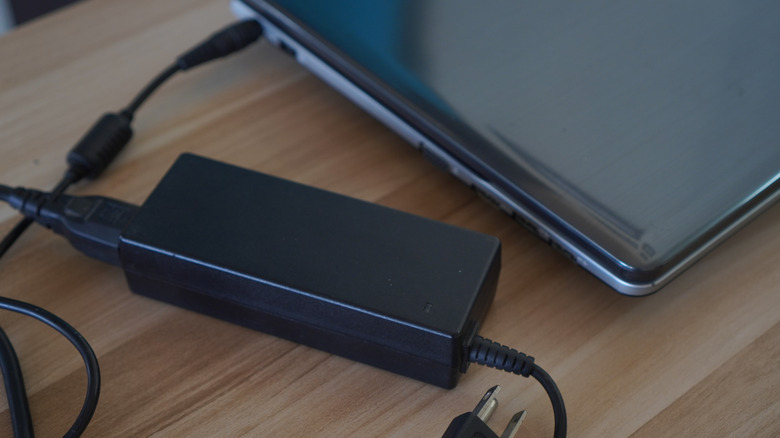
Battery safety is critical. Laptop batteries can overheat or catch fire. Airlines have strict rules about carrying batteries. In checked luggage, there is less control if a battery problem occurs. This creates a dangerous situation during the flight.
Credit: www.slashgear.com
Airline Policies On Electronics In Checked Bags
Many airlines have rules about carrying laptops in checked bags. Most say laptops should stay in carry-on luggage. This is because laptops have batteries that can be dangerous if damaged. Batteries can catch fire if crushed or short-circuited.
Some airlines allow laptops in checked bags only if the battery is removed. Others may require the laptop to be turned off completely, not just in sleep mode. Always check with your airline before packing.
Tips to follow:
- Check airline policies on their website or call them.
- Use carry-on for laptops when possible.
- Remove batteries if allowed and pack them safely.
- Protect laptops from damage with a strong case.
Safer Alternatives For Carrying Laptops
Keeping a laptop in a carry-on bag is much safer than checked luggage. You can watch your bag all the time. This reduces the risk of damage or theft. Airports check carry-ons less roughly than checked bags.
Protective sleeves and cases help keep laptops safe. They stop scratches and minor bumps. Use a padded case for extra protection. Hard cases work best for rough handling.
Always backup your data before traveling. Store important files in the cloud or on a USB drive. This protects your information if the laptop gets lost or broken. Simple steps like these keep your laptop and data safe.
Packing Tips For Laptop Safety
Use soft materials like bubble wrap or foam to protect your laptop. Wrap it tightly to avoid damage from shocks. Place it in the center of your luggage to keep it safe.
Keep the laptop away from heat or cold. Extreme temperatures can harm the battery and parts inside. Choose luggage that offers some insulation to help maintain a steady temperature.
| Tip | Description |
|---|---|
| Secure the laptop | Use straps or pockets inside your bag to stop the laptop from moving around. |
| Fill empty space | Add clothes or soft items around the laptop to keep it tight and still. |
| Use a hard case | Consider a hard laptop case inside your luggage for extra protection. |
What To Do If You Must Check Your Laptop
Prepare your laptop well before putting it in checked luggage. Remove the battery if you can. Batteries can cause safety issues during flights. Place the battery in your carry-on bag for safety.
Label your bag clearly with your name and contact details. Use a sturdy tag that won’t fall off. This helps airport staff find your bag if it gets lost.
Keep a record of your bag’s tracking number. This helps you follow your luggage during travel. Also, try to pack your laptop in a padded case to protect it from damage.

Credit: uuhluggages.com
Frequently Asked Questions
Can I Pack My Laptop In Checked Luggage?
It is not recommended to pack a laptop in checked luggage. Laptops can get damaged or lost during handling. Carrying them in carry-on bags ensures better protection and security.
Are Laptops Allowed In Checked Baggage On Flights?
Most airlines allow laptops in checked baggage, but it is discouraged. Carrying laptops in carry-ons is safer and preferred by airlines. Always check specific airline policies before travel.
What Risks Come With Laptops In Checked Luggage?
Laptops in checked luggage risk physical damage, theft, and overheating. Batteries can pose fire hazards, leading to airline restrictions. It’s safer to keep laptops in carry-on bags.
How To Protect A Laptop If Checked In Baggage Is Necessary?
Use a sturdy, padded laptop case and secure it inside your suitcase. Remove the battery if possible to reduce fire risk. Label your luggage clearly to avoid loss.
Conclusion
Laptops should stay in carry-on bags during travel. Checked luggage can cause damage or loss. Batteries inside laptops may pose safety risks on planes. Keeping your laptop close helps protect your important data. Always follow airline rules about electronics and baggage.
Packing smart keeps your trip smooth and stress-free. Choose safety over convenience to avoid problems later. Simple steps make a big difference for your device. Trust your judgment and plan ahead for travel days.
As an Amazon Associate, I earn from qualifying purchases.

