
Are you wondering if you can put your laptop in checked baggage when flying? It’s a question many travelers face, and the answer isn’t as simple as you might think.
Your laptop holds important information, and keeping it safe during your trip is crucial. You’ll discover why packing your laptop in checked baggage could be risky, what airlines recommend, and the best ways to protect your device. Keep reading to learn how to travel smart and avoid costly mistakes with your laptop.
Risks Of Checking Laptops
Checking a laptop in baggage can cause serious damage. Baggage handlers throw and drop bags often. Laptops may get cracked screens or broken parts.
Theft is a big risk too. Bags can be opened without you knowing. Laptops are valuable and easy to steal. Lost laptops are hard to replace and cause trouble.
Battery safety is another problem. Laptop batteries can overheat or catch fire if damaged. Airlines have strict rules for batteries in checked bags. Carrying laptops in the cabin is safer for battery issues.
Airline Policies On Laptops
Most airlines ask passengers to carry laptops in carry-on bags. This rule helps protect the device from damage and theft. Laptops have batteries that can be dangerous if placed in checked baggage. Airlines want to avoid fire risks during flights.
Some airlines allow laptops in checked baggage, but it is not common. Rules can change depending on the airline and country. Always check the specific airline’s policy before packing.
Security rules require laptops to be taken out during security checks. This helps officers scan the device properly. Laptops must be easily accessible in your carry-on bag.
| Rule | Details |
|---|---|
| Carry-on Only | Laptops should be in carry-on bags for safety. |
| Battery Restrictions | Lithium batteries can cause fires in checked luggage. |
| Security Checks | Laptops must be removed for scanning at security. |
| Airline Variations | Some airlines may allow laptops in checked bags. |
Packing Laptops For Checked Baggage
Using a strong protective case helps keep the laptop safe inside checked baggage. Hard cases or padded sleeves absorb shocks during travel. Soft cases alone do not protect well.
Cushioning is key. Wrap the laptop in clothes or bubble wrap to stop it from moving. Place it in the middle of the suitcase, away from hard items. This reduces damage from bumps.
Waterproofing protects against spills or rain. Use plastic bags or waterproof covers around the laptop case. This keeps moisture away and prevents damage to the device.
Credit: www.myticketstoindia.com
Alternatives To Checking Laptops
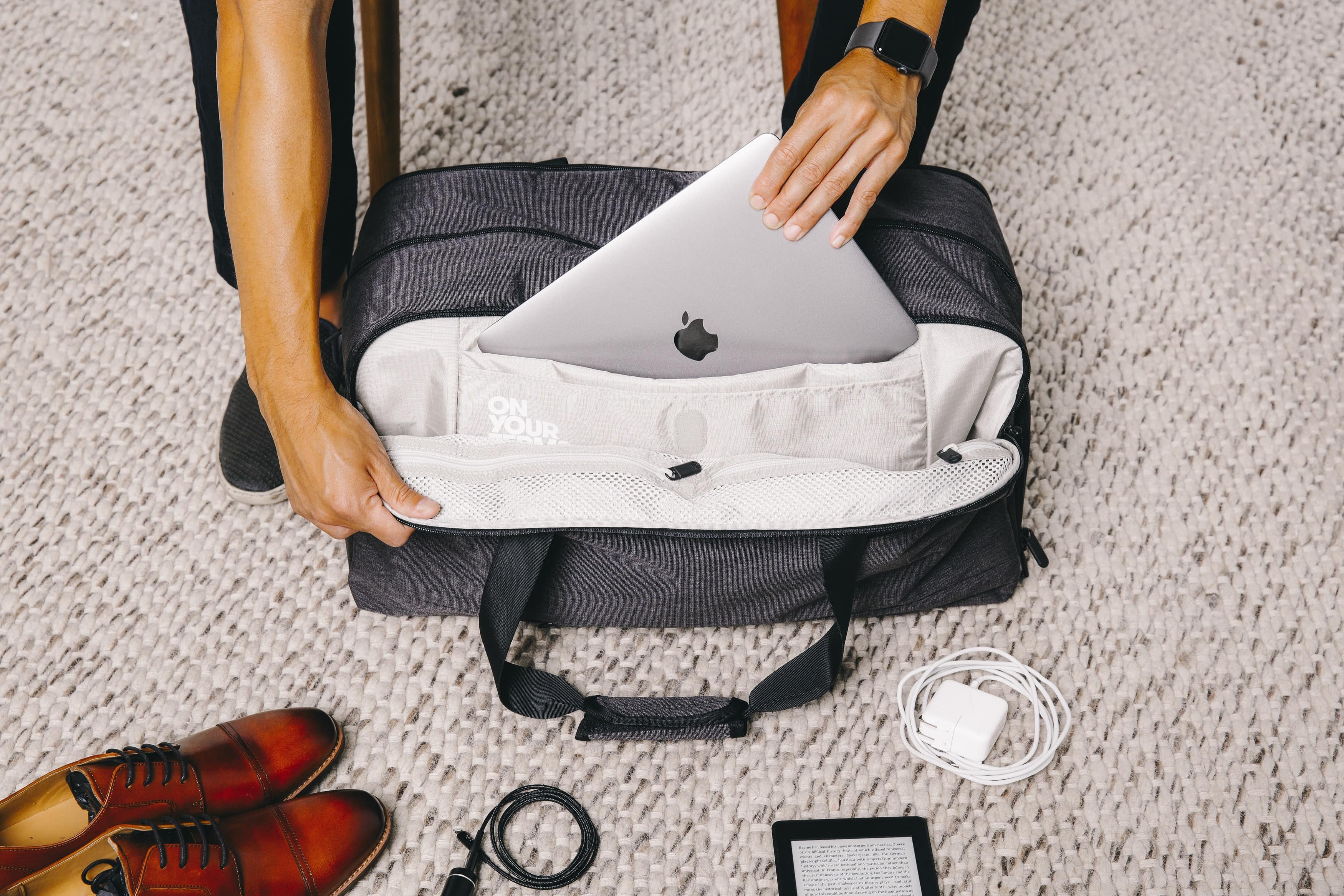
Carrying laptops in carry-on bags keeps them safe and easy to reach. It helps avoid damage from rough handling in checked luggage. Use a padded laptop sleeve to protect against bumps and scratches.
Choose backpacks with special laptop compartments. These compartments hold laptops tightly and stop them from moving. Backpacks with extra padding give better protection during travel.
| Airport Security Screening Tips |
|---|
| Take laptops out of bags during screening. |
| Place laptops in separate bins on the conveyor belt. |
| Keep laptop chargers and accessories organized to speed up checks. |
| Follow the instructions of security staff carefully. |
What To Do If You Must Check A Laptop
Backing up data is very important before checking a laptop. Save files to a cloud or USB drive. This protects against loss or damage during travel.
Always remove laptop batteries if possible. Batteries can be a fire risk in checked bags. Store batteries in carry-on luggage or follow airline rules.
| Labeling and Tracking Your Bag |
|---|
| Use a strong, clear bag tag with your name and contact details. |
| Attach a unique ribbon or sticker to spot your bag easily. |
| Keep the tracking receipt from the airline safe to report lost items quickly. |

Credit: uuhluggages.com
Travel Tips For Laptop Safety
Encrypting your laptop data helps protect it from theft. Use strong passwords for all accounts and devices. This adds an extra layer of security. Set up two-factor authentication if possible. It makes hacking much harder.
Always keep your laptop with you during travel. Carry it in a carry-on bag. Checked baggage can be lost or damaged easily. Having your laptop close keeps it safe and accessible.
| Insurance Option | What It Covers | Why It Helps |
|---|---|---|
| Travel Insurance | Theft, loss, or damage during trips | Offers financial protection |
| Electronics Insurance | Accidental damage and repairs | Keeps repair costs low |
| Home Insurance Add-on | Loss or theft anywhere | Extends coverage beyond home |
Credit: blog.tortugabackpacks.com
Frequently Asked Questions
Can I Put My Laptop In Checked Baggage?
It is generally not recommended to put laptops in checked baggage. Laptops are fragile and can be damaged or stolen during handling. Airlines advise carrying laptops in your carry-on bag for safety and easy access.
Are Laptops Allowed In Checked Baggage On Flights?
Most airlines allow laptops in checked baggage but discourage it. Laptops contain batteries which may pose fire risks. It’s safer to keep laptops in carry-on luggage to avoid damage and security issues.
What Risks Come With Checking Laptops In Baggage?
Laptops in checked baggage face risks like theft, damage, and loss. Rough handling and temperature changes can harm your device. Carrying laptops in the cabin reduces these risks significantly.
Can Airline Security Scan Laptops In Checked Bags?
Security scanners can inspect laptops in checked baggage. However, laptops in carry-on bags are screened more carefully to prevent prohibited items. It’s better to keep laptops with you during security checks.
Conclusion
Laptops are fragile and hold important data. Putting them in checked baggage risks damage or theft. Carrying laptops in hand luggage keeps them safe and secure. Airlines often advise against checking laptops. Always check airline rules before packing. Protect your device and avoid travel stress.
Choose safety over convenience for your laptop. Safe travels start with smart packing choices.
As an Amazon Associate, I earn from qualifying purchases.

