
Are you wondering if you can connect your Bluetooth headphones to your Xbox One? It’s a question many gamers ask, especially when they want to enjoy their games without disturbing others.
Imagine playing your favorite game with crystal-clear sound, all through your wireless headphones. But is it really that simple? You’ll discover exactly how to use Bluetooth headphones with your Xbox One—or if you need a different solution. Keep reading, because the answer might surprise you and change the way you game forever.
Credit: www.youtube.com
Bluetooth And Xbox One Compatibility
Many gamers ask if they can use Bluetooth headphones with Xbox One. The answer is not simple. Xbox One does not support regular Bluetooth audio devices directly. This can confuse users who want to connect wireless headphones easily.
Understanding how Bluetooth works on Xbox One helps explain these limits. The console uses different wireless tech for controllers and some headsets. This means standard Bluetooth headphones often will not connect or work properly.
How Bluetooth Works On Xbox One
Xbox One uses Bluetooth mainly for controllers, not audio. The console pairs with controllers using a special Bluetooth version. This version is not designed for sending game sound to headphones.
Audio devices for Xbox One usually connect through a different wireless method. Some headsets use Xbox Wireless, a separate protocol. Others connect with a wired link or USB adapter.
Limitations Of Bluetooth Audio On Xbox One
Bluetooth headphones often cannot connect directly to Xbox One. The console does not support Bluetooth audio profiles like A2DP. This prevents sound from playing through Bluetooth headphones.
Users who want to use Bluetooth headphones must use workarounds. Examples include connecting headphones to the TV or using special adapters. These methods can add delay or reduce sound quality.
Overall, Xbox One’s Bluetooth support focuses on controllers, not audio devices. This limits options for using Bluetooth headphones directly with the console.

Credit: help.jlab.com
Connecting Bluetooth Headphones To Xbox One
Connecting Bluetooth headphones to Xbox One can be tricky. The console does not support all Bluetooth devices directly. But there are ways to enjoy wireless audio with your Xbox One. Understanding different options helps you choose the best method for your setup.
Below are several ways to connect Bluetooth headphones to Xbox One. Each method suits different needs and equipment. Follow these guides to get clear sound and a better gaming experience.
Using Official Xbox Wireless Headsets
Xbox One works best with official Xbox Wireless headsets. These headsets use a special wireless connection, not standard Bluetooth. They connect directly to the console without extra devices.
Official Xbox Wireless headsets offer low-latency audio. This means sound matches game actions quickly. Setup is simple. Just turn on the headset and press the sync button on the console. The headset pairs automatically.
Third-party Bluetooth Adapters
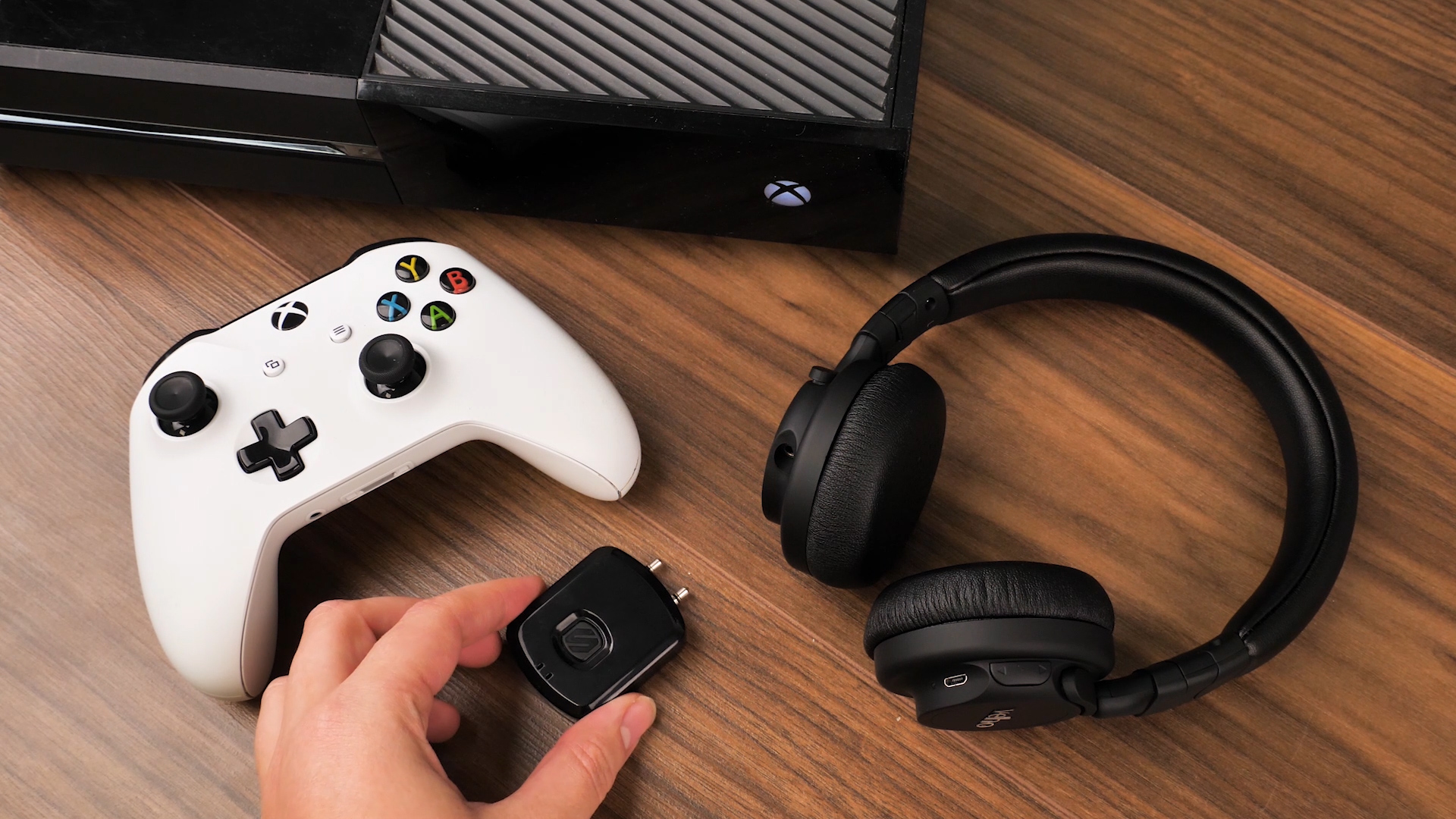
Some third-party Bluetooth adapters can connect regular Bluetooth headphones to Xbox One. These adapters plug into the console’s USB or audio jack. They act as a bridge between the console and your headphones.
Not all adapters work well. Look for ones designed for gaming audio. These adapters reduce sound delay and improve connection stability. Follow the adapter’s instructions to pair your Bluetooth headphones.
Connecting Via Tv Or Console Audio
You can connect Bluetooth headphones through your TV or audio receiver. Many modern TVs support Bluetooth audio output. Pair your headphones with the TV instead of the Xbox One.
If your TV lacks Bluetooth, use an audio extractor or Bluetooth transmitter. Connect it to the Xbox One or TV audio output. This setup sends game sound wirelessly to your headphones. It is a simple way to enjoy wireless sound without special headsets.
Alternatives To Bluetooth Headphones
Bluetooth headphones do not connect directly to Xbox One. This can be frustrating for many gamers. Luckily, there are other ways to enjoy great sound with your console. These alternatives offer easy setups and good audio quality. You can find options that fit your budget and needs.
Wired Headphones With Xbox Controller
One simple method is using wired headphones. Xbox One controllers have a 3.5mm headphone jack. Plug your wired headphones directly into the controller. This gives clear sound and chat ability. No extra devices or adapters are needed. It works with most standard headphones and earbuds.
Using Xbox Wireless Headsets
Xbox offers wireless headsets designed for the console. These headsets connect using Xbox Wireless technology. They provide low-latency sound with no lag. Setup is quick by pairing the headset with the console. You get good sound quality and built-in microphones. These headsets are made to work smoothly with Xbox One.
Optical Audio Solutions
Optical audio cables are another option. Many Xbox One models have an optical audio port. Connect the console to an audio receiver or soundbar with optical cables. Then, use your favorite headphones with that device. This method can deliver high-quality sound. It is ideal for advanced audio setups at home.
Troubleshooting Connection Issues
Connecting Bluetooth headphones to an Xbox One can sometimes cause problems. These issues might stop the headphones from working or cause poor sound. Troubleshooting helps solve these problems. It improves your gaming experience by making sound clear and smooth.
Common Problems And Fixes
One common problem is the Xbox not detecting the headphones. Make sure the headphones are in pairing mode. Restart the Xbox and try connecting again. Another issue is the sound cutting out. Check the battery level of the headphones. Low battery often causes sound problems. Sometimes, interference from other devices can block the connection. Move away from other wireless devices. Also, update your Xbox system to the latest version. Updates often fix bugs that cause connection issues.
Improving Audio Latency And Quality
Audio delay can spoil gaming. To reduce latency, use headphones with low-latency Bluetooth technology. Connecting through a Bluetooth transmitter designed for Xbox can help. Adjust the audio settings on Xbox for better quality. Lower the volume on the headphones and raise the Xbox volume for clarity. Avoid walls or obstacles between the headphones and Xbox. This reduces signal loss and improves sound quality.
Best Bluetooth Headphones For Xbox One
Choosing the best Bluetooth headphones for Xbox One enhances your gaming experience. Wireless freedom brings comfort and ease. Not all Bluetooth headphones work perfectly with Xbox One. Some need extra adapters or special settings. Finding headphones that connect smoothly is key. Sound quality and mic clarity matter for multiplayer games. Battery life also plays a big role. Below are top options and budget choices that fit well with Xbox One.
Top Picks And Features
These headphones offer strong Bluetooth connection with Xbox One. They deliver clear sound and deep bass. Some come with noise-canceling features to block outside noise. Comfortable ear cushions help in long gaming sessions. Microphones on these models pick up voice clearly. Battery life ranges from 15 to 30 hours. Many support quick charging for fast use. They also have easy controls for volume and mute. These models are known for low latency, reducing sound delay.
Budget-friendly Options
Affordable Bluetooth headphones still offer good sound quality. They may have simpler designs and fewer features. Some models provide decent battery life around 10 to 20 hours. Comfort is usually good but less padded. Mics work well for chatting with friends. These headphones often need a Bluetooth adapter for Xbox One. They are perfect for casual players and beginners. Great value without high cost, making them popular choices.
Credit: www.thorfamilylaw.com
Frequently Asked Questions
Can Xbox One Connect Directly To Bluetooth Headphones?
No, Xbox One does not support direct Bluetooth headphone connections. It uses proprietary wireless technology or wired connections for audio output.
How To Use Bluetooth Headphones With Xbox One?
You need a Bluetooth transmitter connected to the Xbox One controller or console. This device pairs with your Bluetooth headphones for wireless audio.
Are Wired Headphones Better For Xbox One Audio?
Yes, wired headphones offer lower latency and better sound quality on Xbox One. They connect directly via the controller’s headphone jack.
Can Xbox One Party Chat Work With Bluetooth Headphones?
Bluetooth headphones alone won’t support party chat on Xbox One. A compatible headset with a built-in mic or adapter is required for chat.
Conclusion
Connecting Bluetooth headphones directly to Xbox One is not straightforward. The console does not support most Bluetooth audio devices. Using official Xbox wireless headsets or adapters works best. Some third-party adapters can bridge the gap but may add delay. For clear sound and easy setup, choose Xbox-compatible audio gear.
This way, you enjoy gaming without technical issues. Keep your setup simple and focused on what works. Playing with good sound makes games more fun and immersive.
As an Amazon Associate, I earn from qualifying purchases.

