
Have you ever wondered how baby monitors keep a watchful eye on your little one, even when you’re not in the same room? Understanding how these devices work can give you peace of mind and help you choose the right one for your family.
You’ll discover the simple technology behind baby monitors and how they make sure you never miss a moment with your baby. Keep reading, and you’ll learn exactly what makes these gadgets so reliable and easy to use.
Credit: www.kentfaith.com
Types Of Baby Monitors
Baby monitors come in different types to suit various needs. Choosing the right one helps parents keep a close watch on their little ones. Each type offers unique features and benefits. Understanding these types makes selecting easier and smarter.
Audio Monitors
Audio monitors transmit sound from your baby’s room to a receiver. Parents can hear crying, cooing, or other noises. These devices are simple and usually have a long battery life. They work well for parents who just need to listen.
Video Monitors
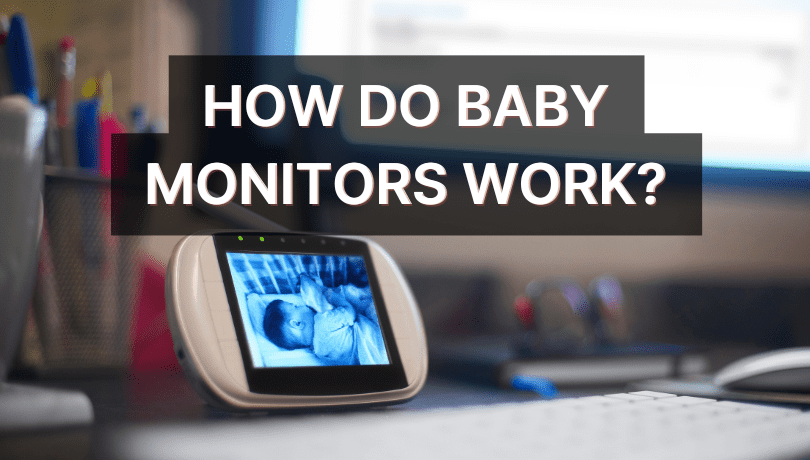
Video monitors show live images of your baby on a screen. Some models have night vision for low light conditions. Parents can see their baby’s movements and facial expressions. These monitors provide extra peace of mind by combining sound and video.
Wi-fi Monitors
Wi-Fi monitors connect to the internet for remote access. Parents can watch and listen from their phones or tablets anywhere. These monitors often include apps with alerts and recorded videos. They offer flexibility and control beyond the home.
Movement Monitors
Movement monitors track your baby’s breathing or body motion. Sensors detect any irregular movement or stillness. Parents receive alerts if the baby stops moving for a certain time. These monitors add an extra layer of safety for newborns.
Credit: www.imperfecthomemaking.com
Key Components
Baby monitors have several key parts that work together to keep your baby safe. Each part has a special job. Understanding these parts helps you know how the monitor works. This section explains the main components inside most baby monitors.
Transmitter And Receiver
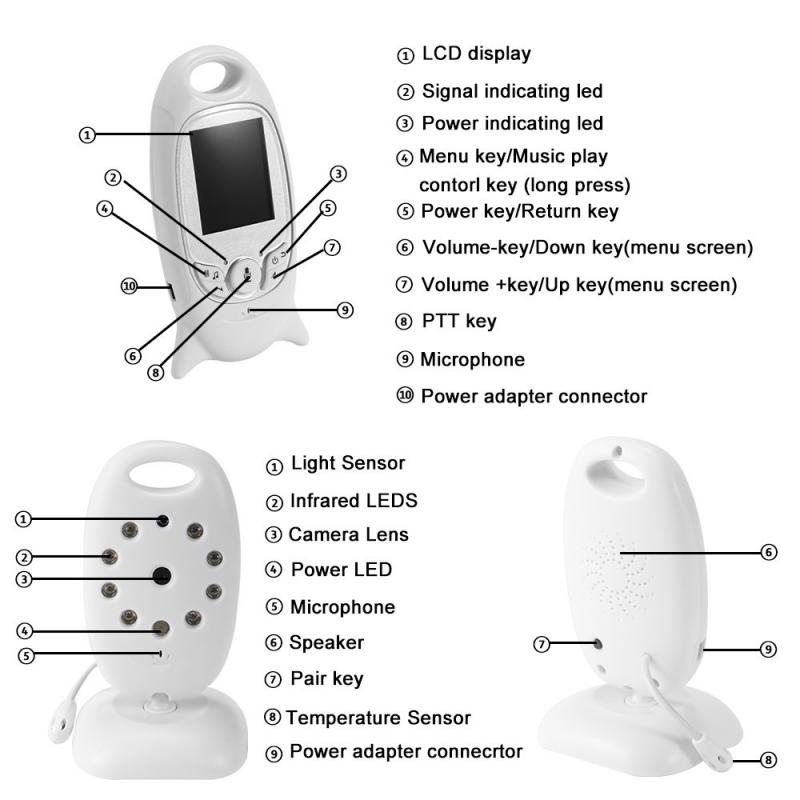
The transmitter sends sounds or images from the baby’s room. It is usually placed near the baby. The receiver gets these signals and shows them to the parent. It can be a small device or a smartphone app. Both must connect well to work properly.
Microphone And Speaker
The microphone picks up sounds like crying or cooing. It sends these sounds to the receiver. The speaker plays sounds from the parent’s side back to the baby’s room. This lets parents talk to their baby from a distance.
Camera And Display
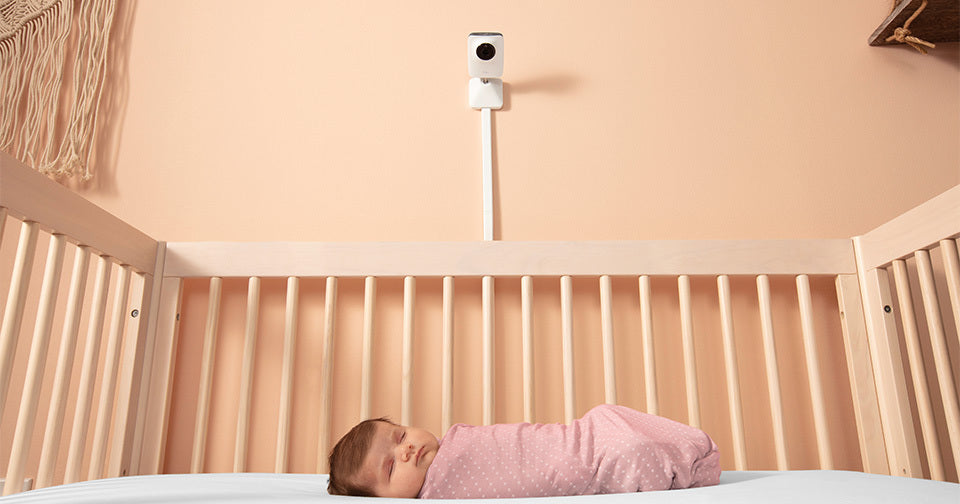
The camera records live video of the baby. Some cameras can move or zoom to see more. The display shows this video to the parent. It can be a screen on the receiver or a phone screen. Clear video helps parents watch their baby closely.
Sensors And Alarms
Sensors track things like movement, temperature, or breathing. If something seems wrong, the alarm alerts the parent. This adds extra safety for the baby. Alarms can sound or send notifications to the parent’s device.
How Signals Are Transmitted
Baby monitors send signals from the baby’s room to the parent’s device. These signals carry sounds and images. Different technologies help transmit these signals clearly and quickly. Understanding these methods shows how baby monitors keep parents connected to their babies.
Radio Frequency Transmission
Radio frequency (RF) is the oldest method for baby monitors. It uses radio waves to send audio signals. The parent unit picks up these waves and plays the sounds. RF works well over short distances. It does not need internet or Wi-Fi. Some monitors use digital RF for clearer sound. However, walls or other devices can cause interference.
Wi-fi And Internet Connectivity
Wi-Fi baby monitors connect through home internet. They send video and audio signals over a wireless network. Parents can watch their baby from smartphones or tablets. This method works even if parents are far away. Wi-Fi offers high-quality video and sound. Security is important because data travels online. Strong passwords help protect the connection.
Bluetooth Technology
Bluetooth connects baby monitors to nearby devices. It uses short-range radio waves. Bluetooth works well within the same room or close distance. It consumes less power than Wi-Fi or RF. This method suits small, portable monitors. The connection is quick but has a limited range. Bluetooth is simple and energy-efficient for baby monitoring.
Features For Safety And Convenience
Baby monitors offer features designed to keep your child safe and make parenting easier. These tools help parents watch their babies closely, even from another room. They provide peace of mind through clear audio, video, and alerts. The right features create a safer environment and simplify monitoring.
Two-way Communication
Two-way communication lets parents talk to their baby through the monitor. Parents can soothe their child without entering the room. This feature reduces stress for both baby and parent. It also allows quick responses to fussing or crying. Parents can use it to give comfort from a distance.
Night Vision
Night vision helps parents see their baby in the dark. Infrared LEDs light up the room without waking the baby. This feature ensures clear video even at night. Parents can watch their child’s movements and sleep patterns. It gives confidence during late-night checks without turning on lights.
Temperature Monitoring
Temperature monitoring shows the room’s heat level near the baby. Parents receive alerts if the room gets too hot or cold. This helps keep the baby comfortable and safe. Knowing the room temperature helps prevent overheating or chilling. It is especially useful for newborns and infants.
Battery Life And Power Options
Long battery life ensures the monitor works through the night. Some monitors use rechargeable batteries for convenience. Others plug into a power source for continuous use. Battery status alerts warn parents to recharge or replace power. Reliable power options prevent monitor shutdown during use.
Tips For Choosing A Baby Monitor
Choosing the right baby monitor can make a big difference. It helps parents watch their little one safely and easily. Picking a good monitor means thinking about a few key things. These tips will guide you through the most important features to check.
Range And Signal Quality
Range shows how far the monitor works from the baby’s room. A good signal means clear sound and picture. Check the product details for the range number. Choose a monitor with extra range for big homes. Walls and floors can block signals. A strong signal keeps you connected without interruptions.
Privacy And Security
Babies need safe monitoring without risks. Some monitors send signals over Wi-Fi. This can let strangers listen or watch. Pick a monitor with strong security features. Look for encrypted signals and password protection. This keeps your baby’s room private at all times.
Ease Of Use
Simple controls help parents stay calm and focused. Choose a monitor with clear buttons and a good screen. Easy setup saves time and stress. Some monitors have voice activation to save battery. Bright screens and simple menus make watching easier day and night.
Budget Considerations
Baby monitors come in many prices. High price does not always mean best quality. Find a monitor that fits your budget and needs. Look for essential features first. Balance cost with good range, security, and ease of use. This way, you get value without overspending.
Credit: mikucare.com
Common Troubleshooting Tips
Baby monitors help parents keep an eye on their little ones. Sometimes, these devices face small issues. Troubleshooting can fix most common problems quickly. Knowing simple tips saves time and stress.
Interference Issues
Interference can cause static or unclear sound. Other electronics like Wi-Fi routers or microwaves may create noise. Move the baby monitor away from such devices. Change the channel on your monitor to reduce interference. Walls and distance also affect signal quality.
Connectivity Problems
Connectivity issues stop the video or audio feed. Check if the monitor and receiver are within range. Restart both devices to refresh the connection. Make sure both units use the same frequency or app. Update the monitor’s firmware if available.
Battery And Power Concerns
Low battery causes the monitor to lose power suddenly. Charge or replace batteries regularly to avoid outages. Use the original charger for faster, safer charging. Check power cables for damage and secure connections. Some monitors have power-saving modes; turn them off if needed.
Frequently Asked Questions
How Do Baby Monitors Detect Sounds And Movements?
Baby monitors use microphones and motion sensors to detect sounds and movements. They transmit this data wirelessly to a receiver. This allows parents to hear or see their baby remotely and respond quickly if needed.
What Types Of Baby Monitors Are Available Today?
There are audio, video, and Wi-Fi baby monitors. Audio monitors transmit sound only. Video monitors send live video and sound. Wi-Fi monitors connect via the internet for remote access on smartphones.
Are Baby Monitors Safe To Use Around Infants?
Yes, baby monitors are safe when used properly. Keep devices away from the crib to avoid hazards. Use encrypted connections to protect privacy and reduce electromagnetic exposure.
How Far Can A Baby Monitor Transmit Signals?
Range depends on the model and environment. Basic monitors work up to 600 feet indoors. Outdoor ranges can reach 1,000 feet or more, but walls and interference may reduce distance.
Conclusion
Baby monitors help parents watch their babies from a distance. They use sound and video signals to keep you informed. Choosing the right monitor depends on your needs and home setup. Most models offer clear audio and sometimes video too.
They bring peace of mind by alerting you quickly. Understanding how they work can help you pick well. A good baby monitor supports safer and easier parenting. Simple, reliable, and helpful—these devices keep you connected.
As an Amazon Associate, I earn from qualifying purchases.

