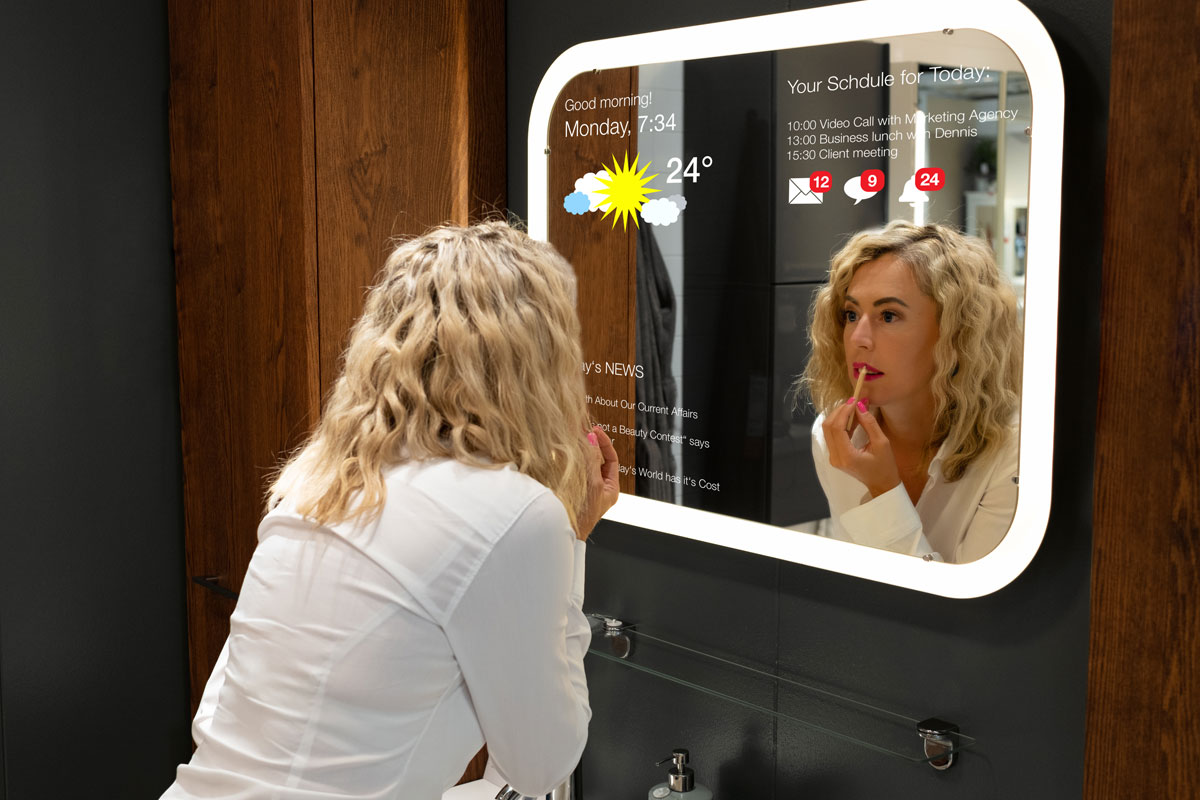
Imagine walking into your home and having the lights turn on just for you. Picture adjusting the temperature without leaving your couch or hearing your favorite music greet you as you step inside.
Making your home smart isn’t just about cool gadgets—it’s about making your daily life easier, safer, and more comfortable. If you’ve ever wondered how to bring this future into your own space, you’re in the right place. Keep reading, and you’ll discover simple steps to transform your home into a smart home that works perfectly for you.
Credit: ambiq.com
Choosing The Right Smart Devices
Choosing the right smart devices shapes your smart home experience. Devices must fit your daily habits and home layout. Simple devices can bring great convenience and safety. Focus on devices that save time and energy. Choose products that connect well with each other. This makes control easier and smoother.
Smart Speakers And Hubs
Smart speakers act as the voice control center. They let you manage other devices hands-free. Some hubs connect different brands and gadgets together. Pick a hub that works with your preferred devices. Clear voice recognition is important for easy use. Devices like Amazon Echo or Google Nest are popular. They help with music, reminders, and home commands.
Smart Lighting Options
Smart lighting offers comfort and energy savings. You can change light colors and brightness with apps. Set schedules to turn lights on or off automatically. Motion sensors add convenience and security in dark areas. Choose bulbs that fit your fixtures and style. Look for energy-efficient bulbs to reduce electricity bills.
Smart Thermostats
Smart thermostats keep your home comfortable and save energy. They learn your schedule and adjust temperatures automatically. Control your heating and cooling from your phone. Some models provide energy reports to track usage. Easy installation is a plus for most users. Popular brands include Nest and Ecobee, known for reliability.
Security Cameras And Sensors
Security cameras keep an eye on your home remotely. Many offer live video and motion alerts. Place cameras at entry points for better protection. Sensors detect doors or windows opening and send alerts. Choose devices with clear video and good night vision. Cloud storage options help keep your footage safe.
Setting Up Your Network
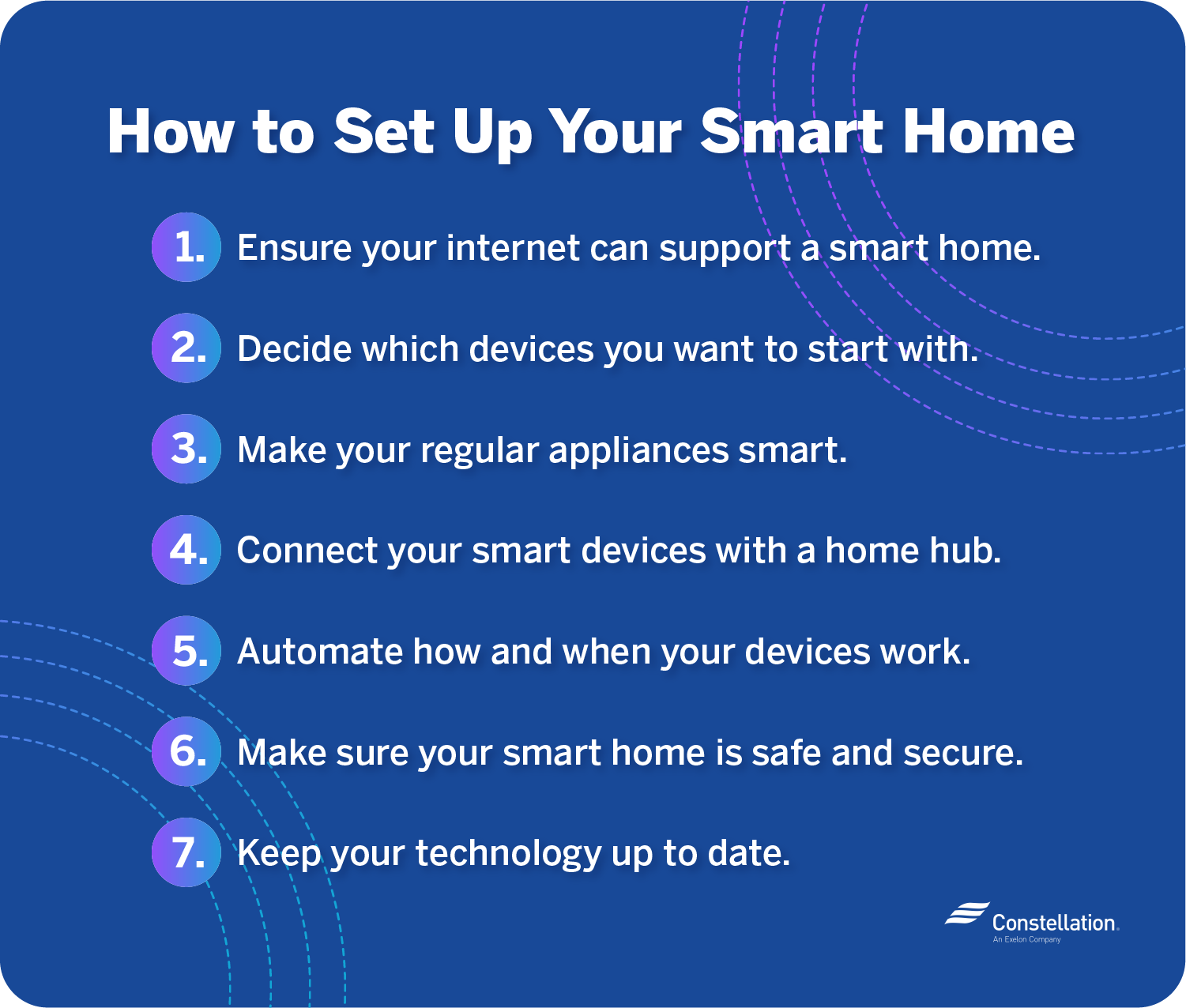
Setting up your network is the first step to making your home smart. A strong network connects all devices smoothly. Without it, smart gadgets may not work well or lose connection often. A good network means faster responses and better control over your smart home.
Optimizing Wi-fi Coverage
Place your Wi-Fi router in a central spot in your house. Avoid walls or metal objects blocking the signal. Use Wi-Fi extenders or mesh systems to cover large areas. Check your Wi-Fi speed in different rooms. Strong Wi-Fi helps all devices stay online without delays.
Securing Your Network
Use a strong password for your Wi-Fi network. Change default router settings to prevent hackers. Update your router’s firmware regularly for better security. Enable network encryption like WPA3 to protect your data. A secure network keeps your smart home safe from intruders.
Choosing A Smart Home Protocol
Select a smart home protocol that fits your devices. Popular options include Wi-Fi, Zigbee, and Z-Wave. Wi-Fi works well for many devices but uses more power. Zigbee and Z-Wave are energy-efficient and good for battery-powered gadgets. Check device compatibility before buying to ensure smooth integration.
Installing And Connecting Devices
Installing and connecting smart devices is the first step to creating a smart home. This process involves setting up each device and linking them to work together. Proper installation ensures smooth operation and better control from your phone or voice assistant.
Many smart devices need a hub or central system to communicate. Connecting devices correctly saves time and prevents frustration later. Knowing how to solve common issues also helps keep your smart home running without problems.
Step-by-step Device Setup
Start by unboxing your smart device and reading the manual. Plug the device into power or insert batteries as needed. Download the device’s app on your smartphone or tablet. Follow the app instructions to connect the device to your Wi-Fi network. Name the device in the app for easy identification. Test the device to confirm it works properly.
Integrating Devices With Hubs
Choose a hub that supports your smart devices. Common hubs include Amazon Echo, Google Home, or Samsung SmartThings. Open the hub’s app and add a new device. Select the device brand and model from the list. Follow prompts to pair the device with the hub. Group devices by room or function for better control. Use the hub to create routines or automate tasks.
Troubleshooting Common Issues
Check if your device has power and is turned on. Confirm your Wi-Fi is working and the signal is strong. Restart the device and your router to fix connection problems. Update the device firmware and app to the latest version. Reset the device if it does not connect after several tries. Consult the device manual or support if issues persist.
Creating Automation And Scenes
Creating automation and scenes is a key step in making your home smart. It lets you control many devices at once. This saves time and makes daily life easier. Automations can help your home react to your needs without you lifting a finger.
By setting up scenes, you group devices to work together. For example, a “Good Night” scene can turn off lights and lock doors. Automations and scenes make your home smarter and more comfortable.
Scheduling Device Actions
Scheduling lets devices work on their own at set times. You can program lights to turn on at sunset. Or set the thermostat to lower the temperature at night. This helps save energy and keeps your home cozy. Set schedules easily using your smart home app.
Using Voice Commands
Voice commands let you control devices hands-free. Speak simple phrases to turn on lights or play music. Voice assistants like Alexa or Google help with this. Voice control adds convenience and speed to your smart home. It also makes devices accessible for everyone.
Customizing Routines For Convenience
Routines combine actions into one command or trigger. You can create a routine to start your morning. It can turn on lights, start coffee, and read news. Customize routines to match your daily habits. This makes your home fit your lifestyle perfectly.
Maintaining Privacy And Security
Making your home smart adds comfort and convenience. Yet, it also brings new privacy and security challenges. Protecting your personal data and devices is very important. Smart home technology can be safe if you take the right steps. Here are key ways to keep your smart home secure and private.
Managing Permissions And Access
Control who can use your smart devices. Give access only to trusted people. Use strong, unique passwords for each device. Limit permissions to what each user needs. Disable guest access if it is not necessary. Regularly review and update user permissions. This stops unauthorized access and protects your privacy.
Updating Firmware Regularly
Smart devices receive updates to fix security problems. Check for these updates often. Enable automatic updates when possible. Updates improve device performance and patch vulnerabilities. Delaying updates leaves devices open to hacking. Make updating a routine part of your smart home care.
Avoiding Common Security Risks
Many security issues happen from simple mistakes. Avoid using default usernames and passwords. Use strong passwords with letters, numbers, and symbols. Do not share your Wi-Fi password widely. Use a separate network for smart devices if possible. Turn off devices when not in use. Be cautious about what apps and services you connect to your smart home. These steps reduce your risk of security breaches.

Credit: www.vivint.com
Expanding Your Smart Home Over Time
Expanding your smart home over time lets you enjoy new features without stress. Start small and build step-by-step. This approach saves money and helps you learn each device well. Your home grows smarter as you add new tools.
Adding New Devices Seamlessly
Choose devices that work well with your current system. Look for ones with easy setup instructions. Many brands offer apps that guide you through the process. Keep your network strong to avoid connection problems. Simple steps make adding gadgets fast and smooth.
Exploring Advanced Integrations
Connect devices to work together automatically. For example, link your lights to motion sensors. Use voice assistants to control multiple devices at once. Advanced setups improve comfort and save energy. Experiment slowly to find what fits your lifestyle best.
Staying Updated With Trends
Follow news about smart home technology. New tools and updates come out often. Updating software keeps devices secure and efficient. Join online communities to learn tips from other users. Staying informed helps your home stay modern and safe.
Credit: blog.constellation.com
Frequently Asked Questions
What Are The First Steps To Make A Home Smart?
Start by assessing your needs and budget. Choose a smart hub to connect devices. Begin with smart lights or thermostats for easy control and energy savings.
How Can Smart Devices Improve Home Security?
Smart cameras, doorbells, and locks provide real-time monitoring and remote access. They send instant alerts for unusual activity, enhancing safety and peace of mind.
Which Smart Home Devices Save The Most Energy?
Smart thermostats, LED bulbs, and smart plugs optimize energy use. They adjust settings automatically and allow remote control, reducing electricity bills effectively.
Is A Smart Home System Expensive To Install?
Costs vary based on devices and complexity. Start small and upgrade gradually. Many affordable options exist, making smart homes accessible for most budgets.
Conclusion
Making your home smart brings comfort and control to daily life. Start small with easy devices like smart bulbs or plugs. Add security cameras or smart locks for safety. Use voice assistants to manage tasks hands-free. Smart homes save energy and can lower bills.
Technology grows fast, so keep learning new tips. Enjoy the convenience and peace of mind smart living offers. Your home can be smarter, safer, and more fun. Take simple steps today to create a smart home that fits your needs.
As an Amazon Associate, I earn from qualifying purchases.