
Have you ever felt eye strain, headaches, or blurred vision after working on your computer? The distance between your eyes and the monitor might be the hidden cause.
Getting this right isn’t just about comfort—it can protect your vision and boost your focus. You’ll discover the perfect distance to keep your eyes from your screen and simple tips to reduce eye fatigue. Keep reading to learn how a small change can make a big difference for your eyes and your work.
Ideal Distance For Eye Comfort
Finding the right distance between your eyes and the computer monitor helps reduce eye strain. It improves comfort during long hours of screen use. Setting the ideal distance also helps maintain good posture and avoid headaches.
Recommended Viewing Range
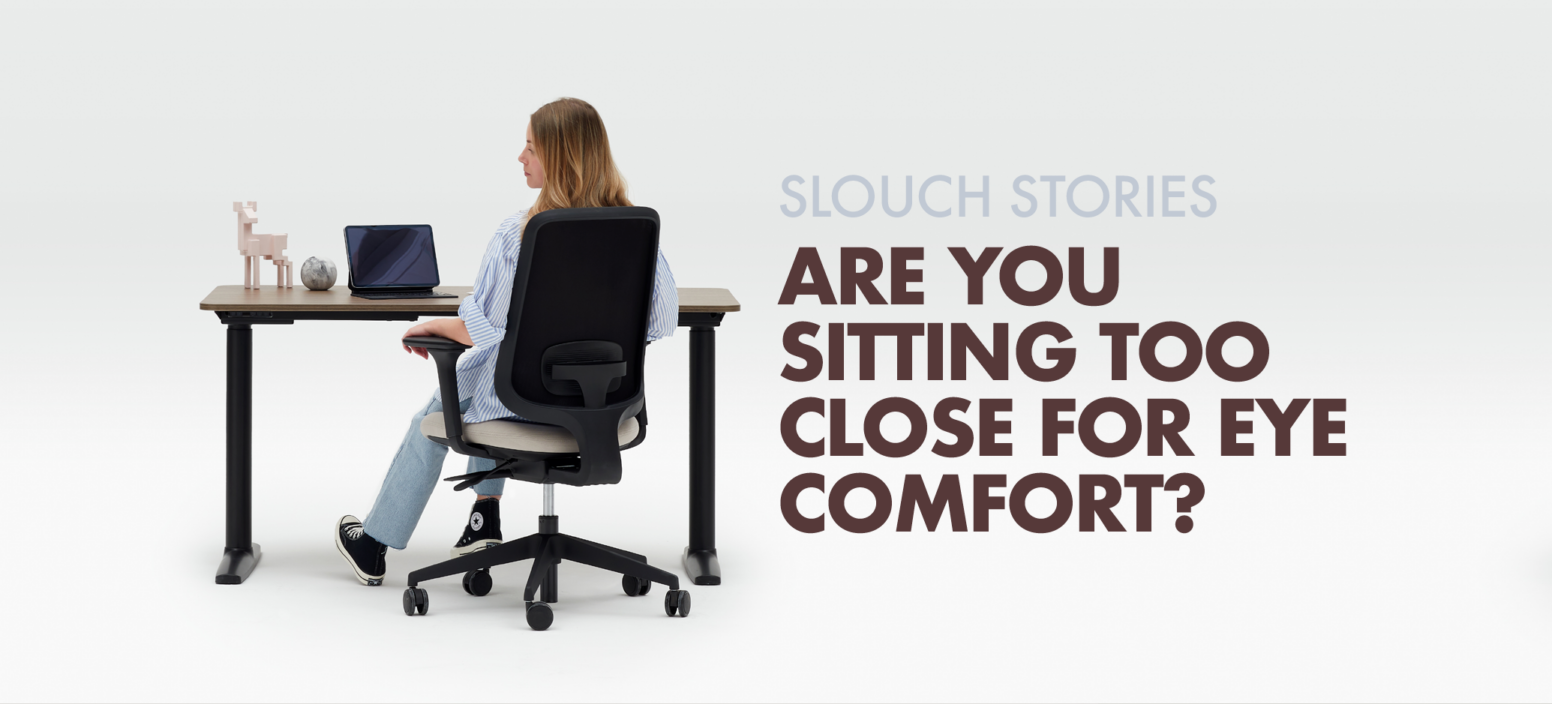
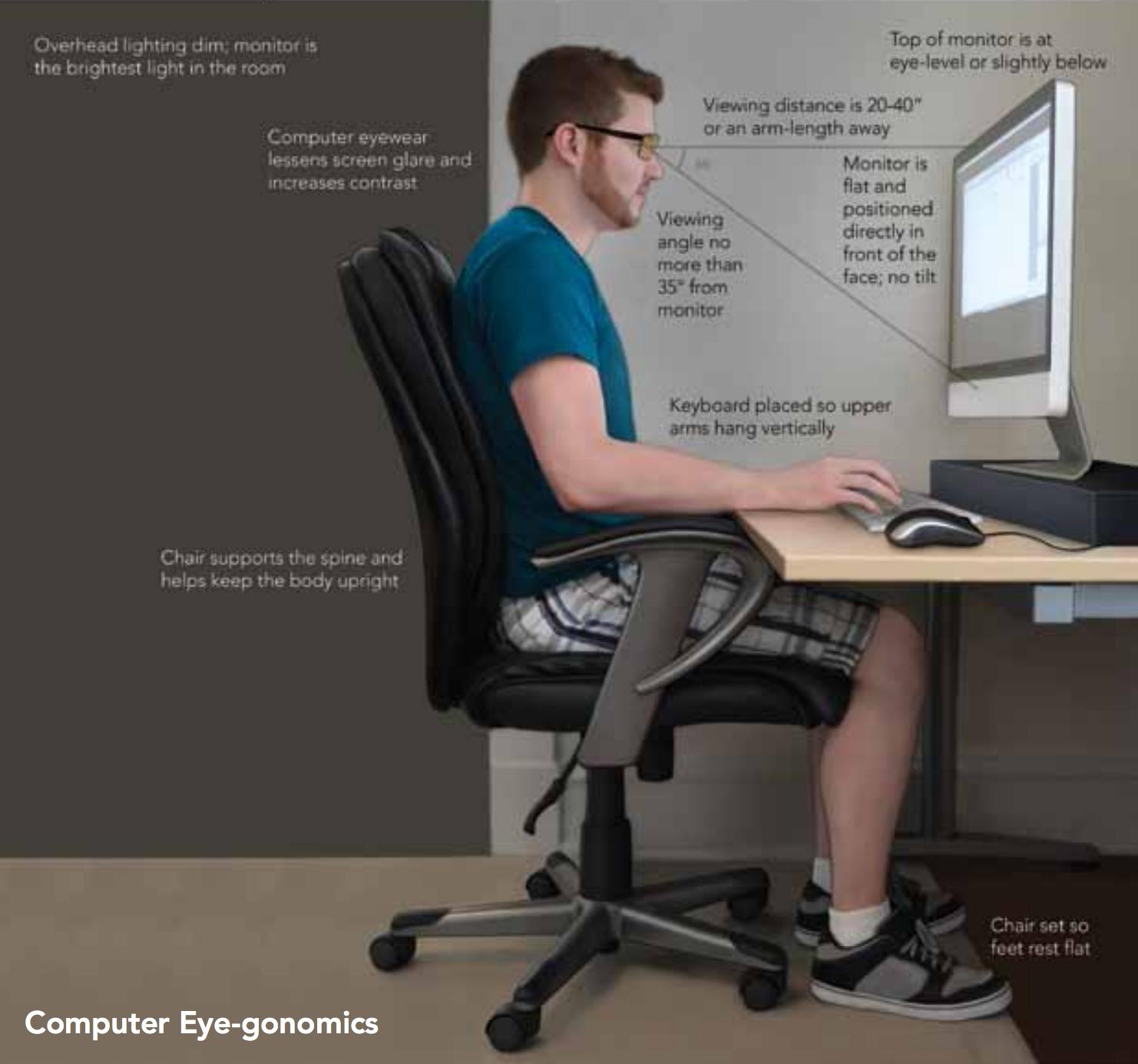
Experts suggest keeping your eyes 20 to 30 inches from the screen. This equals about an arm’s length. This range allows you to see clearly without leaning forward or squinting. The top of the monitor should be at or just below eye level. This position helps your eyes relax and reduces neck strain.
Factors Affecting Distance
Screen size changes how far you should sit. Bigger screens need more distance to see the whole display. Screen resolution also matters. Higher resolution screens allow closer viewing without losing clarity. Your vision strength affects distance too. People with weaker eyesight might need to sit closer or wear glasses. Lighting in the room can cause glare, making you move the screen further away. Adjust the distance until you feel comfortable and your eyes do not hurt.
Credit: slouchonline.com
Impact On Eye Health
Keeping the right distance between your eyes and the computer screen matters for your eye health. Too close or too far can cause problems. Your eyes work hard to focus on the screen. Poor distance can lead to discomfort and long-term issues. Understanding the impact helps protect your vision and comfort.
Preventing Eye Strain
Eye strain happens when your eyes get tired from too much work. Sitting too close forces your eyes to focus too hard. This causes headaches and blurred vision. The ideal distance is about 20 to 30 inches from the screen. This lets your eyes relax and reduces strain. Adjusting screen brightness and text size also helps ease the stress on your eyes.
Reducing Dry Eyes And Fatigue
Dry eyes occur when you blink less during screen use. Being too close increases this risk. At the right distance, blinking becomes easier. This keeps your eyes moist and comfortable. Fatigue happens when eyes tire from constant focus. Proper distance lowers this tired feeling. Take breaks often to rest your eyes and keep them healthy.
Adjusting Monitor Position
Adjusting your monitor position is key to comfort and eye health. A well-set monitor reduces strain and keeps your eyes safe. It also helps maintain good posture during long computer sessions.
Small changes to height and angle can make a big difference. Proper adjustments help your eyes focus easily and prevent headaches.
Height And Angle Settings
Set the monitor so the top is at or slightly below eye level. This keeps your neck relaxed and your eyes naturally aligned. Tilt the screen back 10 to 20 degrees for a clear view. Avoid looking too far up or down to reduce eye strain. Keep the monitor about 20 to 30 inches away from your eyes, roughly arm’s length.
Avoiding Glare And Reflections
Glare makes it hard to see the screen clearly. Position your monitor perpendicular to windows or bright lights. Use curtains or blinds to control sunlight. Adjust screen brightness to match room lighting. Consider an anti-glare screen protector for extra comfort. Clear visibility helps your eyes stay relaxed and focused.

Credit: kraffeye.com
Tips For Better Screen Time
Spending long hours in front of a computer screen can strain your eyes. Simple habits can help reduce this discomfort. Follow these tips for better screen time to keep your eyes healthy and reduce fatigue.
Using The 20-20-20 Rule
Every 20 minutes, take a break from the screen. Look at something 20 feet away for 20 seconds. This helps your eyes relax and reduces strain. It also prevents dryness and blurry vision. Setting a timer can remind you to follow this rule regularly.
Blinking And Eye Moisturizing
Blink often while using the computer. Blinking spreads moisture across your eyes and keeps them from drying out. If your eyes feel dry, use artificial tears or eye drops. Avoid rubbing your eyes, as this can cause irritation. Keep a humidifier nearby to add moisture to the air.
Ergonomic Workspace Setup
Creating an ergonomic workspace is key for comfort and eye health. Proper setup helps reduce strain on your eyes and body. Small changes can make a big difference during long computer use.
Distance from your monitor is important. But your chair, desk, and lighting also affect how your eyes feel. Let’s explore these elements to create a healthy workspace.
Chair And Desk Alignment
Your chair should support your back and let your feet rest flat. The desk height must allow your arms to bend at a 90-degree angle. Keep the monitor at eye level. This reduces neck strain and helps maintain the right viewing distance. Sitting upright keeps your eyes aligned with the screen. Avoid leaning forward or backward. This helps keep your eyes at a safe distance from the monitor.
Lighting Considerations
Good lighting reduces glare on your screen. Use soft, natural light if possible. Position your monitor so windows are not directly behind or in front. Avoid harsh overhead lights. Use desk lamps with adjustable brightness. This prevents your eyes from working too hard. Balanced lighting lowers eye fatigue and improves comfort.
Tech Tools To Protect Your Eyes
Protecting your eyes from computer strain is very important. Tech tools help reduce eye discomfort during long screen time. These tools work by adjusting light and color on your monitor. They create a safer and more comfortable viewing experience. Using these tools can help prevent headaches and blurred vision.
Blue Light Filters
Blue light filters reduce the harsh blue light from screens. This light can cause eye strain and affect sleep patterns. Many devices have built-in blue light filter modes. You can also install software that adjusts screen colors. These filters make the screen easier on your eyes, especially at night.
Screen Brightness And Contrast
Adjusting screen brightness and contrast helps protect your eyes. Too bright or too dim screens cause eye fatigue. Set brightness close to the room’s light level. Contrast should be high enough to see text clearly. Proper settings reduce strain and improve comfort during use.
Credit: www.possolutions.com.au
Frequently Asked Questions
How Far Should Eyes Be From A Computer Monitor?
Eyes should be 20 to 30 inches (about an arm’s length) from the monitor. This distance reduces eye strain and helps maintain clear focus during computer use.
Why Is Proper Eye Distance Important For Computer Use?
Proper distance prevents eye strain, headaches, and blurred vision. It also reduces the risk of developing computer vision syndrome and promotes better posture.
How To Measure The Correct Distance From Your Monitor?
Use your arm length to gauge distance. Sit comfortably and extend your arm; your fingertips should touch the screen for optimal viewing distance.
Can Incorrect Eye Distance Cause Vision Problems?
Yes, sitting too close or too far can cause eye fatigue, dryness, and blurred vision. Maintaining the right distance helps protect your eyesight.
Conclusion
Keeping your eyes about 20 to 30 inches from the screen helps reduce strain. This distance lets your eyes focus comfortably and keeps your posture healthy. Adjust the monitor height so you look slightly downward at the screen. Take short breaks often to rest your eyes.
Small changes can make a big difference in comfort. Protect your vision by sitting at the right distance every day. Your eyes will thank you for the care and attention. Simple habits help you work or study without pain.
As an Amazon Associate, I earn from qualifying purchases.

