
Have you ever been in the middle of capturing a perfect moment, only to have your camera battery die unexpectedly? It’s frustrating, right?
Knowing how long your camera battery lasts can save you from missing those important shots. You’ll discover everything you need to know about camera battery life—what affects it, how to extend it, and tips to keep your camera powered when you need it most.
Keep reading to make sure your camera is always ready to capture your best memories.
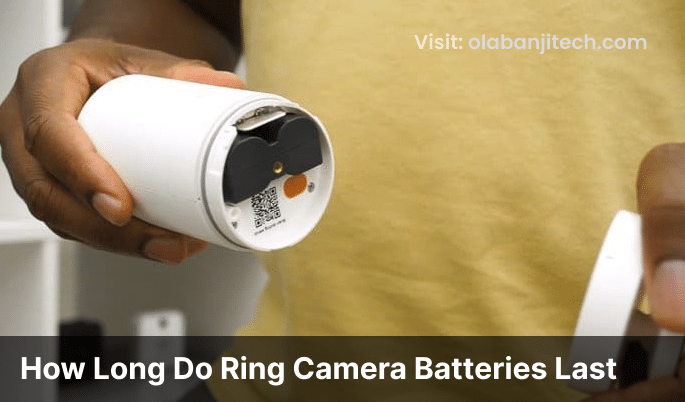
Credit: www.arloren.com
Camera Battery Lifespan
Camera batteries do not last forever. Their life depends on many things. Knowing how long your battery will last helps you plan your shoots better. It also helps you avoid losing power at the wrong moment.
Battery lifespan means how long a battery works before it needs charging or replacing. It also means how many times you can charge it before it loses power capacity. Understanding this keeps your camera ready for action.
Factors Affecting Battery Life
Battery life changes with temperature. Cold weather drains batteries fast. Using the screen a lot uses more power. Taking many photos or videos also uses more energy. Wireless features like Wi-Fi or Bluetooth reduce battery life. Keeping batteries old or damaged lowers their lifespan too.
Types Of Camera Batteries
Most cameras use lithium-ion batteries. They are light and hold charge well. Some older models use nickel-metal hydride batteries. These do not last as long. Disposable alkaline batteries appear in some simple cameras. Rechargeable batteries save money and reduce waste.
Average Battery Duration By Camera Type
Compact cameras usually last for 200 to 400 shots per charge. Mirrorless cameras offer 250 to 500 shots on average. DSLR cameras can take 600 to 1000 shots before recharging. Video recording drains batteries faster, often lasting 1 to 2 hours. Always check your camera’s manual for exact details.
Credit: www.esseg.eu
Power Consumption Tips
Camera batteries drain faster without good habits. Simple steps can save power. This helps you shoot longer and avoid missing shots.
Small changes in how you use your camera make a big difference. Focus on settings, screen use, and power modes.
Optimizing Camera Settings
Lower your camera’s resolution if high quality is not needed. Use JPEG instead of RAW to save power. Turn off image stabilization when using a tripod. Disable Wi-Fi and Bluetooth if you don’t need them. These small changes help reduce energy use.
Managing Screen And Flash Usage
Keep the LCD screen off when not needed. Use the viewfinder to compose shots. Limit flash use to important moments only. Flash consumes a lot of battery quickly. Reducing screen brightness also extends battery life.
Using Power Saving Modes
Activate your camera’s power-saving or eco mode. This mode reduces screen brightness and limits background activity. Set shorter auto-off timers to save power during breaks. Use sleep mode when pausing your shoot. These modes help your battery last longer.
Battery Maintenance
Battery maintenance plays a key role in how long camera batteries last. Good care keeps the battery working well and extends its life. Simple habits can save you from early battery failure and poor performance.
Understanding proper charging, storage, and health tips helps your camera battery stay strong for longer. This section explains easy steps to keep your battery in top shape.
Proper Charging Practices
Charge your battery fully before first use. Avoid overcharging by unplugging once full. Use the original charger made for your battery. Charging at room temperature is best. Avoid charging in very hot or cold places. Partial charging is fine; no need to always charge to 100%. Regularly using the battery helps keep it active.
Storage Recommendations
Store batteries in a cool, dry place away from sunlight. Keep the battery about half charged if storing for long periods. Remove the battery from the camera during storage. Avoid leaving batteries in hot cars or near heaters. Check stored batteries every few months. Recharge if the charge drops too low during storage.
Extending Battery Health
Use your battery regularly to prevent capacity loss. Avoid fully draining your battery often. Turn off the camera when not in use. Keep battery contacts clean and free of dirt. Avoid dropping or damaging the battery physically. Replace batteries that show swelling or leaks immediately. Following these tips helps your battery last longer and work better.
Battery Alternatives
Battery alternatives help extend your camera’s power during shoots. They keep you ready for long sessions. Many photographers carry extra options to avoid interruptions. These alternatives vary in size and convenience. Choose what fits your shooting style and needs.
External Battery Packs
External battery packs connect to your camera and provide extra power. They have high capacity and last longer than regular batteries. You can charge your camera while shooting. These packs are useful for outdoor shoots without power outlets. They add weight but offer reliable energy supply.
Spare Batteries
Spare batteries are the simplest backup solution. Carry fully charged spares in your bag. Swap batteries quickly when one runs out. They do not need extra equipment or cables. Make sure spares match your camera model. This method is lightweight and easy to manage.
Portable Chargers
Portable chargers recharge your batteries on the go. They work with removable batteries and USB charging cameras. Some chargers fit in your pocket. You can power up during breaks or travel. Portable chargers keep your camera ready without finding a wall socket.
Troubleshooting Battery Issues
Battery problems can stop your camera from working well. Knowing how to fix these issues helps you keep shooting. Troubleshooting battery issues saves time and money. It also makes sure your camera is always ready.
Common Battery Problems
Battery drains too fast. Camera won’t turn on. Battery charger does not work. These are some common problems. Sometimes, dirt or dust blocks battery contacts. This stops power flow. Cold weather can also reduce battery life. Using the wrong charger can damage batteries.
When To Replace Your Battery
Replace the battery if it loses charge quickly. If the camera shuts off suddenly, think of a new battery. Batteries older than two years may need replacement. Swollen or leaking batteries must be replaced immediately. Old batteries may cause camera errors or not charge fully.
Signs Of Battery Degradation
Battery lasts shorter than before. Camera shows low battery warnings too early. Battery heats up more than usual. Charger takes longer to fill the battery. These signs mean the battery is wearing out. It is time to check or replace the battery.
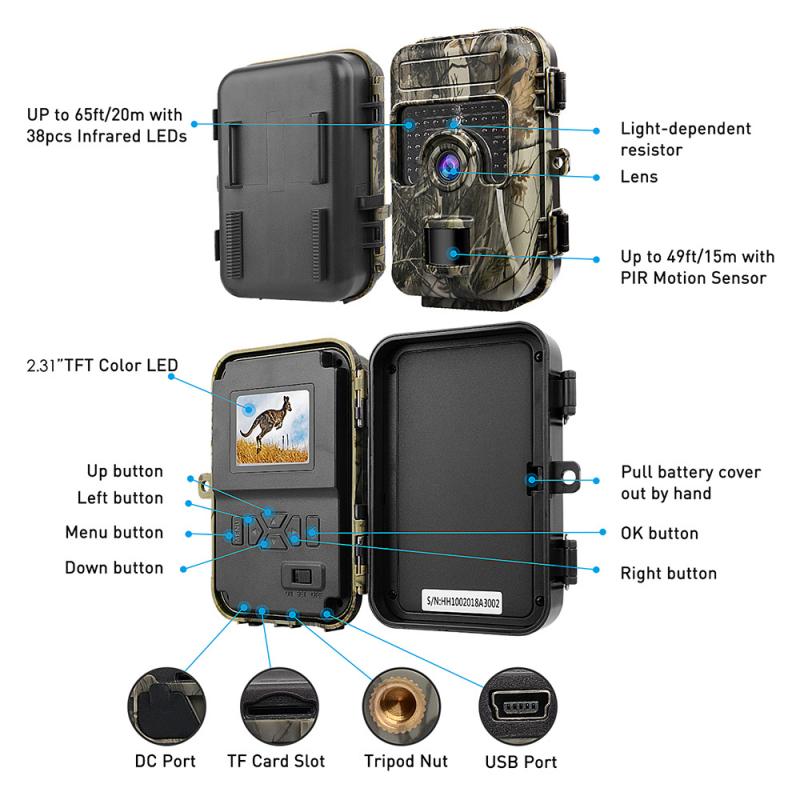
Credit: www.kentfaith.co.uk
Frequently Asked Questions
How Long Do Camera Batteries Typically Last?
Camera batteries usually last between 200 to 1000 shots per charge. Battery life varies by camera model, usage, and settings.
What Factors Affect Camera Battery Life The Most?
Battery life depends on screen usage, flash, temperature, and continuous shooting. Power-hungry features drain batteries faster.
How Can I Extend My Camera Battery Life?
Turn off Wi-Fi, reduce LCD brightness, and limit flash use. Carry spare batteries for longer shoots.
Do Mirrorless Cameras Have Shorter Battery Life?
Yes, mirrorless cameras often have shorter battery life than DSLRs. Their electronic viewfinders and screens consume more power.
Conclusion
Camera battery life depends on many things. Using the screen or flash drains power faster. Cold weather can shorten battery time too. Carry extra batteries for long shoots. Charging fully before use helps a lot. Choosing the right battery type matters.
Keep batteries clean and dry for best results. Knowing how long your battery lasts helps plan better. Stay prepared to avoid missing great shots. Battery life varies, but smart habits improve it.
As an Amazon Associate, I earn from qualifying purchases.
