
Have you ever wondered how long your computer mouse will actually last before it needs to be replaced? You rely on it every day for work, gaming, or browsing, but how durable is it really?
Knowing when to expect a mouse to wear out can save you from sudden interruptions and wasted money. You’ll discover the key factors that affect your mouse’s lifespan and get practical tips to make yours last longer. Keep reading to make sure your next click is always smooth and reliable.
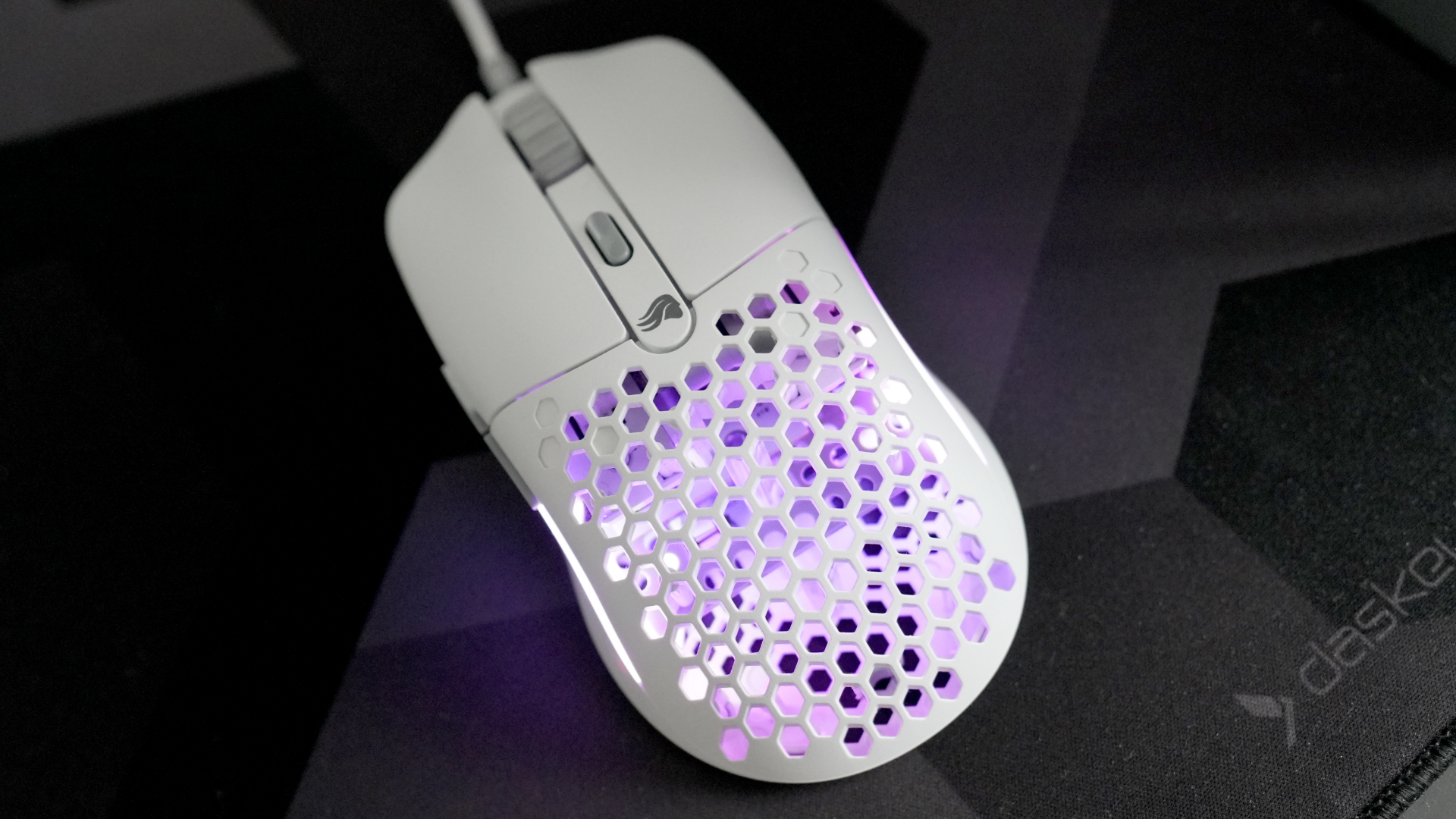
Credit: www.pcgamer.com
Factors Affecting Mouse Lifespan
The lifespan of a computer mouse depends on many factors. These factors affect how long the mouse works well. Knowing these can help you choose the right mouse and take care of it properly.
Each factor plays a role in the mouse’s durability and performance. Some mice last for years, while others wear out quickly. Understanding what affects mouse lifespan helps you avoid frequent replacements.
Build Quality And Materials
A mouse made with strong materials lasts longer. Cheap plastic parts can break or wear out fast. High-quality mice use durable plastics and metals. The buttons and scroll wheel also affect lifespan. Better parts handle more clicks without failing.
Usage Frequency And Intensity
The more you use a mouse, the faster it wears out. Heavy daily use, like gaming or work, shortens its life. Light use, such as occasional browsing, causes less wear. Intense clicking and fast movements also reduce lifespan. Usage style impacts how soon problems appear.
Maintenance And Care
Cleaning a mouse regularly keeps it working well. Dust and dirt can block sensors and buttons. Avoid spilling liquids on the mouse. Store it in a safe place to prevent damage. Good care extends the mouse’s life significantly.
Types Of Computer Mice
Wired mice often last longer than wireless ones. Wireless mice rely on batteries which can fail. Optical and laser mice differ in sensor quality. Gaming mice usually have stronger parts than basic models. The type of mouse affects how long it stays useful.

Credit: www.rawmshop.com
Average Lifespan By Mouse Type
The lifespan of a computer mouse varies by its type. Each mouse type has different uses and build quality. These differences affect how long the mouse lasts. Understanding these lifespans helps choose the right mouse for your needs.
Wired Mice
Wired mice are simple and reliable. They usually last between 3 to 5 years. Their wired connection reduces battery issues. The cable can wear out or break over time. Regular use and cable bending shorten their life.
Wireless Mice
Wireless mice offer more freedom of movement. Their average lifespan is about 2 to 4 years. Batteries need replacement or charging often. The internal wireless parts can wear down faster than wired mice. Good care can extend their life.
Gaming Mice
Gaming mice are built for heavy use. They last around 4 to 6 years. Their buttons have higher durability ratings. These mice often include extra features and strong sensors. Intense daily use may still wear them out faster.
Ergonomic Mice
Ergonomic mice focus on comfort. Their lifespan ranges from 3 to 5 years. They use quality materials to support hand health. The design does not affect durability much. Proper handling helps maintain their condition longer.
Signs Your Mouse Needs Replacement
Your computer mouse may last for years, but it will not last forever. Recognizing the signs that your mouse needs replacement can save frustration. These signs often show up slowly and worsen over time. Knowing them helps you act before your work or play is interrupted.
Unresponsive Buttons
Buttons that do not click or respond well are a clear sign. Sometimes a button might stick or double-click without asking. This can make tasks harder and slow you down. A mouse with unresponsive buttons needs attention or replacement soon.
Cursor Tracking Issues
The cursor moves strangely or does not follow your hand smoothly. It might jump, lag, or freeze on the screen. Dirt or damage on the sensor can cause this problem. Poor tracking makes precise work very difficult.
Physical Wear And Tear
Look for worn-out surfaces, faded paint, or loose parts. The mouse buttons may feel loose or broken. A cracked shell or missing feet affects comfort and function. Physical damage shows the mouse is past its best days.
Connectivity Problems
The mouse cuts out or disconnects often, especially wireless ones. Delays in response or frequent drops disrupt your flow. This can be due to battery issues or internal faults. Constant connectivity problems mean it’s time to replace your mouse.
Extending Your Mouse’s Lifespan
Extending your mouse’s lifespan saves money and reduces waste. Simple care steps keep your mouse working longer. Small habits and regular upkeep make a big difference. Follow easy tips for better mouse performance and durability.
Regular Cleaning Tips
Clean your mouse often to stop dirt buildup. Use a soft cloth slightly dampened with water. Avoid harsh chemicals that can damage the surface. Wipe the sensor area gently to keep it clear. Remove dust from buttons and scroll wheels carefully.
Proper Storage Practices
Store your mouse in a dry, cool place. Avoid direct sunlight or hot spots that can harm parts. Keep cables untangled to prevent wear and tear. Use a mouse pouch or box if you travel. Protect your mouse from spills and heavy objects.
Software And Firmware Updates
Check for updates from the mouse maker regularly. Updates fix bugs and improve mouse functions. Use official websites or apps for downloads. Updated software keeps your mouse responsive and reliable. Ignore updates and your mouse might slow down.
Handling And Usage Habits
Use your mouse gently to prevent button damage. Avoid dropping or rough handling that breaks parts. Don’t press buttons too hard or click too fast. Take breaks to reduce wear during long use. Proper use helps your mouse last much longer.
When To Upgrade Your Mouse
Knowing when to upgrade your mouse can save frustration. A mouse should work smoothly and feel comfortable. Sometimes, small issues show that it’s time for a new one. Upgrading improves your work and play experience.
Performance Needs
Slow or jumpy cursor movement is a sign to upgrade. A mouse that misses clicks or freezes interrupts tasks. New mice offer faster response times. This helps with gaming, design, and everyday use. A smooth, precise mouse improves accuracy and speed.
New Features And Technology
Technology changes quickly. New mice have features like extra buttons or adjustable sensitivity. Wireless models reduce desk clutter. Some have better battery life or faster charging. Upgrading lets you enjoy these improvements.
Ergonomic Improvements
Old mice can cause hand pain or discomfort. Ergonomic mice support your hand and wrist better. They reduce strain during long use. Switching to an ergonomic mouse helps prevent injuries. Comfort matters for all-day computer users.
Compatibility With Devices
New computers may not support old mouse drivers. Older mice might not work well with new operating systems. Upgrading ensures smooth connection and full functionality. A compatible mouse saves time and avoids frustration.
Popular Mouse Brands And Their Durability
Popular mouse brands offer a range of durability depending on build quality and usage. Knowing the lifespan helps users choose a mouse that lasts longer. Some brands are known for sturdy designs, while others focus on features.
Understanding brand durability guides buyers in selecting a reliable mouse. Let’s explore how popular brands hold up over time.
Logitech
Logitech mice are famous for lasting several years. Their buttons often support up to 10 million clicks. Many users report smooth performance after heavy daily use. The build quality is solid, with comfortable shapes. Logitech offers both wired and wireless options with good battery life.
Razer
Razer mice target gamers who need fast response and durability. Their switches typically last around 50 million clicks. The materials used feel premium and strong. Razer mice usually maintain accuracy and speed for a long time. They also provide good grip and comfort for extended use.
Microsoft
Microsoft produces reliable mice mainly for office and casual use. These devices often last 2 to 4 years with normal handling. The buttons are less focused on high click durability but remain functional. Microsoft mice prioritize ergonomic design and simplicity. They are great for everyday tasks and light gaming.
Corsair
Corsair mice combine durability with gamer-focused features. Their switches handle around 20 to 50 million clicks. Corsair builds strong and lightweight mice to reduce hand fatigue. These mice stay responsive even after long sessions. Corsair’s quality parts help extend the mouse life span.

Credit: www.rawmshop.com
Frequently Asked Questions
How Long Does A Typical Computer Mouse Last?
A typical computer mouse lasts about 3 to 5 years. Lifespan depends on usage, quality, and maintenance. Heavy users may replace mice sooner. Proper care can extend its life.
What Factors Affect A Computer Mouse’s Lifespan?
Usage frequency, build quality, and maintenance impact mouse lifespan. Environmental factors like dust and moisture also matter. Wired mice often last longer than wireless ones due to battery issues.
How Can I Extend My Computer Mouse’s Life?
Keep the mouse clean and avoid spills. Use on smooth surfaces to reduce wear. Store properly when not in use. Regularly check and replace batteries if wireless.
When Should I Replace My Computer Mouse?
Replace your mouse when it stops responding or moves erratically. Physical damage or worn-out buttons are signs. If performance affects work or gaming, it’s time to upgrade.
Conclusion
A computer mouse can last several years with proper care. Quality, usage, and maintenance affect its lifespan. Cheap mice may wear out faster than expensive ones. Clean your mouse regularly to keep it working well. Replace it when buttons or sensors stop responding.
Choosing a durable mouse can save money over time. Simple habits help extend your mouse’s life. Small steps make a big difference. Keep these tips in mind for a smooth experience. Your mouse’s lifespan depends mostly on how you use it.
As an Amazon Associate, I earn from qualifying purchases.

