
Are you wondering how many security cameras you actually need to keep your home or business safe? You’re not alone.
Getting the right number of cameras is key to protecting what matters most without spending too much. Too few cameras can leave blind spots, while too many might overwhelm you with footage you don’t need. You’ll discover simple ways to figure out the perfect setup for your space.
By the end, you’ll feel confident about making the best choice to boost your security—and peace of mind. Keep reading to find out exactly how to protect your property the smart way.
Credit: pro-vigil.com
Factors Affecting Camera Quantity
Determining the right number of security cameras depends on several key factors. These elements influence how many cameras you need to cover your property effectively. Understanding these factors helps you create a clear and efficient surveillance plan.
Property Size And Layout
The size of your property directly affects the number of cameras required. Larger properties need more cameras to cover all areas. The layout also matters. Complex shapes or multiple buildings may need extra cameras to avoid blind spots. Open spaces might require fewer cameras if visibility is good.
High-risk Areas
Focus cameras on places prone to theft or damage. Entrances, exits, and windows are common high-risk spots. Parking lots and storage areas also need coverage. More cameras may be needed if these areas are large or have many access points.
Lighting Conditions
Poor lighting can reduce camera effectiveness. Dark areas may need cameras with night vision or additional lighting. Well-lit spaces require fewer special features. Consider how lighting changes through the day and night. This affects the type and number of cameras you need.
Camera Types And Features
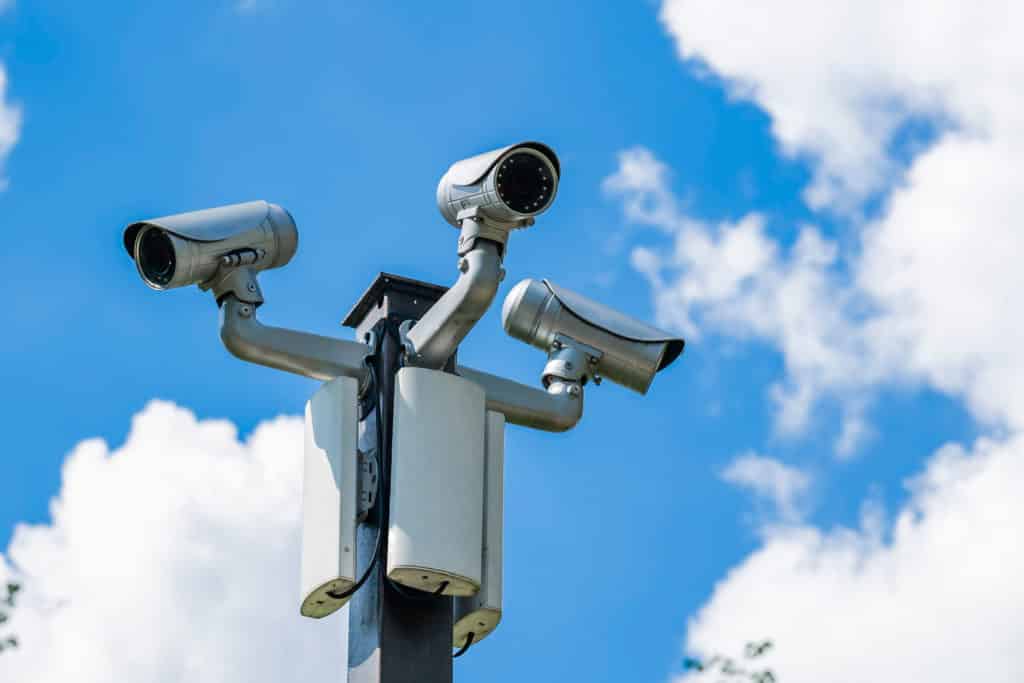
Cameras vary in range and field of view. Wide-angle cameras cover more area but may lose detail. PTZ (pan-tilt-zoom) cameras can move and zoom, covering larger zones with fewer devices. Choose cameras with features matching your security needs. This choice influences how many cameras you will install.
Credit: mesaalarm.com
Calculating Coverage Areas
Calculating the coverage area of your security cameras helps decide how many you need. It ensures every important spot is protected without blind spots. Proper calculation saves money and improves safety.
Field Of View And Range
The field of view (FOV) is the width the camera can see. Cameras with a wider FOV cover more space but may lose detail. The range is how far the camera can see clearly. Both affect the number of cameras needed. Choose cameras with FOV and range that fit your property size.
Overlapping Views
Overlapping coverage means two cameras watch the same area. This adds security by reducing blind spots. It also helps if one camera fails or is blocked. Plan overlaps at entry points and high-risk zones. Overlapping views improve the overall protection level.
Indoor Vs Outdoor Zones
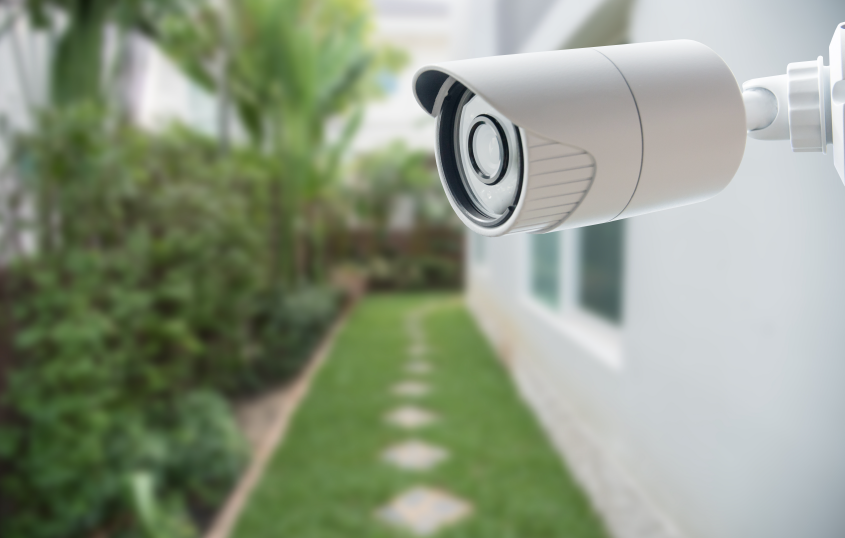
Indoor and outdoor areas have different needs. Outdoor cameras should handle weather and low light. Indoor cameras focus on hallways, rooms, and entrances. Count how many cameras each zone requires based on size and layout. Separate indoor and outdoor needs help create a clear plan.
Placement Strategies
Placement strategies for security cameras matter a lot. Proper spots help catch clear footage and cover key areas. Cameras should watch places where people enter or move around. This keeps your home or business safer.
Good placement also stops blind spots where intruders might hide. Each camera should have a clear view and not face direct sunlight or glare. Proper angles help capture faces and actions clearly.
Entrances And Exits
Entrances and exits are the most important spots to cover. Cameras here record everyone coming in or going out. Place cameras above doors and gates for a wide view. This helps identify visitors and any suspicious activity.
Driveways And Garages
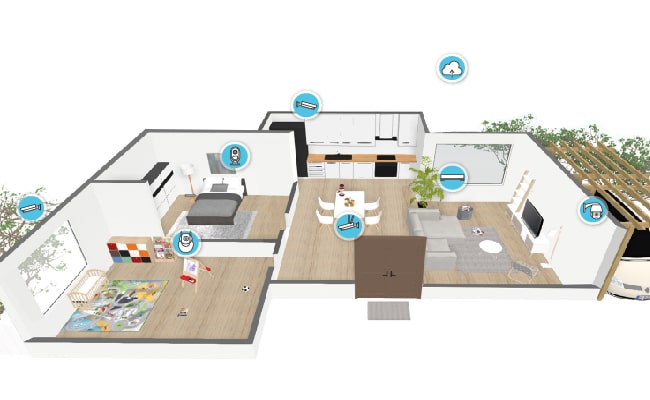
Driveways and garages are common targets for theft. Cameras here watch cars and people moving near vehicles. Position cameras to see the entire driveway and garage door. This way, any unusual movement gets recorded clearly.
Backyards And Perimeters
Backyards and outer edges protect your property from unwanted visitors. Cameras along fences or backyard corners cover these vulnerable spots. Make sure cameras have night vision for low light conditions. This keeps your property secure day and night.
Common Indoor Spaces
Indoor cameras monitor shared areas inside your home or office. Places like living rooms, hallways, and main rooms benefit from coverage. These cameras can catch unexpected visitors or unusual actions inside. Avoid placing cameras in private spaces like bedrooms or bathrooms.
Balancing Quantity And Quality
Choosing the right number of security cameras is not just about counting. Quality matters as much as quantity. More cameras do not always mean better security. Sometimes fewer, high-quality cameras offer clearer, more useful footage. Finding the right balance keeps your property safe without overspending. Focus on key features that improve camera performance.
High-resolution Cameras
High-resolution cameras capture sharp images. They help identify faces, license plates, and details. Even a few cameras with high resolution cover important areas well. Low-resolution cameras may miss critical details. Clear images make investigations easier and faster. Invest in cameras with at least 1080p resolution for good clarity.
Motion Detection Benefits
Motion detection reduces the need for constant recording. Cameras start recording only when movement is detected. This saves storage space and battery life. It also sends alerts to your phone quickly. Motion detection helps spot unusual activity faster. Use cameras with adjustable sensitivity to avoid false alarms.
Night Vision Capabilities
Security threats often happen at night. Night vision cameras capture clear images in the dark. Infrared LEDs provide visibility without bright lights. Choose cameras with good night vision range. This ensures you see details even in low light. Night vision adds security around the clock.
Budget Considerations
Budget plays a big role in deciding how many security cameras you need. It helps set clear limits on your choices. Knowing all costs can prevent surprises later. Think about every expense. Not just the cameras, but installation and upkeep too. This way, your plan fits your wallet comfortably.
Cost Per Camera
Each camera has a price. Basic models cost less. Advanced cameras with night vision or motion detection cost more. Decide what features you need most. Buying many cheap cameras might cost as much as fewer high-quality ones. Balance price and quality carefully.
Installation Expenses
Installing cameras can add to your costs. Some cameras are easy to set up yourself. Others need professional help. Wired cameras usually require more work than wireless ones. Check if you need extra tools or materials. These costs add up quickly.
Maintenance And Upgrades
Security cameras need regular care. Cleaning lenses and checking connections keep them working well. Some cameras need software updates to stay secure. Over time, you might want to upgrade for better features. Plan a budget for these ongoing costs.
Credit: reolink.com
Advanced Security Options
Advanced security options help improve your home or business safety. These options offer more control and better coverage than basic cameras. Understanding these features helps you choose the right number of cameras and system types.
Wireless Vs Wired Systems
Wireless cameras are easy to install and move around. They connect to Wi-Fi and do not need cables. This makes them flexible for different areas. Wired cameras need cables for power and data. They offer stable connections and less interference. Wired systems can support more cameras without signal loss.
Integration With Alarm Systems
Security cameras that link with alarms provide quick alerts. When the alarm triggers, cameras start recording automatically. This helps capture clear evidence. Integration also allows you to control cameras and alarms from one app. It creates a stronger security system with fewer gaps.
Remote Monitoring Features
Remote monitoring lets you watch your cameras from anywhere. Use a smartphone, tablet, or computer to check live footage. This keeps you informed about your property 24/7. Some systems send alerts for motion or sound detection. This feature helps you react fast to threats or emergencies.
Frequently Asked Questions
How Many Cameras Cover A Typical Home Effectively?
A typical home needs 4 to 6 cameras for full coverage. Focus on entrances, driveways, and blind spots. This setup ensures you monitor all key areas efficiently.
What Factors Determine The Number Of Security Cameras?
Factors include property size, layout, entry points, and surveillance goals. Larger properties or complex layouts require more cameras. Assessing these helps decide the right camera count.
Can Fewer Cameras Provide Adequate Security?
Yes, strategic placement of fewer cameras can still offer solid security. Prioritize high-traffic and vulnerable areas. Quality and positioning often matter more than quantity.
How Do Camera Types Affect The Number Needed?
Different camera types cover areas differently. Wide-angle cameras cover more space, reducing numbers. PTZ cameras can replace multiple fixed cameras by rotating.
Conclusion
Choosing the right number of security cameras depends on your space size. Cover all entry points and blind spots for better safety. Think about lighting and camera quality too. More cameras mean better coverage but higher cost. Balance your budget with your security needs.
Regular checks keep cameras working well. A smart setup gives peace of mind every day. Take time to plan, then protect your home wisely.
As an Amazon Associate, I earn from qualifying purchases.
