
Imagine walking into your home after a long day, and everything is just the way you like it—lights adjust automatically, your favorite music starts playing, and the temperature feels perfect. Sounds like a dream, right?
Well, creating a smart home can turn that dream into reality. You don’t need to be a tech expert or spend a fortune to make your living space smarter, safer, and more comfortable. You’ll discover simple steps to transform your home into a smart haven that works for you every single day.
Ready to unlock the future of living? Let’s dive in.
Benefits Of A Smart Home
Smart homes bring many benefits to daily life. They improve how your home works. They save time and money. They make your house safer and more comfortable. Discover these key advantages below.
Energy Efficiency
Smart devices help reduce energy use. Smart thermostats adjust temperature automatically. Lights turn off when rooms are empty. This lowers electricity bills. It also helps the environment by saving energy.
Enhanced Security
Smart security systems protect your home better. Cameras and sensors monitor your house all day. Alerts notify you about unusual activity. You can lock doors remotely. This keeps your family and belongings safe.
Convenience And Comfort
Smart homes make life easier and more comfortable. Control lights, temperature, and appliances from your phone. Schedule tasks like watering plants or brewing coffee. Voice assistants respond to your commands. Enjoy a home that works around you.
Credit: blog.constellation.com
Essential Smart Devices
Creating a smart home starts with choosing the right devices. Essential smart devices make your home more comfortable, secure, and energy-efficient. These gadgets work together to simplify daily tasks and save time.
Smart Speakers And Hubs
Smart speakers act as the control center of your smart home. They respond to voice commands and connect to other devices. A smart hub links all your smart gadgets in one system. It helps devices communicate smoothly. Popular options include Amazon Echo and Google Nest.
Smart Lighting
Smart lighting lets you control lights remotely or by voice. You can change brightness and colors to fit your mood. These lights save energy by turning off automatically. Installing smart bulbs is easy and affordable. They add convenience and style to any room.
Thermostats And Climate Control
Smart thermostats adjust your home’s temperature based on your habits. They learn when you are home and optimize heating or cooling. These devices lower energy bills by avoiding waste. Some models connect to weather forecasts for better control. Comfort and savings go hand in hand.
Security Cameras And Sensors
Security cameras keep an eye on your home anytime, anywhere. Sensors detect motion, doors opening, or glass breaking. Alerts notify you of unusual activity right away. These devices increase safety and peace of mind. Setting them up is simple and effective.
Choosing The Right Platform
Choosing the right platform is key to building a smart home that works well. The platform controls how your devices connect and communicate. Picking a platform that fits your needs makes your smart home easier to use and expand. It also ensures your devices work together smoothly.
Compatibility Considerations
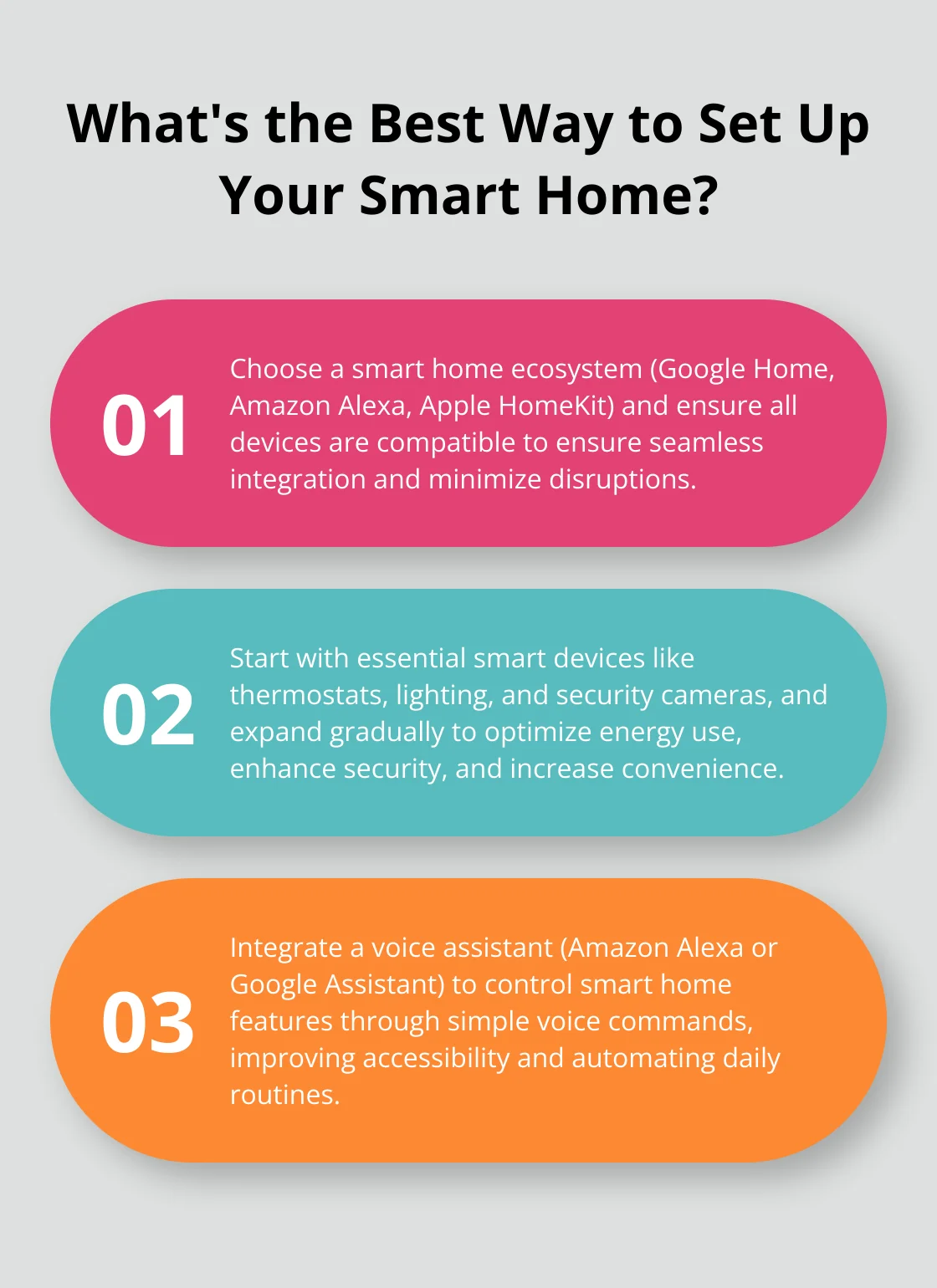
Check if the platform supports the devices you want. Some platforms work better with certain brands. Look for wide device support to avoid limits. Consider your phone type, as some platforms work best with Android or iOS. Think about future devices you might add. Choose a platform that can grow with your smart home.
Popular Smart Home Ecosystems
Amazon Alexa offers many compatible devices and voice control. Google Home works well with Android phones and Google services. Apple HomeKit is ideal for iPhone users and focuses on privacy. Samsung SmartThings supports a variety of devices and offers strong automation. Each ecosystem has strengths; pick one that matches your daily habits.
Credit: hometechhacker.com
Setting Up Your Smart Home Network
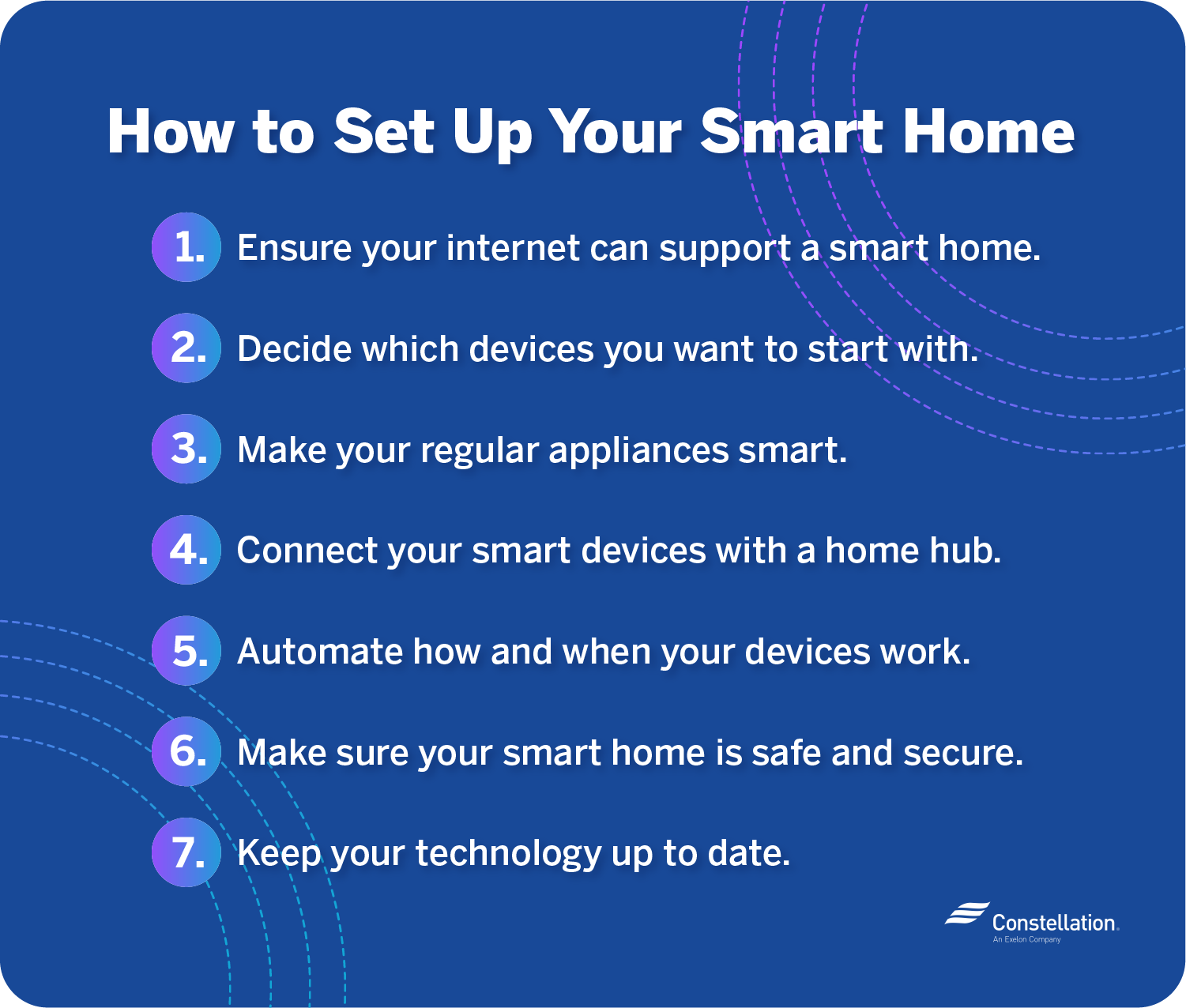
Setting up a smart home network is the first step to connect all your devices. A strong network keeps everything working smoothly. It allows your smart lights, cameras, and speakers to communicate without delays or interruptions.
Good planning makes your smart home more reliable and secure. Focus on a steady Wi-Fi connection and strong network security to protect your data and privacy.
Reliable Wi-fi Setup
Choose a router that covers your entire home. Place it in a central spot for even signal strength. Avoid obstacles like walls and large furniture that block signals. Use dual-band routers supporting both 2.4 GHz and 5 GHz frequencies. The 2.4 GHz band reaches farther but is slower. The 5 GHz band is faster but covers less area. Connect high-usage devices to 5 GHz for speed. Use Wi-Fi extenders or mesh systems to fill dead zones. Test your Wi-Fi speed in different rooms. Strong Wi-Fi means fewer connection drops and faster responses.
Network Security Tips
Change the default router username and password. Use strong passwords with letters, numbers, and symbols. Enable WPA3 or WPA2 encryption for your Wi-Fi network. Turn off remote management on the router to prevent outside access. Create a separate guest network for visitors and smart devices. Keep your router firmware updated to fix security flaws. Disable WPS, as it can be vulnerable to attacks. Monitor connected devices regularly to spot unknown gadgets. Secure your smart home to protect your personal information.
Creating Automation Routines
Creating automation routines is a key step in building a smart home. These routines help devices work together without manual effort. They save time and make daily life easier.
Automation routines let you control many tasks at once. You can set rules for lights, thermostats, locks, and more. This section explains how to create smart routines for your home.
Scheduling And Triggers
Set specific times for devices to turn on or off. For example, lights can switch on at sunset. Thermostats can adjust temperature before you arrive. Triggers also work by actions, like opening a door. This starts a routine automatically. Scheduling and triggers ensure your home reacts to your needs.
Voice Control Integration
Use voice assistants like Alexa or Google Assistant. Speak simple commands to run routines. Say “Good morning” to turn on lights and start coffee. Voice control makes routines easy and hands-free. It helps everyone in the home operate smart devices quickly.
Remote Access And Monitoring
Control your home from anywhere using smartphone apps. Check if doors are locked or lights are off. Adjust settings while away to save energy or increase comfort. Remote access gives peace of mind and full control. Monitoring alerts you to problems early, keeping your home safe.
Troubleshooting Common Issues
Setting up a smart home can sometimes come with small problems. These issues can slow down your devices or stop them from working. Troubleshooting helps fix these problems quickly. It ensures your smart home runs smoothly and saves you time.
Connectivity Problems
Smart devices need a strong internet connection. Weak Wi-Fi can cause devices to disconnect or lag. Try moving your router closer to devices. Restart the router if the connection is slow. Use a Wi-Fi extender to boost signal in large homes.
Check if other devices are using too much bandwidth. Limit heavy downloads or streaming during smart device use. Sometimes, simply turning devices off and on fixes connection issues.
Device Compatibility
Not all smart devices work well together. Some brands use different communication systems. Check if your new device supports your current smart home hub. Use devices that follow the same standards for smooth integration.
Read product details before buying. Look for compatibility with your existing system. This prevents devices from failing to connect or control.
Software Updates
Smart devices need regular software updates. Updates fix bugs and improve performance. Set devices to update automatically if possible. Check for updates manually if devices act strange.
Failing to update can cause security risks. It may also stop new features from working. Keep all devices updated to maintain a secure and efficient smart home.
Future Trends In Home Automation
Home automation is evolving fast. New technologies make homes smarter and more efficient. Understanding future trends helps you prepare for a better living experience.
Ai And Machine Learning
Artificial intelligence makes smart homes more intuitive. It learns your routines and adjusts settings automatically. AI helps reduce energy use and improve security. Over time, it adapts to your lifestyle without manual control.
Integration With Iot Devices
IoT devices connect many home gadgets to the internet. This allows seamless communication between devices. Your thermostat, lights, and appliances work together easily. Integration simplifies control and adds convenience to daily life.
Smart Home Sustainability
Sustainability is a growing focus in home automation. Smart systems help save energy and reduce waste. Solar panels, smart thermostats, and efficient lighting lower utility bills. These features support an eco-friendly lifestyle while cutting costs.
Credit: aredgroup.com
Frequently Asked Questions
What Are The Essential Devices For A Smart Home?
Essential smart home devices include smart speakers, smart lights, thermostats, security cameras, and smart plugs. These devices enable automation and remote control, improving convenience, security, and energy efficiency in your home.
How Do I Start Creating A Smart Home System?
Begin by choosing a smart home hub or assistant like Alexa or Google Home. Then, add compatible devices gradually to ensure seamless integration and control through one platform.
Is Smart Home Technology Secure And Private?
Smart home security depends on device updates and strong passwords. Use encrypted networks and trusted brands to protect your data and privacy effectively.
Can I Control My Smart Home Remotely?
Yes, most smart home devices offer mobile app control from anywhere. This allows you to monitor and manage your home remotely for convenience and security.
Conclusion
Creating a smart home can make life easier and safer. Start with simple devices like smart lights and plugs. Connect them to your phone for control anywhere. Choose products that work well together to avoid problems. Keep your network secure with strong passwords.
Small steps lead to big benefits over time. Enjoy the comfort and convenience of your smart home every day. Take your time and add new devices as you learn. Smart homes fit your needs and grow with you.
As an Amazon Associate, I earn from qualifying purchases.

