If your Ford F150 brake light stays on, it can be confusing and worrying. This light is a warning, telling you something might be wrong with your brakes. Sometimes, it stays on even after you fix the problem. You do not always need a mechanic for this. Most of the time, you can reset it yourself in a few simple steps. Let’s see how to easily reset the brake light on your Ford F150 and make sure you drive safely.
Why The Brake Light Turns On
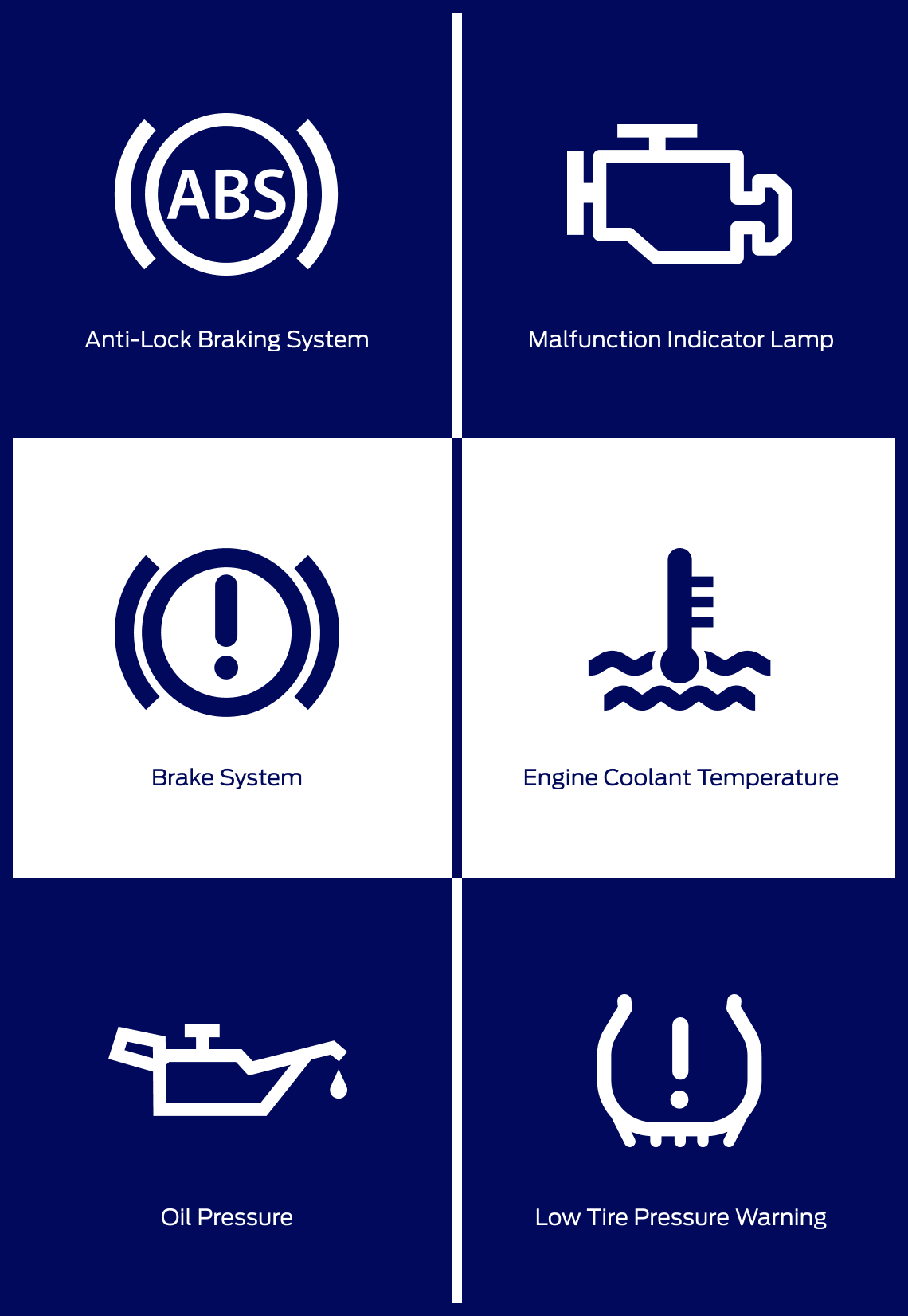
The brake warning light is there for safety. It tells you if there is a problem with the braking system. Here are the main reasons it comes on:
- Low brake fluid: This is the most common reason. When fluid drops below the safe level, the sensor triggers the light.
- Engaged parking brake: If you drive with the parking brake slightly on, the light will glow.
- Worn brake pads: Some F150 models have sensors that detect worn pads and activate the light.
- Sensor or wiring issue: Sometimes, the problem is a faulty sensor or loose wiring.
- ABS problems: The Anti-lock Braking System shares sensors with the brake warning system.
Knowing the cause helps you reset the light the right way. Ignoring it can risk your safety.
Quick Checks Before Resetting The Brake Light
Before you try to reset the light, you should check a few things. If you skip these, the light may come back, or you might miss a real problem.
- Check brake fluid level: Open the hood. Find the brake fluid reservoir. Make sure fluid is between the MIN and MAX lines.
- Inspect the parking brake: Make sure it is fully released. Sometimes, a sticky cable can cause the light to stay on.
- Look for leaks: Check under the truck and around the wheels for wet spots or stains. This could mean a brake fluid leak.
- Listen for noises: Squealing or grinding noises when braking can mean worn pads or rotors.
If you see leaks, hear noises, or the pedal feels soft, fix these first. Resetting the light without solving the real issue can be dangerous.

Credit: www.youtube.com
How To Reset Brake Light On Ford F150
Resetting the brake warning light is easy if the problem is fixed. Here’s what you should do:
1. Top Up Brake Fluid
If the brake fluid is low:
- Buy the correct type for your Ford F150 (usually DOT 3 or DOT 4).
- Remove the cap on the reservoir and add fluid up to the MAX line.
- Start the truck. If the light turns off, you are done.
2. Release The Parking Brake
Sometimes the parking brake is not fully released:
- Press the brake pedal and release the parking brake lever.
- Move the lever up and down a few times to make sure it is not sticking.
- Start the engine and check if the light goes out.
3. Cycle The Ignition
If the issue is fixed but the light remains:
- Turn the ignition key to the “ON” position (do not start the engine).
- Wait for 10 seconds.
- Turn it off and remove the key.
- Repeat this cycle 2-3 times.
- Start the engine. The brake light should reset.
4. Disconnect The Battery
If the above steps do not work:
- Turn off the engine.
- Disconnect the negative battery terminal using a wrench.
- Wait 10-15 minutes to let the system reset.
- Reconnect the battery and tighten the terminal.
- Start the truck. The light should be off.
This step clears most warning lights, including the brake light. But remember, it also resets your radio, clock, and other settings.
5. Use An Obd-ii Scanner
If you have an OBD-II scanner:
- Plug the scanner into the port under the dashboard.
- Turn the key to “ON.”
- Select “Clear Codes” or “Reset Warning Lights.”
- Unplug the scanner and start the truck.
This works for newer F150 models. Some older trucks do not support this feature.
Example: Troubleshooting On A 2017 Ford F150
Suppose your 2017 F150 brake light comes on after changing brake pads. You check the fluid—it’s a bit low. You add DOT 4 fluid, but the light stays on. You try cycling the ignition, but no luck. Finally, you disconnect the battery for 15 minutes, reconnect it, and the light goes off.
This shows sometimes you need to try more than one method.
Credit: www.burnsfordofyork.com
When The Brake Light Won’t Reset
If you have checked everything and the light still will not turn off, it may be time to visit a mechanic. Here are a few signs:
- Light returns after a few minutes or miles.
- You see leaks or damaged wires.
- The brake pedal feels soft or sinks to the floor.
- Brakes make loud noises.
A professional can use dealer tools to scan for hidden problems or faulty sensors.
Comparison Of Brake Fluid Types For Ford F150
Choosing the right brake fluid matters. Here’s a quick comparison:
| Fluid Type | Boiling Point (Wet) | Compatibility | Common Use |
|---|---|---|---|
| DOT 3 | 140°C (284°F) | Most F150 models | Daily driving |
| DOT 4 | 155°C (311°F) | Newer F150, heavy use | Towing, mountain roads |
Always check your owner’s manual before adding fluid.

Credit: www.lasfit.com
Common Brake Warning Light Causes In F150 Models
Here’s how often each cause appears, based on owner reports:
| Cause | Estimated Frequency |
|---|---|
| Low brake fluid | 45% |
| Parking brake not released | 30% |
| Worn pads/sensors | 15% |
| Sensor or wiring issue | 10% |
This means most issues are easy to fix at home.
Extra Tips For Resetting The Brake Light
- Always use gloves when handling brake fluid. It can harm skin and paint.
- If you add fluid often, you probably have a leak.
- After resetting, test your brakes at low speed in a safe area.
- Do not ignore the light if it comes back. Recheck everything.
One insight many owners miss: sometimes the cap sensor on the fluid reservoir gets stuck. Tapping the cap gently or cleaning the contacts can solve the problem.
Another common mistake: using the wrong brake fluid type, which can cause warning lights and even damage.
Frequently Asked Questions
What Does It Mean If My Brake Light Stays On After Changing Pads?
It usually means the brake fluid is low or a sensor was disturbed. Check fluid level first, then reset the warning light as explained above.
Will Disconnecting The Battery Always Reset The Brake Light?
Disconnecting the battery often works, but not always. If the problem is not fixed, the light may come back. Fix leaks or sensor issues first.
Is It Safe To Drive With The Brake Light On?
No. The brake warning light means your brakes may not work properly. Stop and check your brakes right away.
Can I Use An Obd-ii Scanner On All Ford F150 Models?
OBD-II scanners work on most F150s made after 1996. Some older models may not support brake system codes. Check your scanner’s manual.
Where Can I Learn More About Ford F150 Brake Systems?
You can find detailed repair guides and maintenance tips on the official Ford Owner Support website.
Resetting the brake light on your Ford F150 is simple if you know what to check and how to fix it. By following these steps, you can keep your truck safe and avoid unnecessary trips to the mechanic. Always take brake warnings seriously, and do not hesitate to ask for help if the problem continues.
As an Amazon Associate, I earn from qualifying purchases.