Have you ever put on your earbuds only to find one side louder than the other? It’s frustrating and can ruin your entire listening experience.
If you want to enjoy your music, podcasts, or calls without that annoying imbalance, you’re in the right place. This guide will show you simple, effective ways to fix one earbud louder than the other—so you can get back to clear, balanced sound fast.
Keep reading, and you’ll discover easy steps that anyone can follow to solve this common problem.
Credit: www.youtube.com
Common Causes
One earbud being louder than the other is a common problem. Several causes may lead to this issue. Understanding these causes helps to fix the problem quickly. Below are the most frequent reasons for uneven sound levels.
Earwax Buildup
Earwax can block sound from reaching your ear properly. It often collects inside the earbud mesh. This buildup lowers the volume on one side. Cleaning the earbuds and ears regularly can prevent this problem.
Connection Issues
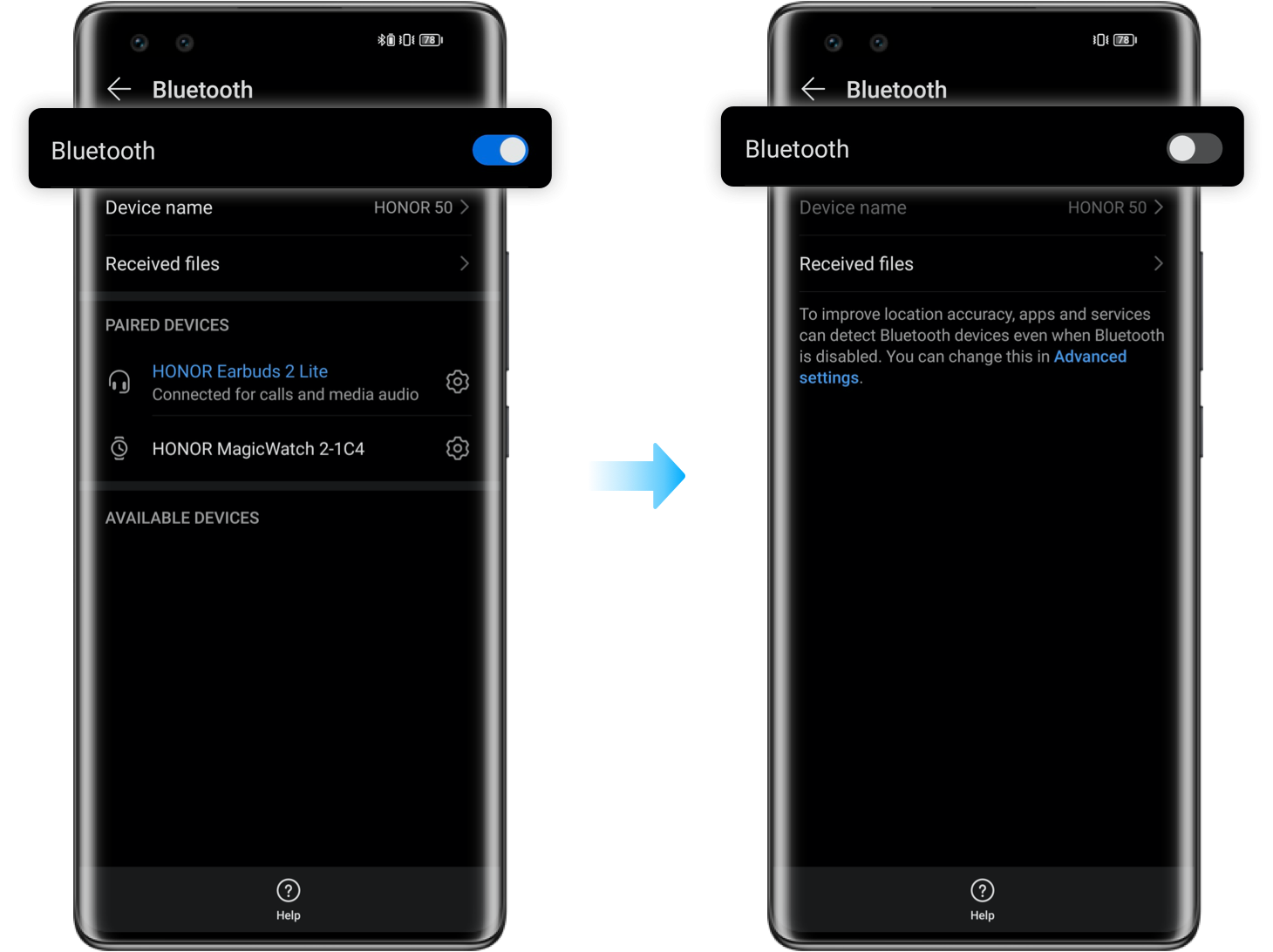
Poor Bluetooth or wired connections affect sound balance. Loose wires or weak Bluetooth signals cause audio to drop. Checking and securing connections can restore equal sound. Resetting the device may also help fix this issue.
Device Settings
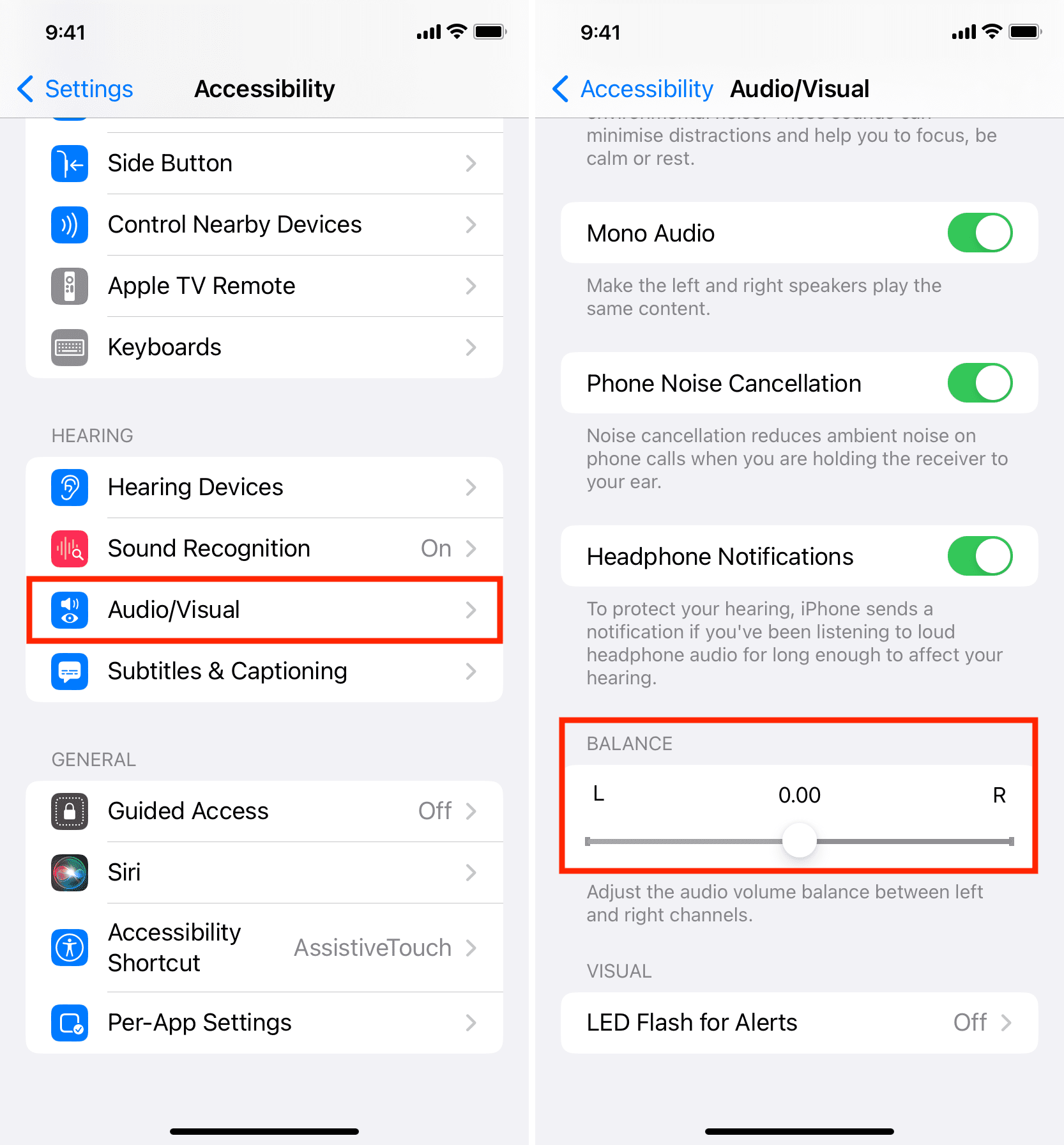
Audio settings on your phone or computer may cause imbalance. The balance control might be shifted to one side. Adjusting the sound settings ensures both earbuds play equally. Check app volume controls for any uneven adjustments.
Hardware Damage
Physical damage can affect earbud performance. Water, drops, or wear and tear may cause one earbud to be quieter. Inspect earbuds for cracks or loose parts. Replacing damaged earbuds often solves the problem.
Simple Fixes
Simple fixes often solve the problem of one earbud being louder than the other. These quick steps help restore balanced sound. They require no special tools or skills. Try these easy methods before seeking professional help.
Clean The Earbuds
Dirt and earwax can block sound in one earbud. Use a soft, dry cloth or a small brush. Gently clean the speaker mesh on both earbuds. Avoid using water or liquid cleaners. Cleaning improves sound clarity and balance.
Check Audio Balance
Audio settings on devices may cause uneven sound. Open your device’s sound settings. Find the audio balance slider or option. Make sure the balance is centered between left and right. Adjust if one side is louder.
Restart Devices
Temporary glitches may affect sound output. Turn off your earbuds and connected device. Wait a few seconds, then turn them back on. Restarting refreshes the connection and fixes minor issues.
Reset Earbuds
Resetting earbuds restores factory settings. This removes any software glitches. Follow the manufacturer’s instructions to reset your earbuds. After resetting, pair them again with your device. This often fixes sound imbalance problems.
Advanced Troubleshooting
Advanced troubleshooting helps fix uneven earbud volume. Basic fixes may not solve the problem.
This section guides you through deeper checks to restore balance. Follow these steps carefully.
Update Firmware
Firmware controls how earbuds work. Outdated software can cause sound issues.
Check the manufacturer’s app or website for updates. Install any available updates.
Updates often fix bugs and improve audio performance. Restart earbuds after updating.
Test With Different Devices
Try the earbuds on another phone or computer. This checks if the issue is device-related.
Connect to different devices using Bluetooth or cables. Listen carefully for volume differences.
If the problem disappears, the original device may need settings adjusted.
Inspect For Physical Damage
Look closely at the earbuds and cables. Damage can cause sound imbalance.
Check for dirt, earwax, or debris blocking the speaker mesh. Clean gently if needed.
Examine wires and connectors for frays or breaks. Replace parts if damaged.
Credit: www.idownloadblog.com
Preventive Tips
Preventing one earbud from being louder than the other saves time and effort later. Small habits can protect your earbuds and keep sound balanced. These tips help your earbuds work well for a long time.
Regular Cleaning
Clean earbuds often to avoid dirt build-up. Use a soft cloth or a small brush. Remove earwax and dust gently. Dirty earbuds can block sound and cause uneven volume. Clean earbuds sound clearer and last longer.
Proper Storage
Store earbuds in a case when not in use. Avoid leaving them loose in bags or pockets. Cases protect earbuds from damage and dirt. Proper storage stops wires from tangling or breaking. Safe storage helps earbuds keep their sound quality.
Avoid Exposure To Moisture
Keep earbuds away from water and sweat. Moisture can damage internal parts and affect sound. Dry your earbuds if they get wet. Do not use earbuds in heavy rain or wet conditions. Protecting earbuds from moisture keeps volume balanced.
Credit: service.hihonor.com
Frequently Asked Questions
Why Is One Earbud Louder Than The Other?
One earbud may be louder due to dirt, earwax, or damage. Check for blockages and clean the earbuds gently to fix volume issues.
How Do I Balance Sound Between Earbuds?
Use your device’s audio balance settings to adjust volume levels. This helps equalize sound and improves listening comfort between earbuds.
Can Earwax Cause Uneven Earbud Volume?
Yes, earwax can block sound in one earbud, reducing volume. Regular cleaning prevents buildup and maintains balanced audio output.
Will Resetting Earbuds Fix Volume Imbalance?
Resetting earbuds can resolve software glitches causing volume differences. Follow manufacturer instructions to reset and restore balanced sound.
Conclusion
Fixing uneven earbud sound often takes just a few steps. Check the connection and clean the earbuds gently. Adjust your device’s audio settings for balance. Try swapping earbuds to see if one is faulty. Small fixes can bring back clear, equal sound.
Enjoy your music without distraction or frustration. Keep these tips handy for quick earbud fixes anytime. Sound should feel natural and comfortable again.
As an Amazon Associate, I earn from qualifying purchases.