
Got a stubborn sticker stuck on your laptop that just won’t come off? You’re not alone.
Removing stickers can be tricky, especially when you want to avoid sticky residue or scratches on your device. But don’t worry—there are simple, effective ways to get that sticker off quickly and cleanly. In this post, you’ll discover easy steps and handy tips that make the process stress-free.
Keep reading, and you’ll have your laptop looking fresh and sticker-free in no time.

Credit: apple.stackexchange.com
Prepare The Laptop Surface
Turn off the laptop to avoid damage or short circuits. Unplug the power cord and any connected devices. This step makes the process safer and easier.
Clean the area around the sticker using a soft cloth. Remove dust, dirt, or oils that could stop the sticker from peeling well. A clean surface helps the sticker come off smoothly.
Use Gentle Heat Methods
Use a hairdryer to warm the sticker gently. Hold it about 6 inches away. Keep the heat moving to avoid damage. Warmth softens the glue, making the sticker easier to peel off.
After heating for 30 seconds, try lifting the sticker corner with your fingernail. If it feels soft and peels easily, continue slowly. If it is still hard, warm it a bit more.
Peel The Sticker Slowly
Start by lifting the sticker’s edges slowly with your fingernails or a plastic tool. Avoid using sharp objects to prevent damage to your laptop’s surface. Gently slide the tool under the sticker corner to loosen it. Take your time; peeling too fast can leave sticky residue behind. If the sticker feels stuck, pause and try lifting a different edge.
Using fingernails works well because they are soft and less likely to scratch. Plastic tools like a credit card or a guitar pick also work well for this task. Slowly peel the sticker back at a low angle to reduce tearing. Keep pulling gently until the sticker comes off completely.
Credit: www.tabgeeks.com
Remove Residual Adhesive
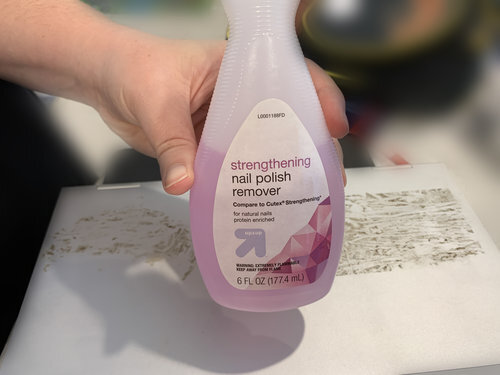
Apply rubbing alcohol or a gentle adhesive remover to the sticky spots. Use a small amount to avoid damage.
Take a soft cloth or a cotton swab to rub the area gently. Move in small circles to lift residue.
Be patient and repeat this process if the sticker glue stays. Avoid harsh scrubbing to keep the laptop safe.
Avoid Common Mistakes
Avoid using sharp objects like knives or needles to peel stickers. They can scratch your laptop’s surface. Scratches may cause permanent damage and lower your laptop’s value.
Do not apply too much heat with hair dryers or heat guns. Excessive heat can warp or damage the plastic or metal parts. Warm air is good, but keep it gentle and controlled.

Credit: www.redbubble.com
Protect Your Laptop After Removal
After removing a sticker, clean the laptop surface well. Use a soft cloth with a little water or rubbing alcohol. This helps remove sticky residue and dirt. Avoid harsh chemicals that can damage the laptop finish.
Protect the laptop by using a thin protective skin or case. This stops scratches and keeps the surface smooth. A skin also hides any small marks left from the sticker. Cases add extra protection from drops and bumps.
| Step | Action | Reason |
|---|---|---|
| 1 | Clean with soft cloth and rubbing alcohol | Removes sticky residue and dirt |
| 2 | Use a protective skin | Prevents scratches and hides marks |
| 3 | Apply a laptop case | Protects from drops and bumps |
Frequently Asked Questions
How Do I Safely Remove Stickers From My Laptop?
Use a hairdryer to warm the sticker, then peel it off gently. Avoid sharp tools to prevent scratches. Clean residue with rubbing alcohol or adhesive remover.
What Household Items Remove Sticker Residue On Laptops?
Rubbing alcohol, vinegar, or coconut oil can remove sticky residue safely. Apply a small amount, let it sit, then wipe gently with a cloth.
Can I Use Heat To Remove Laptop Stickers?
Yes, applying low heat softens the adhesive, making stickers easier to peel off. Use a hairdryer on low heat for best results.
Will Sticker Removal Damage My Laptop Surface?
If done carefully, sticker removal won’t damage the surface. Avoid harsh chemicals and sharp objects to protect your laptop’s finish.
Conclusion
Removing a sticker from your laptop does not have to be hard. Use gentle heat or oil to loosen the glue. Peel slowly to avoid damage. Clean the surface well after removing the sticker. Patience is key for a smooth, clean finish.
With these easy steps, your laptop will look neat again. Try different methods carefully to find what works best. Keep your laptop safe while cleaning. Now, you can enjoy a sticker-free device without stress.
As an Amazon Associate, I earn from qualifying purchases.

