
Imagine walking into your home and having the lights turn on just the way you like, the temperature set perfectly, and your favorite music playing—all without lifting a finger. Sounds like a dream, right?
But it’s easier to make this dream a reality than you think. You don’t need to be a tech expert or spend a fortune. By adding a few smart devices and simple tricks, you can transform your everyday living space into a smart home that works for you.
Ready to discover how? Keep reading, and you’ll learn exactly what steps to take to create a home that’s not only convenient but also saves you time and energy every day.
Smart Home Basics
Smart homes use technology to make life easier and safer. These homes connect devices to work together. You control them using your voice or phone. This section covers the basics of smart homes. Understanding these points helps you start your smart home journey.
Key Components
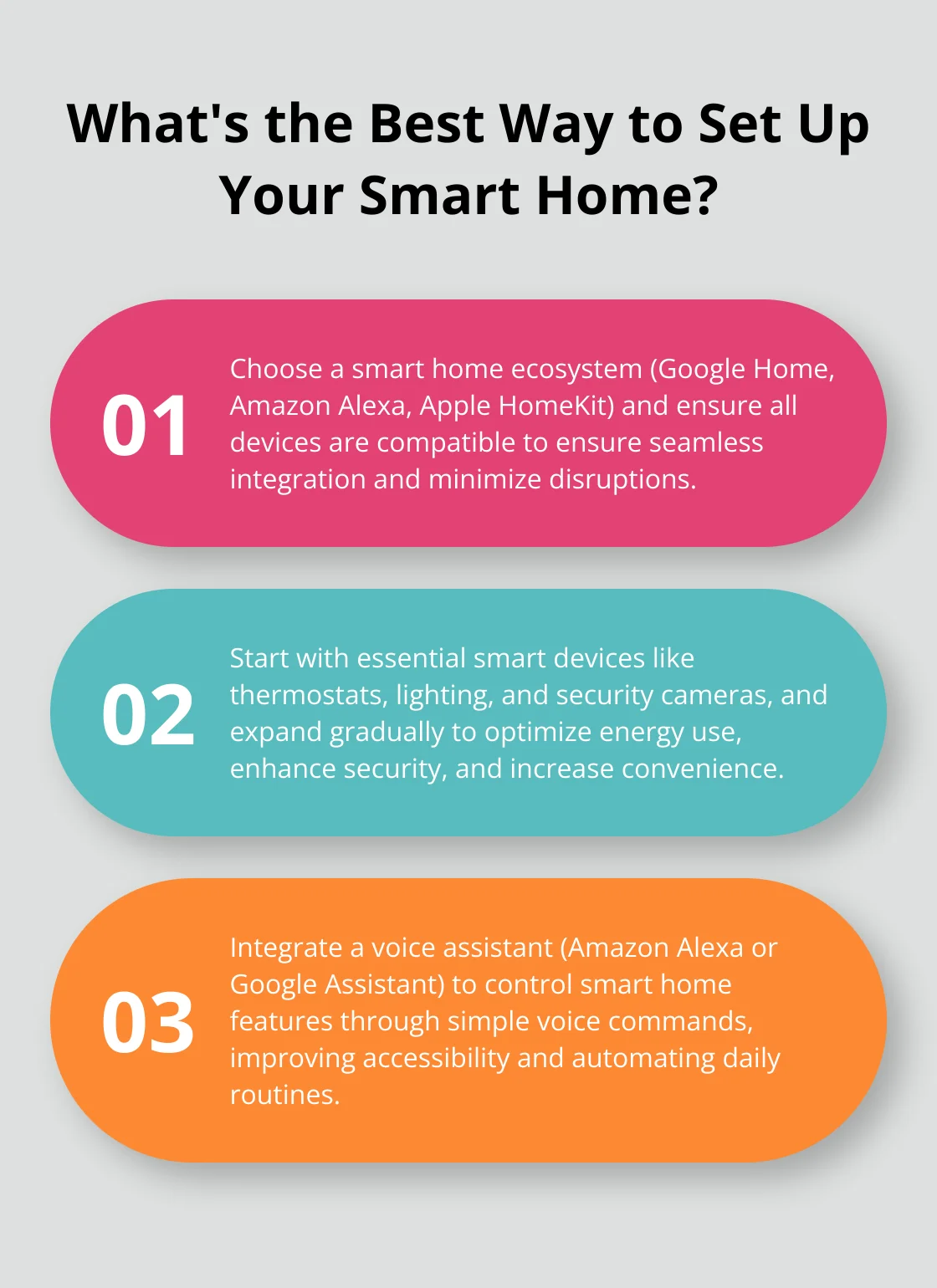
Smart homes have three main parts. First, smart devices like lights, locks, and cameras. They do tasks automatically or by your command. Second, a hub or app to control devices. It acts as the brain of your smart home. Third, a stable Wi-Fi network connects all devices smoothly.
Benefits Of Smart Homes
Smart homes save time and energy. You can turn off lights without leaving your seat. They improve security with smart locks and cameras. Some devices help save money by using less energy. Comfort increases by adjusting temperature automatically. Smart homes also give peace of mind by monitoring your house anytime.
Common Myths
Many think smart homes are too expensive. Prices have dropped, making them affordable. Another myth says they are hard to use. Actually, most apps are simple and user-friendly. Some worry about privacy risks. Using strong passwords and secure networks reduces risks. Smart homes do not require full automation at once. Start small and add devices over time.
Credit: aredgroup.com
Choosing The Right Devices
Choosing the right devices is key to building a smart home that works well. The devices you select must fit your needs and be easy to use. Think about how each device will improve your daily life. Focus on devices that connect smoothly and offer good value. Smart homes grow over time, so pick devices that can expand and update.
Smart Speakers And Hubs
Smart speakers act as the voice control center of your home. They help you manage other devices and answer questions. Choose a smart speaker that supports many devices and has clear sound. A hub connects all your smart devices in one place. Pick a hub compatible with your smart speaker for easier control.
Lighting Solutions
Smart lighting changes how you use your home’s light. You can adjust brightness and color with simple commands. Look for lights that save energy and last longer. Wireless bulbs make installation easy without extra wiring. Some lights offer schedules, perfect for daily routines and security.
Security Systems
Security devices protect your home and give peace of mind. Cameras, sensors, and alarms keep an eye on your property. Choose systems that send alerts directly to your phone. Easy installation and clear instructions help avoid frustration. Pick devices that work well with your smart hub.
Thermostats And Climate Control
Smart thermostats save energy and keep your home comfortable. They learn your schedule and adjust temperatures automatically. Look for thermostats that fit your heating and cooling system. Remote control through an app allows changes from anywhere. Some models provide energy reports to help reduce costs.
Appliances And Entertainment
Smart appliances make chores simpler and more efficient. Refrigerators, ovens, and washers can connect to your network. Entertainment devices like smart TVs and speakers enhance your leisure time. Choose gadgets that support voice commands and app control. Check compatibility with other smart home devices for smooth use.
Setting Up Your Network
Setting up a strong network is key to a smart home. Your devices depend on a good connection to work well. A slow or weak network causes delays and frustration. Focus on three main parts for a smooth setup: Wi-Fi requirements, router placement, and network security tips.
Wi-fi Requirements
Choose a Wi-Fi plan with enough speed for all devices. Many smart devices use small amounts of data but need steady connections. Aim for at least 25 Mbps download speed for average homes. Check if your router supports 5 GHz Wi-Fi for faster, less crowded signals. Devices like cameras and smart speakers work better with strong Wi-Fi.
Router Placement
Place your router in a central spot in your home. Avoid walls and metal objects that block signals. Keep the router high, like on a shelf or table. This helps the signal reach all rooms easily. If your home is large, consider Wi-Fi extenders or mesh systems to cover every corner. Good placement cuts down on dead zones and weak signals.
Network Security Tips
Secure your network to keep devices safe from hackers. Change the default router password to a strong one. Use WPA3 or WPA2 encryption for Wi-Fi security. Turn off guest networks or limit their access to smart devices. Regularly update your router’s firmware to fix security issues. A protected network keeps your smart home private and safe.
Installation And Integration
Setting up a smart home starts with proper installation and seamless integration. This step ensures all devices work together smoothly. Careful planning and clear instructions help avoid common problems. The goal is to create a connected system that feels natural and easy to control.
Device Installation Tips
Start with reading the manual for each device. Follow safety rules to protect yourself and your home. Place devices where they get good signal and power. Avoid hiding smart hubs inside cabinets or behind furniture. Use mounting tools recommended by the manufacturer. Test each device after installation to confirm it works.
Connecting Devices
Link devices to your home Wi-Fi network for central control. Assign clear names to devices for easy identification. Use a strong password to keep your network safe. Group devices by room or function in your smart system. Check that devices use compatible protocols like Zigbee or Z-Wave. Restart devices if connections fail to establish.
Using Smart Home Apps
Download the app for each smart device on your phone. Follow app instructions to add devices to your system. Explore features like scheduling, automation, and voice control. Keep apps updated to fix bugs and add new functions. Use app settings to customize alerts and notifications. Sync all apps to a single platform for easier management.
Automation And Voice Control
Automation and voice control make your home smarter and easier to live in. These technologies let you control many devices without moving or pressing buttons. You can set tasks to happen automatically or use your voice to manage lights, locks, and more.
Smart homes save time and bring comfort. They help you manage daily chores and keep your home secure. With simple setups, anyone can enjoy these benefits.
Creating Routines
Routines let your devices work together at set times or triggers. For example, lights can turn on at sunset. Or your coffee maker can start brewing as you wake up. You can create routines using apps linked to your smart devices.
Routines reduce the need for manual control. They make your home react to your lifestyle automatically.
Voice Assistants Overview
Voice assistants like Alexa, Google Assistant, and Siri help control smart homes. They listen to your commands and carry them out instantly. You can ask to play music, check the weather, or turn off lights.
These assistants connect with many devices and apps. They offer hands-free control and quick access to information.
Hands-free Convenience
Voice control means you do not need to use your hands. This is helpful when your hands are full or dirty. You can lock doors, adjust the thermostat, or switch off alarms just by speaking.
This convenience improves daily life and adds safety. It also helps people with mobility issues manage their homes better.
Troubleshooting Common Issues
Troubleshooting is a key step in making your home smart. Small issues can stop devices from working well. Knowing how to fix common problems saves time and stress.
Most smart home problems relate to connection, device match, or updates. Let’s explore these issues and easy ways to solve them.
Connectivity Problems
Smart devices need a strong Wi-Fi signal. Weak signals cause slow responses or disconnections. Move devices closer to the router. Avoid walls or metal objects blocking the signal.
Restart your router to refresh the connection. Check for Wi-Fi interference from other electronics. Use a Wi-Fi extender for larger homes. This boosts signal strength in distant rooms.
Device Compatibility
Not all smart devices work well together. Check if your devices use the same app or hub. Choose devices supporting popular systems like Alexa, Google Home, or Apple HomeKit.
Some older devices may not connect with newer ones. Read product details before buying. Using a single ecosystem can reduce compatibility issues and simplify control.
Firmware Updates
Firmware is the software inside smart devices. Updates fix bugs and add features. Devices may stop working properly without updates.
Set your devices to update automatically. Check manufacturer apps for update notifications. Installing updates regularly keeps your smart home safe and efficient.
Enhancing Privacy And Security
Privacy and security are key parts of making a smart home safe and reliable. Smart devices collect data and connect to the internet. This can create risks if not handled carefully. Protecting your personal information and home is important. Take steps to keep your data safe and control who can access your devices.
Data Protection Strategies
Use strong passwords for all smart devices and accounts. Change default passwords immediately. Update device software regularly to fix security issues. Avoid sharing sensitive information over unsecured networks. Consider using a separate Wi-Fi network for smart devices. Encrypt your home network to keep data private.
Secure Authentication
Enable two-factor authentication (2FA) on accounts. This adds an extra step to verify your identity. Use biometric options like fingerprint or face recognition if available. Avoid using simple PINs or passwords. Secure authentication helps stop unauthorized access to your smart home.
Monitoring And Alerts
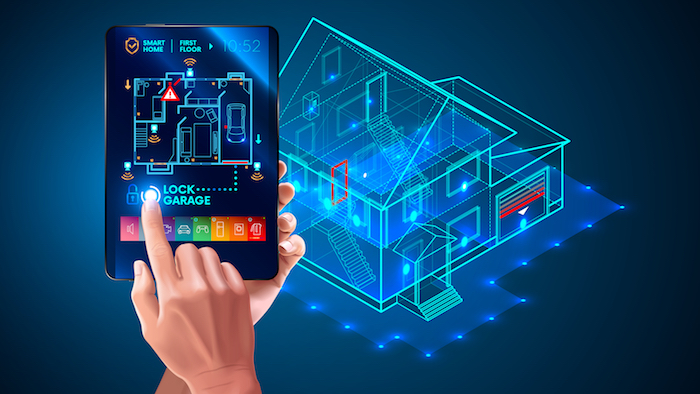
Set up real-time alerts for unusual activities. Receive notifications on your phone about device status or security breaches. Use smart cameras and sensors to monitor your home remotely. Regularly check device logs for suspicious behavior. Monitoring helps you respond quickly to threats and keeps your home safe.
Credit: blog.swann.com
Future Trends In Smart Homes
Smart homes are evolving fast. New technology makes homes more helpful and efficient every day. Understanding future trends helps prepare your home for the next step in smart living.
Ai And Machine Learning
Artificial intelligence (AI) will make smart homes smarter. Devices will learn your habits and adjust settings automatically. This helps save energy and adds comfort without extra effort. AI can also improve security by recognizing unusual activities and alerting you quickly.
Energy Efficiency Innovations
Smart homes will focus more on saving energy. New sensors and smart meters track usage in real time. They help reduce waste and lower utility bills. Solar panels and battery storage will become easier to manage through smart controls. These tools will make homes greener and cheaper to run.
Smart Home Expansion
The number of smart devices in homes will grow. More appliances, lights, and security gadgets will connect seamlessly. Voice assistants will control more parts of the home. Integration with smart city systems may also appear, linking homes to public services and utilities for better convenience.

Credit: www.techhive.com
Frequently Asked Questions
What Devices Are Essential For A Smart Home Setup?
Essential devices include smart speakers, thermostats, lights, and security cameras. These create convenience, energy savings, and enhanced security in your home.
How Do I Secure My Smart Home Network?
Use strong passwords, enable two-factor authentication, and update device firmware regularly. Secure Wi-Fi networks prevent unauthorized access and protect your data.
Can I Control Smart Home Devices Remotely?
Yes, most smart devices connect to apps allowing remote control. This provides convenience and real-time monitoring from anywhere via your smartphone.
Are Smart Homes Energy Efficient?
Smart homes optimize energy use by automating lighting and heating. This reduces electricity bills and lowers environmental impact through smart scheduling.
Conclusion
Smart homes make life easier and more comfortable. Start small with simple devices. Add gadgets one by one to avoid confusion. Choose products that work well together. Keep your home secure with strong passwords. Control your devices from anywhere using apps.
Save energy by automating lights and heating. Enjoy the convenience and safety smart homes offer. It’s a smart step toward modern living. Your home can be both smart and simple.
As an Amazon Associate, I earn from qualifying purchases.

