
Imagine walking into your home and having the lights adjust to your mood automatically. Picture your thermostat knowing exactly when you’re cold or warm, and your security system watching over your family without you lifting a finger.
Sounds like a dream, right? But it’s not as far away as you think. You have the power to turn your house into a smart home, making your life easier, safer, and more comfortable. Ready to discover how simple steps can transform your everyday living?
Keep reading, and you’ll find out exactly how to make your home smart—starting today.

Credit: irishtechnews.ie
Benefits Of A Smart Home
Smart homes bring many benefits that improve daily life. They make homes safer, more comfortable, and energy-efficient. Many people enjoy the convenience and control smart devices provide. Here are some key benefits of having a smart home.
Enhanced Security
Smart homes offer better protection with smart locks and cameras. You can watch your home from anywhere using your phone. Alerts notify you if unusual activity happens. This helps prevent theft and keeps your family safe.
Energy Savings
Smart devices help save energy by adjusting lights and temperature. Thermostats learn your schedule and reduce heating or cooling when not needed. This lowers electricity bills and helps the environment.
Convenience And Comfort
Control your home with voice commands or apps. Turn on lights, play music, or set alarms easily. Smart devices make everyday tasks faster and reduce hassle.
Improved Accessibility
Smart homes help people with disabilities or older adults. Voice control and automation make it easier to manage daily activities. This supports independence and comfort in the home.
Remote Control
Manage your home from anywhere. Check if doors are locked or lights are off with your phone. This peace of mind saves time and stress.
Choosing The Right Smart Hub
Choosing the right smart hub is key to a smooth smart home experience. The hub connects your devices and helps them work together. A good hub makes your home easier to control and saves time.
Many smart hubs are available. Each has different features and compatibility. Understanding your needs will help pick the best one.
What Is A Smart Hub?
A smart hub is a central device that links your smart home gadgets. It lets you control lights, locks, cameras, and more from one place. It can be a physical device or an app on your phone.
Compatibility With Devices
Check if the hub works with your existing devices. Some hubs support many brands and types. Others may only work with specific ones. Choose a hub that fits your current and future devices.
Voice Assistant Integration
Many smart hubs work with voice assistants like Alexa, Google, or Siri. Voice control adds convenience. Pick a hub that supports your preferred voice assistant for easy commands.
Ease Of Use
The hub should be simple to set up and use daily. Look for clear instructions and a user-friendly app. Avoid hubs that require complex programming or frequent troubleshooting.
Security And Privacy
Smart hubs handle your personal data. Choose one with strong security features. It should protect your information and offer regular updates. Privacy matters in a connected home.
Smart Lighting Solutions
Smart lighting solutions bring convenience and style to any home. They save energy and enhance comfort. With smart bulbs, control lights from your phone or voice assistant. Adjust brightness and color to fit your mood or task. Setting automated schedules helps manage lighting without manual effort. Smart lighting is an easy step toward a smart home.
Types Of Smart Bulbs
Smart bulbs come in many styles and features. The most common are LED smart bulbs. They use less energy and last longer than regular bulbs. Some smart bulbs offer color changing options. You can choose millions of colors for different rooms. White smart bulbs adjust from warm to cool light. There are also tunable white bulbs for better daylight simulation. Many smart bulbs work with Wi-Fi or Bluetooth. Some require a hub to connect to your network. Choose bulbs compatible with your smart home system.
Setting Up Automated Schedules
Automated schedules make smart lighting practical and easy. Set your lights to turn on at sunset or off at bedtime. Create routines for morning wake-up with soft, warm light. Use schedules to save energy by turning lights off during the day. Most smart bulbs have apps to customize these settings. You can also link lights to other smart devices. For example, lights can flash when your doorbell rings. Automated lighting adapts your home to your daily life.
Smart Thermostats For Comfort
Smart thermostats bring new comfort to your home. They adjust heating and cooling automatically. This makes your space cozy without wasting energy. You can set schedules that fit your daily routine. The thermostat learns your habits to keep the temperature just right.
These devices work with your phone or voice assistant. Control your home’s temperature from anywhere. Smart thermostats also show energy use and help reduce bills. They are an easy upgrade for a smarter, more comfortable home.
Energy Savings With Smart Controls
Smart thermostats save energy by adjusting temperature automatically. They lower heating or cooling when no one is home. This reduces wasted power and cuts costs. The device learns your schedule and adapts to it. Small changes add up to big savings over time.
Remote Temperature Management
Control your home’s temperature from your phone. Change settings even if you are far away. Warm up the house before you arrive in winter. Cool it down on hot days before you get home. This feature gives you control and comfort anytime.
Enhancing Security With Smart Devices
Enhancing your home’s security with smart devices brings peace of mind and control. Smart technology lets you watch and manage your property from anywhere. It helps protect your family and belongings with ease. Simple tools can make a big difference in safety.
Smart Cameras And Doorbells
Smart cameras show live video on your phone. They record any movement around your home. You can see visitors without opening the door. Some models have night vision for clear images in the dark. Two-way audio lets you talk to guests or delivery people. Alerts notify you if someone is at your door.
Automated Locks And Alerts
Automated locks let you lock or unlock doors remotely. You can give access to trusted friends or family. Alerts warn you if a door is opened unexpectedly. Some locks use codes or fingerprints for extra security. This technology removes the need for physical keys. You control who enters your home and when.
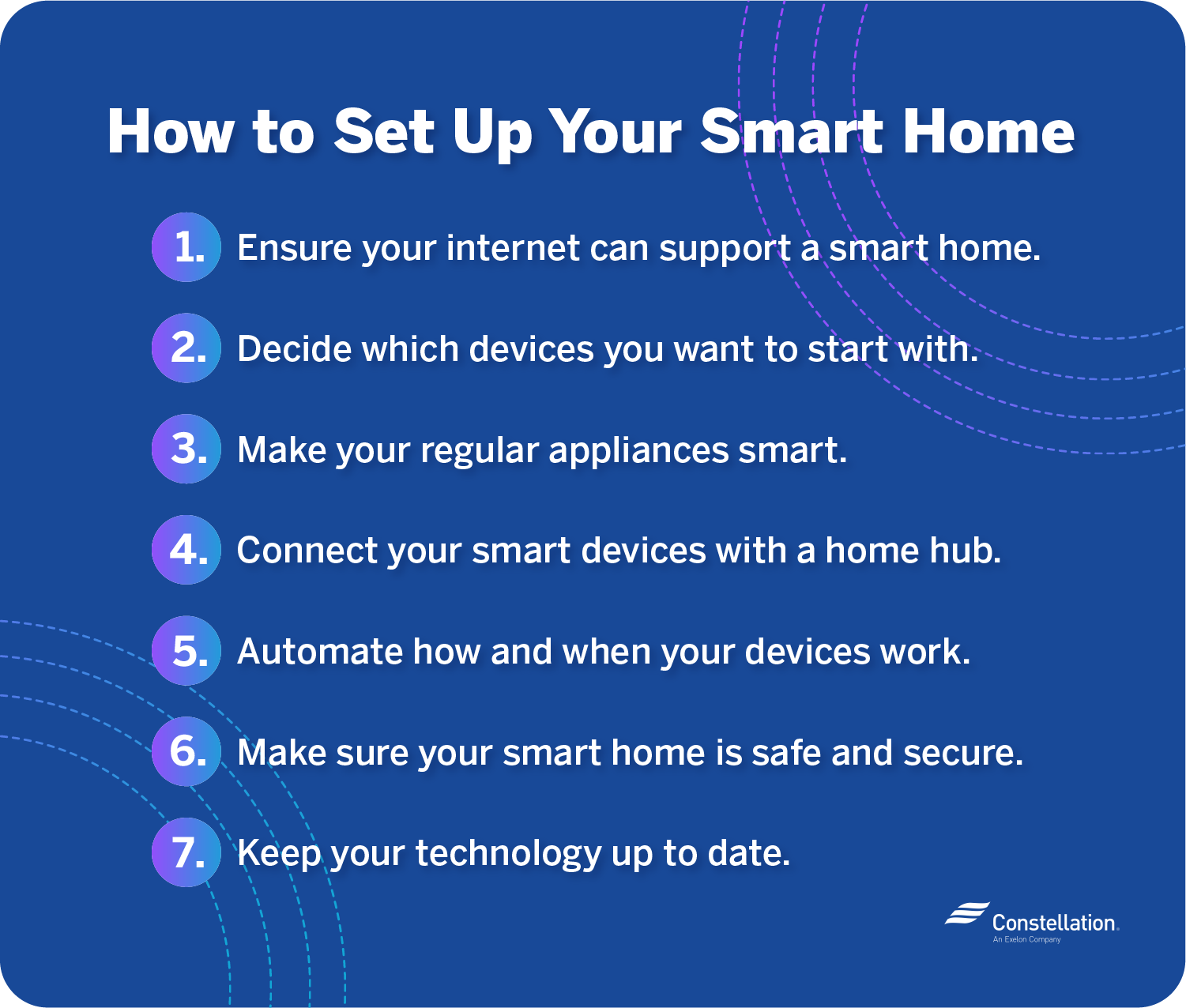
Credit: blog.constellation.com
Voice Assistants And Integration
Voice assistants have become a key part of smart homes. They let you control many devices using simple voice commands. This makes daily tasks easier and saves time. Integration of voice assistants with smart devices creates a connected home environment.
With voice-controlled smart homes, you can manage lights, thermostats, and security systems. It feels natural to speak your commands. You don’t need to use apps or switches all the time. Voice assistants help create a more comfortable and efficient home.
Popular Voice Platforms
Three main voice platforms lead the market. Amazon Alexa, Google Assistant, and Apple Siri are the most common. Each platform works with many smart devices. Alexa works well with Echo devices and many third-party gadgets. Google Assistant is popular for Android users and smart displays. Siri integrates smoothly with Apple products like HomePod and iPhone.
Choosing the right platform depends on your existing devices. Each assistant understands natural speech and offers helpful features. They can play music, answer questions, and control smart home gadgets. Voice platforms keep improving to support new smart products.
Connecting Devices Seamlessly
Smart homes need smooth connections between devices. Voice assistants act as the central hub for many gadgets. They link lights, locks, cameras, and thermostats into one system. Setting up is easier with apps that guide the process step-by-step.
Using the same voice platform for all devices avoids compatibility issues. Grouping devices by room or type helps manage them quickly. For example, saying “turn off the living room lights” controls multiple bulbs at once. Integration ensures devices work together without extra effort.
Setting Up Smart Entertainment
Setting up smart entertainment can make your home more fun and relaxing. Smart devices work together to bring movies, music, and shows right to your fingertips. You can control everything with your voice or phone. This section explains how to create a smart entertainment system that fits your needs.
Smart Tvs And Speakers
Smart TVs connect to the internet for streaming movies and shows. They offer apps like Netflix, YouTube, and more. Some smart TVs come with voice control built-in. You can also add smart speakers to your setup. Speakers like Amazon Echo or Google Nest play music and respond to your commands. Place speakers around the room for better sound. They turn your home into a mini theater.
Creating A Connected Media System
Link your smart TV and speakers for a seamless experience. Use a smart hub or app to control all devices. Play music on speakers while watching TV shows. Control volume or change channels with voice commands. Connect gaming consoles and streaming devices easily. A connected system saves time and makes entertainment simple.
Managing Smart Home Networks
Managing smart home networks is key to a smooth experience. Smart devices need strong and secure connections to work well. Poor network setup can cause delays and security risks. Organize your network to keep your smart home running fast and safe.
Ensuring Strong Wi-fi Coverage
Wi-Fi coverage affects all smart devices in your home. Place your router in a central spot for even signal spread. Avoid barriers like thick walls or metal objects that block signals. Use Wi-Fi extenders or mesh systems to cover large areas. Check signal strength in rooms with smart devices often. A strong Wi-Fi signal keeps devices connected and responsive.
Protecting Your Network Security
Smart homes hold personal data, so network security is vital. Use a strong, unique password for your Wi-Fi network. Change default passwords on all smart devices immediately. Update device software regularly to fix security holes. Enable network encryption, like WPA3, to protect data. Consider creating a separate network for smart devices. Secure networks reduce risks of hacking and data theft.
Tips For Easy Installation
Making your home smart starts with easy installation. Simple steps help avoid frustration. A smooth setup saves time and effort. Here are some tips to guide you through the process.
Choose Devices That Work Together
Select smart devices that connect well. Check if they use the same app or hub. Compatibility makes setup faster and easier. Avoid devices that need different apps or hubs.
Read Instructions Carefully
Instructions often contain important setup tips. Follow each step closely. Skip guessing or rushing the process. Clear reading can prevent common mistakes.
Prepare Your Wi-fi Network
Smart devices need strong Wi-Fi signals. Place your router in a central spot. Check your network speed before starting. A stable connection reduces installation problems.
Use Voice Assistants For Setup Help
Voice assistants like Alexa or Google can guide setup. They give step-by-step instructions. Use voice commands to control devices quickly. This helps even if you do not read well.
Start With One Room
Begin by installing devices in one room. This keeps things simple. Learn the process before adding more devices. It helps avoid confusion and errors.
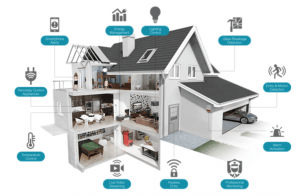
Credit: hometechhacker.com
Frequently Asked Questions
What Are The First Steps To Make A Home Smart?
Start by assessing your needs and budget. Choose a smart hub or assistant like Alexa or Google Home. Then, add compatible devices such as smart lights, thermostats, or security cameras to build your smart home system gradually.
Which Smart Devices Improve Home Security The Most?
Smart cameras, doorbells, and smart locks enhance security effectively. These devices provide real-time alerts and remote monitoring. Integrating them with your smart hub allows seamless control and increased safety for your home.
How Can Smart Lighting Benefit My Home?
Smart lighting offers convenience, energy savings, and mood customization. You can control lights remotely or set schedules. This improves comfort and reduces electricity bills by using lights only when needed.
Is It Expensive To Create A Smart Home?
Costs vary based on device type and brand. Basic smart home setups start affordably with smart plugs and bulbs. Gradually adding more devices spreads out expenses, making smart homes accessible to most budgets.
Conclusion
Making your home smart brings ease and comfort every day. Small steps lead to big changes in how you live. Start with simple devices and add more over time. Control lights, security, and temperature with just a tap. Save energy and feel safer without extra effort.
Smart homes fit any budget and lifestyle. Enjoy the benefits of technology that works for you. A smarter home means a happier, easier life. Why wait? Begin your smart home journey today.
As an Amazon Associate, I earn from qualifying purchases.

