
Imagine walking into your home, and everything just works for you—lights adjust to your mood, your favorite music starts playing, and the temperature feels just right. Sounds like a dream, right?
But it’s easier to achieve than you think. Making your home smart isn’t about fancy gadgets or complicated setups. It’s about creating a space that understands and adapts to your needs, saving you time, energy, and stress. Ready to discover how you can transform your living space into a smart home that truly works for you?
Keep reading, and you’ll find simple steps to get started today.
Choosing The Right Smart Devices
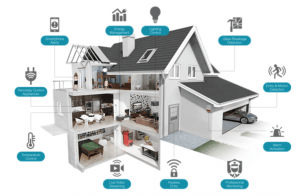
Choosing the right smart devices is key to building a smart home that suits your needs. Each device should work well with others. It should also be easy to use. Pick devices that match your lifestyle and budget. Focus on devices that save time and energy.
Start with devices that control many other gadgets. Then add devices that improve comfort and security. Think about devices that make daily tasks easier. The right choices make your home smarter and your life simpler.
Smart Speakers And Hubs
Smart speakers act as the brain of your smart home. They respond to voice commands and control other devices. Popular options include Amazon Echo and Google Nest. Choose a hub that works with many brands. This ensures all devices connect smoothly. A good hub saves you from managing multiple apps.
Lighting Solutions
Smart lighting lets you adjust brightness and color with ease. You can schedule lights to turn on or off automatically. Some lights work with motion sensors for energy saving. Look for bulbs that fit your existing fixtures. Energy-efficient LED smart bulbs reduce electricity use.
Security Systems
Smart security systems keep your home safe and alert you to problems. They include cameras, doorbells, and sensors. Choose systems that send real-time notifications to your phone. Pick devices with easy installation and good battery life. Check if the system supports professional monitoring services.
Thermostats And Climate Control
Smart thermostats help control your home’s temperature efficiently. They learn your schedule and adjust settings automatically. This saves energy and lowers bills. Many models work with your smartphone for remote control. Some can connect to other devices like smart fans or heaters.
Smart Appliances
Smart appliances make daily chores faster and simpler. Examples include refrigerators, washing machines, and ovens. Look for appliances with app control and energy-saving features. Some can send alerts when maintenance is needed. Choose appliances that fit your kitchen size and style.
Credit: hometechhacker.com
Setting Up Your Smart Home Network
Setting up your smart home network is the first step to a connected and efficient home. A strong network helps all your devices work smoothly. It supports streaming, voice commands, and remote control without delays.
Smart home devices need a reliable and fast internet connection. Poor network setup can cause devices to lag or disconnect. Planning your network carefully will save frustration and improve your smart home experience.
Wi-fi Requirements
Your smart home needs a strong Wi-Fi signal. Choose a router that supports at least 802.11ac or Wi-Fi 5. This standard offers faster speeds and better coverage.
Place your router in a central location. Avoid walls and large objects that block signals. Use the 2.4 GHz band for devices that need longer range, like smart plugs and sensors. Use 5 GHz for devices needing high speed, like cameras and TVs.
Mesh Networks
Mesh networks use several devices to spread Wi-Fi evenly. They help cover large homes with a strong signal. Each device acts as a node, sharing the connection with others.
Mesh systems reduce dead zones and improve device performance. You get one network name, so your devices switch smoothly between nodes. This setup works well for smart homes with many devices in different rooms.
Network Security Tips
Keep your smart home safe by protecting your network. Use a strong, unique password for your Wi-Fi. Change the default router login details to prevent easy access.
Enable WPA3 or WPA2 encryption for better security. Turn off remote access unless you need it. Regularly update your router and smart devices to fix security issues.
Integrating Voice Assistants
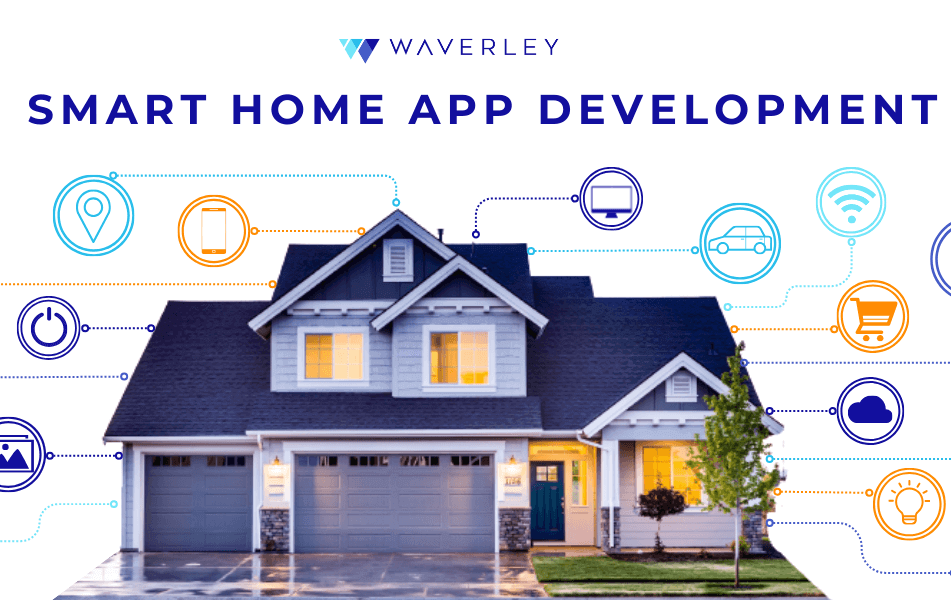
Integrating voice assistants is a smart step to make your home more convenient. These devices respond to your voice and control smart home gadgets. They help you manage lights, thermostats, locks, and more with simple commands.
Voice assistants work through smart speakers or displays. They listen for your requests and perform tasks instantly. Setting them up connects your devices for easier daily control.
Popular Voice Assistants
Amazon Alexa, Google Assistant, and Apple Siri lead the market. Alexa works with many smart devices and supports many skills. Google Assistant offers strong search features and integrates well with Android phones. Siri is best for Apple users with HomeKit devices. Choose one that matches your devices and preferences.
Voice Commands And Automation
Voice commands let you control devices hands-free. Say “Turn on the lights” or “Set the thermostat to 72 degrees.” Create routines to automate tasks. For example, a “Good Morning” routine can turn on lights and play news. This saves time and makes life easier.
Troubleshooting Common Issues
Voice assistants may sometimes not hear commands clearly. Check your internet connection first. Make sure the device’s microphone is not muted. Restart the device if it does not respond. Update your device’s software regularly. Re-link smart devices if commands fail. These steps fix most common problems quickly.
Credit: waverleysoftware.com
Creating Automation And Scenes
Creating automation and scenes is the heart of a smart home. It lets you control devices easily and saves time. You can set rules for devices to work by themselves. This makes your home more comfortable and energy-efficient.
Automations can run at certain times or based on events. Scenes group multiple actions to happen together. For example, a “Good Night” scene can turn off lights and lock doors.
Scheduling Devices
Scheduling lets devices turn on or off at set times. You can schedule lights to brighten in the morning. Or set the thermostat to lower at night. This helps save energy and keeps your home ready for you.
Use your smart home app to create schedules. Pick the device, time, and action. You can make schedules for weekdays and weekends. This keeps routines simple and reliable.
Conditional Triggers
Conditional triggers start actions based on certain events. For example, a sensor can turn on lights if it detects movement. Or your doorbell can send a notification when pressed.
These triggers make your home respond quickly and smartly. Combine sensors, cameras, and devices for useful actions. This adds security and convenience to your daily life.
Combining Multiple Devices
Combining devices creates scenes that control many gadgets at once. A “Movie Time” scene can dim lights and turn on the TV. Scenes save time by running several commands together.
Use your app to group devices and set actions. Test scenes to make sure everything works smoothly. This brings harmony to your smart home setup.
Enhancing Home Security
Enhancing home security is a key part of making a smart home. Smart devices can help keep your house safe. They offer real-time monitoring and control from anywhere.
Smart home security tools help protect your family and belongings. They give you peace of mind day and night.
Smart Locks And Cameras
Smart locks let you lock and unlock doors remotely. You can give temporary access to guests or workers. No need for physical keys.
Smart cameras show live video of your home. They record any movement and send alerts. You can check your home anytime on your phone.
Motion Sensors
Motion sensors detect movement inside and outside the house. They turn on lights or alarms automatically. This can scare off intruders before they enter.
Some sensors connect with other smart devices. For example, a motion sensor can trigger a camera to start recording instantly.
Emergency Alerts
Emergency alerts notify you of unusual activity quickly. They send messages to your phone or email. You can call for help immediately if needed.
These alerts work with devices like smoke detectors and carbon monoxide sensors. They add extra layers of safety to your home.
Energy Efficiency And Savings
Saving energy in a smart home helps reduce bills and protect the environment. Smart devices make it easy to control energy use without extra effort. Small changes can lead to big savings. Let’s explore key tools to boost your home’s energy efficiency.
Smart Thermostats
Smart thermostats adjust heating and cooling automatically. They learn your schedule and keep the temperature just right. This prevents energy waste by avoiding heating or cooling empty rooms. You can control them from a phone app, even when away. This keeps energy use low and comfort high.
Energy Monitoring
Energy monitors track how much power your home uses. They show which devices use the most energy. This helps you spot waste and fix habits. Real-time data makes it easy to change behavior and cut costs. Some monitors send alerts to remind you about high energy use.
Automated Lighting
Automated lighting turns lights on and off based on need. Motion sensors detect when people enter or leave a room. Lights switch off automatically when rooms are empty. You can set schedules to match your daily routine. This saves energy and extends bulb life.
Maintaining And Updating Devices
Keeping your smart home devices updated and well maintained helps them work smoothly. It also protects your devices from security risks. Regular care makes your smart home more reliable and efficient. This section explains simple steps to maintain and update your devices.
Firmware Updates
Firmware updates improve device performance and fix bugs. Most smart devices notify you when updates are ready. Install updates promptly to keep devices secure and fast. Check device settings for manual update options. Skipping updates can cause devices to stop working properly.
Device Compatibility
Ensure all devices work well together for a smooth smart home. New devices may need certain apps or hubs. Check compatibility before adding new products. Use devices from the same brand or those that support common platforms. This reduces connection issues and improves control.
Troubleshooting Tips
Start by restarting the device to fix minor problems. Check your Wi-Fi connection; weak signals cause issues. Reset devices to factory settings if problems persist. Consult user manuals or online forums for specific solutions. Keep device software up to date to avoid common errors.
Budgeting Your Smart Home
Building a smart home can be exciting and useful. Planning your budget helps you buy the right devices. You can avoid overspending and get good value for your money.
Start by understanding the costs. Choose options that fit your wallet. Think about what you really need for your home. Budgeting keeps your project simple and smooth.
Cost Breakdown
Smart home devices have different prices. Basic smart bulbs cost less than smart security cameras. A smart speaker may cost around $50 to $150.
Hub systems that control many devices often cost more. Some smart thermostats can be expensive but save energy. Add installation costs if you need help setting devices up.
Affordable Alternatives
Look for budget-friendly brands with good reviews. Use smart plugs to make old devices smart. Buy starter kits that bundle several devices at a discount.
Choose Wi-Fi devices to avoid extra hubs. Use apps that work with free voice assistants. Upgrade one room at a time to spread costs.
Long-term Savings
Smart thermostats reduce energy bills by adjusting temperatures. Smart lights use less electricity and last longer. Automation helps avoid wasting power when no one is home.
Security systems can lower home insurance costs. Smart devices add convenience and may increase home value. Spending wisely on smart tech pays off over time.
Future Trends In Smart Home Tech
The future of smart home technology promises exciting changes. New tools will make homes safer, healthier, and more connected. These trends will shape how we live and interact with our homes.
Ai Integration
Artificial intelligence will make smart homes smarter. AI can learn your habits and adjust settings automatically. This means lights, temperature, and security will work better without manual control. Voice assistants will become more natural and helpful. AI will also improve home security by detecting unusual activities quickly.
Smart Home Health Devices
Health-focused devices will become common in smart homes. Sensors will track air quality, sleep, and daily activity. They can alert you to health risks early. Smart mirrors and scales will offer health advice. These devices help maintain a healthier lifestyle without extra effort.
Enhanced Connectivity
Faster and stronger internet will connect all smart devices smoothly. New wireless technology will reduce delays and improve reliability. Homes will support more devices without slowing down. Enhanced connectivity will allow better control from anywhere. It will make managing smart homes easier and more efficient.
Credit: mazaya-iot.org
Frequently Asked Questions
What Devices Are Essential For A Smart Home Setup?
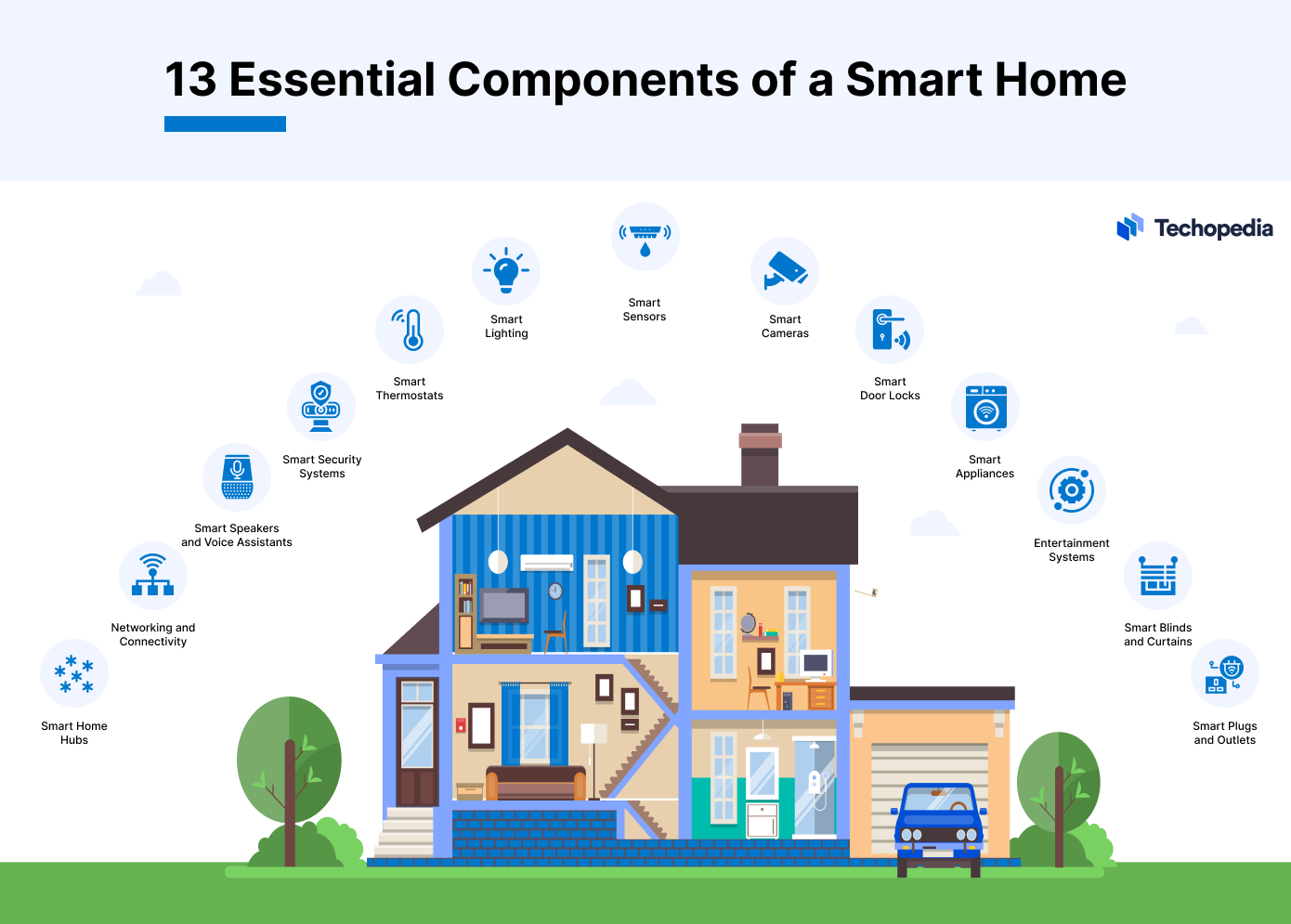
Essential devices include smart hubs, lights, thermostats, security cameras, and voice assistants. These enable automation and remote control for convenience and security.
How Do I Start Building A Smart Home?
Begin with a smart hub or voice assistant. Then add compatible devices like lights and cameras. Gradually expand based on your needs and budget.
Is Smart Home Technology Secure From Hackers?
Smart home security depends on strong passwords, regular updates, and trusted brands. Using secure Wi-Fi and two-factor authentication also helps protect your system.
Can Smart Homes Save Energy And Reduce Bills?
Yes, smart thermostats and lighting optimize energy use. They adjust settings based on occupancy, saving money and reducing environmental impact efficiently.
Conclusion
Creating a smart home can make life easier and more comfortable. Start with small steps and add devices over time. Choose gadgets that fit your needs and budget. Keep your network secure to protect your privacy. Enjoy the convenience of controlling your home with your voice or phone.
Smart homes save energy and help you stay safe. Take your time and learn as you go. Your home will become smarter and more connected every day. Simple changes can bring big benefits.
As an Amazon Associate, I earn from qualifying purchases.

