
Imagine walking into your home and having the lights adjust automatically to your mood. Picture your thermostat knowing exactly when to warm or cool your space without you lifting a finger.
Sounds amazing, right? You can turn your ordinary house into a smart home that makes life easier, safer, and more comfortable. You’ll discover simple steps to transform your living space with smart technology. Ready to see how small changes can bring big benefits?
Keep reading and unlock the secrets to a smarter home today.
Credit: aredgroup.com
Benefits Of Smart Homes
Smart homes bring many benefits that improve daily life. They make homes more efficient, safer, and comfortable. Technology helps control home devices easily. This makes life simpler and better for everyone.
Energy Efficiency
Smart homes save energy by controlling lights and appliances automatically. Devices turn off when not needed. Thermostats adjust to keep the right temperature. This lowers electricity bills and reduces waste.
Enhanced Security
Smart security systems watch your home all day. Cameras and sensors alert you about unusual activity. You can lock doors remotely. This keeps your home and family safer.
Convenience And Comfort
Smart homes allow you to control devices with your voice or phone. Lights, music, and temperature adjust to your preferences. You feel more relaxed and comfortable at home. Everyday tasks become easier and faster.

Credit: www.techhive.com
Essential Smart Devices
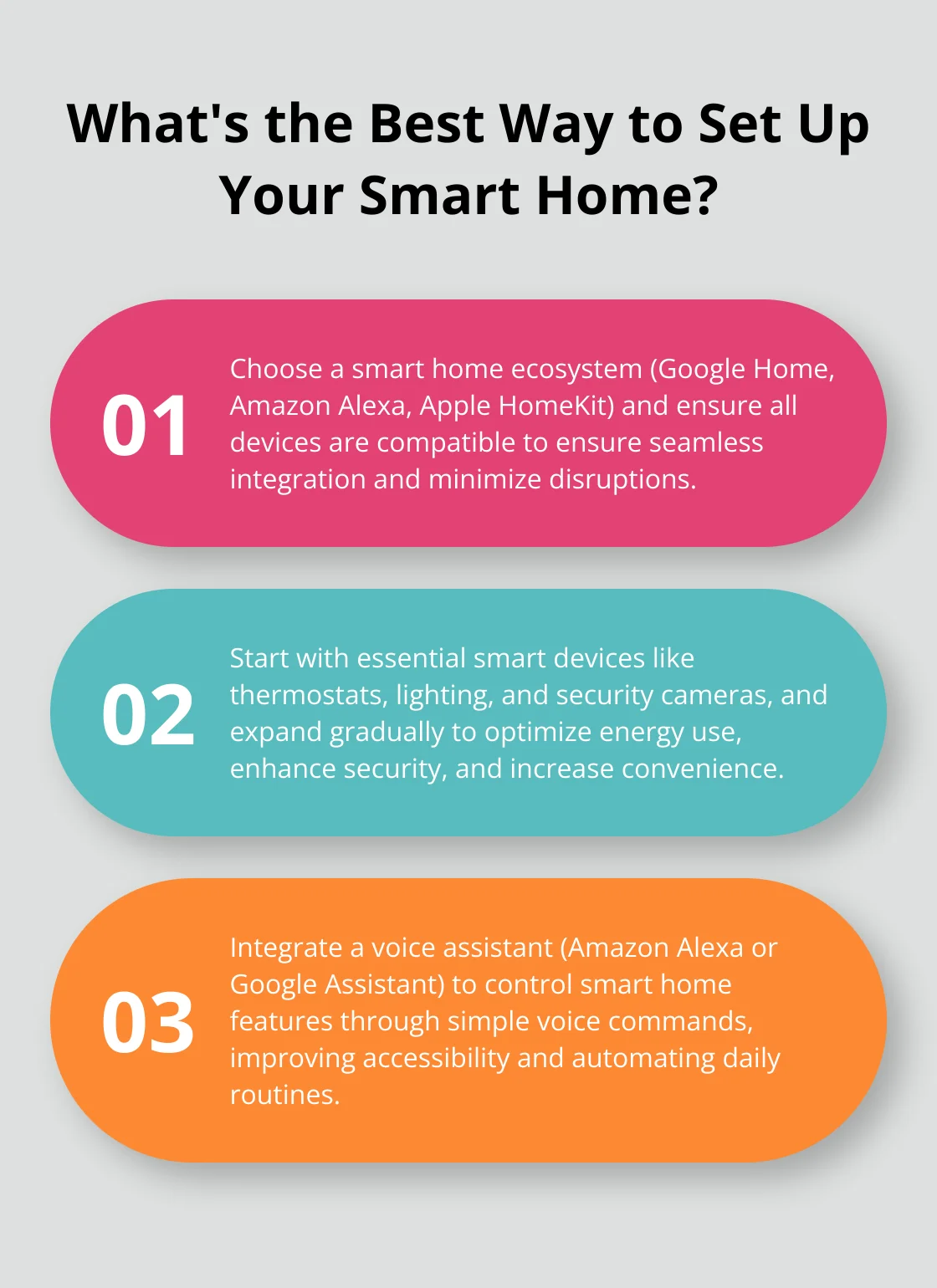
Turning your home into a smart home starts with choosing the right devices. These devices bring comfort, security, and energy savings. They are easy to use and fit any budget. Below are some essential smart devices to consider.
Smart Speakers And Assistants
Smart speakers act as the heart of your smart home. They let you control other devices using voice commands. You can ask for news, weather, or play music. Popular options include Amazon Echo and Google Nest. These devices make daily tasks easier and hands-free.
Smart Lighting Systems
Smart lighting helps you control your lights remotely or by schedule. You can change colors and brightness to match your mood. These systems save energy by turning off lights when not needed. Philips Hue and LIFX are well-known brands. They improve home ambiance and convenience.
Smart Thermostats
Smart thermostats adjust your home temperature automatically. They learn your habits and preferences over time. This saves energy and lowers utility bills. Nest and Ecobee are popular models. You can control them from your phone, even when away.
Smart Security Cameras
Smart cameras keep your home safe and secure. They offer live video, motion alerts, and night vision. You can watch your property from anywhere using a smartphone. Ring and Arlo provide reliable options. These cameras help you feel protected at all times.
Choosing A Smart Home Hub
Choosing a smart home hub is a key step in creating a smart home. The hub acts as the central brain, controlling all your smart devices. Picking the right hub makes your smart home easier to manage and more reliable.
Focus on how the hub connects with your devices and fits your needs. A good hub works smoothly with your current gadgets and any new ones you add later.
Compatibility Considerations
Check which devices the hub supports. Some hubs work well with many brands. Others only connect to specific systems.
Think about the types of devices you want to control. Lights, cameras, thermostats, and locks all may need a compatible hub.
Look at the communication methods the hub uses. Common types are Wi-Fi, Zigbee, and Z-Wave. Make sure your devices use the same type.
Popular Hub Options
Amazon Echo offers voice control and supports many devices. It uses Wi-Fi and Zigbee.
Google Nest Hub is good for those who use Google services. It connects with many smart devices through Wi-Fi.
Samsung SmartThings supports a wide range of brands and uses Zigbee and Z-Wave. It is very flexible.
Setting Up Your Hub
Place the hub in a central spot in your home. This helps it reach all devices easily.
Follow the instructions in the app or manual. Setup usually takes a few simple steps.
Connect the hub to your home Wi-Fi network. This allows remote control from your phone.
Add devices one by one. Test each device to make sure it works with the hub.
Credit: blog.swann.com
Setting Up Smart Automation
Setting up smart automation makes your home more convenient and efficient. It lets devices work together without needing your constant input. Smart automation can save time, energy, and effort every day.
Start by connecting your smart devices through a central hub or app. This setup allows devices to communicate and respond automatically. Adjust settings to match your lifestyle for the best experience.
Creating Routines And Schedules
Routines let your devices perform tasks automatically at set times. For example, lights can turn on at sunset or your coffee maker can start brewing in the morning. Scheduling helps keep your home comfortable and saves energy.
Use your smart home app to create simple routines. Choose triggers like time, motion, or location. Combine actions so several devices work together. This makes daily life smoother and more enjoyable.
Voice Control Integration
Voice control adds hands-free convenience to your smart home. Use devices like Amazon Alexa, Google Assistant, or Apple Siri. Speak commands to turn on lights, play music, or control the thermostat.
Set up voice assistants to recognize your commands easily. Create custom phrases for common actions. Voice control makes managing your home faster and more natural.
Remote Access And Monitoring
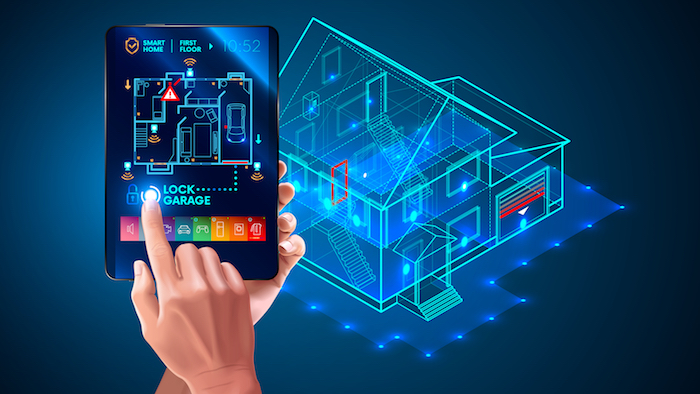
Remote access lets you control your smart home from anywhere. Use your smartphone or tablet to check and adjust devices while away. This adds security and peace of mind.
Monitor cameras, locks, and sensors to keep your home safe. Receive alerts if something unusual happens. Remote access keeps you connected to your home at all times.
Improving Home Security
Improving home security is a smart step toward protecting your family and belongings. Smart technology offers many tools that help keep your home safe. These devices are easy to use and fit well into daily life.
Smart home security systems let you control and monitor your home remotely. You can see who is at your door or get alerts about unusual activity. These features bring peace of mind, even when you are away.
Smart Locks And Doorbells
Smart locks replace traditional keys with codes or smartphone access. They let you lock or unlock doors remotely. You can give temporary access to guests or workers. Smart doorbells show live video of visitors. They often include two-way audio. This lets you talk to visitors without opening the door.
Motion Sensors And Alarms
Motion sensors detect movement inside or outside the home. They trigger alarms or send alerts to your phone. Place sensors near entry points for best coverage. Alarms scare off intruders and alert neighbors. Some systems link sensors to smart lights for added security.
Video Surveillance Tips
Use cameras to monitor key areas like doors and driveways. Choose cameras with night vision and clear video quality. Position cameras high and out of reach to avoid tampering. Store footage securely in the cloud or on a local device. Regularly check camera angles and clean lenses for best results.
Energy Management Tips
Managing energy in a smart home saves money and helps the environment. Smart devices make it easy to control energy use. Small changes bring big benefits.
Smart Thermostat Programming
Smart thermostats adjust temperature based on your schedule. They lower heating or cooling when no one is home. This reduces energy waste. You can control them from your phone. Set it to warm or cool before you arrive.
Automated Lighting Controls
Automated lights turn on or off based on movement or time. This stops lights from staying on unnecessarily. Use dimmers to reduce brightness and save power. Schedule lights to match your daily routine. It adds comfort and cuts costs.
Monitoring Energy Usage
Track your energy use with smart meters or apps. See which devices use the most power. Adjust habits to lower consumption. Real-time data helps avoid surprises on bills. It encourages smarter energy choices every day.
Smart Entertainment Options
Smart entertainment options make your home fun and easy to use. They bring movies, music, and games to your fingertips. Smart devices work together to create a seamless experience. Enjoying entertainment becomes simple and more enjoyable.
Smart Tvs And Streaming Devices
Smart TVs connect to the internet for easy access to shows. Streaming devices like Roku or Fire Stick add more channels. They let you watch popular apps without extra cables. You can pause, rewind, or fast forward with a remote.
Multi-room Audio Systems
Multi-room audio systems play music in every room. Control the sound from your phone or tablet. Choose different songs for each room or play the same music everywhere. These systems create a balanced sound that fills your home.
Voice-controlled Entertainment
Voice assistants like Alexa or Google help control entertainment. Just speak commands to play music or change the channel. No need to find the remote or use your hands. Voice control adds ease and speed to your entertainment setup.
Maintaining Privacy And Security
Turning your home into a smart home brings many benefits. Convenience, comfort, and control come to your fingertips. But privacy and security must not be ignored. Smart devices connect to your internet and collect data. Protecting your information and devices is very important. Follow these simple steps to keep your smart home safe and private.
Securing Your Network
Your home network is the gateway for smart devices. Use a strong password for your Wi-Fi. Avoid common or simple passwords like “12345678.” Change the router’s default login details. Enable network encryption such as WPA3 or WPA2. Consider setting up a separate network for your smart devices. This limits access if one device is compromised. Use a firewall to block unwanted traffic. Regularly check connected devices for anything unfamiliar.
Managing Device Permissions
Smart devices ask for access to data and features. Always review what permissions they require. Only give permission needed for the device to work. Turn off access to your location or microphone if not necessary. Remove or disable unused devices from your smart home system. Use apps or device settings to monitor permission usage. Limit who can control your devices by setting user accounts.
Regular Updates And Backups
Manufacturers release updates to fix security issues. Install software updates for all your smart devices quickly. Enable automatic updates when possible. Outdated software leaves devices open to hackers. Back up your device settings and important data regularly. Use cloud services or external drives for backups. Regular backups help restore your system after a problem. Stay proactive to protect your smart home’s privacy and security.
Future Trends In Smart Living
The future of smart living is full of exciting changes. New technologies will make homes more connected and easier to control. These trends will improve comfort, security, and energy use. Understanding them helps you prepare for a smarter home tomorrow.
Ai And Machine Learning Integration
AI will learn your habits and adjust your home automatically. It will manage lighting, temperature, and security without needing commands. Machine learning helps devices get better over time. Your home will feel more personal and responsive.
Iot Expansion
More devices will connect to the internet and work together. From refrigerators to door locks, everything will be smart. IoT will make daily tasks faster and simpler. You will control many devices from one app or voice command.
Sustainable Smart Homes
Energy efficiency will be a key focus in smart homes. Smart systems will reduce waste and lower bills. Solar panels and smart batteries will store and use energy wisely. Sustainability will make homes better for the planet and your wallet.
Frequently Asked Questions
What Are The Essential Devices For A Smart Home?
Essential smart home devices include smart speakers, smart lights, thermostats, security cameras, and smart plugs. These devices enhance convenience, energy efficiency, and security. Start with a few key devices and expand based on your needs and budget for a fully integrated smart home experience.
How Can I Control My Smart Home Remotely?
You can control your smart home remotely using a smartphone app linked to your smart devices. Most smart home systems offer apps that allow you to manage lighting, security, and temperature from anywhere. Ensure your Wi-Fi is secure to protect your smart home network.
Is Smart Home Installation Difficult For Beginners?
Smart home installation is generally easy for beginners with clear instructions. Many devices are designed for simple plug-and-play setup. Online tutorials and manufacturer support help guide installation. Start with a few devices and gradually expand your system for a smooth learning curve.
How Does A Smart Home Improve Energy Efficiency?
Smart homes improve energy efficiency by automating lighting, heating, and cooling based on your schedule. Smart thermostats adjust temperatures to save energy when you’re away. Smart lights turn off automatically in empty rooms, reducing electricity waste and lowering utility bills effectively.
Conclusion
Creating a smart home makes life easier and more fun. Small steps can add big benefits. You can control lights, temperature, and security with simple tools. Start with one device and build from there. Smart homes save time and energy every day.
Choose gadgets that fit your needs and budget. Enjoy the comfort and safety that smart technology brings. Your home becomes a place of convenience and peace. Take your time and enjoy the process. A smart home is a smart choice.
As an Amazon Associate, I earn from qualifying purchases.

