
Imagine walking into your home, and everything adjusts perfectly to your needs without you lifting a finger. Lights turn on as you enter, the thermostat sets itself to your favorite temperature, and your security system keeps you safe—all automatically.
That’s the power of a smart home, and it’s easier to create than you might think. If you want to make your home smarter, more comfortable, and more efficient, this guide is made just for you. Keep reading, and you’ll discover simple steps to transform your everyday living space into a smart home that works for you.
Benefits Of A Smart Home
Smart homes offer many benefits that improve daily life. They help save money, increase safety, and make homes more comfortable. Small changes can bring big rewards.
Understanding these benefits can help you decide what smart devices to add. The right tools make a home easier to manage and enjoy.
Energy Efficiency
Smart homes use energy more wisely. Devices like smart thermostats learn your schedule. They adjust heating and cooling to save electricity. Lights turn off automatically in empty rooms. This reduces your bills and helps the environment.
Enhanced Security
Smart home security keeps your property safer. Cameras and sensors watch for unusual activity. You can check your home from anywhere using your phone. Alerts notify you about any problems immediately. This peace of mind is valuable for every homeowner.
Convenience And Comfort
Smart homes bring comfort with simple control. Voice commands and apps manage lights, locks, and appliances. You can set routines to match your daily life. Imagine waking up to soft lights and warm coffee. This ease makes your home a relaxing place.
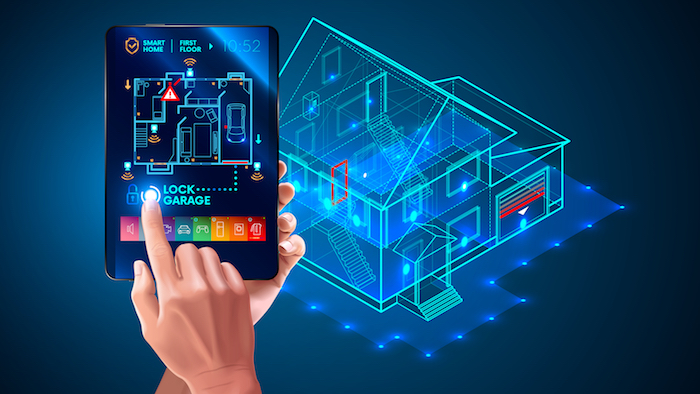
Credit: blog.swann.com
Choosing The Right Smart Devices
Choosing the right smart devices shapes your smart home experience. The right devices connect well and work smoothly together. It makes daily tasks easier and your home more comfortable.
Focus on devices that fit your needs and budget. Quality and ease of use matter a lot. Here are key smart devices to consider for your smart home setup.
Smart Hubs And Assistants
Smart hubs link all your devices into one system. They let you control everything with one app or voice command. Popular options include Amazon Echo, Google Nest Hub, and Apple HomePod.
Assistants help with tasks like reminders, music, and information. Choose a hub that matches your preferred voice assistant. Compatibility with other devices is important.
Lighting Solutions
Smart lights improve convenience and save energy. You can adjust brightness and color from your phone. Set schedules to turn lights on or off automatically.
Look for bulbs that work with your smart hub. Choose options with good brightness and color range. Easy installation helps to start quickly.
Thermostats And Climate Control
Smart thermostats keep your home comfortable and save energy. They learn your schedule and adjust temperature automatically. Control them remotely to warm or cool your home before you arrive.
Popular models include Nest, Ecobee, and Honeywell. Check compatibility with your heating and cooling system. Simple setup is a plus.
Security Cameras And Sensors
Security cameras and sensors protect your home and family. Cameras let you see inside and outside your home anytime. Sensors detect motion, doors, and windows opening.
Choose devices with clear video and reliable alerts. Wireless options are easy to install. Ensure they work well with your smart hub.
Setting Up Your Smart Home Network
Setting up your smart home network is the first step to a connected living space. It creates a strong base for all your smart devices to work smoothly. A well-planned network helps avoid interruptions and keeps your data safe.
Reliable Wi-fi Connection
A strong Wi-Fi signal is vital for your smart home. Choose a router that covers your entire house. Place it in a central spot to reach every device. Consider using Wi-Fi extenders for larger areas. This prevents dead zones where devices lose connection.
Use the latest Wi-Fi standards, like Wi-Fi 6. They offer faster speeds and better handling of many devices. Avoid overcrowding your network by limiting devices on the same frequency band. This keeps your smart home responsive and stable.
Device Compatibility
Check that your smart devices work well together. Use products that support common platforms like Google Home, Amazon Alexa, or Apple HomeKit. This ensures smooth control from one app or voice command.
Mixing brands can cause connection problems. Stick to devices that use the same communication methods such as Wi-Fi, Zigbee, or Z-Wave. This helps devices sync easily and work without issues.
Data Privacy And Security
Protect your smart home from hackers by securing your network. Change default passwords on your router and devices. Use strong, unique passwords for all accounts.
Enable two-factor authentication whenever possible. Keep your device software and router firmware updated. These updates fix security gaps and improve performance. Turn off features you don’t use to reduce risks. Your smart home stays safe and private with these steps.
Step-by-step Installation Guide
Turning your house into a smart home is easier than many think. Follow this step-by-step guide to install key smart devices. Each step helps you build a connected, convenient living space. Start with simple setups and move to more complex integrations.
Installing Smart Lighting
Begin by choosing smart bulbs compatible with your fixtures. Turn off the power to avoid shocks. Replace old bulbs with smart ones. Use the manufacturer’s app to connect bulbs to Wi-Fi. Group bulbs by rooms for easy control. Test each bulb with the app to confirm it works. Adjust brightness and color settings as needed.
Configuring Smart Thermostats
Remove your old thermostat carefully. Turn off your HVAC system before installation. Connect the wires to the new smart thermostat terminals following the manual. Mount the thermostat on the wall and power it on. Connect it to your home Wi-Fi network. Use the app to set schedules for heating and cooling. Adjust settings for comfort and energy savings.
Setting Up Security Systems
Choose a security system that fits your home size and needs. Install cameras in key areas like entrances and driveways. Mount sensors on doors and windows. Connect all devices to the main hub or app. Test each sensor and camera to ensure it works. Set up alerts to receive notifications on your phone. Secure the system with strong passwords.
Integrating Voice Control
Select a voice assistant like Alexa, Google Assistant, or Siri. Download the voice assistant app on your phone. Link your smart devices to the voice assistant. Create simple voice commands for lights, thermostats, and security. Test commands to make sure the assistant responds correctly. Use voice control for hands-free convenience. Adjust settings to improve recognition.
Tips For Maintaining Your Smart Home
Keeping your smart home running smoothly takes some effort. Regular care helps devices work better and last longer. Small steps can prevent big problems.
Follow these tips to keep your smart home secure and efficient. Stay ahead of issues and enjoy your connected life.
Regular Software Updates
Smart devices need software updates often. These updates fix bugs and add new features. Check for updates regularly. Enable automatic updates if possible. This keeps your system safe from hackers. Updated software improves device performance and stability.
Troubleshooting Common Issues
Sometimes devices stop working or slow down. Restart the device to fix simple problems. Check Wi-Fi connections and power sources. Reset devices if needed, following the manual. Use the app or website for help guides. Keep a list of common fixes handy.
Expanding Your System Over Time
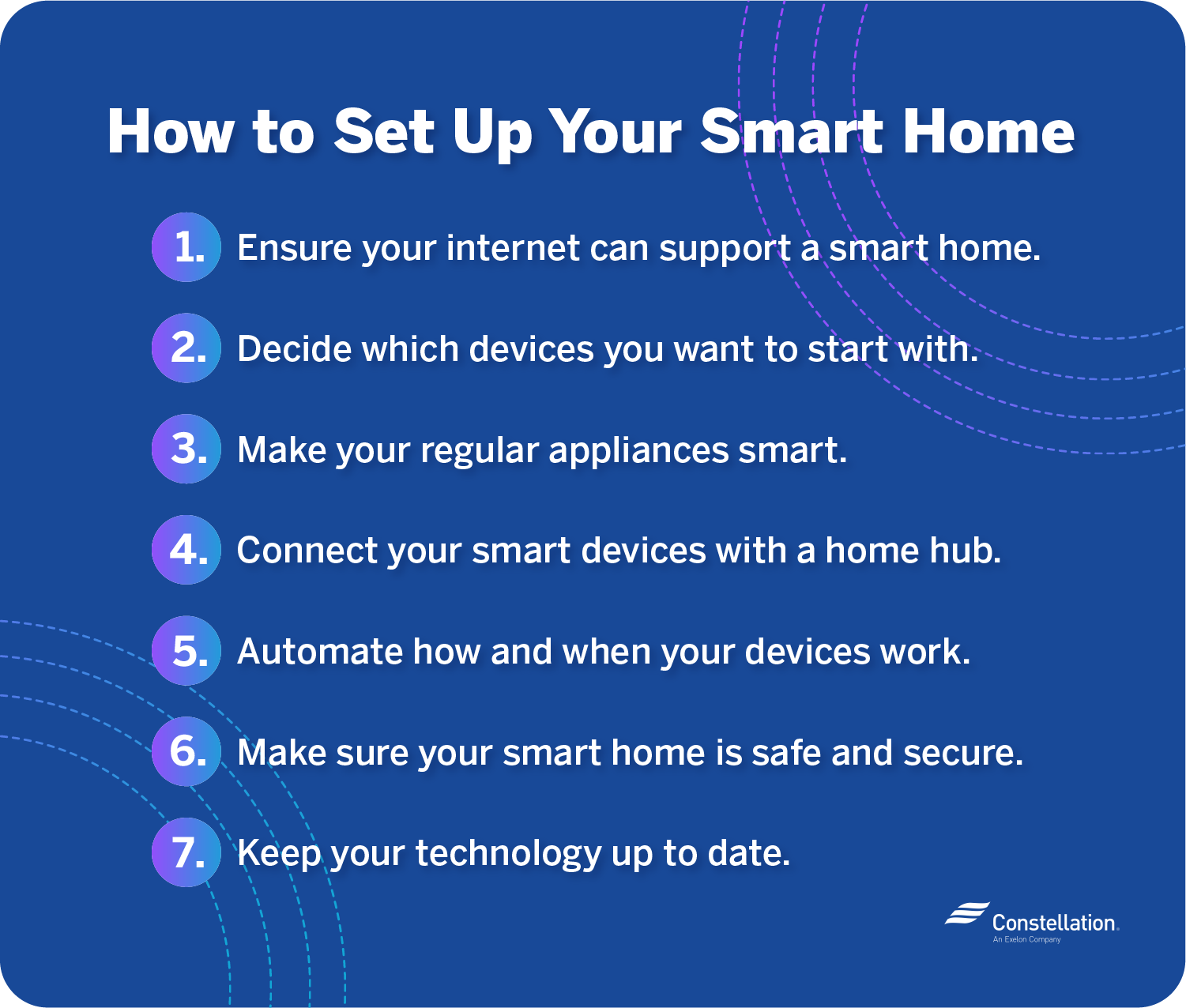
Add new devices slowly to avoid overload. Choose products that work well with your current setup. Plan how devices will connect and interact. Test each new device before adding more. Regularly review your system to remove unused gadgets. This keeps your smart home organized and efficient.
Credit: blog.constellation.com
Popular Smart Home Automation Ideas
Smart home automation makes daily life easier and more comfortable. It helps control devices and systems automatically. This section explores popular ideas to start your smart home journey. These ideas fit many homes and budgets. They improve convenience, save energy, and add security.
Automated Lighting Schedules
Automated lighting uses timers or sensors to control lights. Lights turn on or off without manual work. Set schedules for different times or activities. For example, lights can brighten in the morning and dim at night. Motion sensors can light up rooms only when needed. This saves electricity and creates a cozy atmosphere.
Smart Energy Management
Smart energy tools track and control power use in your home. They help reduce energy waste and lower bills. Smart plugs and thermostats adjust devices based on usage patterns. Monitor energy consumption from your phone or tablet. Some systems learn your habits and suggest energy-saving tips. This makes your home more eco-friendly and budget-friendly.
Voice-activated Daily Routines
Voice assistants like Alexa or Google Home simplify daily tasks. Use voice commands to control lights, music, or appliances. Create routines that run multiple actions with one command. For example, say “Good night” to turn off lights and lock doors. Voice control is hands-free and fast. It adds comfort and ease to your smart home.

Credit: irishtechnews.ie
Frequently Asked Questions
What Is The First Step To Create A Smart Home?
Start by assessing your needs and budget. Choose a central smart hub to control devices efficiently. This ensures seamless integration and easier management of your smart home system.
Which Devices Are Essential For A Smart Home?
Essential devices include smart speakers, thermostats, lights, and security cameras. These improve convenience, energy efficiency, and home security while providing automation and remote control capabilities.
How Do Smart Home Devices Improve Energy Efficiency?
Smart devices optimize energy use by scheduling operations and monitoring consumption. They reduce waste and lower utility bills, making your home more eco-friendly and cost-effective.
Can I Secure My Smart Home From Hacking?
Yes, secure your smart home by using strong passwords, enabling two-factor authentication, and regularly updating device firmware. This minimizes vulnerabilities and protects your privacy and data.
Conclusion
Creating a smart home is easier than you think. Start small with devices you use daily. Connect them to work together smoothly. Enjoy comfort, safety, and energy savings every day. Smart homes make life simpler and more fun. Take one step now, and see the difference soon.
Your home can be smarter with little effort. Embrace technology that fits your lifestyle perfectly. Smart living is within your reach today.
As an Amazon Associate, I earn from qualifying purchases.

