
Keeping track of your blood pressure at home has never been easier, especially with devices like the Omron wrist blood pressure monitor. But are you sure you’re using it correctly to get the most accurate results?
If you want quick, reliable readings without confusion or frustration, this guide is made just for you. By the time you finish reading, you’ll know exactly how to use your Omron wrist blood pressure monitor with confidence—helping you take control of your health in the simplest way possible.
Let’s dive in and make your blood pressure checks easy and effective.

Credit: www.youtube.com
Choosing The Right Omron Model
Choosing the right Omron wrist blood pressure monitor is important for accurate readings. Different models offer various features. Picking a model that fits your needs helps you monitor your health better.
Comparing Popular Models
Omron has several wrist blood pressure monitors. The Omron RS7 is known for its accuracy and a large display. The Omron 7 Series offers Bluetooth connectivity to sync with smartphones. The Omron Platinum model provides multi-user memory and advanced averaging technology. Each model suits different lifestyles and budgets.
Features To Consider
Look for easy-to-read screens and comfortable wrist cuffs. Check if the monitor stores past readings. Bluetooth connection can help track your data on apps. Some models have irregular heartbeat detection. Battery life and portability matter for daily use. Choose features that match your health needs and routine.
Preparing For Measurement
Preparing for a blood pressure measurement with an Omron wrist monitor is important. Proper preparation helps get accurate results. Small steps before measuring make a big difference. Follow simple rules to prepare well.
Optimal Body Position
Sit down in a comfortable chair with back support. Keep your feet flat on the floor, not crossed. Rest your arm on a table so the wrist is at heart level. Keep your wrist relaxed and still during measurement. Avoid tensing muscles or moving the arm. Stay calm and breathe normally before starting.
Avoiding Common Mistakes
Do not measure right after exercise or eating. Avoid caffeine, smoking, or alcohol 30 minutes before measuring. Remove tight clothing or jewelry around the wrist. Do not talk or move during the reading. Take measurements at the same time each day. Use the same wrist every time for consistency. These habits help get correct blood pressure numbers.
Setting Up The Device
Setting up your Omron wrist blood pressure monitor is the first step for accurate readings. Proper setup ensures comfort and precise results. Follow simple steps to prepare the device for use.
Fitting The Wrist Cuff
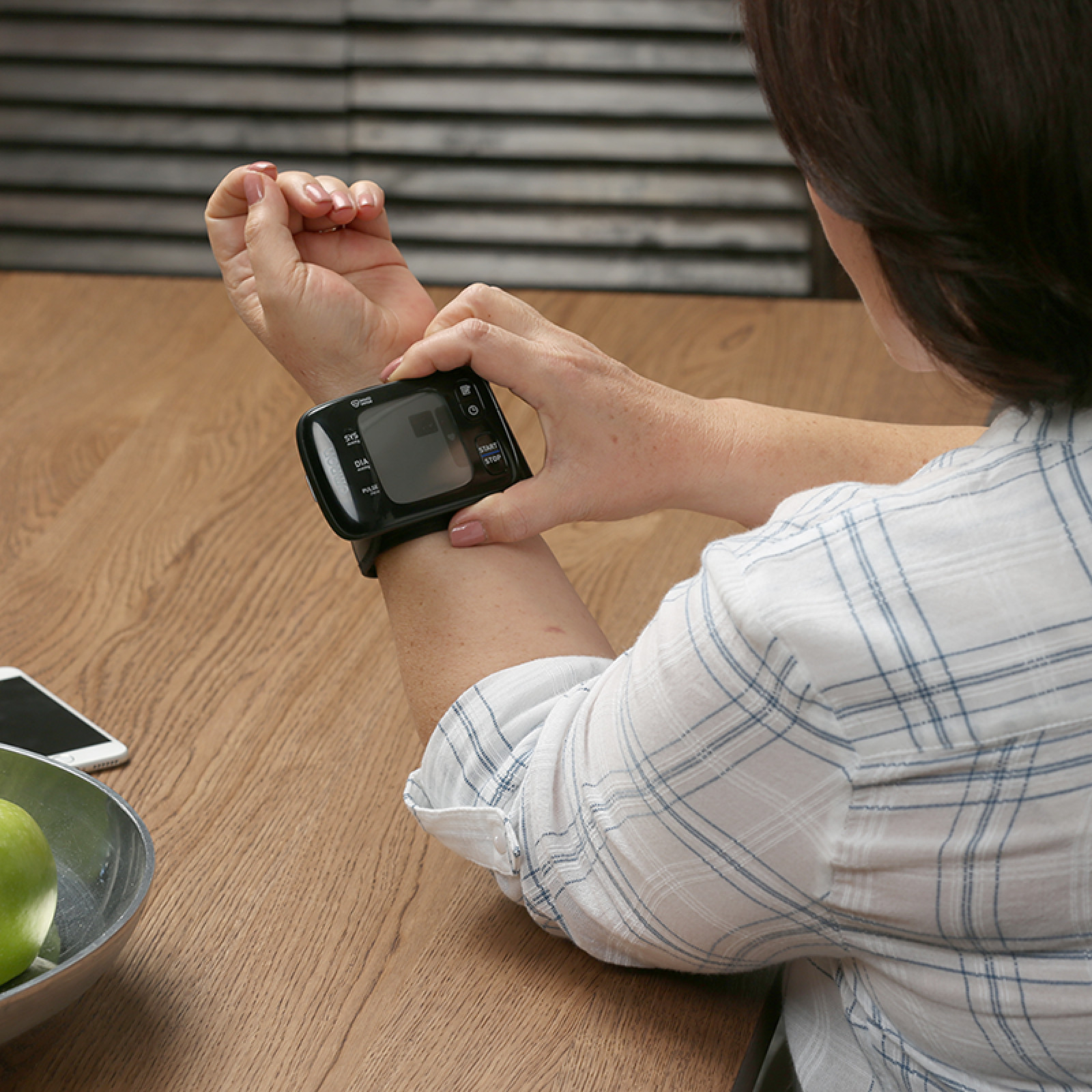
Place the cuff on your wrist, about 1 inch below the wrist bone. The display should face upward on the inside of your wrist. Wrap the cuff snugly, but not too tight. The cuff must be secure to avoid errors. Keep your wrist at heart level during measurement.
Powering On And Settings
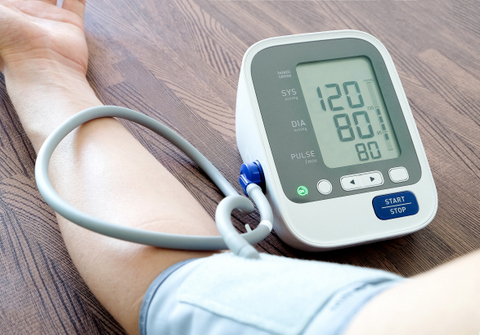
Press the power button to turn on the device. Check the display for battery status and symbols. Set the date and time if the device asks for it. Choose the correct measurement unit, usually mmHg. Follow the on-screen prompts for easy setup. The monitor is now ready for your first reading.
Credit: www.omronhealthcare-ap.com
Taking Accurate Readings
Taking accurate readings with your Omron wrist blood pressure monitor is key to tracking your health properly. The monitor needs the right steps to give you clear and correct results. This section explains how to use it well to avoid mistakes.
Starting The Measurement
Put the monitor on your wrist, just above the wrist bone. Fasten the cuff snugly but not too tight. Rest your arm on a flat surface at heart level. Press the start button to begin. Keep your hand still during the process. The cuff will inflate, then slowly deflate. The device will show your blood pressure numbers on the screen.
Staying Still And Calm
Sit quietly and relax before measuring. Avoid talking or moving your arm. Breathe normally and stay calm. Movement or stress can change your blood pressure. Take readings at the same time each day for consistency. Rest for five minutes before measuring again if needed.
Interpreting The Results
Check the screen for systolic and diastolic numbers. Systolic is the top number; diastolic is the bottom. Normal readings are usually below 120/80 mmHg. Higher numbers may need medical advice. Write down your results to track changes. Some Omron models save readings automatically for easy review.
Maintaining Your Monitor
Maintaining your Omron wrist blood pressure monitor is key to getting accurate readings. Proper care helps the device last longer and work well. Simple steps can keep your monitor clean and ready for use.
Cleaning Tips
Use a soft, dry cloth to clean the monitor’s surface. Avoid water or cleaning sprays on the device. Wipe the cuff gently to remove sweat and dirt. Do not use harsh chemicals or abrasive materials. Clean regularly after use to keep it hygienic.
Battery Care
Remove batteries if you do not use the monitor for a long time. Replace old batteries with new ones to avoid leaks. Use the type of batteries recommended by Omron. Check battery contacts for dirt and clean with a dry cloth. Low batteries can cause errors in readings.
Storage Advice
Store the monitor in a cool, dry place away from direct sunlight. Avoid places with high humidity or extreme temperatures. Keep the monitor in its case to protect it from dust and damage. Do not fold or twist the cuff tightly. Proper storage helps the monitor stay accurate and safe.
Credit: www.tenovi.com
Troubleshooting Common Issues
Troubleshooting common issues with your Omron wrist blood pressure monitor helps you get accurate readings. Sometimes, small problems can stop the device from working correctly. Knowing how to fix these issues saves time and avoids frustration. Here are some typical problems and easy solutions.
Error Messages
Error messages on your Omron monitor show if something is wrong. Check the battery level first. Low batteries can cause errors. Make sure the wrist cuff is on correctly and fits snugly. Remove any clothing that blocks the cuff. Keep your arm still and at heart level during measurement. Press the start button again after correcting these steps.
Inconsistent Readings
Inconsistent readings can confuse you. Take readings at the same time each day for better comparison. Sit quietly for five minutes before measuring. Avoid caffeine, exercise, and smoking 30 minutes before. Keep your wrist at heart level and do not talk during the reading. If readings vary widely, try a fresh set of batteries or reset the device.
When To Contact Support
Contact Omron support if error messages persist despite troubleshooting. Reach out if the device does not turn on or stops working. Seek help for unusual readings that do not match your usual blood pressure. Support can guide you through advanced fixes or warranty claims. Always use official Omron contacts to avoid scams.
Frequently Asked Questions
How Do I Properly Position The Omron Wrist Monitor?
Place the monitor on your wrist, about 1 inch above the wrist joint. Keep your arm at heart level and sit comfortably. Avoid moving or talking during measurement for accurate results.
How Often Should I Measure My Blood Pressure?
Measure your blood pressure twice daily, once in the morning and once in the evening. Record each reading to track trends. Consistency helps provide accurate health insights.
Can I Use Omron Wrist Monitor For All Ages?
The Omron wrist monitor is suitable for adults and teenagers. It may not be accurate for children under 12. Always consult your healthcare provider before use.
What Do I Do If Readings Vary Widely?
If readings fluctuate, rest for five minutes before retesting. Ensure proper wrist position and no movement. Consult your doctor if irregular readings persist.
Conclusion
Using an Omron wrist blood pressure monitor is simple and quick. Place the cuff on your wrist, follow the instructions, and stay still during measurement. Regular checks help track your health easily at home. Remember to keep the device at heart level for accurate results.
Taking care of your monitor ensures it works well for a long time. With practice, measuring your blood pressure becomes a smooth part of your routine. Stay aware of your numbers and share them with your doctor. This small habit supports better health every day.
As an Amazon Associate, I earn from qualifying purchases.

