Are you ready to get the most out of your Bose earbuds? Whether you just bought a new pair or have had them for a while, knowing how to use them correctly can make a huge difference in your listening experience.
From setting them up quickly to exploring hidden features, this guide will show you simple steps to unlock their full potential. Keep reading, and you’ll soon enjoy crystal-clear sound, easy controls, and all the comfort Bose earbuds offer—right at your fingertips.
Choosing The Right Bose Earbuds
Choosing the right Bose earbuds can make a big difference in your listening experience. Bose offers many models, each with unique features. Picking the right one depends on your needs, comfort, and how you plan to use them. This guide helps you find earbuds that fit your lifestyle and preferences.
Comparing Popular Models
Bose has several popular earbuds like QuietComfort, Sport Earbuds, and Noise Cancelling Earbuds. QuietComfort offers strong noise cancellation for busy places. Sport Earbuds are made for active users and stay secure during workouts. Noise Cancelling Earbuds balance sound quality and quiet features. Consider what matters most: noise cancellation, sound, or durability.
Selecting Based On Usage
Think about where you will use your earbuds most. For office or travel, noise cancelling helps block distractions. For exercise, earbuds with a secure fit and sweat resistance work best. If you want earbuds for casual listening, a model with balanced sound and comfort is good. Match earbuds to your daily activities for best results.
Considering Comfort And Fit
Comfort is key for earbuds you wear often. Bose offers different ear tip sizes to fit your ears well. A good fit prevents earbuds from falling out and improves sound quality. Try to find earbuds that feel light and snug. Comfort helps you enjoy music longer without pain or irritation.
Initial Setup And Pairing
Setting up your Bose earbuds is simple and quick. First, ensure they have enough charge. Then, pair them with your device. This section guides you through these steps. It also helps solve common connection problems. Follow these instructions for a smooth start.
Charging Your Earbuds
Place the earbuds in the charging case. Connect the case to a power source using the supplied cable. A light will show the charging status. Fully charge the earbuds before first use. Charging usually takes about two hours. Keep the case closed while charging.
Pairing With Devices
Open the charging case near your device. Turn on Bluetooth on your phone or tablet. Select your Bose earbuds from the device list. Wait for the connection confirmation sound. Your earbuds are now ready to use. For new devices, repeat this process.
Troubleshooting Connection Issues
If your earbuds don’t connect, try turning Bluetooth off and on. Restart your device and try pairing again. Reset the earbuds by placing them in the case and closing the lid. Hold the Bluetooth button until the light blinks. Retry connecting to your device after reset.
Customizing Sound Settings
Customizing sound settings on your Bose earbuds helps you get the best listening experience. You can change how music sounds to match your taste. These earbuds offer easy tools to adjust sound and noise levels.
Using the right app and controls, you can make quick changes. This section explains how to set sound preferences with simple steps. Your ears will thank you for the clear and balanced sound.
Using The Bose Music App
The Bose Music app lets you control earbuds from your phone. It connects quickly and shows all sound options. You can check battery life and update software inside the app. The app also guides you through setup and sound settings.
Open the app and select your earbuds. You will see options to change sound, noise, and voice levels. The app saves your preferences for easy use later.
Adjusting Equalizer Settings
The equalizer changes how your music sounds. You can make bass stronger or treble clearer. The Bose Music app has sliders to adjust these settings. Move them up or down until the sound feels right.
Try different equalizer presets for pop, rock, or jazz. You can also create your own custom sound. Adjust settings slowly to avoid sharp or distorted sounds.
Activating Noise Cancellation
Noise cancellation blocks outside sounds for better focus. Your Bose earbuds have buttons to turn it on or off. The Bose Music app also controls noise cancellation levels.
Choose from full noise cancellation or a lighter mode. The lighter mode lets in some sound for safety. Use noise cancellation in noisy places like planes or buses. It helps you enjoy music without distractions.
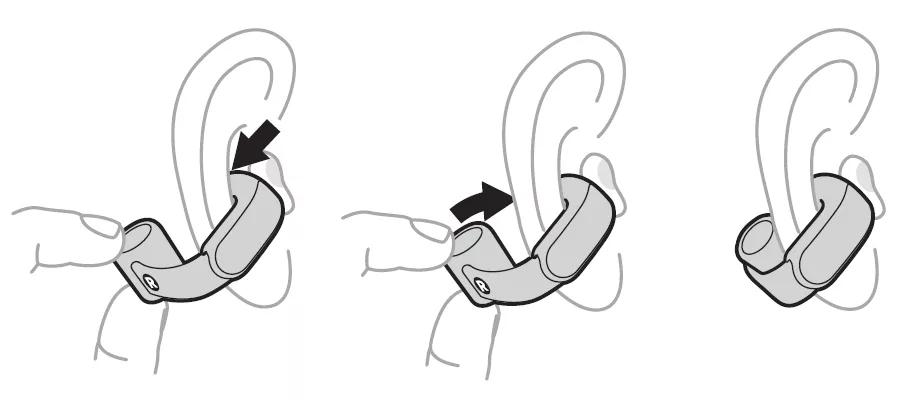
Credit: support.bose.com
Mastering Touch Controls
Learning how to use the touch controls on Bose earbuds makes listening easier. These controls let you play music, handle calls, and talk to voice assistants. You do not need to take out your phone. Just tap or swipe on the earbuds. This guide explains the main touch controls clearly. Follow these steps to enjoy your Bose earbuds fully.
Play, Pause, And Skip Tracks
Tap once on either earbud to play or pause your music. To skip to the next song, tap twice quickly on the right earbud. To go back to the previous track, tap twice on the left earbud. Use these simple taps to control your music without touching your phone.
Managing Calls
Answer an incoming call with a single tap on either earbud. To end a call, tap once again on the same earbud. Reject a call by pressing and holding the earbud for two seconds. These controls help you manage calls easily while on the move.
Activating Voice Assistants
Activate your voice assistant by pressing and holding the right earbud for a few seconds. Speak your command clearly after the beep. Use this feature to ask questions, set reminders, or control smart devices. No need to take out your phone for simple tasks.
Maintaining And Caring For Your Earbuds
Taking good care of your Bose earbuds helps them last longer and work better. Regular maintenance keeps sound clear and battery strong. Small daily habits make a big difference in performance.
Proper care also protects your investment. Clean earbuds avoid earwax buildup and damage. Safe storage prevents scratches and loss. Firmware updates improve features and fix bugs.
Cleaning Tips
Use a soft, dry cloth to wipe earbuds. Avoid water or harsh chemicals that can damage them. Remove ear tips and wash separately with mild soap. Let them dry completely before reattaching. Clean charging contacts gently to ensure good connection.
Storing Safely
Store earbuds in their case when not in use. This protects from dust and drops. Keep the case in a cool, dry place away from sunlight. Avoid leaving earbuds loose in pockets or bags. Use a dedicated pouch for extra protection during travel.
Updating Firmware
Check for firmware updates regularly using the Bose app. Updates improve sound quality and fix bugs. Connect earbuds to your device and follow update prompts. Keep earbuds charged during the update process. Updating keeps earbuds running smoothly and securely.
Troubleshooting Common Issues
Troubles with Bose earbuds can interrupt your listening experience. Fixing these issues quickly helps you enjoy your music again. Common problems include audio glitches, charging failures, and connectivity troubles. This guide offers simple steps to solve these problems at home.
Fixing Audio Problems
Check the earbuds for dirt or earwax. Clean them gently with a soft cloth. Make sure the earbuds fit well in your ears. Poor fit can cause weak sound or no sound. Test the earbuds on another device. This helps find out if the issue is with the earbuds or device. Adjust the volume on both earbuds and your device. Sometimes the volume is too low or muted. Restart your device and reconnect the earbuds. This can clear minor audio bugs.
Resolving Charging Issues
Make sure the charging case has power. Connect the case to a charger and watch the light. Clean the charging contacts on earbuds and case. Use a dry cloth or cotton swab to avoid damage. Avoid using a damaged charging cable or adapter. Try a different cable if charging does not start. Keep the earbuds and case away from water or moisture. This protects the charging parts from damage.
Resetting Your Earbuds
Resetting can fix many problems like connection errors. Remove the earbuds from the case. Press and hold the button on each earbud for about 10 seconds. Wait for the light to flash, then release. Put the earbuds back in the case and close the lid. Open the lid to restart the earbuds. Pair the earbuds with your device again. This process often restores normal function.
Maximizing Battery Life
Maximizing battery life helps your Bose earbuds last longer each day. It keeps your music playing without frequent stops for charging. Small habits make a big difference in battery health.
Follow easy steps to keep your earbuds charged properly. Use settings that save power during use. Check battery levels often to avoid surprises.
Charging Best Practices
Use the original charging case for the best results. Charge your earbuds fully before the first use. Avoid overcharging by unplugging once they reach 100%. Keep charging contacts clean to ensure good connection. Store earbuds in the case when not in use to save power.
Power-saving Tips
Turn off noise cancellation when not needed. Lower the volume to save battery life. Use a single earbud if possible for longer listening. Disable automatic ear detection if it drains power. Close the Bose app when not using it.
Monitoring Battery Status
Check the battery level through the Bose app. Use voice prompts to know the charge status. Watch the LED lights on the case for quick info. Charge soon after battery drops below 20% to avoid shutdown. Regular checks prevent unexpected power loss during use.

Credit: www.youtube.com
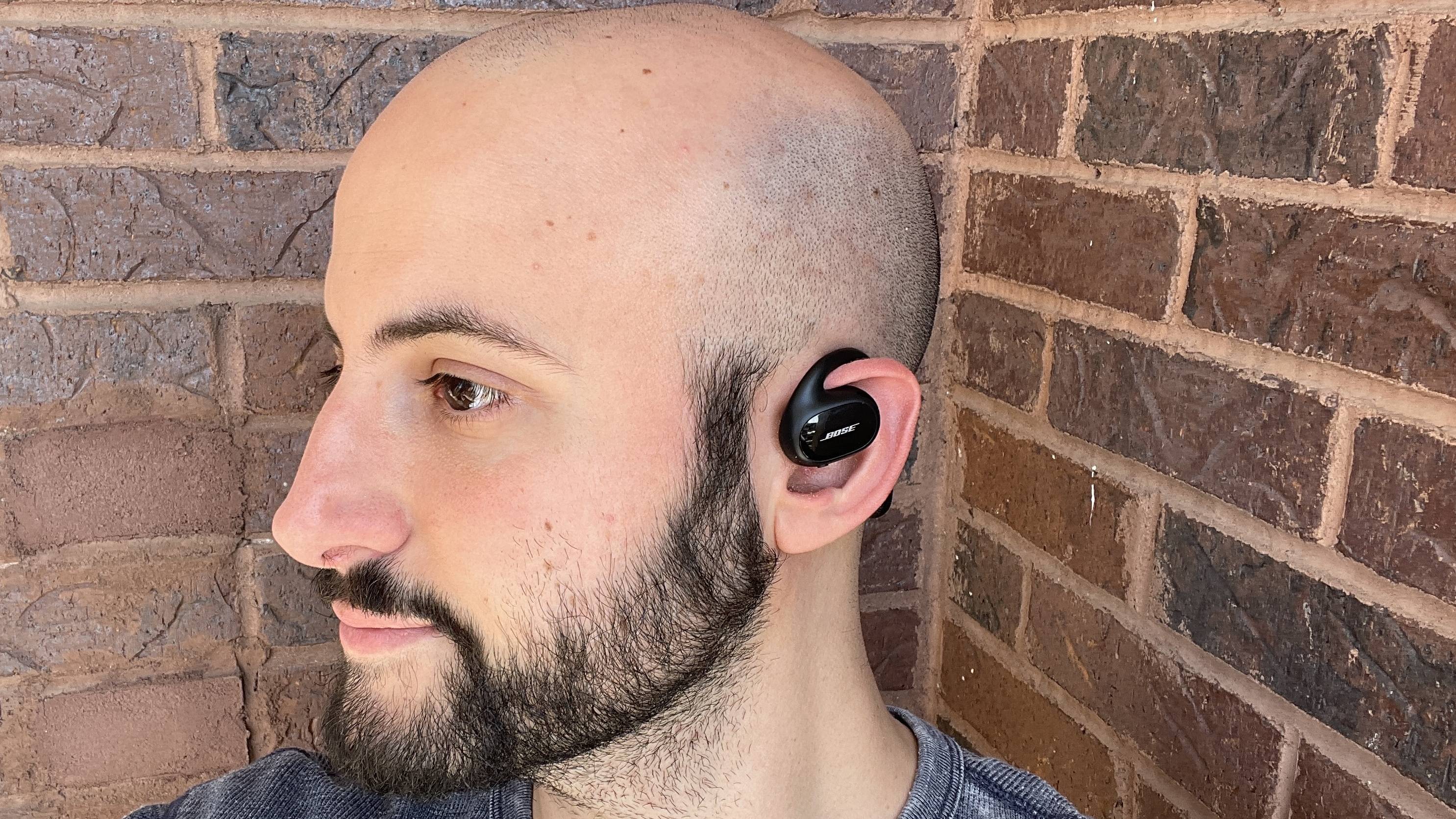
Credit: www.cnn.com
Frequently Asked Questions
How Do I Pair Bose Earbuds With My Device?
To pair Bose earbuds, turn on Bluetooth on your device. Press and hold the earbuds’ power button until the LED blinks. Select your Bose earbuds from the Bluetooth list to connect quickly and easily.
How To Charge Bose Earbuds Properly?
Place the earbuds in their charging case. Ensure the case has power via a USB cable. Charging takes about two hours for a full battery.
How To Reset Bose Earbuds If Not Working?
Place the earbuds in the charging case. Close the lid, wait 30 seconds, then open it. Press and hold the Bluetooth button for 10 seconds to reset.
Can I Use Bose Earbuds With Multiple Devices?
Yes, Bose earbuds support multi-device pairing. Connect them to two devices, like a phone and laptop. Switch between devices smoothly without re-pairing.
Conclusion
Using Bose earbuds is simple and makes listening enjoyable. Pair them with your device quickly and adjust settings to fit your needs. Keep the earbuds charged to avoid interruptions. Clean them gently to maintain good sound quality. With a little care, these earbuds will last long and work well.
Enjoy music, calls, and more with clear sound anytime. Bose earbuds offer a reliable, easy way to stay connected and entertained. Try the tips shared here and experience the difference yourself.
As an Amazon Associate, I earn from qualifying purchases.