
As an Amazon Associate, I earn from qualifying purchases.
Have you ever wondered why some keyboards feel faster and more responsive than others? The secret often lies in something called the polling rate.
Understanding what polling rate on a keyboard means can completely change how you experience typing or gaming. If you want your keyboard to keep up with your speed and precision, knowing this simple yet powerful feature is key. Keep reading to discover how polling rate affects your keyboard’s performance and why it matters to you.
Polling Rate Basics
Understanding the polling rate is key to knowing how your keyboard communicates with your computer. This basic feature affects how quickly your key presses are detected and sent as signals. A clear grasp of polling rate basics helps you choose the right keyboard for smooth and fast typing or gaming.
What Polling Rate Means
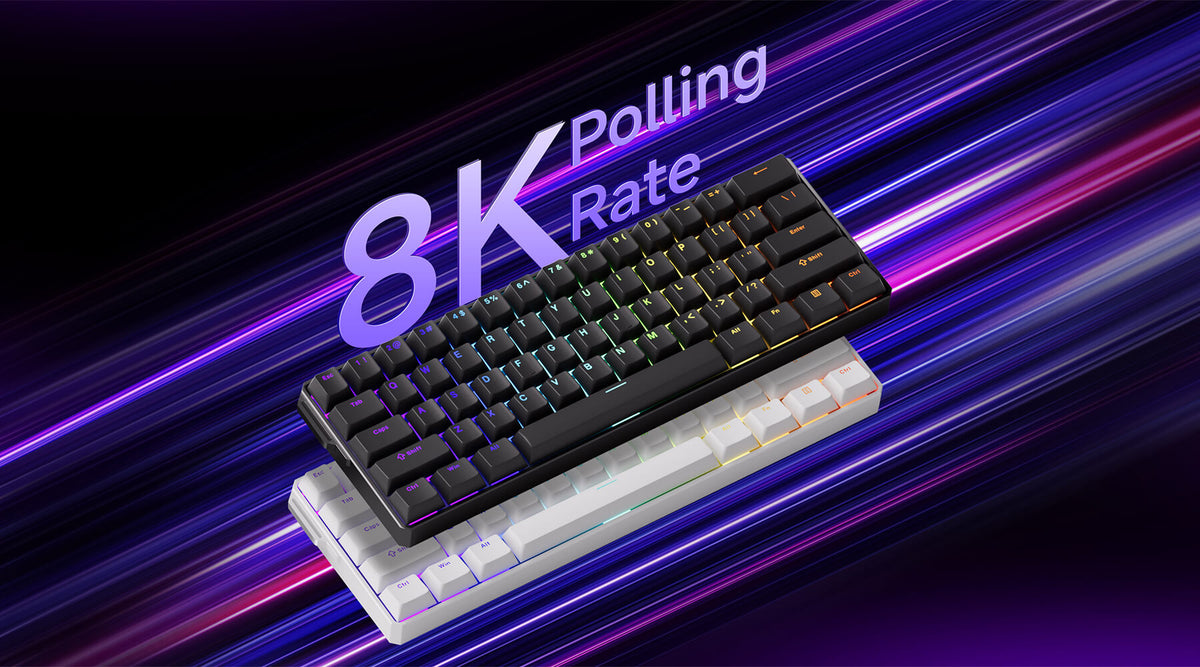
Polling rate is the number of times per second your keyboard reports its status to the computer. It is measured in hertz (Hz). For example, a polling rate of 1000 Hz means the keyboard sends data 1000 times every second. Higher polling rates mean faster communication between the keyboard and computer.
How Polling Rate Affects Performance
A higher polling rate reduces the delay between pressing a key and the computer registering it. This delay is called input lag. Lower input lag is important for fast typing and gaming. A low polling rate can cause missed or delayed key presses. However, very high polling rates may not show a big difference for everyday use.
Credit: monsgeek.eu
Polling Rate And Keyboard Speed
Polling rate plays a key role in keyboard speed and performance. It measures how often the keyboard sends data to the computer. A higher polling rate means the keyboard reports key presses more frequently.
This frequency affects how fast the keyboard reacts to your actions. A faster polling rate can lead to smoother and quicker typing or gaming experiences. It reduces the delay between pressing a key and the computer recognizing it.
Impact On Input Lag
Input lag is the delay between pressing a key and seeing the result on screen. Polling rate directly affects this lag. A low polling rate causes longer delays. A higher polling rate reduces input lag.
For example, a keyboard with a 125 Hz polling rate updates every 8 milliseconds. A 1000 Hz polling rate updates every 1 millisecond. The faster update means the computer reacts faster to key presses.
Response Time Improvements
Response time improves as polling rate increases. Faster polling allows the keyboard to detect multiple key presses quickly. This is useful in fast typing and gaming.
Higher polling rates help avoid missed or delayed key signals. This leads to more accurate and reliable input. It makes the keyboard feel more responsive and precise.
Polling Rate And Accuracy
Polling rate affects how often your keyboard sends data to the computer. A higher polling rate means the keyboard reports key presses more times per second. This can improve the accuracy of detecting every keystroke. Accuracy matters for typing fast and avoiding missed or repeated keys.
With a better polling rate, the keyboard reacts faster. It captures quick key presses more reliably. This helps especially during fast typing or gaming, where every millisecond counts.
Reducing Missed Keystrokes
Missed keystrokes happen when the keyboard fails to send a key press signal. A low polling rate can cause this delay. Increasing the polling rate reduces the chance of missing keys. The keyboard updates the computer more often. This keeps typing smooth and error-free.
Enhancing Typing Precision
Higher polling rates improve typing precision. The keyboard tracks exactly when each key is pressed and released. This precision helps software understand your exact input. It reduces errors like repeated or stuck keys. Typing feels more natural and responsive with a good polling rate.
Common Polling Rate Values
Polling rate is an important feature in keyboards. It tells how often the keyboard sends data to the computer. Different keyboards have different polling rates. Knowing the common values helps in choosing the right keyboard for your needs.
Standard Rates Explained
The most common polling rates are 125 Hz, 250 Hz, 500 Hz, and 1000 Hz. A 125 Hz rate means the keyboard reports its status every 8 milliseconds. At 250 Hz, it reports every 4 milliseconds. 500 Hz means updates happen every 2 milliseconds. The fastest common rate, 1000 Hz, sends data every 1 millisecond. Most basic keyboards use 125 Hz or 250 Hz. Gaming or professional keyboards often use 500 Hz or 1000 Hz.
High Polling Rate Benefits
Higher polling rates reduce the delay between key press and computer response. This makes typing and gaming feel smoother. Faster rates can improve accuracy in fast typing or gaming. They help the computer detect key presses more quickly. Some users may not notice the difference. But for serious gamers, it can provide an edge. Higher rates can use more CPU power, but the impact is usually small.
Choosing The Right Polling Rate
Choosing the right polling rate for your keyboard affects how well it responds to your actions. This setting controls how often the keyboard sends data to the computer. Picking the correct rate can improve your typing and gaming experience. It depends on what you use your keyboard for and how fast you want it to react.
Balancing Speed And Stability
A higher polling rate means faster response times. It sends signals more often, reducing delay between keypress and action. But very high rates can cause instability or errors in some setups. Lower rates offer more stability but slower response. Finding the right balance helps keep your keyboard both fast and reliable.
Gaming Vs. Everyday Use
Gamers often prefer higher polling rates. It gives quick input detection and smoother gameplay. For regular typing or office work, a moderate polling rate works fine. It uses less power and avoids unnecessary stress on your system. Match the polling rate to your main keyboard tasks for best results.
Credit: www.reddit.com
Testing And Adjusting Polling Rate
Testing and adjusting the polling rate on your keyboard can improve how it responds. It controls how often the keyboard sends data to your computer. A higher polling rate means faster input recognition. This is important for fast typing or gaming. You can test and change the polling rate to match your needs. This section explains how to check and customize it easily.
How To Check Your Keyboard’s Polling Rate
Start by knowing your keyboard’s current polling rate. Use online tools designed for this purpose. These tools measure how many times per second your keyboard reports to the computer. Plug in your keyboard and open the tool in your browser. Press some keys and watch the polling rate displayed. Common rates are 125Hz, 250Hz, 500Hz, and 1000Hz. A higher number means faster communication.
Tools To Customize Polling Rate
Some keyboards come with software to adjust polling rate. Check the manufacturer’s website for any available programs. These allow you to set the polling rate to different levels. If your keyboard lacks official software, third-party programs might help. Make sure to use trusted tools to avoid issues. After changing the rate, test it again to ensure it works well. Adjusting polling rate can make your typing smoother and more responsive.
Polling Rate Myths
Polling rate is often misunderstood. Many myths surround this feature of keyboards. These myths can confuse buyers and users alike. It is important to clear up these misunderstandings. Knowing the truth helps you make better choices. Let’s explore some common myths and what really matters.
Common Misconceptions
Some people think a higher polling rate means faster typing. This is not true. Polling rate measures how often the keyboard reports its status to the computer. It does not speed up your typing or improve accuracy. Another myth is that only gamers need high polling rates. Everyday users can benefit from a stable polling rate too. But extremely high rates usually have little real impact on normal use.
What Really Matters
The most important aspect is the keyboard’s overall build quality. Key switch type and durability affect your experience more. Software features and comfort also play big roles. A stable polling rate ensures smooth communication with your device. Yet, focusing only on polling rate misses the bigger picture. Choose a keyboard that feels right and suits your needs better.

Credit: www.youtube.com
Frequently Asked Questions
What Does Polling Rate Mean For Keyboards?
Polling rate is how often a keyboard reports input to the computer. It’s measured in Hertz (Hz). Higher rates mean faster response times, which improves accuracy and reduces input lag, especially useful for gamers and fast typists.
How Does Polling Rate Affect Keyboard Performance?
A higher polling rate means the keyboard updates more frequently. This reduces delay between key press and computer response. It leads to smoother, more responsive typing or gaming experience, making it critical for competitive environments.
What Is The Ideal Polling Rate For Gaming Keyboards?
Most gaming keyboards have polling rates between 500Hz and 1000Hz. A 1000Hz rate is ideal for competitive gaming because it offers a 1ms response time. This ensures minimal input lag and better control during fast gameplay.
Can A Low Polling Rate Cause Keyboard Lag?
Yes, a low polling rate, like 125Hz, means slower updates. This can cause noticeable input lag and less responsive typing. It’s generally unsuitable for gaming or tasks that require quick, precise input.
Conclusion
Polling rate on a keyboard shows how fast it sends data to your computer. A higher rate means quicker response and smoother typing. Most users do well with standard rates, but gamers might want faster speeds. It’s easy to check and change in settings.
Knowing this helps you pick the right keyboard for your needs. Simple but useful information for better typing and gaming experience. Understanding polling rate makes choosing keyboards less confusing. Try testing different rates to find what feels best for you.
As an Amazon Associate, I earn from qualifying purchases.

