
Have you ever wondered where all your photos, videos, and important files live inside your computer? Understanding what storage in a computer really means can change the way you use and manage your device.
It’s not just about saving space—it’s about speed, security, and keeping your digital life organized. You’ll discover the different types of computer storage, why they matter, and how they affect your everyday experience. Keep reading, and you’ll learn how to make your computer work smarter for you.
Computer Storage Basics
Understanding computer storage is key to knowing how computers work. Storage holds data and programs. Without storage, computers cannot save information or run software. It comes in different types and serves many functions. Let’s explore the basics of computer storage to see its role and types.
Role Of Storage In Computing
Storage keeps all data safe for future use. It holds the operating system, applications, and files. Computers read and write data to storage devices. Storage helps computers run fast by providing quick access to information. It acts as a memory bank for the entire system.
Primary Vs Secondary Storage
Primary storage is fast but temporary. It includes RAM, which stores data in use. When power is off, data in primary storage disappears. Secondary storage is slower but permanent. Examples are hard drives and SSDs. Secondary storage keeps files and programs for long-term use. Both types work together for smooth computer operation.
Credit: www.usbmemorydirect.com
Types Of Storage Devices
Storage devices are essential parts of any computer. They keep your data safe and ready to use. Different types of storage devices serve different needs. Some store data for a long time, while others work faster but hold less data. Understanding these types helps you choose the right one for your tasks.
Hard Disk Drives (hdd)
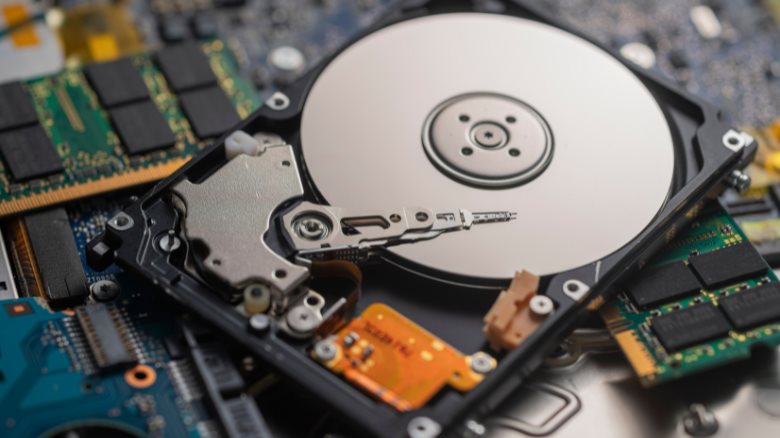
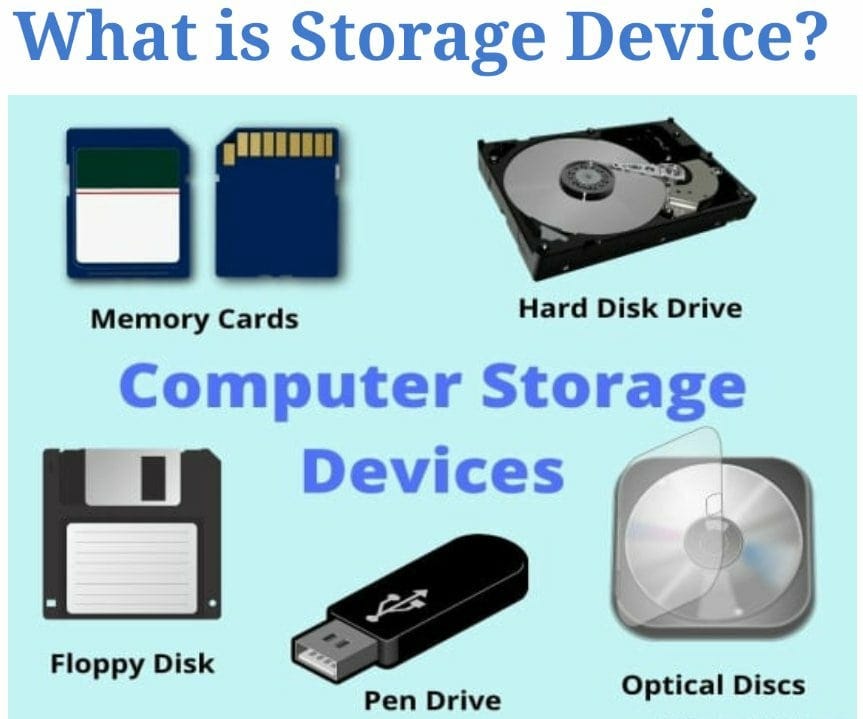
Hard Disk Drives use spinning disks to store data. They offer large storage space at a low cost. HDDs are common in desktops and laptops. They are slower than newer storage types but good for saving big files. They work by reading and writing data on magnetic surfaces.
Solid State Drives (ssd)
Solid State Drives have no moving parts. They store data on flash memory chips. SSDs are much faster than HDDs. They help computers start up quickly and load programs fast. Though more expensive, SSDs are reliable and silent. Many modern computers use SSDs for better performance.
Optical Drives
Optical Drives read and write data on CDs, DVDs, and Blu-rays. They use lasers to access data. Optical drives are less common now but still useful. People use them for watching movies or backing up data. They can store data offline and are portable.
Flash Storage
Flash Storage includes USB drives and memory cards. These devices are small and easy to carry. They use flash memory to save data without power. Flash storage is fast and durable. It is popular for transferring files between devices.
Cloud Storage
Cloud Storage saves data on the internet. You can access files from any device with internet. It offers flexible space without physical hardware. Cloud services protect data with security measures. It is useful for backups and sharing files with others.
Storage Technologies Explained
Storage technologies form the backbone of all computer systems. They keep data safe and ready for use. Each type of storage works differently to save and retrieve information. Understanding these technologies helps you grasp how computers store files, programs, and more.
Magnetic Storage
Magnetic storage uses tiny magnets to store data on disks or tapes. Hard drives are the most common example. They spin disks coated with magnetic material. A read/write head moves over the disk to access data. This type of storage offers large capacity and low cost. It works well for long-term storage and backups.
Electronic Storage
Electronic storage saves data using electrical signals. Solid State Drives (SSDs) and flash memory are popular types. They have no moving parts, making them faster and more reliable. This storage type powers USB drives, smartphones, and modern laptops. It uses less power and provides quicker data access than magnetic storage.
Optical Storage
Optical storage records data with laser light on discs like CDs and DVDs. A laser reads and writes information by changing the disc’s surface. This storage is useful for media files and software distribution. It offers good durability but lower capacity and speed compared to others. Optical discs remain popular for music and movie storage.
Storage Capacity And Speed
Storage capacity and speed are two key factors in a computer’s performance. Capacity tells you how much data a device can hold. Speed shows how fast the computer can read or write data. Both affect how well your computer works.
Measuring Storage Capacity
Storage capacity is measured in bytes. Common units include kilobytes (KB), megabytes (MB), gigabytes (GB), and terabytes (TB). A larger capacity means more files, photos, and programs can be saved. Most modern computers have storage measured in gigabytes or terabytes. Hard drives and solid-state drives (SSDs) offer different sizes. Choose based on your needs for space.
Impact Of Speed On Performance
Speed affects how quickly your computer accesses data. Faster storage means programs open quickly and files transfer fast. SSDs are much faster than traditional hard drives. This speed difference improves overall system responsiveness. Slow storage can cause delays and frustration. The speed depends on the technology and connection type used by the storage device.
Choosing The Right Storage
Choosing the right storage for a computer is important. Storage affects speed, space, and how well your system works. Picking the best type helps save money and meet your needs. Understanding storage types makes this choice easier.
Factors To Consider
First, think about storage size. How much space do you need for files and programs? Second, check speed. Faster storage makes your computer work better. Third, consider cost. Some storage types cost more than others. Fourth, look at durability. Some storage lasts longer and handles shocks better. Finally, think about power use. Some devices use less energy, which matters for laptops.
Use Cases For Different Storage Types
Hard Disk Drives (HDDs) suit big storage needs at a low price. They work well for storing videos and photos. Solid State Drives (SSDs) are faster and better for running programs and games. They help your computer start quickly. Hybrid drives combine HDD and SSD, giving a balance of speed and space. External drives offer easy backup and extra storage for travel or work. Cloud storage saves files online, making sharing and access from anywhere simple.
.webp)
Credit: www.geeksforgeeks.org
Maintaining Computer Storage
Maintaining computer storage is important for smooth system performance. It helps keep your files safe and your device running fast. Proper care of storage also extends the life of your computer. Simple steps can prevent data loss and storage issues.
Data Backup Strategies
Back up your data regularly to avoid losing important files. Use external drives or cloud services for extra security. Set automatic backups to save time and effort. Keep multiple backup copies in different places for safety.
Storage Optimization Tips
Delete unused files and programs to free up space. Organize your files into folders for easy access. Use built-in tools to clean temporary and junk files. Check storage health to spot problems early. Regularly update your software to keep storage efficient.
Credit: medium.com
Frequently Asked Questions
What Is Computer Storage And Why Is It Important?
Computer storage refers to devices that save digital data. It is crucial for keeping files, programs, and the operating system accessible. Without storage, a computer cannot retain information or run software effectively.
What Are The Main Types Of Computer Storage?
The main types are primary storage (RAM) and secondary storage (HDD, SSD). RAM is fast but temporary, while HDDs and SSDs store data long-term, even when the computer is off.
How Does Storage Affect Computer Performance?
Storage speed impacts how fast data is accessed and saved. SSDs offer quicker read/write speeds than HDDs, improving boot times and application loading, thus enhancing overall performance.
Can Storage Capacity Be Upgraded In A Computer?
Yes, most computers allow upgrading storage by adding or replacing drives. Increasing storage capacity helps store more files and improves system efficiency.
Conclusion
Storage holds all your data and programs in a computer. It keeps files safe even when power is off. Different types of storage serve different needs. Hard drives offer large space but work slower. Solid-state drives are faster but cost more.
Knowing storage helps you choose the right computer. It also helps keep your data organized and accessible. Storage is a key part of how computers work every day. Understanding it makes using technology easier and clearer.
As an Amazon Associate, I earn from qualifying purchases.

